WooCommerce vs Shopify: Which Should a Retailer Choose?
How to choose between WooCommerce and Shopify for a retail store: catalog limits, the till, real fees as of October 2026, and who owns the store.
 Joshua Jackai
14 min read
Joshua Jackai
14 min read
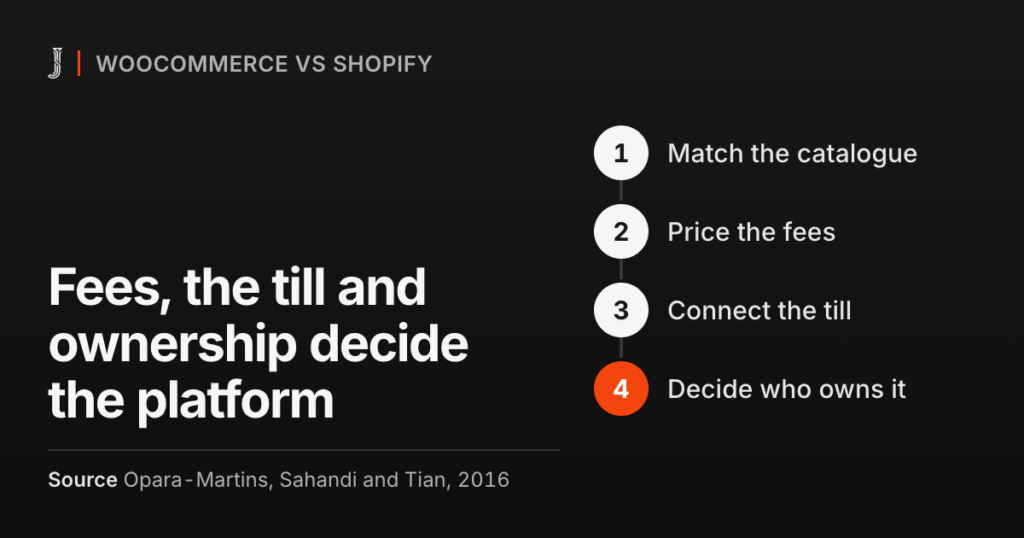
WooCommerce vs Shopify is the question I hear most from Vancouver retailers who want off Wix, and a feature list won’t settle it. Four facts about your store will: how odd your catalog is, whether the till in your shop has to agree with the website, what the fees add up to at your volume, and who owns the store if you ever leave.
A store owner is at the counter after close with two pricing pages open. One says CA$37 a month. The other says free. Neither number is what the store will cost. Neither page asks about the till behind her.
I’ve built on both. S.T. Dupont Vancouver, the authorized S.T. Dupont flagship store in Canada, and Cubanbest, a Vancouver premium retailer, run on WooCommerce. Rufous & Co, a Seattle interior design studio with a store, runs on Shopify. This is the WooCommerce vs Shopify comparison I walk a store owner through before I quote either one, with vendor prices checked as of October 2026.
In this guide
WooCommerce vs Shopify: what is the real difference?
The difference isn’t a feature list. It’s who runs the building. Shopify is a hosted platform. You pay a monthly plan, and Shopify runs the servers, the checkout, the security patches and the updates. You rent a well-kept unit in a mall, and the mall sets some of the rules.
WooCommerce is a free plugin that turns a WordPress site into a store. You pick the host, the payment processor and the extensions. The database sits on a server you pay for, in an account in your name. You own the building, which means you also own the leaks in the roof.
Neither model wins in general. The rest of this post settles WooCommerce vs Shopify for your store with four tests: the catalog, the fees, the till and ownership. Fail one outright and the other three rarely rescue a platform.
Which platform fits your product catalog?
Start with the catalog, because it’s the one test you can’t fix later with money. In most WooCommerce vs Shopify decisions I see, it settles the question before price comes up. Write down every attribute a buyer uses to choose between two of your products. Size and color for clothing. Finish, collection and price for luxury goods. Then mark the ones that change the price or the stock count.
Shopify’s help center says a product can have up to three options and up to 2,048 variants, as of October 2026. Three options covers most clothing and homeware. A product that needs a fourth option needs an app or custom theme code, according to the same page. That’s a workaround you’ll pay for and keep running.
WooCommerce stores attributes as WordPress taxonomies, and its own pricing page lists product variants as unlimited. On the WooCommerce catalogs I’ve built, the real limit was the server and the filter setup, not a rule in the software.
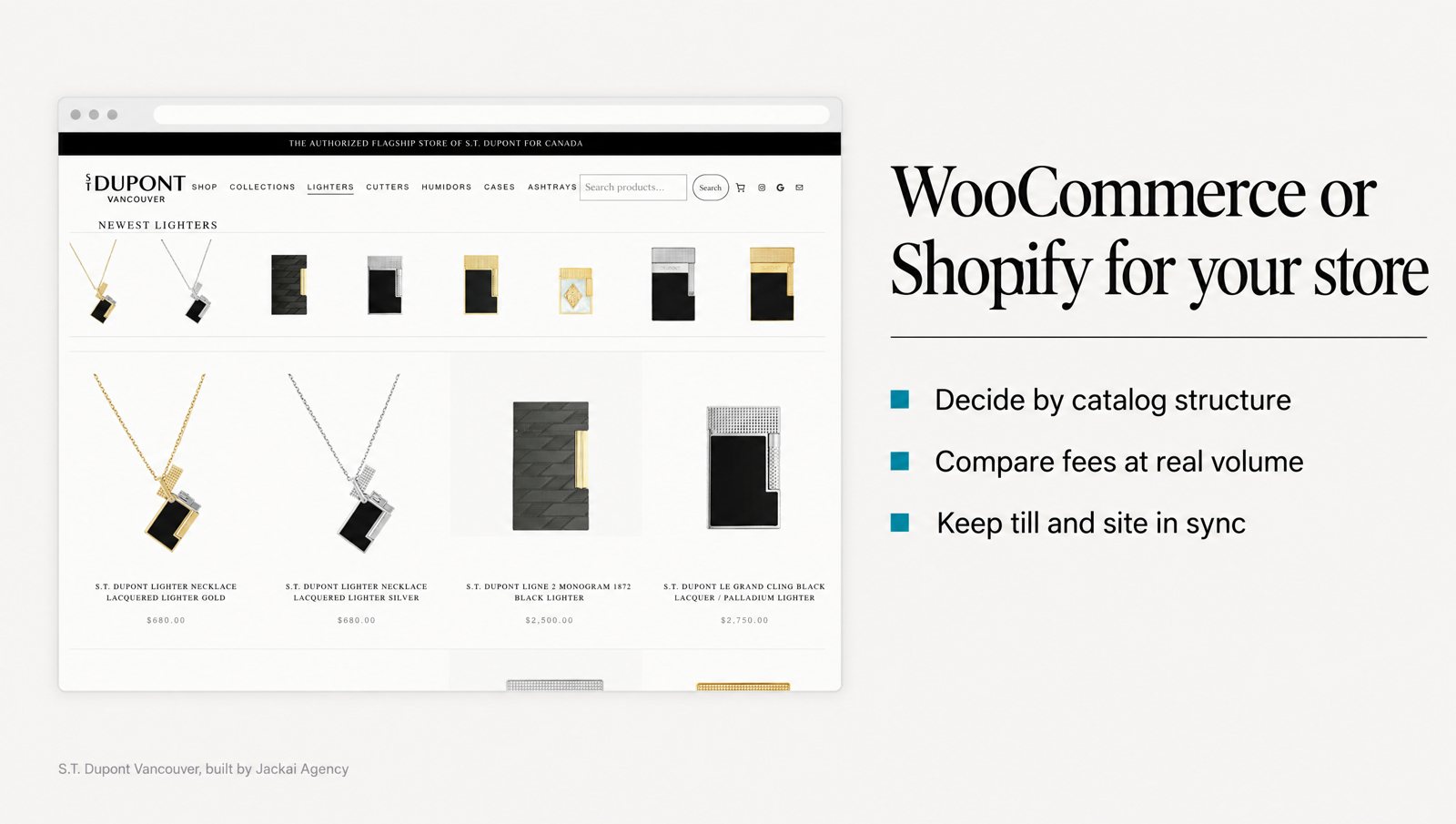
S.T. Dupont Vancouver is the clearest case I have. On Wix, 290 products sat in a structure that couldn’t carry finishes, variants or serials, so each product page said less than the display case in the store. I moved it to WordPress and WooCommerce on Bricks, with filters by maison (the design house), finish and price. All 290 products came across with taxonomy, pricing and product copy intact.
Cubanbest moved from Wix to WooCommerce with 638 SKUs, and I worked with the founders on strategy, design and development. Past a few hundred SKUs, I plan the filters before a single product is imported, because filters are far harder to bolt on afterwards.
My WooCommerce vs Shopify rule of thumb for catalogs: if every product fits in three options and you sell a few hundred products or fewer, a Shopify store handles it well. If you need a fourth attribute, serial-level detail, or filters built around the words your buyers use, WooCommerce gives you room without an app in the middle.
WooCommerce vs Shopify fees: what will you pay at your volume?
Most store owners compare the monthly plan first. It’s the smallest line on the bill. Research on total cost of ownership makes the same point: a purchase should be judged on every cost that comes with it, not on the price alone (Ellram, 1995). For a store, those costs are card rates, transaction fees, hosting, extensions and the hours spent on upkeep.
Shopify plans and card rates in Canada
| Shopify plan | Price per month | Online card rate | Third-party transaction fees |
|---|---|---|---|
| Basic | CA$37 billed yearly, CA$49 billed monthly | 2.8% + 30 cents | 2% |
| Grow | CA$99 billed yearly, CA$132 billed monthly | 2.6% + 30 cents | 1% |
| Advanced | CA$389 billed yearly, CA$517 billed monthly | 2.4% + 30 cents | 0.6% |
| Plus | From CA$3,400 | 2.15% + 30 cents | 0.2% |
Source: Shopify’s Canadian pricing page, October 2026. Rates are for standard cards through Shopify Payments; Amex and international cards cost more.
WooCommerce costs in Canada
WooCommerce itself is free, with no monthly platform fee. WooPayments, WooCommerce’s own payment service, charges a Canadian account 2.9% + $0.30 per card payment as of October 2026. WooCommerce’s pricing page estimates hosting at $25 to $350 a month for most stores, and paid extensions at $29 to $299 a year each.
A worked example at CA$20,000 a month
Take a Vancouver shop that sells CA$20,000 a month online across 100 orders. Domestic cards, yearly billing, and no apps or extensions on either side. For WooCommerce I’ll assume CA$60 a month for hosting, inside the range WooCommerce quotes.
- Shopify Basic: CA$37 plan + CA$560 in card rates + CA$30 in per-order fees = CA$627 a month.
- Shopify Grow: CA$99 + CA$520 + CA$30 = CA$649 a month.
- WooCommerce with WooPayments: CA$60 hosting + CA$580 + CA$30 = CA$670 a month.
At this volume the WooCommerce vs Shopify fee gap is CA$43 a month, so the fee table doesn’t pick your platform. Grow only beats Basic once online card sales pass about CA$31,000 a month, because the 0.2% rate cut has to pay for a plan that costs CA$62 more. Advanced beats Grow at about CA$145,000 a month.
Do Shopify transaction fees apply if you keep your own processor?
Yes, and this is where the WooCommerce vs Shopify math changes. If a Shopify store takes payment through a provider other than Shopify Payments, Shopify adds third-party transaction fees on top of what that provider charges: 2% on Basic, 1% on Grow, 0.6% on Advanced and 0.2% on Plus, as of October 2026.
Back to the CA$20,000 shop. On Basic, an outside processor adds CA$400 a month in Shopify transaction fees before the processor takes its own cut. WooCommerce charges nothing extra for another processor. A store owner who wants one merchant account for the counter and the website should price this line before anything else.

What happens to the till in your physical shop?
Most comparisons skip this test. In a WooCommerce vs Shopify choice for a shop with a counter, it often decides. The question isn’t whether a platform can take payment in person. Both can. It’s whether the system already ringing your till can talk to the website.
A Shopify store gets its own point of sale. Basic in-person selling comes with every paid plan, and POS Pro, which adds staff roles and in-store inventory management, costs CA$119 a month per location as of October 2026. In-person card rates are 2.6% on Basic, and Interac is 15 cents a payment. If you’re opening a shop or replacing an old till anyway, that’s a tidy package.
WooPayments takes in-person payments in Canada too, at 2.7% + $0.05 a card plus $5 a month per active card reader. That covers a pop-up. It doesn’t replace a POS your staff already run every day.
If you already run a POS you like, the math flips. On the S.T. Dupont Vancouver project, payment ran through Clover, and the old Wix template treated it as an afterthought. On WooCommerce, I connected Clover POS to checkout and tested the payment path end to end before launch. The shop kept Clover, and the website checkout runs through it.
Why does this matter? A study of a retailer that added buy online, pick up in store found online sales fell while store sales and traffic rose, and warned that judging a change from one channel’s data gives the wrong answer (Gallino and Moreno, 2014). Research on abandoned carts found many shoppers use an online cart to research, then buy later or through another channel (Kukar-Kinney and Close, 2010).
So for a shop with a counter, the website is half of one sales system. Read your results across both channels. S.T. Dupont Vancouver’s online sales grew 5x in the first 90 days, against the last 90 days the old Wix store could sell. Same license. Same products. Same store. I don’t credit the platform alone, because the catalog, the dealer proof and the checkout all changed at once.
Who owns the store if you leave?
Every store owner picks a platform planning to stay. Then a fee rises or a policy shifts, and leaving is suddenly the question. Research on switching costs found that the time, money and effort of leaving explained more of why customers meant to stay with a provider than their satisfaction did (Burnham, Frels and Mahajan, 2003). Staying because leaving is hard isn’t the same as staying because the platform is right.
On a Shopify store, the storefront itself is rented. The theme, the app setup and the checkout live on Shopify’s platform, and none of them move to another one. A study of vendor lock-in with hosted software found many customers didn’t know how proprietary formats would limit a later move, and recommended vendors that support standard formats (Opara-Martins, Sahandi and Tian, 2016).
WordPress and WooCommerce are open source, so the files and the database can go to any host you choose. The price of that ownership is upkeep: plugin and theme updates, backups, security, and a test of checkout after each update. On my projects that’s what the care plan covers, at CA$279 an hour.
One rule holds on both platforms when I build: the account, the domain and the hosting sit in the client’s name, not mine. Ask any designer you hire who will own each one before you sign.
When is a Shopify store the better choice?
Shopify wins more WooCommerce vs Shopify comparisons than WordPress designers like to admit. I ran my own streetwear brand, Frontrvnners, on Shopify from 2012 to 2022, so I know the platform from the owner’s chair as well as the builder’s. For simple products and nobody technical on staff, a Shopify store removes a whole class of problems.
Rufous & Co is the client example: a Seattle interior design studio with a services practice and a store. I worked with the founders to reposition it from a home-decor shop to an interior design studio, then designed and built it on Shopify. The hard part wasn’t the platform. It was giving two kinds of buyer, one hiring the studio and one buying from the store, their own route from the homepage. The Rufous & Co case study shows how.
A Shopify store fits when most of these are true:
- Simple products: every product fits in three options or fewer.
- No developer on call: nobody wants to manage updates, backups or hosting.
- A new or replaceable till: you’re happy to run Shopify POS in the shop.
- Shopify Payments suits you: so third-party transaction fees never apply.
- The standard checkout is enough: Shopify lists a fully customizable checkout as a Plus feature, from CA$3,400 a month.
That last point worries some store owners more than it should. Shoppers build trust in an online store partly through visible safety features and an interface that works the way they expect (Gefen, Karahanna and Straub, 2003). A familiar checkout is closer to an asset than a limit. If you’re on Shopify and the store needs work rather than a move, a Shopify store redesign is usually the cheaper fix.

When is WooCommerce the better choice?
WooCommerce is the better pick when the store has to bend around the business, not the other way round. On S.T. Dupont Vancouver, authorized dealer status was the one fact that separates the shop from a reseller, and on Wix it sat in the footer. I moved the dealer proof above the fold and onto every product page, on a Bricks build bound to a design system so the team can edit it without a developer. The S.T. Dupont Vancouver case study has the full build.
WooCommerce fits when most of these are true:
- A complex catalog: four or more attributes, serial-level detail, or hundreds of SKUs that need real filters.
- A POS you’re keeping: your counter already runs a system with a WooCommerce connection.
- A processor you’re keeping: one merchant account for shop and site, with no extra platform fee.
- Content beside the store: you publish on WordPress, or plan to.
- Someone to own upkeep: a person in-house, or a care plan.
If you sell in a restricted category, check the platform’s acceptable use policy and your payment processor’s rules before you build anything, because either one can switch off a checkout that the law allows.
WooCommerce vs Shopify: which one fits your store?
Here is the WooCommerce vs Shopify decision table I use with retailers. Read across each row and mark the column that describes your store. Four or more marks in one column usually settles it.
| Test | Shopify fits when | WooCommerce fits when |
|---|---|---|
| Catalog | Three options or fewer per product, a few hundred products | Four or more attributes, serials, or filters in your buyers’ words |
| The till | You’ll run Shopify POS (POS Pro is CA$119 a month per location) | Your current POS connects to WooCommerce |
| Payments | Shopify Payments suits you | You keep your own processor, with no extra platform fee |
| Fees at CA$20,000 a month | About CA$627 on Basic | About CA$670 with WooPayments and CA$60 hosting |
| Upkeep | Shopify runs hosting and updates | You or a care plan run updates, backups and security |
| Ownership | You rent the platform, and the theme stays behind | Files, database and domain move with you |
The table is a starting point, not a verdict. One hard fail outweighs four soft wins. A store whose till can’t connect to Shopify, or whose products need five options, already has its answer.
What would I not do on either platform?
A few decisions cost a store owner more than the WooCommerce vs Shopify choice itself. I’d avoid all of these.
- Upgrading a Shopify store’s plan for the card rate. Below about CA$31,000 a month in online card sales, Grow costs more than Basic.
- Running an outside gateway on Shopify Basic without pricing it. The 2% in transaction fees comes on top of the processor’s own rate.
- Putting WooCommerce on the cheapest shared hosting. On the stores I’ve built, a filtered catalog is the first load a cheap host can’t carry.
- Adding a plugin or app for every small feature. Each one brings a fee, an update to test and a possible conflict at checkout.
- Migrating without a redirect map. Every old product URL needs a new home, or the search traffic it earned has nowhere to land. My website migration service starts from that map.
How do you brief a store build, and what does it cost?
Before any designer can settle WooCommerce vs Shopify for your store, they need seven facts. A store owner can pull these together in ten minutes, and they turn a vague range into a fixed quote.
- Your SKU count, and the attributes buyers filter by.
- Your POS today, and whether you’re keeping it.
- Your payment processor, and your current rates if you know them.
- Your rough monthly online sales and order count.
- Who on your team will edit products and pages each week.
- Your current platform, and how many product URLs it has.
- Any category restrictions from your processor or a past platform.
On my price list, an ecommerce build or migration starts at CA$15,995, and a store redesign starts at CA$9,350. Every quote is fixed, includes two revision rounds per phase, and leaves you owning the site, the domain and the hosting. My page on ecommerce website design in Vancouver shows how I scope both kinds of build.
The store owner at the counter after close doesn’t need a third pricing page. She needs her catalog, her till and her fees on one sheet. Same products. Same counter. Only the platform underneath should change.
If you’d like that sheet for your store, book a 30-minute call. Bring your SKU count and the name of your POS, and I’ll tell you which platform I’d pick and why, whether or not you hire me.
Sources
Peer-reviewed research
- Burnham, T. A., Frels, J. K., and Mahajan, V. (2003). Consumer switching costs: A typology, antecedents, and consequences. Journal of the Academy of Marketing Science, 31(2), 109-126. https://doi.org/10.1177/0092070302250897
- Ellram, L. M. (1995). Total cost of ownership: An analysis approach for purchasing. International Journal of Physical Distribution and Logistics Management, 25(8), 4-23. https://doi.org/10.1108/09600039510099928
- Gallino, S., and Moreno, A. (2014). Integration of online and offline channels in retail: The impact of sharing reliable inventory availability information. Management Science, 60(6), 1434-1451. https://doi.org/10.1287/mnsc.2014.1951
- Gefen, D., Karahanna, E., and Straub, D. W. (2003). Trust and TAM in online shopping: An integrated model. MIS Quarterly, 27(1), 51-90. https://doi.org/10.2307/30036519
- Kukar-Kinney, M., and Close, A. G. (2010). The determinants of consumers’ online shopping cart abandonment. Journal of the Academy of Marketing Science, 38(2), 240-250. https://doi.org/10.1007/s11747-009-0141-5
- Opara-Martins, J., Sahandi, R., and Tian, F. (2016). Critical analysis of vendor lock-in and its impact on cloud computing migration: A business perspective. Journal of Cloud Computing, 5, 4. https://doi.org/10.1186/s13677-016-0054-z
Industry and vendor data (not peer reviewed)
- Shopify, Canadian pricing page, as of October 2026: plans, card rates, third-party transaction fees, Plus checkout.
- Shopify, Canadian POS pricing page, as of October 2026: POS Pro per location and in-person card rates.
- Shopify Help Center, “Adding variants”, as of October 2026: 2,048 variants and three options per product.
- WooCommerce, pricing page, as of October 2026: free core, hosting and extension estimates, unlimited variants.
- WooCommerce, WooPayments fees for Canada, as of October 2026: online, in-person and card reader fees.