7 Ecommerce Web Design Vancouver Checks: 2026 Field Guide
Seven checks to run on any Vancouver ecommerce build or redesign, with the research behind each one and what a fair price covers in Canadian dollars.
 Joshua Jackai
16 min read
Joshua Jackai
16 min read

Published 14 October 2026 · Last updated and fact-checked October 2026
Short answer: Good ecommerce web design in Vancouver comes down to seven checks made before launch: a platform that fits your catalogue, a clean product move, product pages that show proof, shipping and tax in Canadian dollars, a checkout your buyers trust, a fast phone build, and redirects that keep your search traffic. My fixed prices start at CA$9,350.
I am Joshua Jackai, a Vancouver web designer, and I run Jackai Agency. Store owners ask me the same things before they sign anything: Shopify or WooCommerce, what moving 300 products really involves, and what a fair price looks like in Canadian dollars. This guide is the order of checks I would run on any store, mine or someone else’s. It is built from published research, vendor pages I read this month and stores I have rebuilt.
In this guide
Key takeaways
- Shipping charges change how many people finish an order and how much they put in the basket, according to a study of an online retailer’s orders (Lewis, Singh and Fay, Marketing Science, 2006).
- Reviews move sales, and a low rating weighs more than a high one (Chevalier and Mayzlin, Journal of Marketing Research, 2006).
- Trust in an online vendor rests on safety mechanisms, a typical interface and ease of use (Gefen, Karahanna and Straub, MIS Quarterly, 2003).
- Google recommends server side permanent redirects from old URLs to new ones when a site moves, and warns that visibility can fluctuate for a while (Google Search Central, site move guidance).
- Jackai Agency prices, October 2026: ecommerce store redesign from CA$9,350, new build or migration from CA$15,995.
| Check | What you need in hand | Where stores slip | Cost if it is missed |
|---|---|---|---|
| 1. Platform | A reason for Shopify or WooCommerce | Choosing on a friend’s advice | A rebuild in two years |
| 2. Catalogue move | A clean export with variants | Lost options and images | Orders for the wrong item |
| 3. Product page | Price, photos, reviews, stock | Thin pages with no proof | Visitors leave unsure |
| 4. Shipping and tax | Prices in CAD, rates shown early | Surprises at checkout | Abandoned baskets |
| 5. Checkout | A tested order in CAD | Untested payment paths | Lost sales you never see |
| 6. Speed and phone | A page that loads fast on mobile | Heavy images, extra apps | Slow pages, lost buyers |
| 7. Search continuity | A redirect map | Old URLs left to break | Rankings fall after launch |
1. Platform choice: best for matching the store to your catalogue
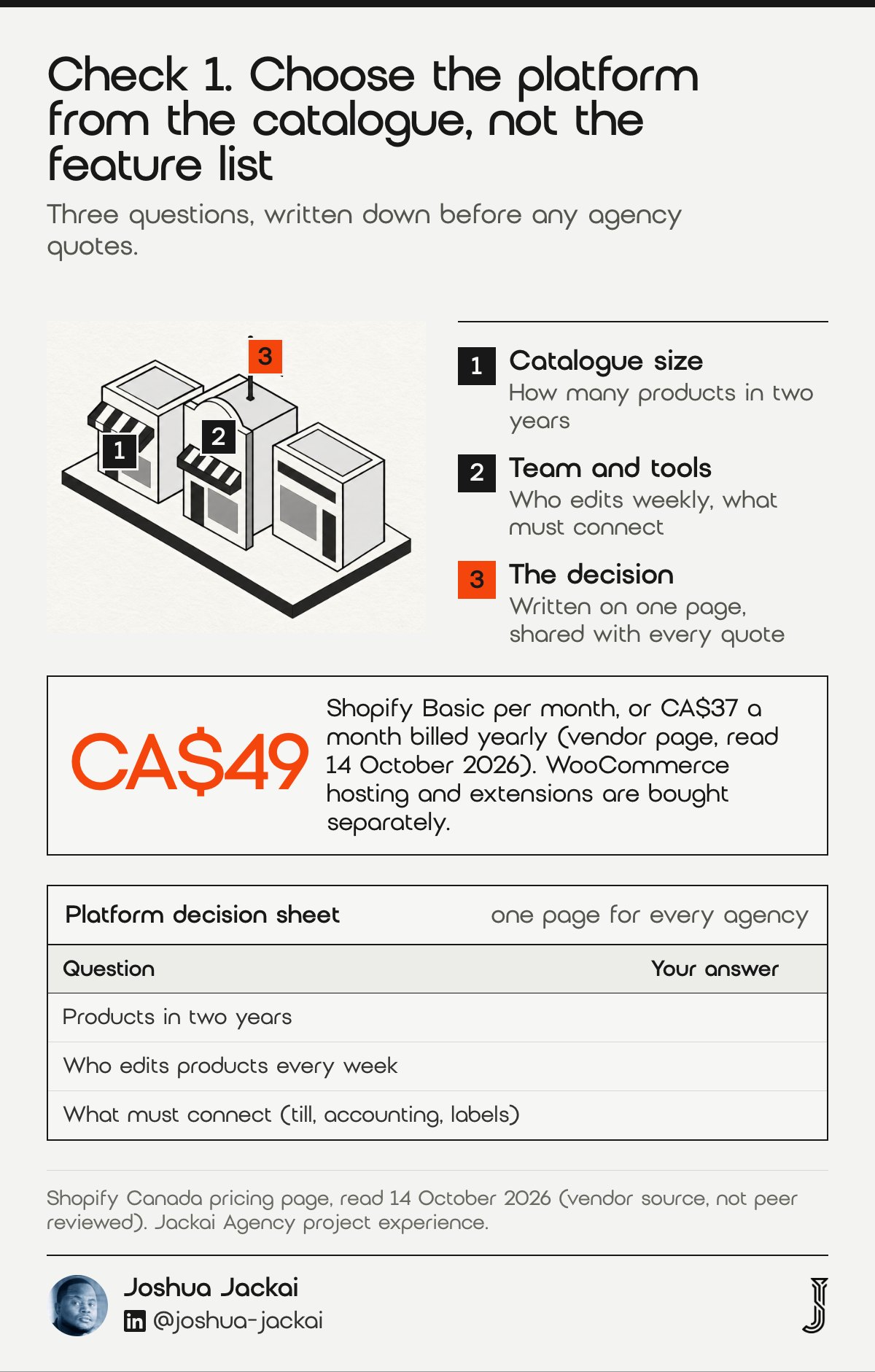
Pick the platform from your catalogue, your team and your point of sale, not from a feature list. A store with a few dozen products and a small team usually runs well on Shopify. A store with hundreds of products, shop systems to connect, or content that carries the brand often fits WooCommerce on WordPress.
- Shopify Basic: CA$49 a month, or CA$37 a month billed yearly (vendor page, 14 October 2026)
- WooCommerce: runs on WordPress, so hosting and extensions are bought separately
- Catalogue size: under about 100 products leans Shopify, in my experience
- In-shop sales: check the point of sale integration before you choose
- Team skill: who will edit products every week
I have built both. Rufous & Co runs on Shopify, and I moved S.T. Dupont Vancouver from Wix to WordPress with WooCommerce, carrying 290 products across with Clover POS in the shop. The point is not that one platform wins. The point is that each store had a reason written down before the build began.
“Choose the platform your team can run on a Tuesday afternoon, not the one with the longest feature list,” said Joshua Jackai, Vancouver web designer.
Ask three questions. How many products will you list in two years? Who updates them? What else must connect, such as accounting, shipping labels or a till? Write the answers on one page and give it to every agency that quotes you. If an agency recommends a platform without asking them, you are hearing a habit, not advice.
Price is the smaller part of the choice. A Shopify Basic plan is CA$49 a month, or CA$37 a month billed yearly, according to the Shopify Canada pricing page read on 14 October 2026, but the larger cost over three years is the work to build, connect and maintain the store. WooCommerce moves more of that work into hosting, extensions and updates, which suits a team with a developer on call. Neither choice is permanent, and a later move is a migration job, which I price at CA$11,500 from WordPress to Shopify.
2. Catalogue and migration: best for keeping every product option
A migration is a data job before it is a design job. Products, variants, prices, images, categories and customer records all have to arrive intact, and the weak points are variants and images. A shirt in four sizes and three colours is twelve rows, and one broken column turns it into the wrong order.
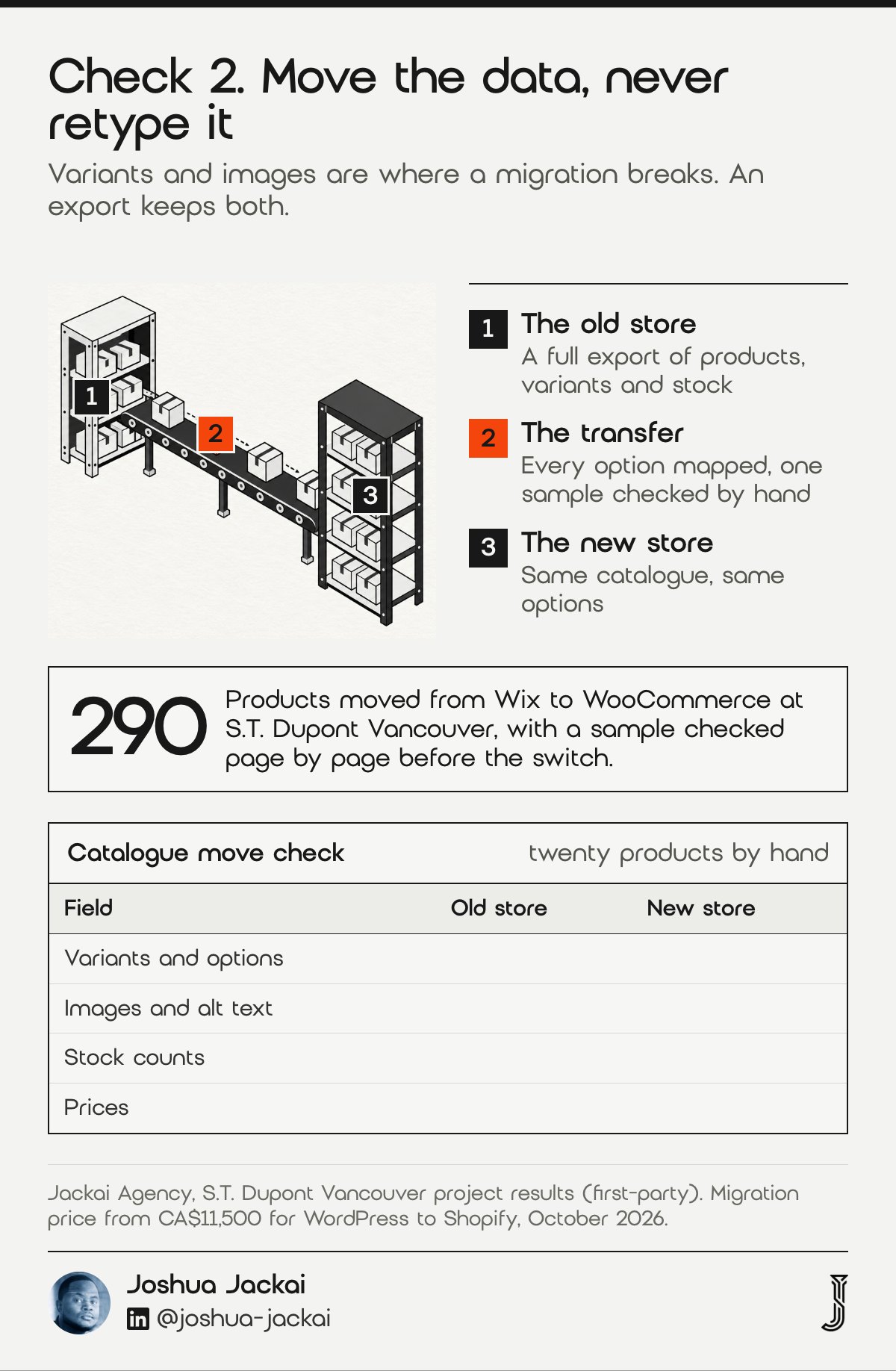
- Export first: a full CSV of products, variants and stock
- Variants: every size and colour option mapped, not typed again
- Images: one main photo and alt text for each product
- Customers: accounts and order history, if you keep them
- Test: twenty products checked by hand against the old store
At S.T. Dupont we moved 290 products and checked a sample of them page by page against the old store before the switch. My fixed price for a WordPress to Shopify migration is CA$11,500 as of October 2026, and a new build or migration starts at CA$15,995. The wide gap between a redesign and a migration is the data work.
A short rule saves hours. Never type products in by hand if an export exists. Hand entry is where prices drift and sizes vanish.
“Never type products in by hand if an export exists, because hand entry is where prices drift and sizes vanish,” said Joshua Jackai, Vancouver web designer.
The S.T. Dupont Vancouver project is written up in the case study: 290 products, a Clover POS in the shop, and online sales five times higher in the first 90 days on WooCommerce than in the last 90 days the Wix store could sell. The checks above are the reason that result was not lost to broken options and missing images. Plan sampling time in proportion to the number of variants, because errors hide in the long tail rather than in the top sellers.
The next check is what shoppers see once the products are there.
3. Product pages: best for turning a visit into a decision
A product page has one job: let a stranger decide. That takes a large photo set, a price, stock status, delivery cost and proof from other buyers, all before the visitor scrolls far. Thin pages with one photo and two lines of text make people leave to compare elsewhere.
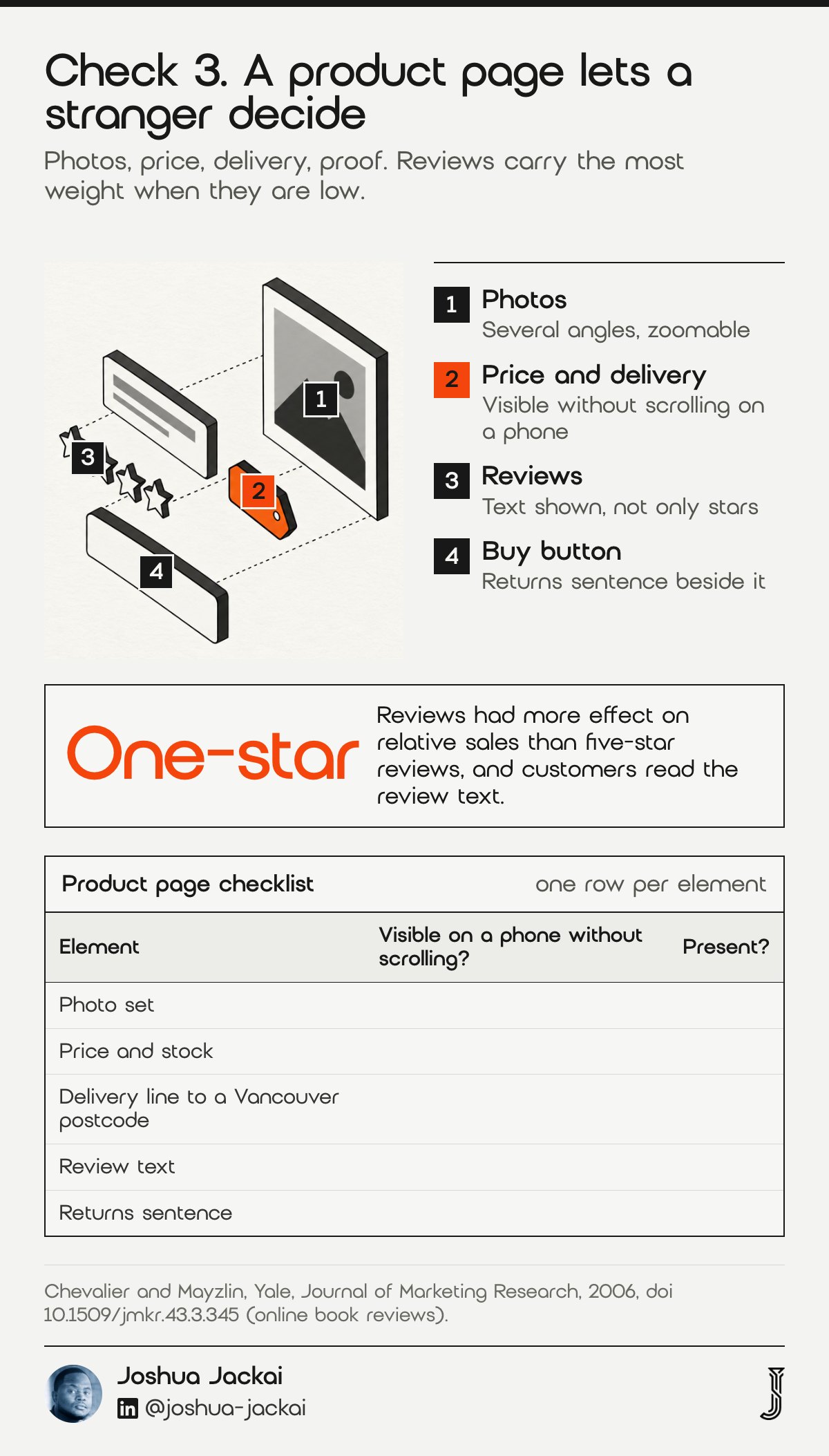
- Photos: several angles, zoomable, same background
- Price and stock: visible without scrolling on a phone
- Delivery line: cost and time to a Vancouver postcode
- Reviews: real ones, with the text shown, not only stars
- Returns: a plain sentence near the buy button
Research on online book sales found that better reviews raised sales relative to other sellers, that one-star reviews had more effect than five-star reviews, and that customers read the review text, not only the average (Chevalier and Mayzlin, Yale, Journal of Marketing Research, 2006). The practical reading is that the bad review you hide matters less than the way you answer it.
Put the reviews high on the page, answer the poor ones in public, and keep the average honest. If you have no reviews yet, say so, and start collecting them from the first order. The 2006 finding on one-star reviews (Chevalier and Mayzlin) is why I answer poor reviews in public.
“A review you answer well sells more than a bad review you hide,” said Joshua Jackai, Vancouver web designer.
I put the delivery line and the returns sentence next to the buy button because they answer the two questions people ask last. A visitor who has to open another tab to find the delivery cost may not come back. Trust also grows from small, plain signs, and a study of online shopping found that a typical site design and ease of use were among the four drivers (Gefen, Karahanna and Straub, MIS Quarterly, 2003).
4. Shipping and tax in Canadian dollars: best for no surprises at checkout
Show prices in Canadian dollars, show shipping before the basket, and charge the right tax. A shopper who meets a new cost on the last screen leaves. A well-known study put numbers on how strongly shipping charges act on buyers.
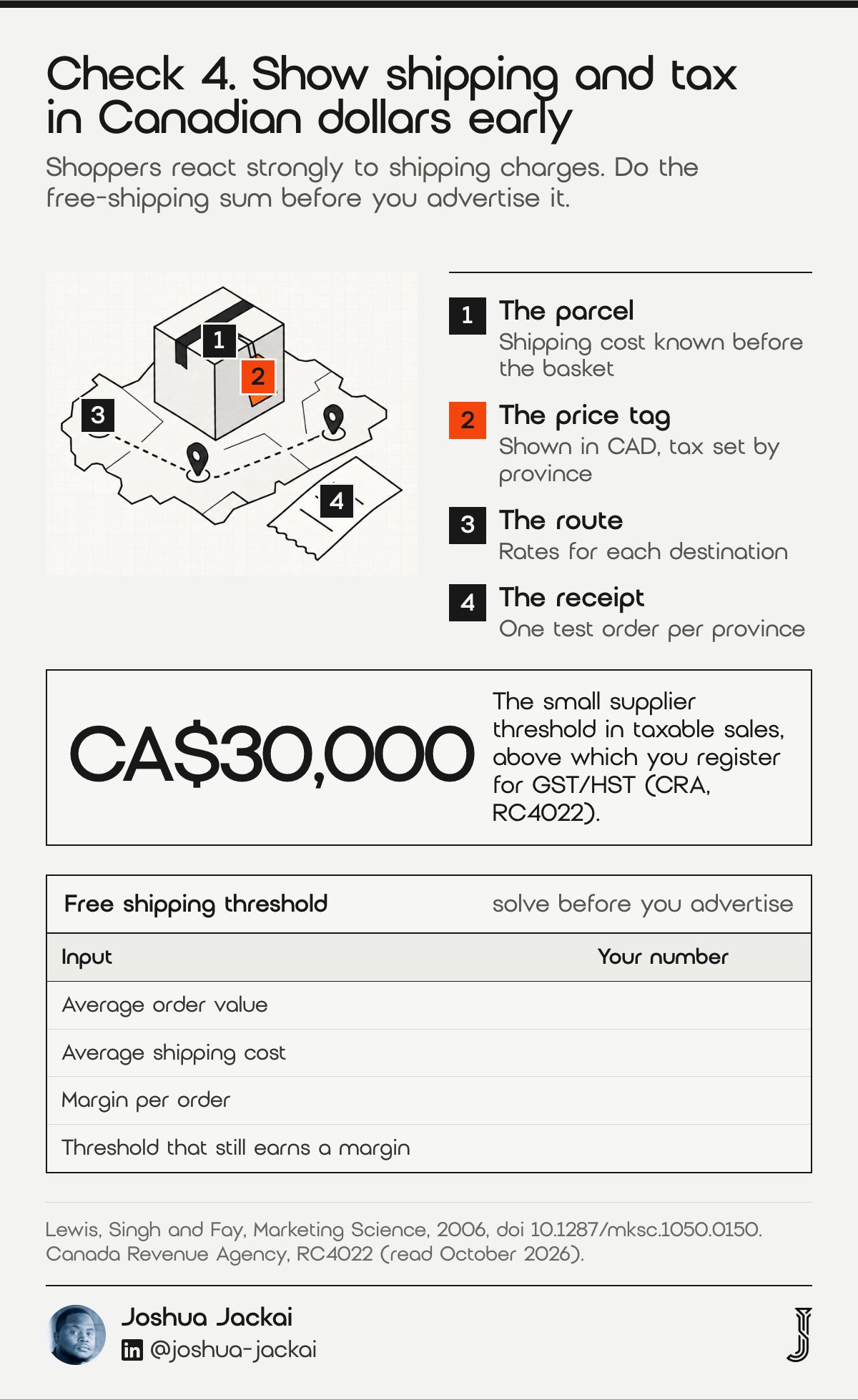
“Results show that consumers are very sensitive to shipping charges and that shipping fees influence order incidence and basket size,” reported Lewis, Singh and Fay of the University of Florida and Carnegie Mellon in Marketing Science, 2006.
- Currency: CAD on every price, no conversion at the last step
- Shipping: rates shown on the product page or basket, not first at payment
- Free shipping: set a threshold you can afford
- Tax: GST, HST or PST by province, set up correctly
- Registration: the Canada Revenue Agency small supplier threshold is CA$30,000 in sales (CRA, RC4022)
Free shipping has a cost, and the same study noted that lost revenue can make a free-shipping threshold unprofitable. So do the sum before you advertise it. Take your average order, your average shipping cost and your margin, and find the threshold where you still make money.
Tax rules are the part to confirm with an accountant, since they depend on where you sell and where your buyers live. I set up the tax tables to match what your accountant tells me, and I test one order per province before launch. The CA$30,000 small supplier threshold comes from CRA’s guide for registrants (RC4022), so check it before you price tax into the store.
For a Vancouver store the practical build is short. Prices carry the CA$ label, shipping rates are visible on the product page for a Vancouver postcode and for the rest of Canada, and tax is calculated by province at the basket. I check one test order each for British Columbia, Alberta, Ontario and Quebec, and I ask your accountant to confirm the tax settings in writing before the store takes a real order.
5. Checkout and payments: best for trust at the last step
The checkout is where a good store loses sales it never sees. People abandon on a form that asks too much, a payment method they do not trust, or an error they cannot fix. Trust at this step is built from plain things.
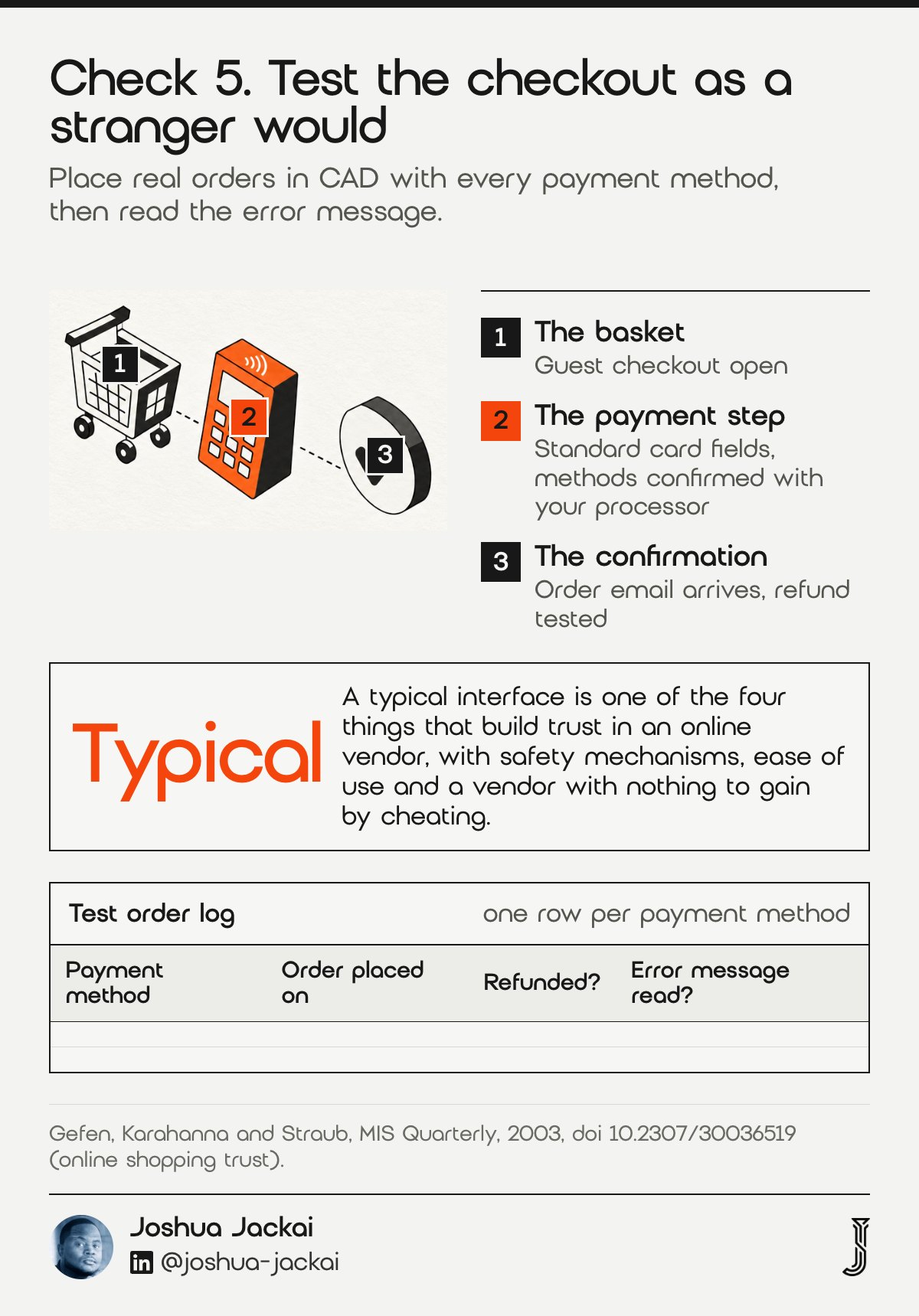
- Order steps: as few screens as the platform allows
- Guest checkout: open, with account creation optional
- Payment methods: the ones your Canadian buyers use, confirmed with your processor
- Security cues: a visible secure payment note and standard card fields
- Test order: placed in CAD, start to finish, before launch
A review of online trust found that it forms from the belief that the vendor has nothing to gain by cheating, from safety mechanisms on the site, from a typical interface and from ease of use (Gefen, Karahanna and Straub, Drexel, Georgia and Georgia State, MIS Quarterly, 2003). A typical interface is worth noting. A checkout that looks like every other checkout is a feature, not a flaw.
My rule on every store is simple: I place real test orders with each payment method, then refund them. I also place one with a deliberately wrong card to read the error message, because that message is what a shopper sees when something fails.
Keep the form short. Ask for the email, the shipping address and the payment, and leave the account for after the order. Write error messages in plain words that say what to fix, such as a card number that is one digit short. If your processor offers wallets or saved cards, switch on the ones your buyers already use, and place a test order with each.
“A checkout that looks like every other checkout is a feature, not a flaw,” said Joshua Jackai, Vancouver web designer.
6. Speed and phone layout: best for stores most buyers open on a phone
Most shopping starts on a small screen, so design the phone page first and scale up. The test that counts is how fast the main product image appears. Google’s guidance for that measure is clear and gives you a target to hold an agency to.
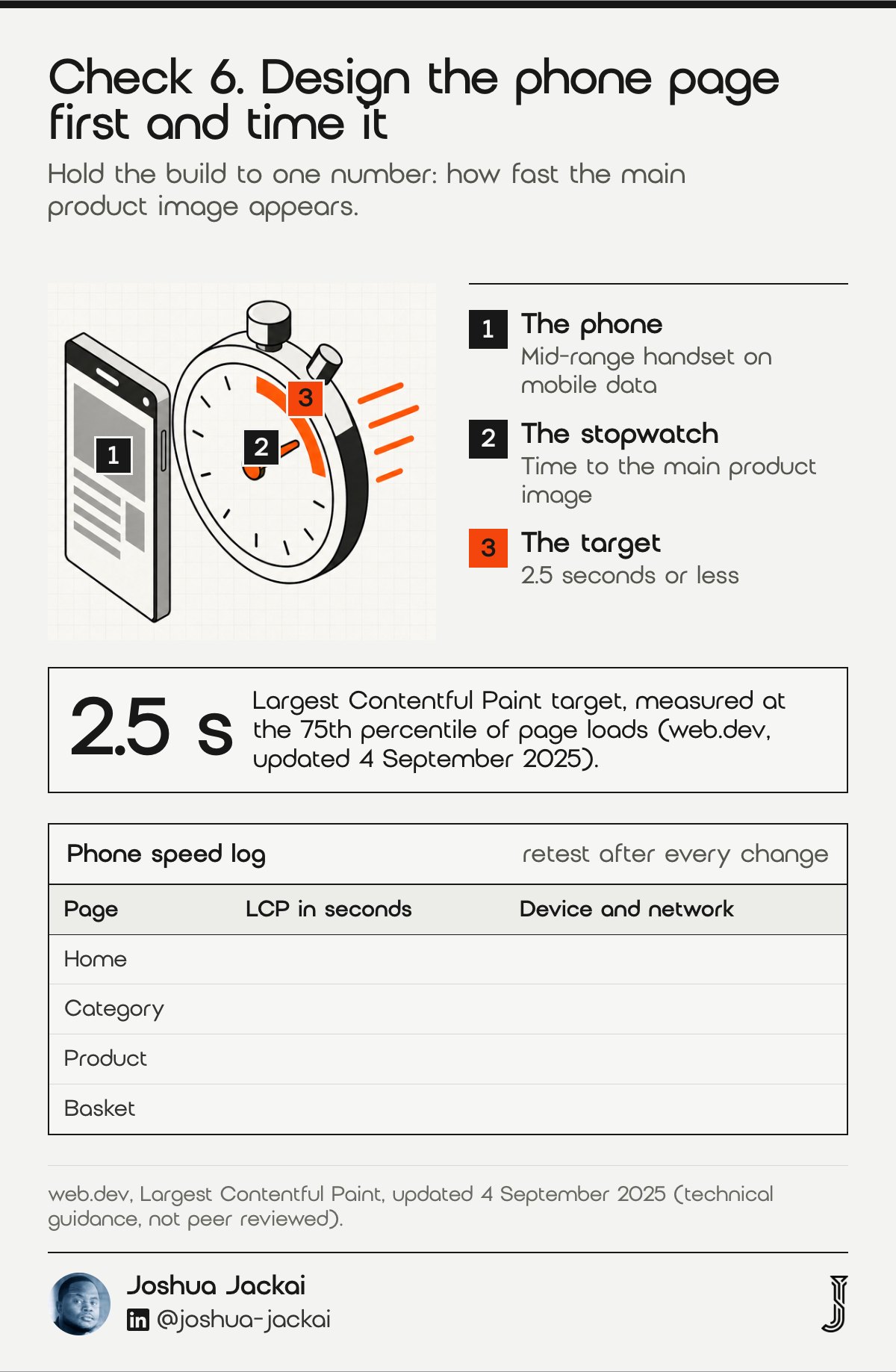
“Sites should strive to have Largest Contentful Paint of 2.5 seconds or less,” stated web.dev in guidance measured at the 75th percentile of page loads.
- Target: Largest Contentful Paint of 2.5 seconds or less
- Images: sized for the screen, compressed, loaded in order
- Apps and plugins: each one adds code, so keep only the ones that earn their place
- Tap targets: buttons large enough for a thumb
- Test: a mid-range phone on mobile data, not an office computer
Heavy hero images and a pile of installed apps are the usual causes of a slow store. I audit what loads on the page, remove what no one uses, and size every image. Then I retest on a phone and write the number down. Google’s 2.5 second target (web.dev, updated 4 September 2025) is the figure I put in the brief.
Phone speed is mostly a weight problem. Large hero photographs, a slider, a review widget, a chat bubble and three tracking scripts each add time before the product photo appears. I list everything the page loads, ask what each item earns, and remove what does not pay for itself. Then I size each image to the width it is shown at and load the ones below the first screen later. The target above is Google’s published guidance for a good loading experience, so it is a fair number to put in a contract.
Google measures that number at the 75th percentile of page loads, so a store where one visit in four is slow still misses the target (web.dev, updated 4 September 2025). Test on more than one product page.
The last check protects the traffic you already have.
7. Search continuity: best for keeping the rankings you earned
Redesigns lose traffic when old URLs stop working, and a store has more URLs than most owners expect: every product, category and filter page can hold a ranking. Each one that ranks today needs a permanent path to its new address, listed in a redirect map before the build begins. Google states the method plainly.
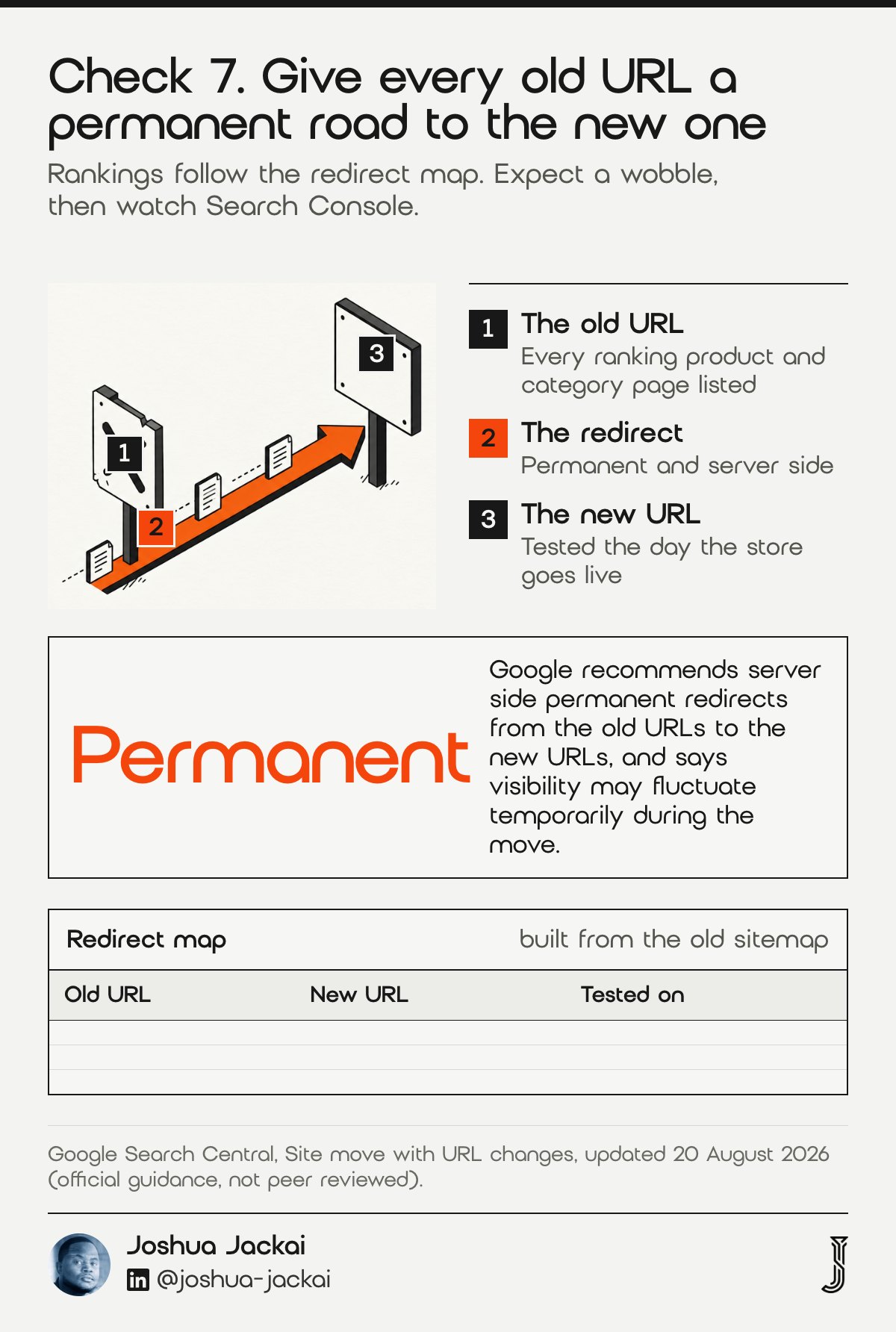
“We recommend server side permanent redirects from the old URLs to the new URLs as you indicated in your mapping,” stated Google Search Central in its site move guidance, updated 20 August 2026.
- Redirect map: every old URL listed with its new address
- Redirect type: permanent, server side
- Sitemap: the new one submitted after launch
- Titles and descriptions: carried over for pages that rank
- Watch: Search Console for the weeks after launch
The same page warns that “the visibility of your content in Search may fluctuate temporarily during the move.” So expect a wobble, plan for it and do not panic. I build the redirect map from your current sitemap and your Search Console pages before any design work begins, then test a sample of old URLs the day the store goes live.
For the wider method, read my guide to a WordPress rebuild without losing SEO, which uses the same redirect steps.
Run the numbers before launch: export the pages that earned clicks in the last 90 days from Search Console and sort them by clicks. Those pages get hand-written redirects and a title check first. Everything else can be matched by pattern. After launch, compare clicks per page each week for six weeks and fix any page that dropped.
Google updated its site move guidance on 20 August 2026, so the steps above reflect the current text (Google Search Central).
Compare the seven checks and score your store
Use the filters to see which checks you can fix yourself and which need your developer, then tick what is already done on your store. The result is a score out of seven and the first item to fix. It is a prompt for a conversation with your agency, and the defaults are placeholders.
| Check | Usually done by | Effort | Do alone |
|---|---|---|---|
| 1. Platform choice | Agency | High | No |
| 2. Catalogue and migration | Agency | High | Sometimes |
| 3. Product pages | You | Medium | Yes |
| 4. Shipping and tax | Both | Medium | Sometimes |
| 5. Checkout and payments | Agency | Medium | Sometimes |
| 6. Speed and phone layout | Agency | Medium | No |
| 7. Search continuity | Agency | Low | No |
Showing 7 of 7 checks.
Store check. Tick what is already done on your store. The first unticked item is the one to fix first. This is a prompt for a conversation with your developer.
Frequently asked questions about ecommerce web design in Vancouver
Store owners ask the same few things before they hire: whether Shopify is still the right call, what a project costs and what the tax rules are. These answers tie back to the seven checks and use my October 2026 prices.
Is Shopify still worth it in 2026?
For most small Canadian stores, yes. Shopify Basic costs CA$49 a month, or CA$37 billed yearly, and it removes hosting work. It is a weaker fit when you need heavy content, custom catalogue logic or a point of sale already tied to WordPress.
How much does ecommerce web design cost in Vancouver?
My fixed prices as of October 2026: an ecommerce store redesign starts at CA$9,350, a new build or migration at CA$15,995, and a WordPress to Shopify migration is CA$11,500. A CA$995 audit comes first and is credited if the project starts within 30 days.
Can I pay someone to design my Shopify store?
Yes. A Shopify custom B2B site from Jackai Agency starts at CA$9,350. Ask any designer for a written scope, who owns the store account, and how they will move your products and redirect your old URLs before the work begins.
Do I need to charge GST or HST on online sales in Canada?
Once your taxable sales pass the small supplier threshold of CA$30,000, you must register for GST/HST. Check the current rules in CRA publication RC4022, then confirm the rate for each province with your accountant before launch, because tax depends on where you sell and where your buyers live.
How I build a store you own
I write ownership into the fixed quote: you own the store, the domain and the accounts. My ecommerce website design in Vancouver service covers the seven checks above, and my Shopify store redesign page covers a move that keeps your platform.
You can see a finished store in the S.T. Dupont Vancouver case study, where online sales were five times higher in the first 90 days on WooCommerce than in the last 90 days the Wix store could sell.
If you are not sure where your store stands, start with the CA$995 website audit, a teardown with a ranked fix list that comes off the project price if you proceed within 30 days.
Sources
Peer-reviewed research
- Lewis, M., Singh, V. and Fay, S. (2006). An empirical study of the impact of nonlinear shipping and handling fees on purchase incidence and expenditure decisions. Marketing Science. doi.org/10.1287/mksc.1050.0150
- Gefen, D., Karahanna, E. and Straub, D. W. (2003). Trust and TAM in online shopping: an integrated model. MIS Quarterly. doi.org/10.2307/30036519
- Chevalier, J. A. and Mayzlin, D. (2006). The effect of word of mouth on sales: online book reviews. Journal of Marketing Research. doi.org/10.1509/jmkr.43.3.345
Official and technical guidance (not peer reviewed)
- Google Search Central, Site move with URL changes, updated 20 August 2026.
- web.dev, Largest Contentful Paint, updated 4 September 2025.
- Canada Revenue Agency, RC4022 General Information for GST/HST Registrants, read October 2026.
Industry and vendor sources (not peer reviewed)
- Shopify Canada, pricing page, read 14 October 2026: Basic CA$49 a month, CA$37 a month billed yearly.
- Jackai Agency price table and S.T. Dupont Vancouver project results, October 2026 (first-party).