How to Move a Vancouver Store From Wix to WooCommerce
How I move Vancouver retail stores from Wix to WooCommerce, step by step, using the S.T. Dupont Vancouver project as the worked example.
 Joshua Jackai
14 min read
Joshua Jackai
14 min read
The Vancouver retailers who ask me about moving from Wix to WooCommerce usually describe the same customer. She has a product page open on her phone. She knows which finish she wants, and the page cannot answer her. One small photo. Two lines of copy. No sign the shop is an authorized dealer. So she phones the store, or she closes the tab.
This guide is the order I run a Wix to WooCommerce move in, with my S.T. Dupont Vancouver project as the worked example. It is not a theme swap. A store move carries four things that break quietly: the catalogue, the checkout, the web addresses Google already knows, and the proof a buyer looks for before paying.
In this guide
Why do Vancouver retailers move from Wix to WooCommerce?
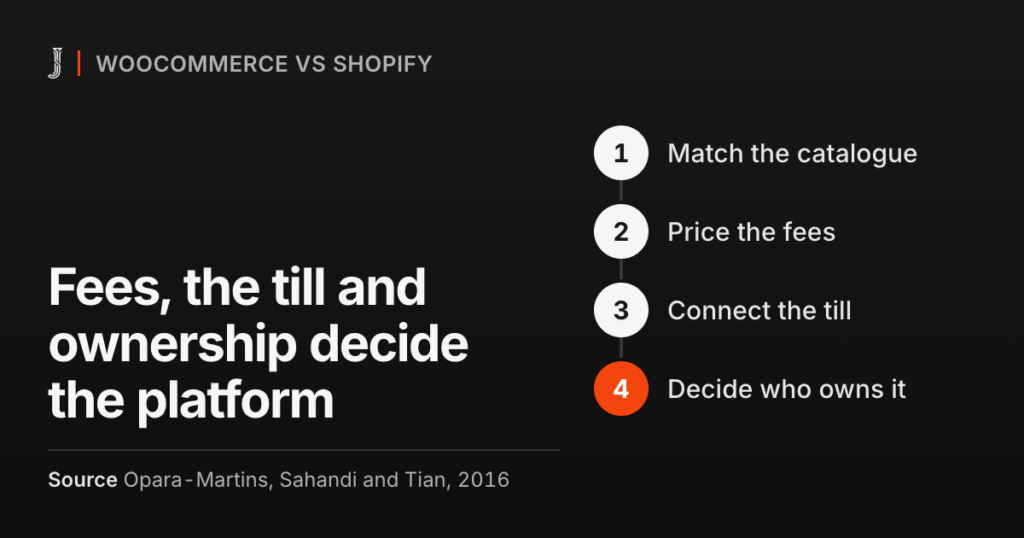
Wix is a hosted website builder with a store attached. WooCommerce is a free store plugin for WordPress, which you host yourself and can change down to the code. The difference matters most for shops whose products carry more detail than a name, a price and a size.
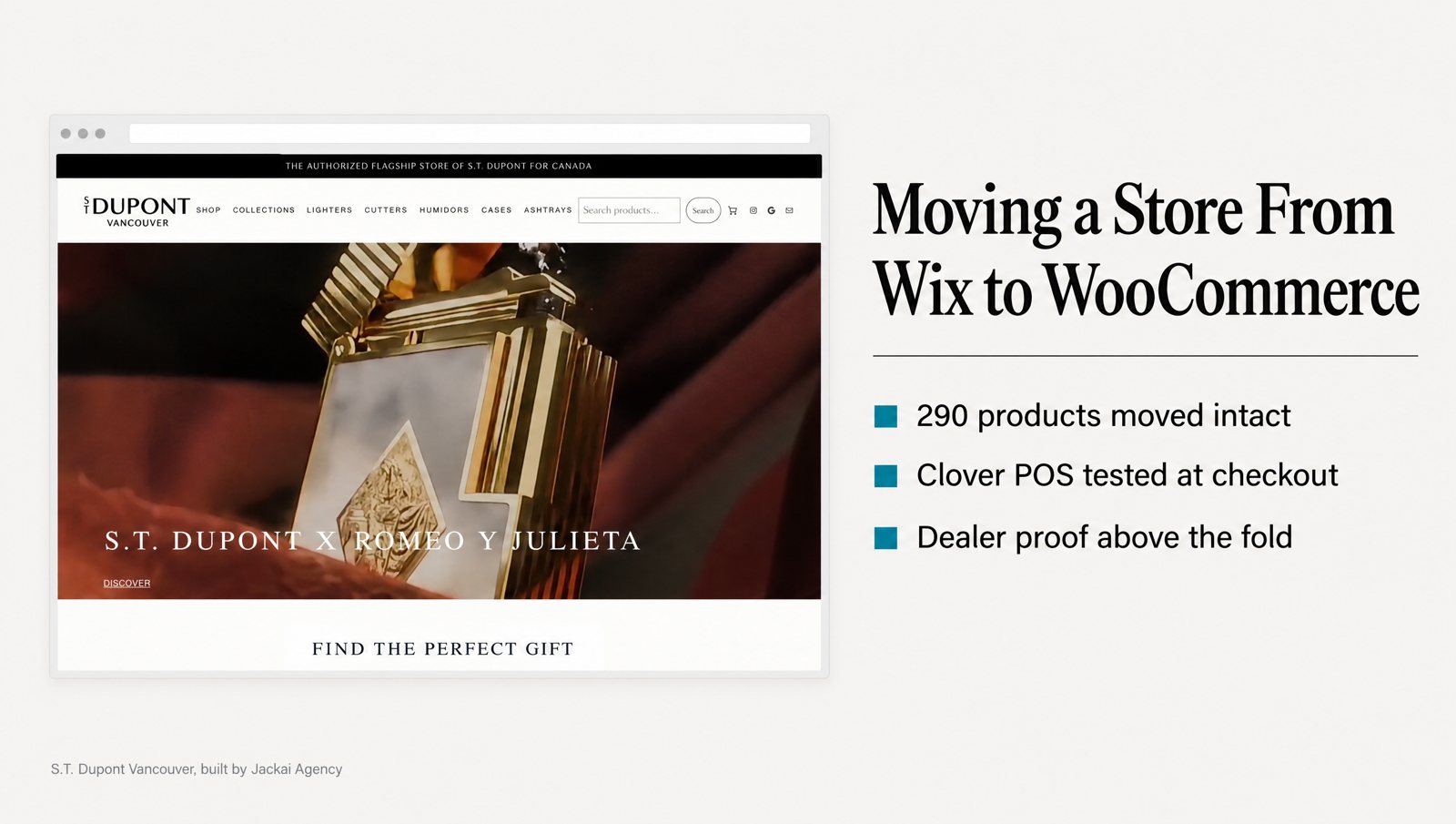
S.T. Dupont Vancouver, the authorized S.T. Dupont flagship store of Canada, is the clearest case I have. Wix held its 290 products in a structure that could not carry finishes, variants or serials, so each product page said less than the display case in the store. Payment ran through Clover, and the Wix template treated it as an afterthought. The authorized dealer status sat in the footer.
That last point sounds cosmetic. It is not. In a study of 2,684 people judging real websites, the look of the site came up in 46.1% of their comments about credibility, more than any other factor (Fogg et al., 2003). A buyer who cannot see the dealer proof doubts the shop, not the product.
S.T. Dupont Vancouver left Wix for a blunt reason: Wix stopped allowing tobacco product sales, and the online store sat closed for more than six months. After the move to WooCommerce, online sales grew 5x in the first 90 days, against the last 90 days the old Wix store could sell. Same license. Same products. Same store. That is one store’s result, not a forecast for yours. The S.T. Dupont Vancouver migration case study shows the before and after screens.
When I would tell you to stay on Wix
Not every store needs a Wix to WooCommerce move. WordPress asks for more care: plugin updates, hosting, backups, and someone who notices when a checkout plugin changes. If nobody on your team will own that, a well-built Wix store beats a neglected WooCommerce one.
| Your situation | My call |
|---|---|
| Products have finishes, sizes or serials that Wix product options cannot hold cleanly | Move. This is the strongest reason to switch. |
| You run a POS at the counter and want one stock count for shop and site | Move, once your POS has a WooCommerce plugin that does what you need |
| A small catalogue, no POS link, steady sales | Stay. Fix the product pages on Wix first. |
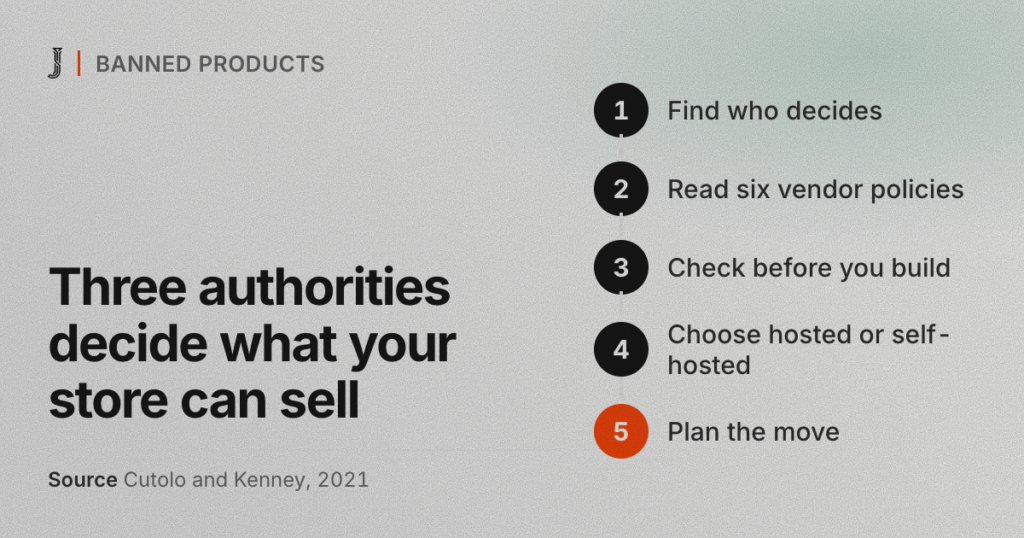
| You sell a restricted category | Check the processor’s rules and the law before you pick any platform |
| No one will update plugins after launch | Stay, or budget for a care plan (mine is CA$279 an hour) |
What are the steps in a Wix to WooCommerce migration?
Here is the full sequence. The sections below cover each step in order, with the mistakes I see most often.
- Inventory and export. List every page Google knows and pull every export Wix gives you.
- Map the catalogue. Decide where each Wix field lands before you build anything.
- Build the store on a staging copy: WordPress, WooCommerce, tax, shipping and the theme.
- Run the product import. A test batch, then the full catalogue, then a count.
- Connect the payment gateway and POS. Run real test orders, including a refund.
- Write the URL redirects. One old address to one new address.
- Test and launch. Switch DNS, submit the sitemap, watch Search Console for two weeks.
Steps 1, 2 and 6 decide whether the store keeps its search traffic. Steps 4 and 5 decide whether it takes money on day one. Step 3 is the part most people picture, and in my experience it is rarely where a migration goes wrong.
A few things I avoid during any move from Wix to WooCommerce, because each one stacks a second change on top of the first:
- Rewriting product copy in the same pass. Do it after launch, so you can measure it.
- Switching payment processors at the same time, unless the old one has no WooCommerce plugin.
- Renaming categories for style. Each rename adds to your URL redirects and gives Google another page to relearn.
- Launching the day before a sale. Give the store a quiet week to settle.
What should you export from Wix before you build?
The first job in a Wix to WooCommerce move is a list of addresses, not products. Export the last 12 months of pages from the Search Console Performance report, then add every product, category, blog and policy page in the Wix sitemap. That list becomes the map for your URL redirects later.
Next, pull the data. Wix can export your physical products, contacts and orders as CSV files. Digital products do not export, so list those by hand. Download all three files, plus every product image, because the image column in the product file points at files on Wix’s own servers. Do not assume those files stay online after the plan ends, and the product import will need them.
Some things do not export cleanly, and it is better to know that now:
- Customer passwords. Wix does not hand them over, so customers set a new one. Check consent under Canada’s anti-spam law (CASL) before you send anything that reads like marketing.
- Gift card balances. List every open balance and recreate each one as a WooCommerce coupon, or honor it at the counter.
- Blog posts and pages. The product file does not carry them. Copy them across and keep the same slugs where you can.
- Email and domain settings. If Wix sold you your domain or email, copy every DNS record, especially the MX records, before you change anything, or your inbox goes quiet on launch day.

How do you map the catalogue before the product import?
Mapping is the step people skip. On a Wix to WooCommerce project, a skipped mapping step is the usual reason the import has to run twice. This table is the map I start from.
| Wix field | WooCommerce field | Watch for |
|---|---|---|
| Product name | Product title | Use the full name, with finish and collection |
| Price and discount | Regular and sale price | Work out each sale price before import |
| SKU | SKU | Every SKU unique; it is the key for re-imports and POS matching |
| Product options (color, size, finish) | Global attributes and variations | Each combination becomes a variation with its own price and stock |
| Collections | Product categories | Choose one main category per product |
| Description and info sections | Description and short description | Keep the copy word for word |
| Inventory | Stock quantity | Decide which system owns the count |
| Images | Product image and gallery | Re-host every file, keep the order |
| Ribbons (“New”, “Sale”) | Tags or a badge | Ribbons do not come across |
Attributes deserve the most thought. The S.T. Dupont Vancouver catalogue had to be browsable by maison, finish and price, because that is how it is actually browsed. Those became the filters, and every product got the same attributes before the product import ran.
The names matter more than they look. Information foraging research describes people following cues, such as link labels and filter names, toward what they want, and judging each path by how well those cues match it (Pirolli and Card, 1999). A filter called “Finish” is a strong cue. A filter called “Option 2” is no cue at all.
Build the store on a staging copy first
The new store gets built on a private staging copy before the product import, never on the live domain. For a BC shop, check that GST and PST land on the right products, and add local pickup as a shipping method if buyers can collect in store.
The S.T. Dupont Vancouver store runs on WordPress and WooCommerce with the Bricks builder and a Kadence child theme bound to a design system, so the store can be edited without a developer. Dealer proof sits above the fold and repeats on every product page. Both choices came from what the Wix store got wrong.
How do you run the product import without losing data?
WooCommerce has a CSV product import tool built in, under Products, then Import. For most stores it is enough. Catalogues with many variations sometimes need an import plugin or a short script, but I start with the built-in tool and only reach for more when it fails a test.
Run the product import in three passes:
- A test batch of ten. Pick the awkward products: the most variations, one on sale, one out of stock.
- A hand check of that batch. Price, stock, every variation, image order, category and filters.
- The full product import, then a count. Products and variations in WooCommerce should match the Wix export exactly.
On S.T. Dupont Vancouver, all 290 products came across with taxonomy, pricing and product copy intact. Cubanbest, a Vancouver premium retailer I worked with from strategy through development alongside its founders, also moved from Wix to WooCommerce, with 638 SKUs. The bigger the catalogue, the more the count matters, because a missing variation does not announce itself.
Keep the product copy exactly as it was. Rewriting during a migration mixes two changes, so if sales or rankings move you cannot tell which one did it. Copy also carries weight with buyers: in a study of online shoppers, a site’s information quality shaped trust, and trust and perceived risk had strong effects on purchase decisions (Kim, Ferrin and Rao, 2008).
Bring every gallery image, not just the first. In an experiment on apparel pages, showing the product in motion lowered perceived risk and raised purchase intention, and image size changed the effect (Park, Lennon and Stoel, 2005). That study tested rotation, not gallery size, but the direction is plain: how you present a product changes how safe it feels to buy.
Which payment gateway should a store with a till connect?
A payment gateway takes card details at checkout and passes the money to your merchant account. Stripe, PayPal, Square and Clover all offer WooCommerce plugins. For a shop with a counter, the useful question is not which payment gateway is cheapest. It is which one already talks to the system that rings up sales in the store.
During a Wix to WooCommerce move, I keep the processor the counter already uses where I can. S.T. Dupont Vancouver ran Clover at the till, so Clover POS was connected to the WooCommerce checkout and the payment path was tested end to end before launch. One payment gateway for both channels means one set of reports and one refund process.
Two questions get blurred here. Does the payment gateway plugin take payments? And does it sync stock, so a sale at the counter removes the item from the site? Some POS plugins do both and some do one, so get both answers in writing. If you sell a restricted category, read the processor’s acceptable use policy before anything else.
Stock sync is worth the effort for local shops. When one retailer started showing reliable store inventory online, with a buy-online, pick-up-in-store option, store sales and traffic rose while online sales fell, as shoppers researched online and bought in person (Gallino and Moreno, 2014). For a Vancouver shop with a showroom, that shift can be a gain.
Before launch, test the payment gateway with real cards, not just test mode:
- One low-value live order per payment method, then a refund, and check that it lands.
- GST and PST lines, checked against what your accountant expects on a receipt.
- A declined card, so you see what the shopper sees when a payment fails.
Checkout is where trust gets tested hardest. Research on repeat online shoppers found trust mattered as much as ease of use. That trust grew partly from a belief that the site had safety mechanisms built in, and from an interface that worked the way people expected (Gefen, Karahanna and Straub, 2003). A familiar checkout beats a clever one.

How do you plan URL redirects so search traffic survives?
Old store addresses sit in Google’s index, in old emails and in links from other sites. URL redirects send each one to its new page with a permanent (301) status, so people and search engines land on the right page instead of an error.
Address patterns change in a Wix to WooCommerce move. Wix product pages live under /product-page/ by default and blog posts under /post/, though the product prefix can be changed in Wix’s SEO settings, so check your live addresses. WooCommerce puts products under /product/ by default, and WordPress posts follow your permalink setting.
One shortcut is worth knowing. WooCommerce lets you set a custom product base in its permalink settings, so you can keep /product-page/ and leave product addresses unchanged, as long as each product keeps its old slug. You still need URL redirects for categories, the blog and anything you rename, but the largest group of pages keeps its addresses.
For the rest, build the map in a spreadsheet, old address beside new, and load it into the Redirection plugin or Rank Math’s redirection module. My rules for URL redirects:
- One to one. Each old page goes to its closest match, never to the homepage by default.
- No chains. An old address points straight at the final one.
- Discontinued products go to their category, not to an empty search page.
- Every row gets tested with a crawler: a 301, then a 200.
A shopper clicks a Google result because its title promised a specific product. If that click lands on a homepage or a 404, the cue they followed is gone, and information foraging research describes people leaving a path once its cues stop paying off (Pirolli and Card, 1999). My website migration service page covers how I protect rankings through a platform change.
What should you test before the Wix to WooCommerce launch?
Launch is a DNS change, and you can reverse it while the Wix site is still running. So keep it running until the new store has taken real orders and Search Console shows the new pages being indexed. Then run this list:
- Speed on a phone. Product and category pages load fast on mobile data, not just office Wi-Fi.
- URL redirects. The full list goes through a crawler, and any row returning a 404 gets fixed.
- Filters and search. Every filter returns products, and site search finds an item by SKU and by name.
- Stock. If you set up sync, sell one item at the counter and confirm it leaves the site.
- Tracking. Purchase events fire in GA4, and every order arrives with its source.
- Search Console. Verify the new site, submit the sitemap, and check indexing daily for two weeks.
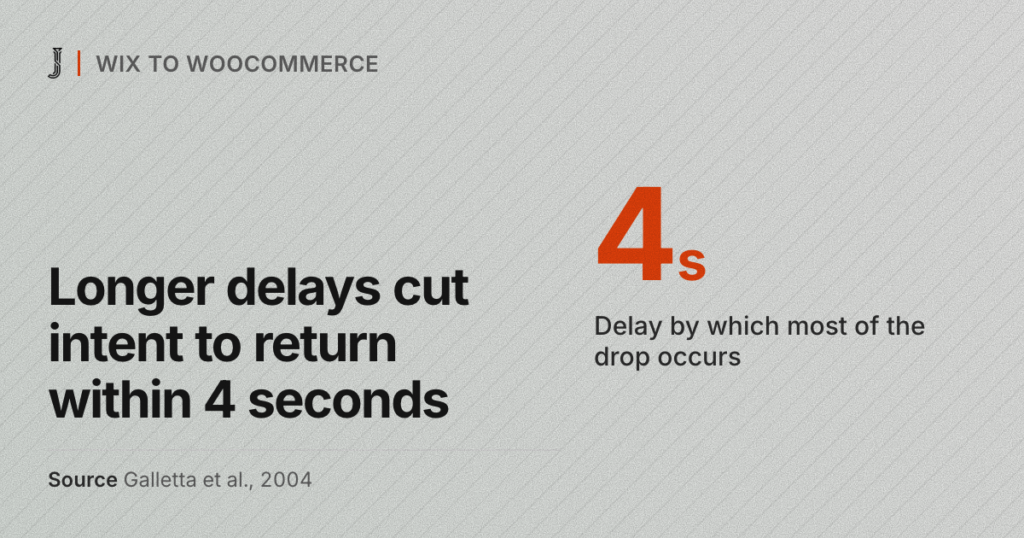
Speed is on that list for a reason. In a controlled experiment, longer page delays lowered task performance and stated intention to return, and most of the drop came within the first four seconds of delay (Galletta et al., 2004). A heavy theme can undo the gains from a better catalogue. For tracking, my lead attribution method shows how I tag links and forms so each sale keeps its source.
How long does it take, and what does it cost?
The timeline of a Wix to WooCommerce move depends on three things more than on design: how clean the Wix data is, how many products have variations, and how fast your POS provider answers questions about its plugin. I give a date after I see the catalogue export, because the export shows how much cleanup is waiting.
Jackai Agency quotes ecommerce work at a fixed price. A build or a move from Wix to WooCommerce starts at CA$15,995, and a store redesign starts at CA$9,350. Both include two revision rounds per phase, and you own the site, the domain and the hosting. My ecommerce website design page for Vancouver stores lists what each covers.
WooCommerce itself is free, but running a store is not. Budget yearly for hosting, any paid theme, builder or extensions, and payment gateway fees. Those vary by vendor, so I price them per project.
Not sure the move is worth it yet? The CA$995 website audit is a one-week teardown of your current store, and the fee is credited in full against a build (current terms are on that page). Every price is on the Jackai Agency pricing page.
Planning your own Wix to WooCommerce move?
Most of a good store move is invisible to the buyer. The products are the same, the license is the same, and the shop on the street is the same. What changes is whether the website can close the sale on its own, before the buyer reaches for the phone.
If you want that order of work on your store, book a call with me. Bring your Wix product export if you have one. On the call I will tell you whether I think you should move, and what the first step would be. I reply within one business day.
Sources
Peer-reviewed research
- Fogg, B. J., Soohoo, C., Danielson, D. R., Marable, L., Stanford, J., and Tauber, E. R. (2003). How do users evaluate the credibility of Web sites? A study with over 2,500 participants. Proceedings of the 2003 Conference on Designing for User Experiences, ACM.
- Gallino, S., and Moreno, A. (2014). Integration of online and offline channels in retail: The impact of sharing reliable inventory availability information. Management Science, 60(6).
- Galletta, D. F., Henry, R. M., McCoy, S., and Polak, P. (2004). Web site delays: How tolerant are users? Journal of the Association for Information Systems, 5(1).
- Gefen, D., Karahanna, E., and Straub, D. W. (2003). Trust and TAM in online shopping: An integrated model. MIS Quarterly, 27(1).
- Kim, D. J., Ferrin, D. L., and Rao, H. R. (2008). A trust-based consumer decision-making model in electronic commerce. Decision Support Systems, 44(2).
- Park, J., Lennon, S. J., and Stoel, L. (2005). On-line product presentation: Effects on mood, perceived risk, and purchase intention. Psychology and Marketing, 22(9).
- Pirolli, P., and Card, S. (1999). Information foraging. Psychological Review, 106(4).