Banned Products and Your Store: The Three-Authorities Check
Your checkout answers to the law, your payment processor and your platform, and the strictest one wins. This is the check to run before you build.
 Joshua Jackai
14 min read
Joshua Jackai
14 min read
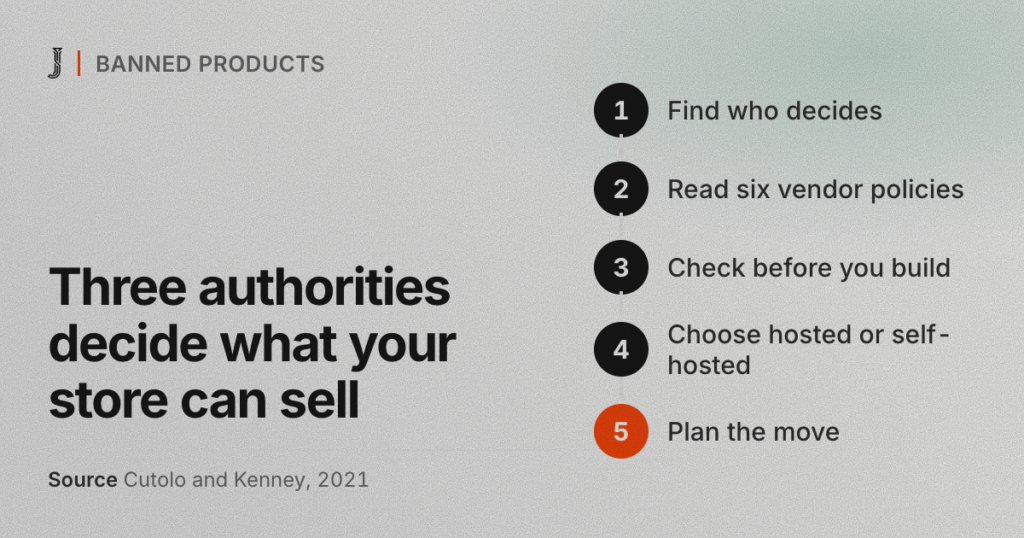
Most banned products are not illegal. They are legal goods that a website platform or a payment processor has chosen not to carry, and that choice lives on a policy page most store owners read once, at signup. If you sell anything age-gated or regulated, your checkout answers to three authorities. The strictest one wins.
Here is the failure in one scene. A customer has the item in her cart and taps Pay. The card is fine. The license on the wall is valid. The processor at the counter still says yes. But the website’s payment service has put the category on its banned products list, and checkout stops.
Not by law. By policy. This post is the check I run before building a restricted store on any ecommerce platform: the platform, the payment processor and the law, read side by side, plus what six vendor policies say as of October 2026.
In this guide
What are banned products on an ecommerce platform?
On an ecommerce platform, banned products are the goods its rules say you can’t sell, or can’t take payment for. The rules come in three strengths. Prohibited means no, and restricted means maybe, after the company reviews your business and your paperwork. Pre-approval means you ask first, in writing, before the first sale.
A list of banned products is rarely one document. A hosted builder has its own terms of service, its built-in payment service keeps a second list, and the payment processor behind that service keeps a third. Card networks sit above all of them.
Across the six vendor policies I read for this post, the same categories keep coming up: tobacco and vaping, alcohol, firearms and weapons, CBD, adult content, supplements, and high-value goods like jewelry and precious metals. Add anything that is legal in one province or state and not the next. If your catalog touches one of those, read every list, not just the first one.
Who decides what you can sell online?
I call the pattern three authorities, one button. Each authority answers a different question, and each one can stop a sale on its own.
- The law. Can you sell this product at all, to whom, and where can you ship it? Your license is the paper version of that answer. I don’t give legal advice, so a lawyer confirms this part, province by province or state by state.
- The payment processor. Will the company that moves the money accept your business? It approves a merchant category, the code that says what kind of business you are. It also publishes an acceptable use policy that lists what it won’t touch.
- The platform. Will the software that holds your store let the product be listed and checked out? Its terms of service, and the banned products list of any payment service it bundles, decide whether the button works.
In my experience, owners check the first two, because those come with paperwork: a license, an approval letter. The third arrives as a checkbox at signup. That’s backwards. The platform is the only one of the three that holds the button, and its rules can be stricter than both the law and the processor.
Researchers have a name for the spot this leaves a store in. Cutolo and Kenney call sellers who rely on a platform “platform-dependent entrepreneurs.” They argue the power gap between platform and seller is built into how platforms work, not an accident of one company’s policy (Cutolo and Kenney, 2021). They also look at how sellers reduce that dependence, which is what this check is for.
What do six vendor policies say about banned products?
I read the policy pages of six companies a Vancouver retailer is likely to meet: two platforms, three processors and one point-of-sale system. This is a summary as of October 2026, not legal advice, so read the live version for your country before you rely on it.
| Company and page | What the policy says | What it means for your store |
|---|---|---|
| Wix, Wix Payments list (US) | Prohibits tobacco, e-cigarettes, weapons and firearm parts, and doesn’t support products with CBD or THC. Wix may hide listed products, close the Wix Payments account or hold funds. Outside the US, it points to its partners’ lists (Adyen and Stripe). | The built-in payment service keeps its own banned products list, and it depends on your country. |
| Shopify, Shopify Payments terms | Prohibited and restricted categories come from the processor in your country, and Shopify or its processors may update them “at any time without notice to you.” Its separate Acceptable Use Policy bars anything illegal where you do business. | A category that is fine at signup can change status later, with no email promised. |
| Stripe, prohibited and restricted businesses | Splits prohibited businesses from restricted ones that need extra review, such as proof of licenses. Tobacco sits on the restricted list. Alcohol is restricted in Canada. | Restricted means the payment processor wants paperwork before you build. |
| Square, US Payment Terms (updated July 30, 2026) | Prohibits internet, mail and telephone orders of age-restricted products, with tobacco as the example. Says it may suspend or end payment services. | A payment processor can approve your counter and still refuse your website. |
| PayPal, US Acceptable Use Policy (updated October 29, 2022) | Requires pre-approval for alcohol, cigars, e-cigarettes and other non-cigarette tobacco, and for dealers in jewels and precious metals. Prohibits cigarettes and firearms. | Pre-approval is a written step. Get it before launch, not after the first order. |
| Clover, developer documentation (updated June 17, 2026) | Treats alcohol, tobacco, over-the-counter and pharmacy products as age-restricted, with an age confirmation step at purchase. Says merchants are responsible for state rules on selling them through online ordering in the US. | The POS can flag the item, but the legal duty stays with you. |
Two patterns stand out. First, banned products lists stack. Wix’s US list sends other countries to its payment processors’ lists, and Shopify’s terms say its categories come from the processor. Second, the sales channel matters. Square’s clause names internet, mail and telephone orders, so a counter approval doesn’t carry over to the website. That gap is easy to miss if your shop has used the same payment processor at the counter for years.

Why do banned products lists change without notice?
Because the companies that write banned products lists answer to someone else. Stripe’s page says it follows financial law and the rules of card networks and banking partners. When those rules move, the payment processor’s list moves, and every ecommerce platform that bundles that processor inherits the change. Shopify’s terms say the processor sets the categories and the list can change without notice.
These changes are not hypothetical. When I read Stripe’s page for this post, a banner at the top said it had clarified its stance on tobacco products in the United States. A one-line banner is easy to miss when you’re running a shop, and it may be all the warning you get.
Here’s the honest weakness in the three-authorities check: it tells you about today’s terms, not next year’s. So the check has two halves: read the rules now, and set up the store so that a rule change costs you a processor swap instead of a whole new store.
How do you check for banned products before you build?
Run this before you pick a platform, not after the catalog is loaded. Most of it is reading, and you need three things on the desk: your product list, your license, and a lawyer’s answer on where you can sell and ship.
- List every category you sell. Include accessories, gift sets, bundles and anything you plan to add this year. The lists apply to every product on the site, not just your best seller.
- Get the law part in writing. Ask a lawyer which provinces, states or countries you can sell and ship to, what age checks apply, and what the product pages must show. I build to that answer, but I don’t write it.
- Read the payment processor’s acceptable use policy. Search it for each category on your list. Note whether each one is prohibited, restricted or needs pre-approval, and whether online orders are treated differently from counter sales.
- Read the platform’s terms and its payment service’s banned products list. They are separate documents, and a platform can allow a product in its terms while its own payment service blocks it.
- Mark where they disagree. A three-column table works: law, processor, platform. The strictest answer in each row is your real answer.
- Get approvals in writing. If a processor needs pre-approval or a review, apply before the build starts and keep the email that says yes.
- Test your export. Export every product, image and customer record today, then open the files to check them. If you can’t get your data out, you’re locked in before you’ve started.
- Save dated copies. Save each acceptable use policy and terms page as a PDF with the date in the file name. When a banned products list changes, you’ll know what changed.
- Book the re-check. Put a date six months out in the calendar and run steps 3 to 8 again.
The export step matters more than it looks. Opara-Martins and colleagues surveyed 114 participants on cloud migration and found lock-in got worse as systems moved to the cloud, with proprietary standards blocking portability. Their advice is to pick vendors that support standard data formats and APIs (Opara-Martins, Sahandi and Tian, 2016). A store is the same problem with a checkout attached.
Hosted ecommerce platform or self-hosted store?
The check gives you one answer from each authority, and this table is how I turn those answers into a decision.
| What the check finds | What it means | What I would do |
|---|---|---|
| The platform’s own terms ban the category | No payment setting fixes it | Move the store to software you control, such as WordPress and WooCommerce |
| Only the platform’s built-in payment service bans it | The store may survive with an outside processor, if the platform allows one | Get the outside processor’s approval in writing, then read the platform’s rules on outside processors |
| The payment processor lists it as restricted or pre-approval | You can sell, after review | Apply now, with your license, before any design work |
| The payment processor allows counter sales but not online orders | Your website checkout won’t work with that processor | Find a processor that approves online sales for the category, or run the site as a catalog and take payment in store if your lawyer agrees |
| The law limits where you can ship | The other two answers don’t matter for those places | Block those addresses at checkout and say so on the product page |
| All three say yes today | Good, for now | Save dated copies of every policy and book the six-month re-check |
Some things I would not do, even on a deadline. I wouldn’t rename banned products or file them under vague categories to slip past a list. Wix says it can withhold funds and Square says it can suspend payment services, and a frozen payout is worse than a slow launch. I wouldn’t open a second account under another business name. And I wouldn’t build first and ask the payment processor afterwards, because the approval decides the build.

What does moving a restricted store look like?
Two of my Vancouver retail projects moved off Wix, a hosted ecommerce platform, to WordPress and WooCommerce. I won’t describe their products here. The point is the build side of the check: where the payment path lives, and what has to survive the move.
Cubanbest (Cigar Connoisseurs), a premium retailer in Vancouver in a regulated category, moved from Wix to WooCommerce with 638 SKUs. I worked with the founders on strategy, design and development. A catalog that size is where the export test earns its place: every SKU, price and image has to come across intact, or the new store opens with gaps.
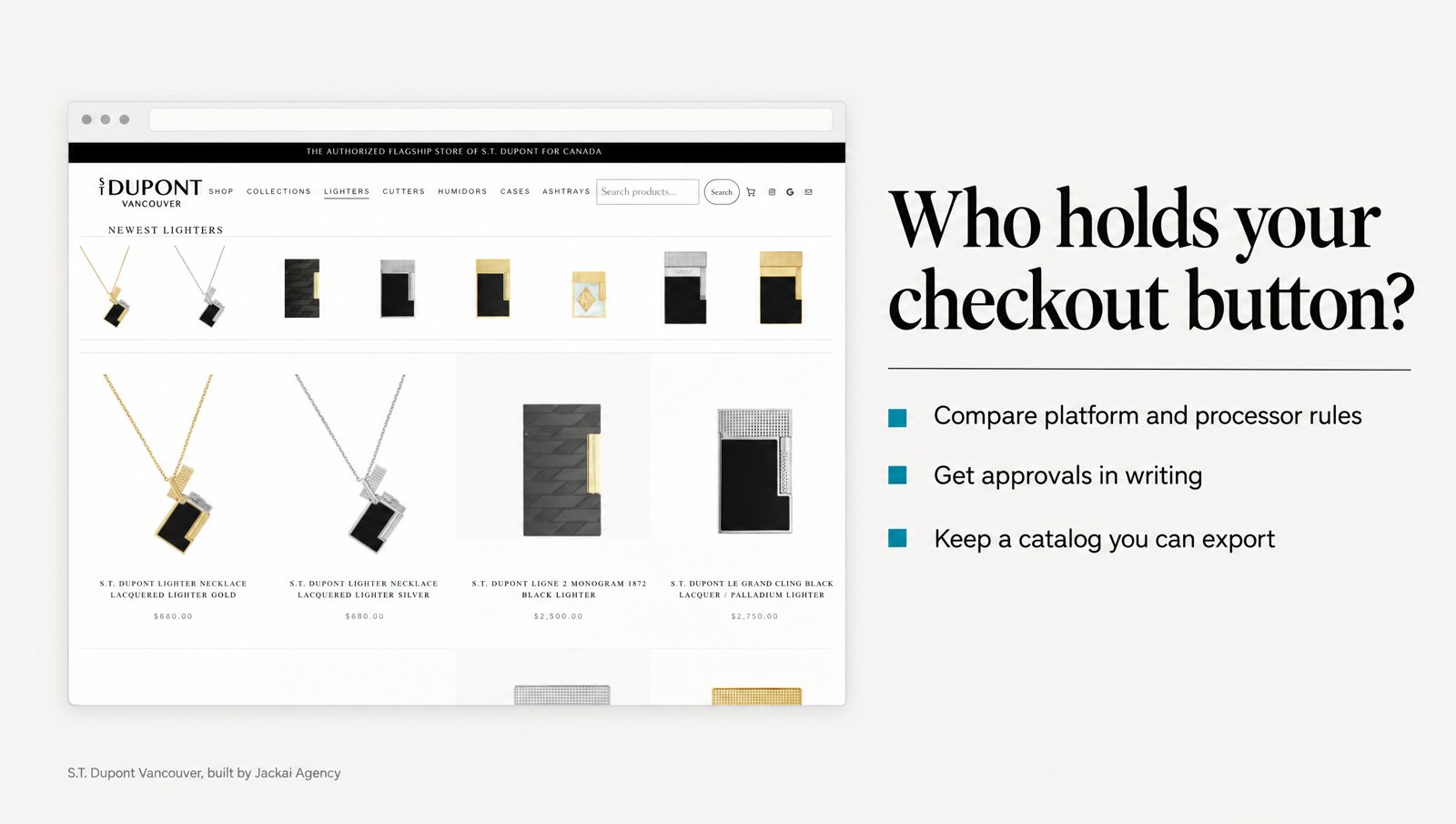
S.T. Dupont Vancouver, the authorized S.T. Dupont flagship store of Canada, moved 290 products from Wix to WordPress and WooCommerce on Bricks, with taxonomy, pricing and product copy intact. The catalog now filters by maison, finish and price. Authorized dealer proof moved from the footer to above the fold and onto every product page.
The payment piece is the part that matters for this check. Payment already ran through Clover, so I connected Clover POS to the new checkout and tested the payment path end to end before launch. In my WooCommerce builds, the payment processor is a plugin setting, not the foundation. If a processor’s rules change, the catalog, the customer records and the URLs stay where they are.
This one is not hypothetical for me. Wix stopped allowing tobacco product sales, and S.T. Dupont Vancouver’s online store sat closed for more than six months; its last Wix order came in December 2025.
After the move to WooCommerce, online sales grew 5x in the first 90 days, against the last 90 days the old Wix store could sell. Same license. Same products. Same store. I can’t split that 5x between the platform move, the catalog and the dealer proof, so I don’t try. The full write-up is in the S.T. Dupont Vancouver case study, and the wider process is on my website migration services page.
Does owning your store remove the risk?
No. Owning the store doesn’t make banned products allowed. It removes one authority’s grip on the button, and the other two stay. A self-hosted store still needs a payment processor that approves the category, and that processor still answers to card networks. The law doesn’t change because the software did, and your web host has terms of its own, so search those for your categories as well.
Owning the store also moves work onto you, because plugin updates, security patches and backups were the platform’s job and now they’re yours or your developer’s. I cover that with a care plan at CA$279 an hour, and some owners handle it in house. Either way, budget for it before you move.
None of this is a reason to leave a platform that works. If all three authorities say yes, your catalog exports cleanly and the approval is in writing, a hosted ecommerce platform can be the right call. The check tells you which case you’re in.
What should a restricted product page show?
Owning the software doesn’t fix trust on the page. Buyers hesitate with web stores when they are unsure how the seller will behave, and trust is what gets them past that perceived risk (McKnight, Choudhury and Kacmar, 2002). Before the rebuild, buyers phoned S.T. Dupont Vancouver to ask whether the store was real, often enough that staff had an answer ready.
Badges alone won’t carry it. Kim, Ferrin and Rao found that trust and perceived risk both had strong effects on online purchase decisions, while a third-party seal did not strongly influence trust (Kim, Ferrin and Rao, 2008).
For a restricted category, I put four things on the product page, before the cart:
- Who can buy. The age rule, stated plainly, and the age check the lawyer asked for.
- Where it ships. The provinces or states you can’t ship to, so nobody finds out at checkout.
- Why you’re allowed to sell it. Dealer status or a license number, where the law or the brand asks for one.
- Plain facts, no claims. Wix and Stripe both list supplements that make unsupported or harmful claims. Describe what the product is and what it costs, and stop there.
What does a move cost, and how do you brief it?
Prices are in Canadian dollars first, for Greater Vancouver retailers, with US dollars in brackets. Every quote is fixed, with two revision rounds per phase, and you own the site, the domain and the hosting.
- Website Audit: CA$995, one week. A teardown of your current store before you commit to a move. It’s credited in full against a build; current terms are on the offers page.
- Store redesign: from CA$9,350, when the platform can stay and the store needs work.
- Ecommerce build or migration: from CA$15,995, when the check says the store has to move.
- Care plan: CA$279 an hour for updates and fixes after launch.
To brief it, bring five things: your full category list, your license, the lawyer’s notes on where you can sell and ship, any approval letters from your payment processor, and a test export from your current ecommerce platform with the SKU count. With those on the table I can quote a fixed price, and without them any quote is a guess. More on how I work is on my ecommerce website design in Vancouver page, and every price is on the pricing page and calculator.
Talk it through before you choose a platform
If you sell anything age-gated or regulated, or you’ve found your category on a banned products list, the cheapest time to run this check is before the first product goes in. Book a call and bring your category list. I’ll go through the platform and payment processor rules with you, mark where they disagree, and tell you which questions belong with your lawyer.
The license stays the same. The products stay the same. What changes is who holds the button.
Sources
Peer-reviewed research
- Cutolo, D., and Kenney, M. (2021). Platform-dependent entrepreneurs: Power asymmetries, risks, and strategies in the platform economy. Academy of Management Perspectives, 35(4), 584-605. https://doi.org/10.5465/amp.2019.0103
- Kim, D. J., Ferrin, D. L., and Rao, H. R. (2008). A trust-based consumer decision-making model in electronic commerce: The role of trust, perceived risk, and their antecedents. Decision Support Systems, 44(2), 544-564. https://doi.org/10.1016/j.dss.2007.07.001
- McKnight, D. H., Choudhury, V., and Kacmar, C. (2002). Developing and validating trust measures for e-commerce: An integrative typology. Information Systems Research, 13(3), 334-359. https://doi.org/10.1287/isre.13.3.334.81
- Opara-Martins, J., Sahandi, R., and Tian, F. (2016). Critical analysis of vendor lock-in and its impact on cloud computing migration: A business perspective. Journal of Cloud Computing, 5, Article 4. https://doi.org/10.1186/s13677-016-0054-z
Industry and vendor data (not peer reviewed)
- Wix. Wix Payments: Prohibited Products and Services (United States). As of October 2026.
- Shopify. Shopify Payments Terms of Service, prohibited and restricted businesses section, and Shopify Acceptable Use Policy. As of October 2026.
- Stripe. Prohibited and Restricted Businesses. As of October 2026.
- Square. Payment Terms (United States), last updated July 30, 2026. As of October 2026.
- PayPal. Acceptable Use Policy (United States), last updated October 29, 2022. As of October 2026.
- Clover. Manage age-restricted items, developer documentation, updated June 17, 2026. As of October 2026.