7 Steps on How to Fire an SEO Company: 2026 Field Guide
Seven steps to leave an SEO company in Canada without losing accounts, content or leads: audit, ownership, contract, copyright, results, notice and access.
 Joshua Jackai
16 min read
Joshua Jackai
16 min read
Published 18 October 2026 · Last updated and fact-checked October 2026
Short answer: To fire an SEO company in Canada, make yourself an owner of Search Console, Analytics, Business Profile, the domain and hosting first, then read the notice and ownership terms, then give written notice. Google says a Search Console property must keep at least one verified owner, so access comes before the conversation (Google Search Console Help).
When an owner tells me they want out of an SEO contract, the first question is rarely about the contract. It is “can they lock me out?” In the Canadian results I read on 18 October 2026, the pages that rank for this question come from agencies in India, Australia and the United States, and I did not find one that covers the Canadian copyright rule or the Canadian privacy duty. This guide covers the owner side of the exit: accounts, paper, results, notice and clean-up. It is legal information, not legal advice. A lawyer decides your contract.
In this guide
Key takeaways
- Google requires every Search Console property to keep at least one verified owner, and only an owner can add users (Google Search Console Help).
- Google Analytics 4 needs the Administrator role to add or change users at the account level (Google Analytics Help).
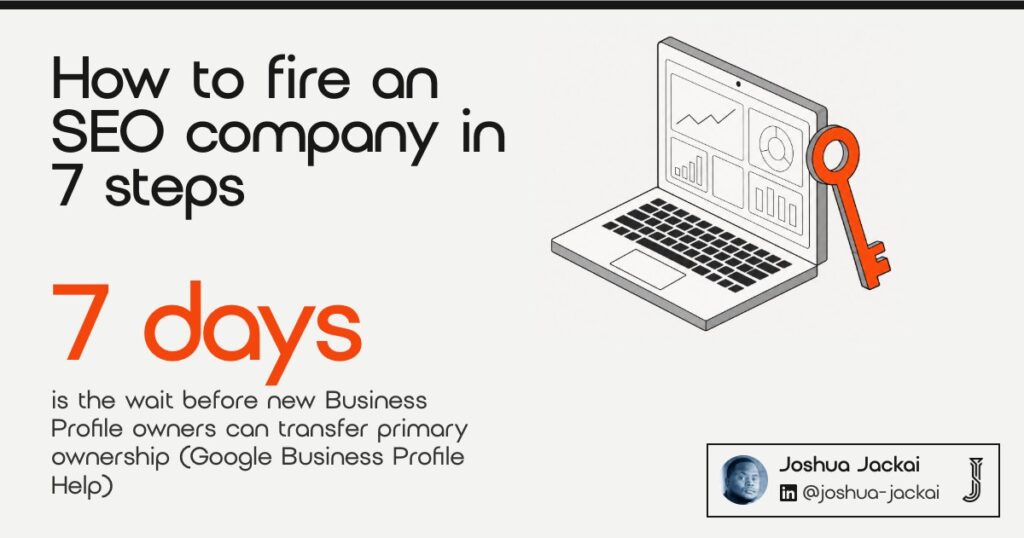
- New Business Profile owners and managers wait 7 days before some actions, including transferring primary ownership (Google Business Profile Help).
- In Canada the author of a work is the first owner of its copyright, and an assignment is valid only if it is in writing and signed (Copyright Act, s. 13).
- A study of more than 12,000 search terms and 2 million users found that site quality raises organic clicks, directly and through better positions (Baye and colleagues, 2015).
- An organization covered by PIPEDA must keep a record of every breach of security safeguards for 24 months (SOR/2018-64).
| Step | What you do | Where it is decided | Evidence base |
|---|---|---|---|
| 1. Audit what you hold | List every account and who owns it | Your own login list | Google help pages |
| 2. Become an owner | Add yourself before any notice | Each Google product and the registrar | Google help pages |
| 3. Read the contract | Find notice, renewal and handover terms | The signed agreement | Eisenhardt (1989), agency theory |
| 4. Settle content ownership | Get copy, images and files assigned in writing | Copyright Act, s. 13 | Statute |
| 5. Judge the results | Check leads, not rankings alone | A monthly report | Baye et al. (2015); Berman and Katona (2013) |
| 6. Give notice, take the handover | Written notice, dated handover list | The notice clause | Keegan et al. (2017), systematic review |
| 7. Close their access | Remove users, tags and passwords | Every account from step 1 | PIPEDA safeguards principle; SOR/2018-64 |
1. Audit what you hold: best for finding the gaps before notice
An audit is a list of every account your marketing runs on, with the name of the person or company that owns each one. Eight accounts matter most: Analytics, Search Console, Tag Manager, Business Profile, domain registrar, hosting, the website admin and ad accounts. In my experience, some sit under the agency’s email.
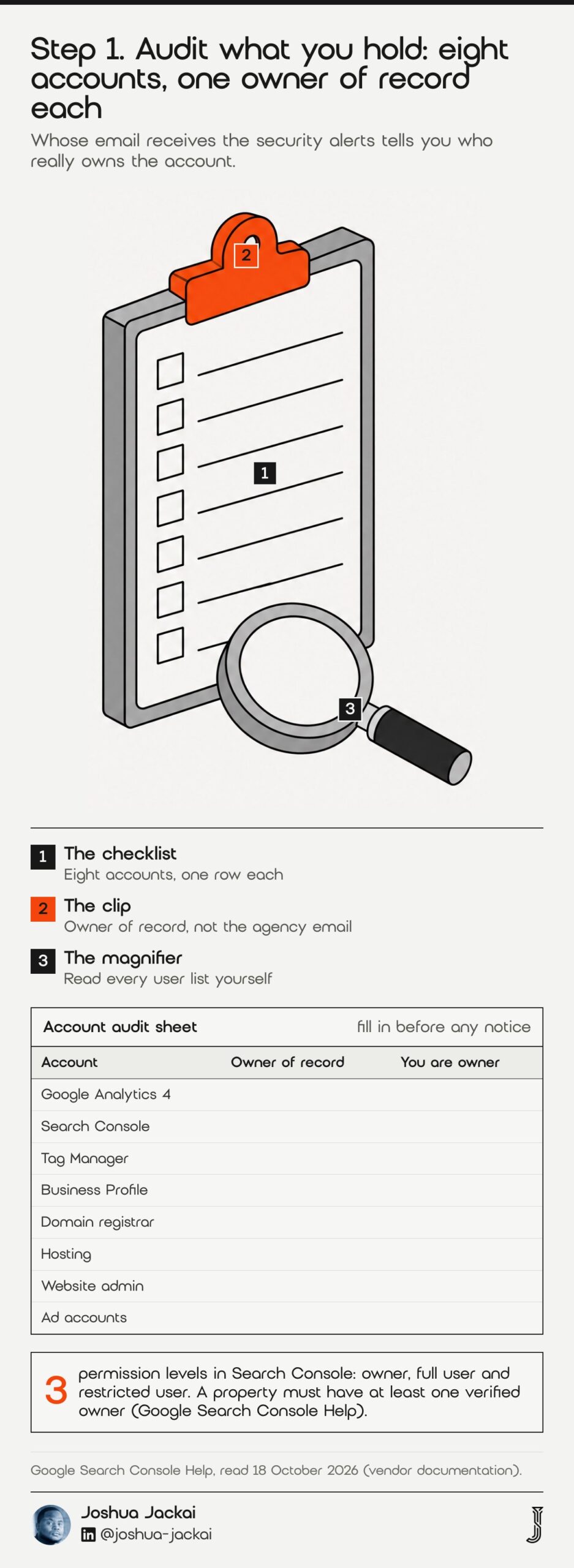
- Time: 30 to 45 minutes with your own logins
- You need: a spreadsheet with eight rows and one column for “owner of record”
- Ask yourself: whose email receives the billing and the security alerts
- Red flag: a login you can only reach through the agency
- Skip it only if: you have already added yourself as owner everywhere
Start with what you can see. Open each tool and read its user list, because the user list tells the truth about who has control. Search Console has three permission levels, owner, full user and restricted user, and Google states that “A property must have at least one verified owner” (Google Search Console Help). If the only verified owner is the agency, you are a guest on your own data. Write down every gap before you say a word to the agency, because the list sets the order of the next steps. I keep the list in a plain spreadsheet with a date column, so the exit has a record of what was checked on which day. Do not skip the boring accounts. The domain registrar and the hosting account decide whether your site stays online on the end date, and they are the two owners forget most often, because they were set up years ago by whoever built the site.
“Whose email receives the security alerts tells you who really owns the account,” said Joshua Jackai, Vancouver web designer.
2. Become an owner: best for keeping access after the exit
Adding yourself as an owner means giving your own Google Account the top role on each account while the agency is still cooperative. Do it before you give notice. Google says only an owner can add users in Search Console, and Business Profile makes new owners and managers wait 7 days before some actions, so starting late costs days.
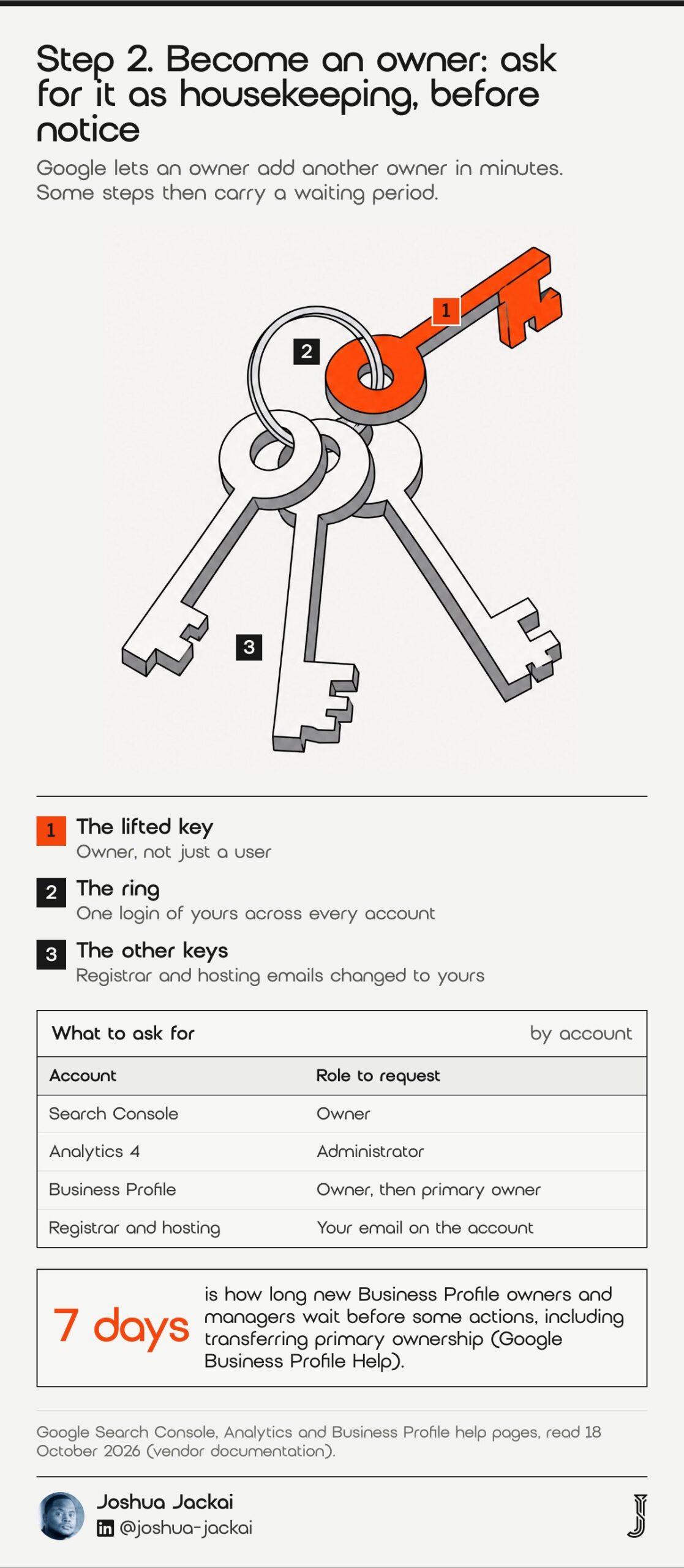
- Search Console: Settings, Users and permissions, Add user, choose Owner
- Analytics 4: Admin, Access Management, add your email with the Administrator role
- Business Profile: People and access, Add, choose Owner, then accept the invite
- Waiting period: 7 days before a new owner or manager can transfer primary ownership
- Registrar and hosting: change the account email to one you control
The Business Profile rule is the one that surprises people. Google says a primary owner cannot remove themselves until primary ownership has moved, and that new owners and managers must wait 7 days before some actions, including a transfer (Google Business Profile Help). If the agency created your profile under their own Google Account, the profile is the first thing to fix, so request the owner role today and plan the transfer for a week later. For Analytics, Google states that you need the Administrator role to add or change users at the account level (Google Analytics Help). Ask for it politely and frame it as housekeeping. If the agency agrees, you are covered. A refusal tells you what you needed to know. For the domain registrar and hosting, the fix is usually an account email change plus a transfer of the account itself, so ask support what proof they want before the end date. Keep the agency as a user with limited rights until the handover is signed, then remove it in step 7.
“Ask for owner access as housekeeping, because a refusal tells you what you needed to know,” said Joshua Jackai, Vancouver web designer.
3. Read the contract: best for notice, renewal and handover terms
Reading the contract means finding five clauses before you write anything: the notice period, the renewal term, what the agency must hand over, who owns the work, and what happens to fees already paid. If your contract auto-renews, notice that lands after the deadline in the notice clause may let it renew, so check the exact date.
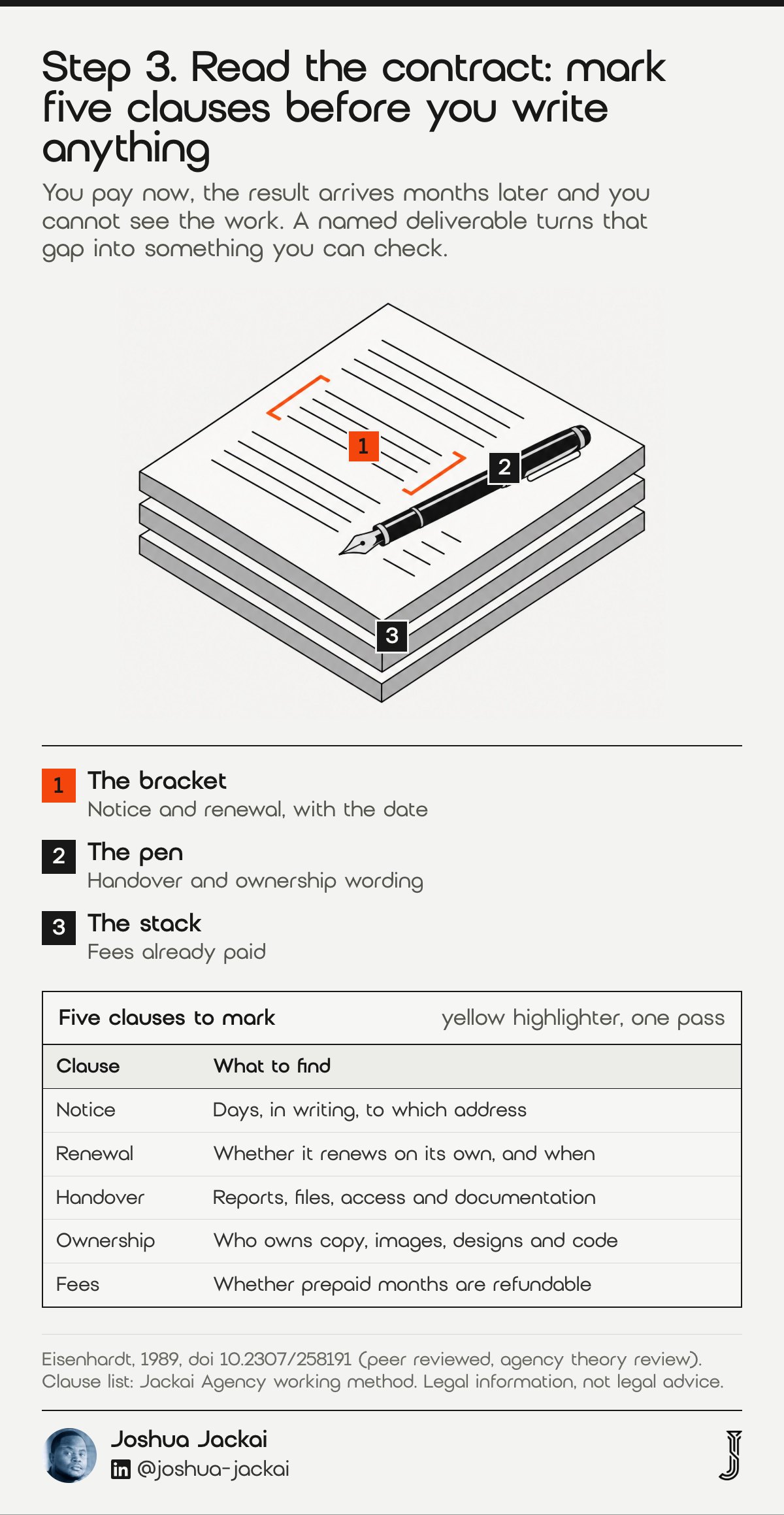
- Notice: how many days, in writing, to which address
- Renewal: whether it renews on its own and on what date
- Handover: reports, files, access and documentation at the end
- Ownership: who owns copy, images, designs and code
- Fees: whether prepaid months are refundable
Why does the paper matter this much? Eisenhardt (1989), in a widely cited review in the Academy of Management Review, treats the hiring of an agent as a problem of different goals and work that is hard to verify, which is why contracts try to tie pay to behaviour or outcomes (Eisenhardt, 1989). SEO is a clear case: you pay now, the result arrives months later, and you cannot see the work. A contract that names deliverables turns that gap into something you can check. If the document says nothing about handover, say so in your notice and ask for the handover list in writing. Do not assume silence means you lose. Do not assume it means you win either. Take the five clauses to a Canadian lawyer if money or ownership is at stake. Also look for a minimum term, a clause that lets the agency raise fees mid-term, and any wording about “proprietary methods”, because that phrase is sometimes used to justify withholding keyword lists or documentation. Write the clause numbers into your notes, since your notice letter will cite them.
4. Settle content ownership: best for pages, copy and images
Content ownership is the question of who holds the copyright in the pages, blog posts, images and code the agency made for you. In Canada the default is not what most owners expect. The person who made the work is the first owner unless a signed written agreement says otherwise.
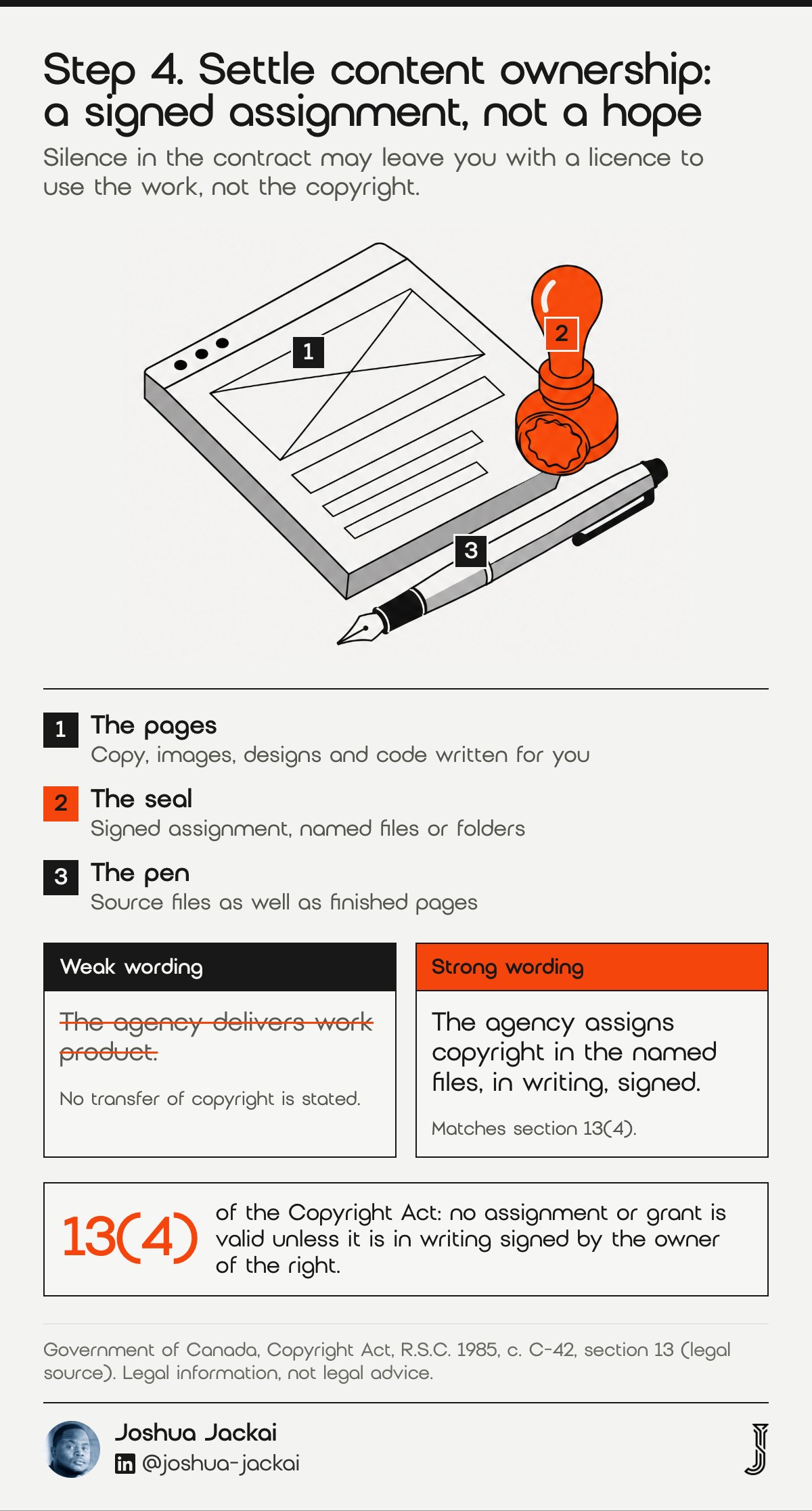
- First owner: the author, under section 13(1)
- Transfer: only by a written, signed assignment, section 13(4)
- Employees: an employer owns work made in the course of employment, section 13(3)
- Contractors: the contract decides, so look for the words “assign” or “licence”
- Moral rights: not covered by section 13, so ask a Canadian lawyer whether your agreement addresses them
The Copyright Act sets the default in section 13(1), and section 13(4) adds the formality: no assignment or grant is valid unless it is in writing and signed by the owner of the right. For you, the useful reading is plain. If your agreement says the agency delivers “work product” and never says you own it, you may only hold a licence to use it, and the licence may end when the contract does. Check whether the contract assigns ownership on payment. If it does not, ask for a short signed assignment as part of the exit, covering copy, images, designs and code written for you. Name the files or folders it covers, and ask for the source files as well as the finished pages, because a finished page without its source is hard to edit later.
“the author of a work shall be the first owner of the copyright therein,” the federal Copyright Act, s. 13(1) stated.
My separate guide on who owns your website in Canada covers the site files and domain side.
“If the agreement says the agency delivers work product and never says you own it, you may only hold a licence,” said Joshua Jackai, Vancouver web designer.
5. Judge the results: best for deciding whether to leave at all
Judging the results means checking leads, not only rankings, for a fixed window before you decide. Some exits are the right call, and some are a reporting problem that a better report would solve. Ask for six items and score the last three months.
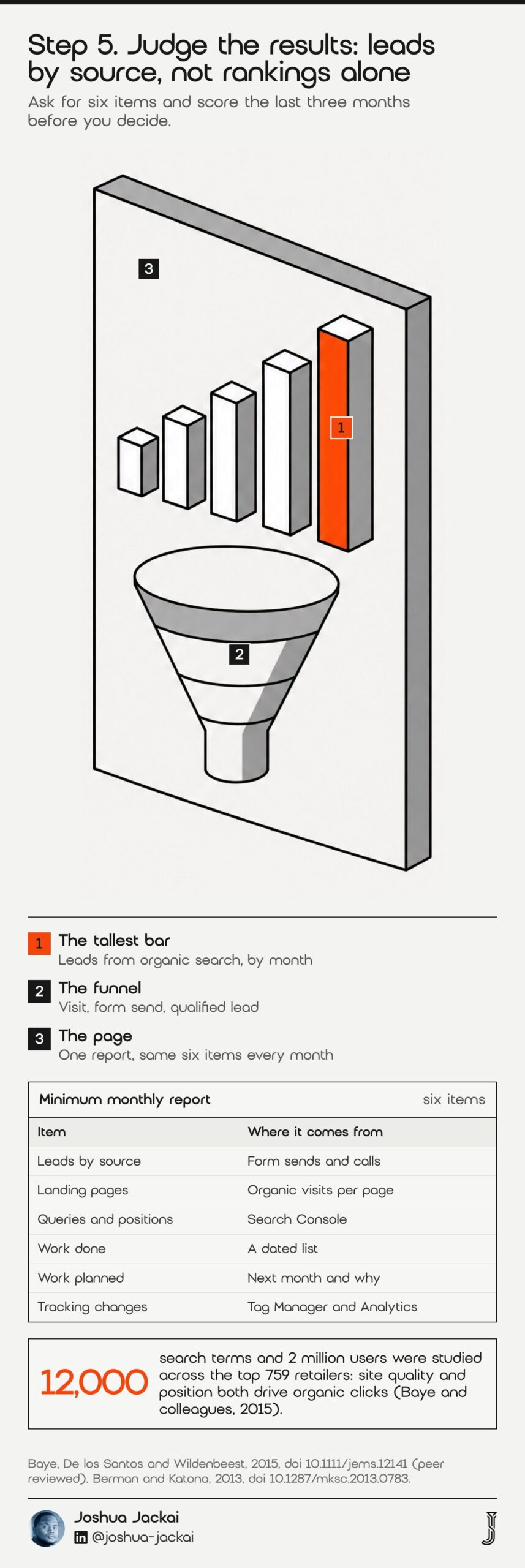
- Leads by source: form sends and calls, split by organic search
- Landing pages: which pages got the organic visits
- Queries and positions: from Search Console, not a third-party tool alone
- Work done: a dated list, not a summary
- Work planned: what happens next month and why
- Tracking changes: anything altered in Tag Manager or Analytics
Rankings alone mislead, because organic clicks depend on more than position. Baye, De los Santos and Wildenbeest used more than 12,000 search terms and 2 million users to study the top 759 retailers in August 2012, and wrote that “the higher the quality of an online retailer, the greater the number of consumers who click its link” (Baye and colleagues, 2015). In the model of Berman and Katona (2013), low-quality sites have less reason to invest in SEO, which favours high-quality ones (Marketing Science). The study measured clicks, not leads, so treat it as a prompt rather than proof: ask whether the site itself earns clicks and enquiries, not only whether the agency moved it up. If three months of reports show no leads and no plan, leave. If the reports are missing, ask for them first and give a date. Doyle, Corstjens and Michell studied companies that switched advertising agencies and found slow breakdowns that started with warning signs. In my judgement, missing reports are one such sign. Give the agency one written chance, with a date, to send the six items before you decide.
“a process of “creeping disenchantment” preceded by clear signals of vulnerability,” wrote Doyle, Corstjens and Michell in Journal of Marketing, 1980.
6. Give notice and take the handover: best for a clean exit
Giving notice means a short, dated letter that follows the notice clause to the letter, then a handover list the agency signs off. Send it to the address in the contract and keep proof of delivery. The goal is an uneventful end, not a debate about the past.
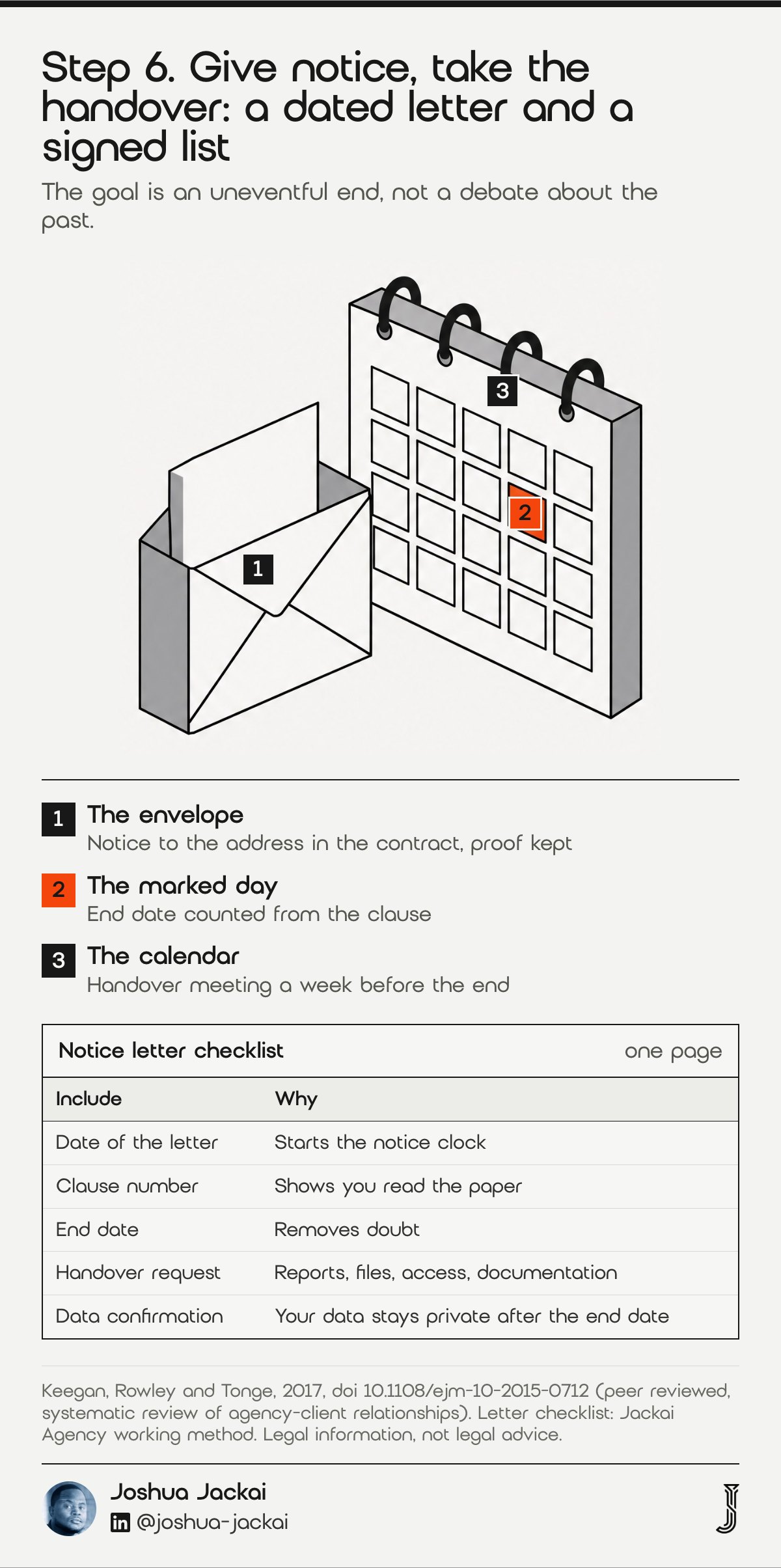
- Letter: the date, the clause number, the end date, the request for handover
- Handover list: reports, keyword lists, content files, access, documentation
- Date: a hand-off meeting at least a week before the end date
- Confidentiality: ask for a written reminder that your data stays private
- Record: keep every email in one folder
Research on agency-client relationships is still developing. Keegan, Rowley and Tonge (2017) present the first systematic review of the literature on organizations and their marketing agencies and set out a research agenda (European Journal of Marketing). Keep the tone civil. The question owners ask me most is whether a former agency can go and work for a competitor. A non-compete, a non-solicitation clause and a confidentiality clause are three different things, and whether any of them applies depends on the wording of your signed agreement and on Canadian law. I am not a lawyer. Read those clauses before you sign the letter, and ask a lawyer before you threaten anything. Put a request in the notice for confirmation that the agency will not use your data, reports or logins after the end date. That costs nothing, and it gives you a dated reply to point to if a dispute starts. Then book the handover meeting and send the agenda ahead of it.
7. Close their access: best for the weeks after the exit
Closing access means removing the agency from every account you listed in step 1, in a set order, and then checking that nothing of theirs is still running on your site. Do it on the end date, not the week after. Leave the audit sheet open and tick off each line.
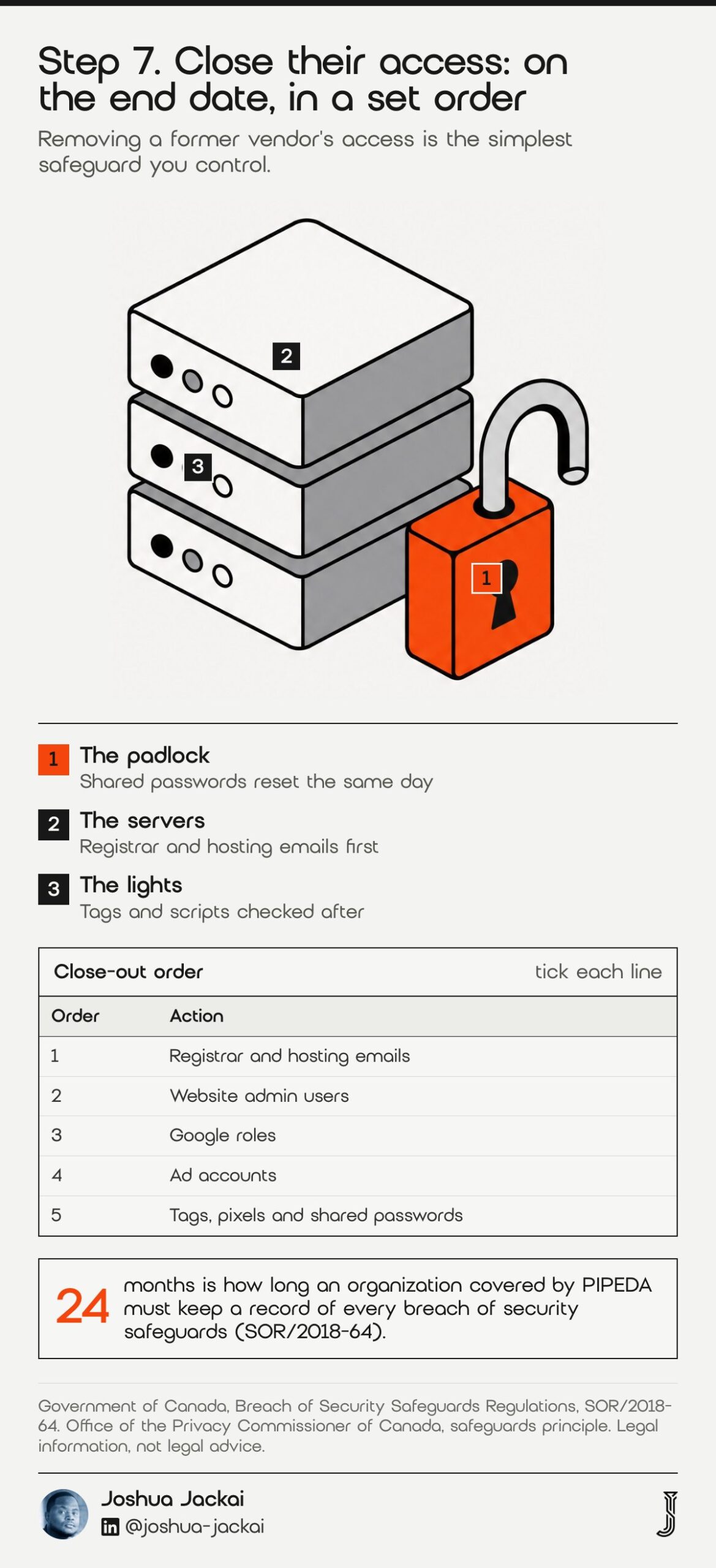
- Order: change registrar and hosting emails, then CMS users, then Google roles, then ad accounts
- Tags: read Tag Manager and remove their containers, pixels and scripts
- Passwords: reset every shared password
- Forms: test one lead form end to end after the changes
- Record: keep the audit sheet with the date it closed
Your exit may carry a privacy duty, depending on whether PIPEDA or a provincial privacy law applies to your business. If an agency held lead data, form exports or CRM access, the Office of the Privacy Commissioner of Canada sets out a safeguards principle for it. If something goes wrong after the exit, an organization covered by PIPEDA must keep a record of every breach of security safeguards for 24 months (SOR/2018-64). Removing a former vendor’s access is the simplest safeguard you control. Then watch Search Console for two weeks for new crawl errors, and compare lead volume to the month before the exit. If rankings or form sends drop in that window, check the tags and redirects first, because a removed script or a changed setting is a more likely cause than the departure itself. Keep the old agency’s contact until the two weeks pass, in case a question comes up. Record the date each account closed in your audit sheet, so a later dispute has a paper trail.
“Protect personal information in a way that is appropriate to how sensitive it is,” wrote the Office of the Privacy Commissioner of Canada in its safeguards principle.
“Removing a former vendor’s access is the simplest safeguard you control,” said Joshua Jackai, Vancouver web designer.
Compare the seven steps and filter by what you need
Use the filters to see which steps apply to you today. Choose the stage you are in and the matrix hides the rest. The time estimates are my working numbers from client exits, so treat them as placeholders you replace with your own situation.
| Step | Stage | Time | Output |
|---|---|---|---|
| 1. Audit what you hold | Before | 30 to 45 minutes | List every account and its owner of record |
| 2. Become an owner | Before | 1 to 2 hours, then a 7 day wait for Business Profile transfers | Add yourself as owner before notice |
| 3. Read the contract | Before | 1 hour | Mark notice, renewal, handover, ownership, fees |
| 4. Settle content ownership | Before and during | 1 hour plus a lawyer if needed | Ask for a signed assignment |
| 5. Judge the results | Before | 3 months of reports | Leads by source, not rankings alone |
| 6. Give notice, take the handover | During | 1 to 2 weeks | Dated letter and a signed handover list |
| 7. Close their access | After | 1 to 2 hours, then 2 weeks watching | Remove users, tags and passwords |
Check your exit readiness and the notice date
An exit readiness check counts how many of the eight key accounts you already own, and a notice calculator turns a notice period into the earliest end date. Tick what you hold, enter the date and days from your contract, and both results update. Defaults are placeholders, not your contract.
Exit readiness and notice date (placeholders, edit them)
Frequently asked questions
Can an SEO company hold my website or accounts hostage?
Only if the accounts sit under their login or the contract gives them control. Make yourself the owner of Search Console, Analytics, Business Profile, the domain and hosting before giving notice. Where they hold ownership you never agreed to, ask a Canadian lawyer, because the signed contract decides.
What should a monthly SEO report include?
At minimum it shows leads by source, the landing pages that received organic visits, queries and positions from Search Console, a dated list of work done, the plan for next month and any tracking changes. A report with only rankings cannot tell you whether the work produced customers.
Can my SEO agency work for my competitor after I leave?
That depends on your signed agreement and on Canadian law. A non-compete, a non-solicitation clause and a confidentiality clause are three different things, so check which one you signed. This is legal information, not advice; have a Canadian lawyer read the clauses.
How much notice do I need to give an SEO company in Canada?
The notice period is whatever your signed contract says, so read the notice clause first. Send written notice to the address named in the contract and keep proof of delivery. If the contract auto-renews, mark the date and send notice before it.
Who sets this up for you
Jackai Agency, run by me in Vancouver, builds and looks after websites for Canadian B2B companies. If you are leaving an agency and want to know what your site, tracking and accounts look like before you do, the fastest start is the Website Audit at CA$995, credited if a project starts within 30 days. See the offers page.
If the real problem was reporting, my lead source reporting work is CA$2,600 and puts every lead next to the page and channel that produced it. Reading quotes from several providers? See why web design quotes vary so much, and for a site that needs ongoing care read website maintenance costs in Vancouver. A free AI Visibility Report shows how answer engines see your company today.
Sources
Peer reviewed
- Eisenhardt, K. M. (1989). Agency Theory: An Assessment and Review. Academy of Management Review. doi.org/10.2307/258191
- Doyle, P., Corstjens, M. and Michell, P. (1980). Signals of Vulnerability in Agency-Client Relations. Journal of Marketing. doi.org/10.1177/002224298004400403
- Baye, M. R., De los Santos, B. and Wildenbeest, M. R. (2015). Search Engine Optimization: What Drives Organic Traffic to Retail Sites? Journal of Economics & Management Strategy. doi.org/10.1111/jems.12141
- Berman, R. and Katona, Z. (2013). The Role of Search Engine Optimization in Search Marketing. Marketing Science. doi.org/10.1287/mksc.2013.0783
- Keegan, B. J., Rowley, J. and Tonge, J. (2017). Marketing agency and client relationships: towards a research agenda. European Journal of Marketing. doi.org/10.1108/ejm-10-2015-0712
Industry, vendor and government (not peer reviewed)
- Google. Search Console Help, permission levels and users, read 18 October 2026. support.google.com
- Google. Analytics Help, access management, read 18 October 2026. support.google.com
- Google. Business Profile Help, add or transfer ownership, read 18 October 2026. support.google.com
- Government of Canada. Copyright Act, R.S.C. 1985, c. C-42, section 13 (legal source). laws-lois.justice.gc.ca
- Office of the Privacy Commissioner of Canada. PIPEDA safeguards principle, read 18 October 2026. priv.gc.ca
- Government of Canada. Breach of Security Safeguards Regulations, SOR/2018-64. gazette.gc.ca
- Jackai Agency price table, October 2026 (first-party prices, CAD).