7 Vibe Coded Website Review Checks: Complete 2026 Guide
Seven checks to run before you launch a vibe coded website: code review, secrets, forms and Canadian privacy, what crawlers receive, phone speed, accessibility and ownership, with a cost calculator in Canadian dollars.
 Joshua Jackai
15 min read
Joshua Jackai
15 min read
Published 17 October 2026 · Last updated and fact-checked October 2026
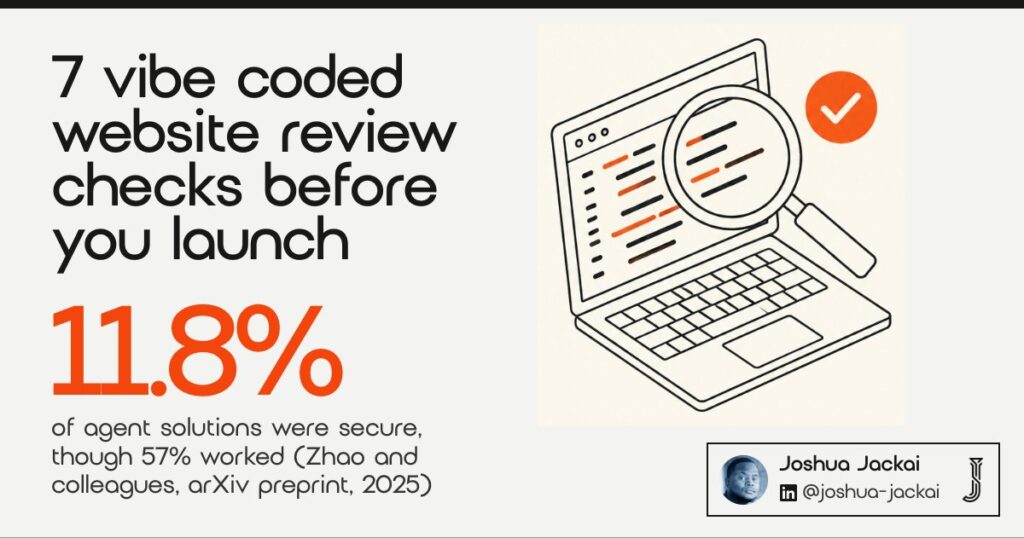
Short answer: Before you launch a website built with Claude Code, Lovable or a similar tool, run seven checks: code review, secrets, forms and privacy, what crawlers receive, phone speed, accessibility and ownership. In one benchmark only 11.8% of agent solutions were secure, though 57% worked (Zhao and colleagues, 2025).
I am Joshua Jackai, a Vancouver web designer and developer, and I run Jackai Agency. More owners now ask me to look at a site that an AI tool built in a weekend. Most guides on this topic are security posts from vendors. They do not say who edits the site on Monday, what a Canadian form must respect, or what a review costs in Canadian dollars. This guide covers those gaps in seven checks.
In this guide
Key takeaways
- About 40% of 1,689 programs that GitHub Copilot produced in security-relevant scenarios were vulnerable (Pearce and colleagues, IEEE Symposium on Security and Privacy, 2022).
- In a study of 733 snippets from real GitHub projects, 29.5% of Python and 24.2% of JavaScript snippets had security weaknesses (Fu and colleagues, ACM TOSEM, 2025).
- Google says server-side or pre-rendering is still a great idea because it helps users and crawlers (Google Search Central, updated 4 March 2026).
- Google rates a page as good when its largest content loads within 2.5 seconds (web.dev).
- My Website Audit costs CA$995 and is credited if a project starts within 30 days.
| Check | What you are testing | Can you do it yourself | Peer-reviewed support |
|---|---|---|---|
| 1. Code review | Whether a person read what the AI wrote | Partly | Yes |
| 2. Secrets and public files | Keys, passwords and test files visible to anyone | Yes | Yes |
| 3. Forms and privacy | Where a Canadian enquiry goes and what you tell the sender | Partly | No, official guidance |
| 4. What crawlers receive | Titles, text and links in the raw page source | Yes | No, official guidance |
| 5. Phone speed | How long a visitor waits on a phone | Yes | Yes |
| 6. Accessibility | Keyboard use, contrast, labels | Partly | Yes |
| 7. Ownership and editing | Who holds the repo, hosting, domain and the blog | Yes | No, my experience |
1. Code review: best for deciding whether a person has read the AI output
Someone has to read the code before the public does. AI assistants write code that runs, and that is not the same as code that is safe. Research on Copilot found about 40% of its security-scenario programs were vulnerable. A second study found assistant users felt more sure of code that was less secure.
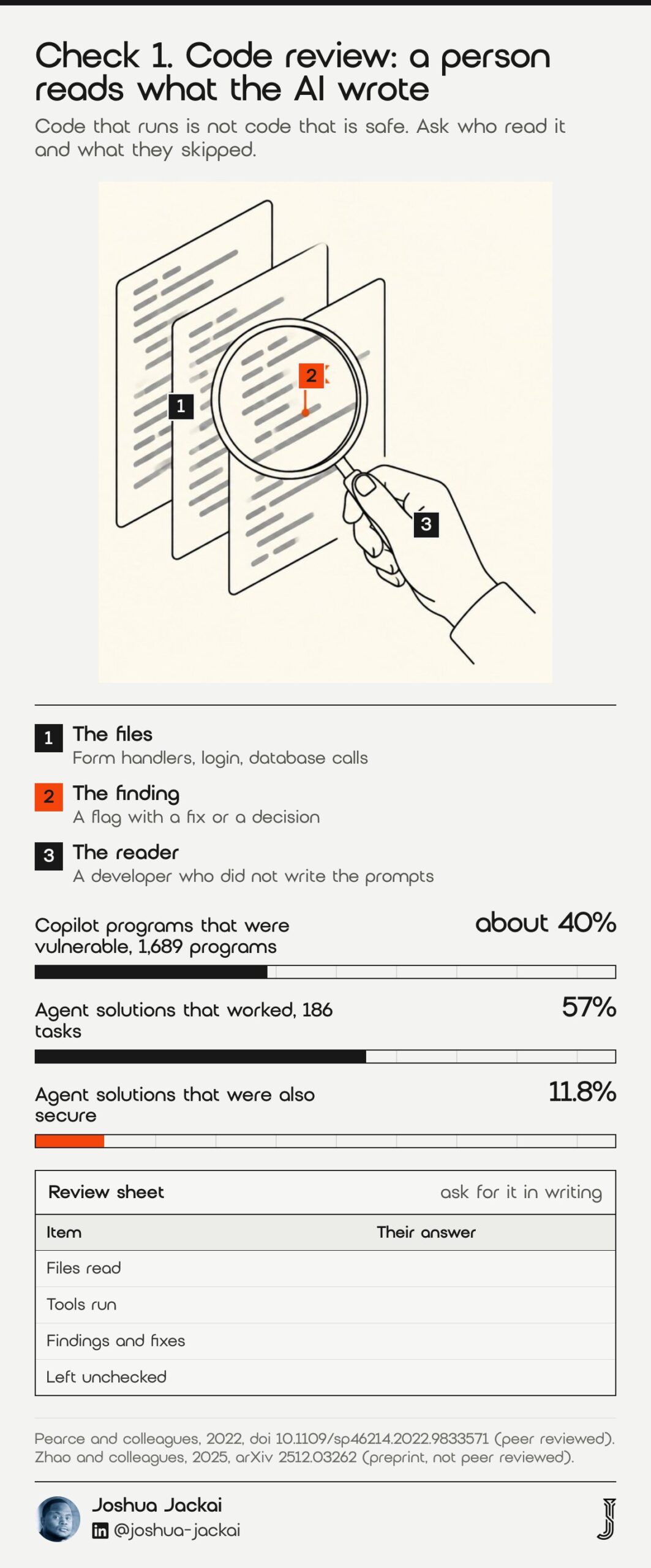
- Who does it: a developer who did not write the prompts
- What they read: form handlers, login, anything that touches a database
- Time (my estimate): 2 to 4 hours for a five-page marketing site
- Output: a short list of findings with a fix or a decision for each
- Skip it only if: the site is static pages with no forms and no accounts
Pearce and colleagues prompted GitHub Copilot with 89 scenarios based on high-risk weaknesses and produced 1,689 programs. Of these, they found approximately 40% to be vulnerable (Pearce and colleagues, 2022). Perry and colleagues then ran a user study and reported a second problem, which is confidence.
“participants who had access to an AI assistant wrote significantly less secure code than those without access to an assistant,” wrote Perry and colleagues in the ACM Conference on Computer and Communications Security, 2023.
Newer agents are not exempt. A 2025 benchmark of 186 real feature requests found that 57% of solutions from one Claude-based agent worked, while only 11.8% were secure (Zhao and colleagues, 2025, preprint, not peer reviewed). Those studies cover code, not marketing pages, so a brochure site carries less risk. A site with a form, a login or a payment step carries more. Ask for the review in writing and ask who signed it. A good review names the files read, the tools run and the items left unchecked. If a reviewer says the code looks fine without naming any of those, ask again. I add one more rule for sites that take payments or hold customer accounts: the reviewer should be able to explain, in plain words, what happens to a customer’s data from the moment they click submit.
2. Secrets and public files: best for stopping a leak before launch
A visitor can read anything your site sends to their browser. That includes keys pasted into front-end code, a committed .env file and leftover test pages. This check takes under an hour and needs no coding. You open the live site the way a stranger would and look.
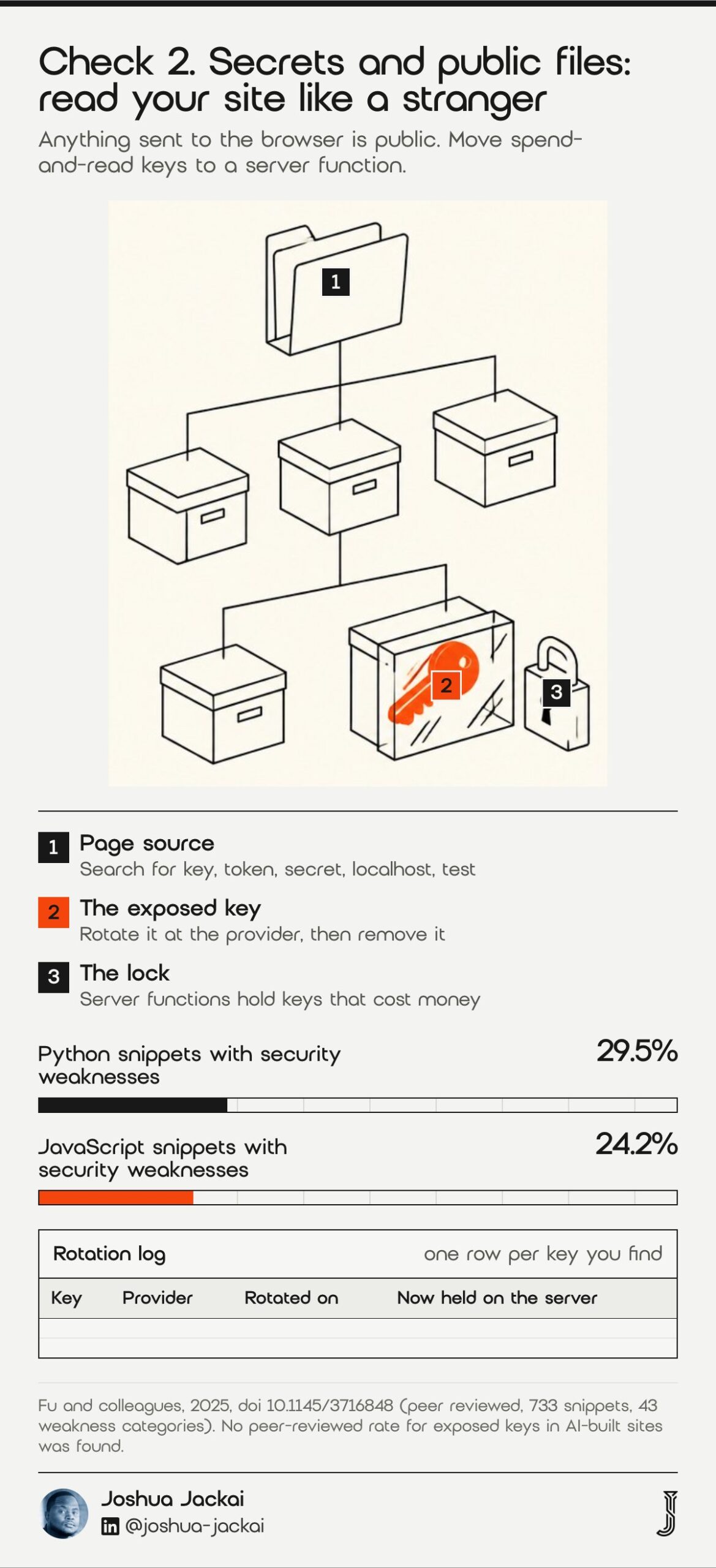
- Look in: the page source, the browser network tab, the public folder
- Search for: “key”, “token”, “secret”, “password”, “localhost”, “test”
- Also check: a public repository on GitHub, including its history
- Fix: rotate any exposed key at the provider, then remove it from the code
- Rule: a key that was public once is burned, even after you delete it
Fu and colleagues analysed 733 snippets from GitHub projects that came from Copilot and two other generators. They found that 29.5% of Python and 24.2% of JavaScript snippets had weaknesses, spread over 43 categories that included insufficiently random values and cross-site scripting (Fu and colleagues, ACM Transactions on Software Engineering and Methodology, 2025). Exposed keys are a different weakness from those two, and I have not found a peer-reviewed rate for them in AI-built sites, so I do not quote one.
What I do see is simple. Builders put a key where it works fastest, and the fastest place is the browser. Move every key that can spend money or read customer data to a server function. Treat the public key of a map or analytics tool as public, and give it a domain restriction at the provider. If you find a secret, rotate it today and tell your developer what you rotated.
“Move every key that can spend money or read customer data to a server function,” said Joshua Jackai, Vancouver web designer.
3. Forms and privacy: best for Canadian businesses that collect enquiries
A contact form collects personal information, and in Canada that brings privacy duties. I am a web designer, not a lawyer, and this is general information, not legal advice. What I check is practical: where the form sends data, who can read it, and whether the page tells the sender why you are collecting it.
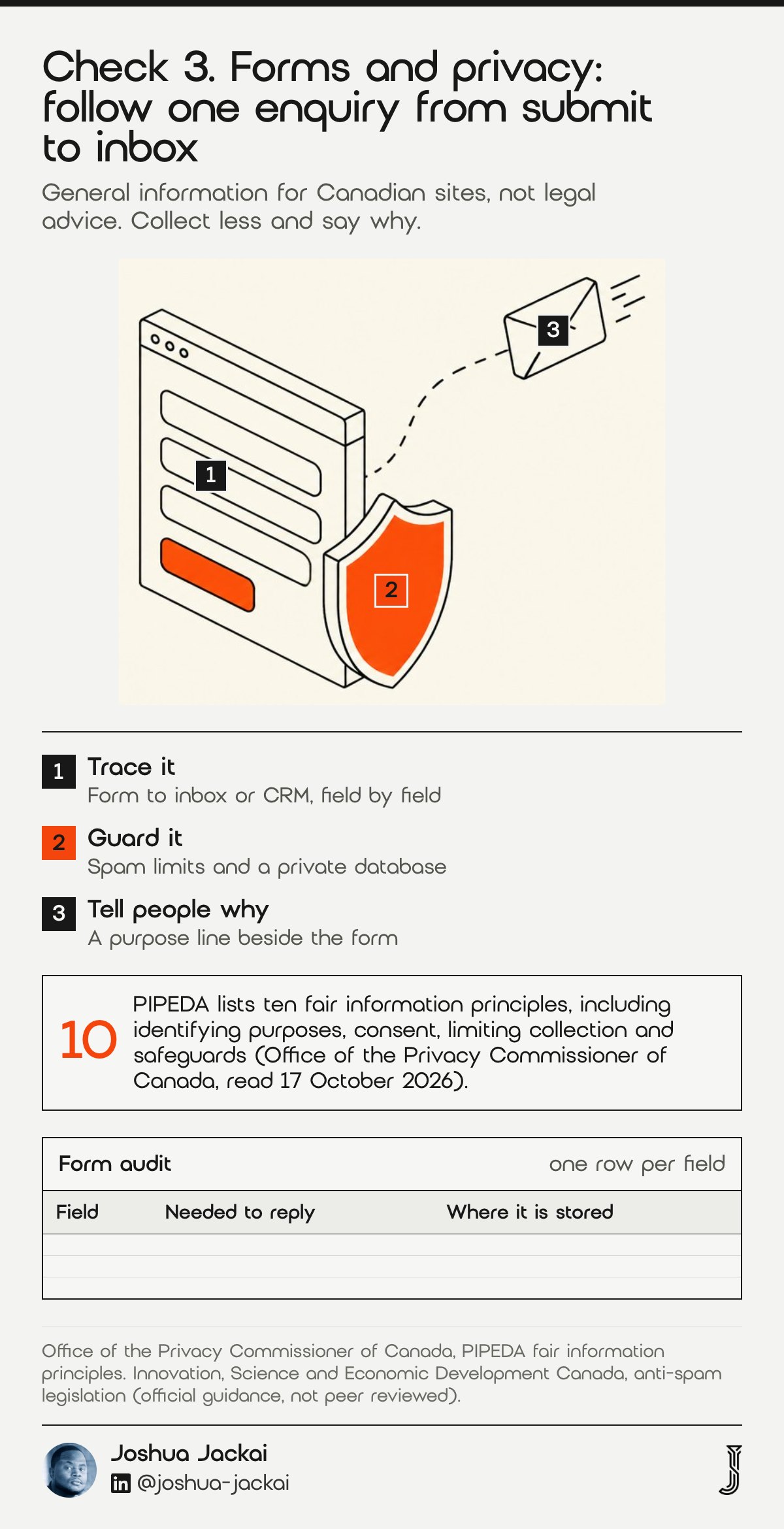
- Trace: from the form to the inbox or CRM, field by field
- Collect less: ask only for what you need to reply
- Tell people why: a short purpose line beside the form
- Marketing email: get consent before you send it, then include an unsubscribe
- Ask a lawyer: about Quebec, health data or children’s data
The Office of the Privacy Commissioner of Canada lists ten fair information principles in the federal privacy law PIPEDA, including identifying purposes, consent, limiting collection and safeguards. On limiting collection it says personal information collected must be limited to what is needed (Office of the Privacy Commissioner of Canada, read 17 October 2026). On email, the federal government says Canada’s anti-spam law asks businesses to obtain consent before sending commercial electronic messages (Innovation, Science and Economic Development Canada, read 17 October 2026).
AI tools often add a form that works and stop there. Submit it yourself. Check that the message arrives, that a spam bot cannot flood it, and that nothing personal appears in a public URL. If the tool stores entries in a database it set up for you, find out where that database lives and who holds the login. Also confirm that the confirmation email or auto-reply does not promise something your business cannot deliver, such as a reply within an hour. I have seen generated copy make promises like that, and the owner only found out when a customer quoted it back.
4. What crawlers receive: best for sites that must be found
Search engines and AI answer tools read the page your server sends, then sometimes run its scripts. Many AI-built sites ship a nearly empty page and draw the text with JavaScript. Google can often cope with that. Other crawlers may not. The test takes two minutes and needs only a browser.
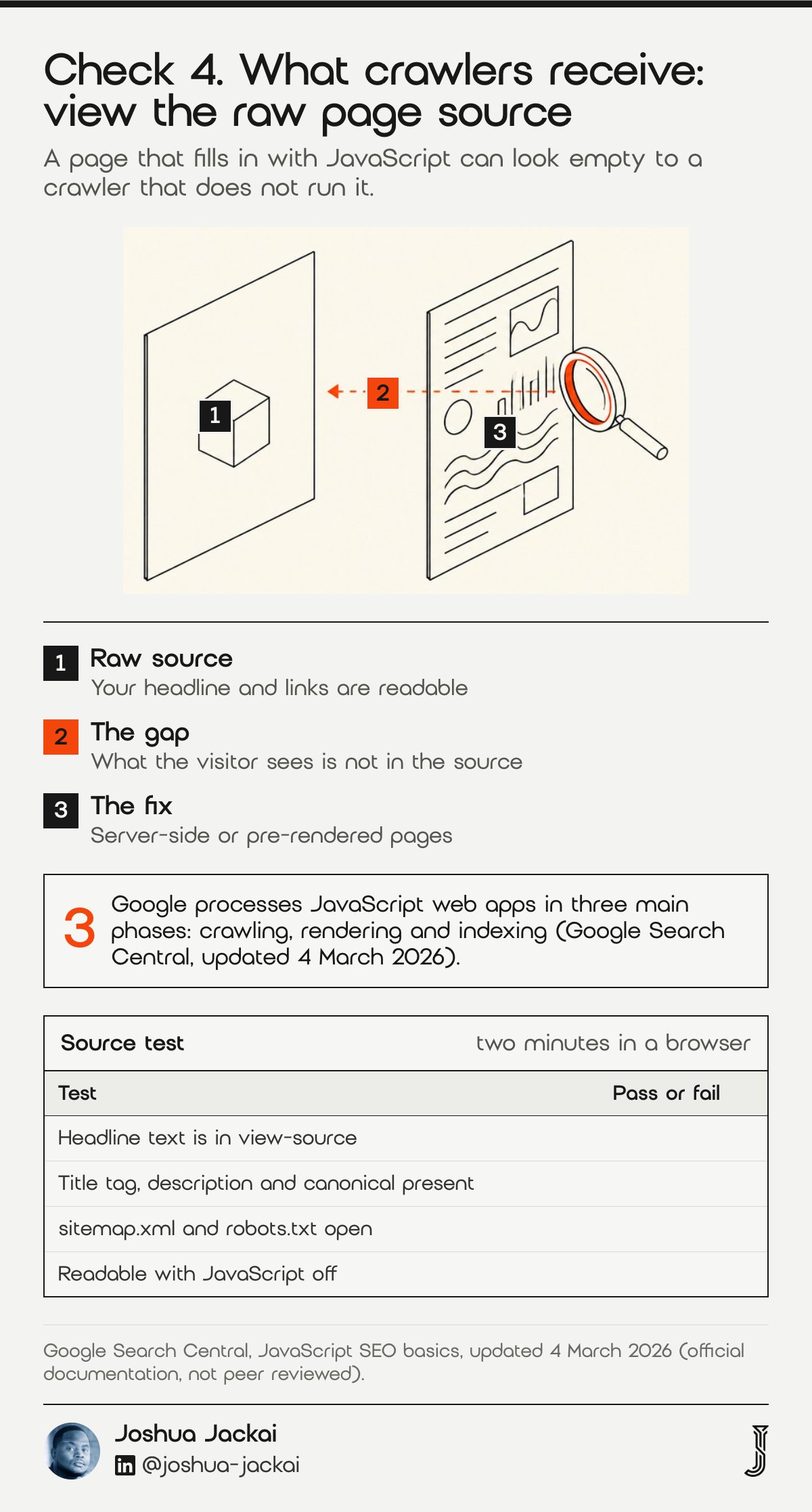
- Test 1: right-click, view page source, and look for your headline text
- Test 2: search the source for the title tag, description and canonical link
- Test 3: open /sitemap.xml and /robots.txt on your domain
- Test 4: turn JavaScript off in the browser and reload
- Pass: your main text and links are readable in the source
Google documents that it processes JavaScript web apps in three phases, which are crawling, rendering and indexing, and that its crawler queues pages for both crawling and rendering. It adds that not all bots can run JavaScript.
“server-side or pre-rendering is still a great idea because it makes your website faster for users and crawlers,” wrote the team at Google Search Central.
I could not find a peer-reviewed study that measures this for AI-built sites, so I give you Google’s own guidance and my test. If the source is empty, ask your developer for server-side rendering or pre-rendered pages, or move the content into a content management system that renders pages on the server. Then add the basics that tools skip: one H1, a unique title per page, a sitemap, and structured data for your business. Check that your pages are not blocked in robots.txt. Then paste your own headline into a search engine in quotation marks after a week and see whether the page appears, because that shows what was indexed and not what you hoped. My Vancouver web design page shows how I set these up.
5. Phone speed: best for catching slow pages before visitors do
AI tools love large images, heavy libraries and animations. On a laptop with fast internet you will not notice. On a phone you will. Speed is a launch check because waiting changes how people judge a site, and you only get that first impression once.
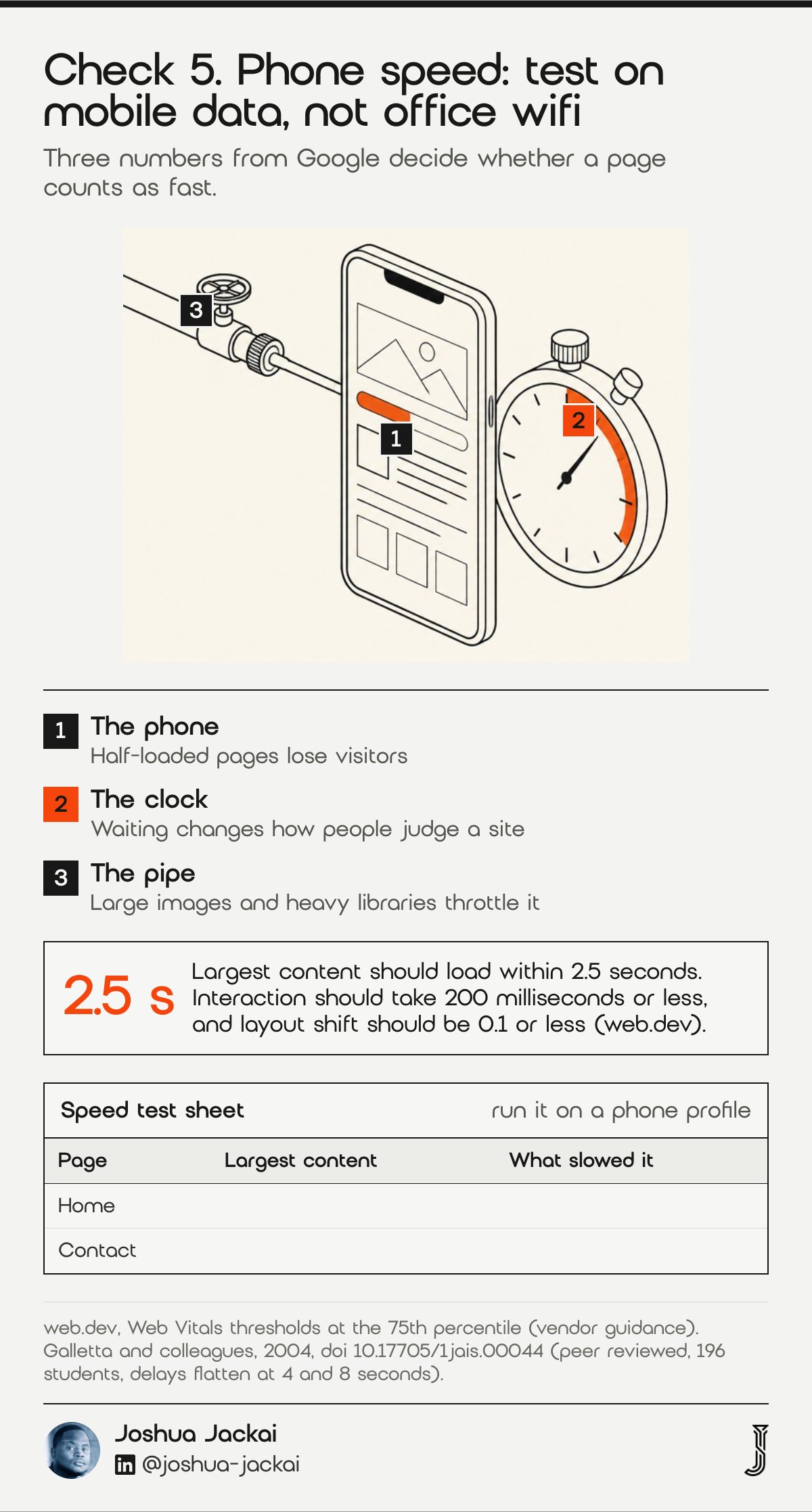
- Tool: PageSpeed Insights on your live URL, mobile tab
- Targets: largest content in 2.5 seconds, interaction in 200 milliseconds, layout shift 0.1
- Measured at: the 75th percentile of visits, per Google
- Usual causes: unsized images, unused libraries, autoplay video
- Fix first: compress images and set width and height on each
Galletta and colleagues tested delays of 0, 2, 4, 6, 8, 10 and 12 seconds with 196 students. Their analysis found that drops in performance and behavioural intentions begin to flatten when delays reach 4 seconds or longer, and attitudes flatten at 8 seconds or longer (Galletta and colleagues, Journal of the Association for Information Systems, 2004). The study is old and used students, so it shows how people react to waiting, not how your visitors will.
“Speed is a launch check because waiting changes how people judge a site, and you only get that first impression once,” said Joshua Jackai, Vancouver web designer.
Google’s current thresholds are more practical. It says LCP, the time to the largest piece of content, should occur within 2.5 seconds, that pages should have an INP of 200 milliseconds or less, and that CLS should be 0.1 or less (web.dev). Run the test on your phone with mobile data, not on office wifi, because that is how many first visits happen. If the result is poor, send the report to your developer with the three numbers highlighted.
6. Accessibility: best for avoiding barriers you never meant to build
Accessibility means people can use the site with a keyboard, a screen reader or low vision. The standard most owners hear about is the Web Content Accessibility Guidelines, which the World Wide Web Consortium publishes as WCAG 2.2. AI tools often produce clean-looking pages with missing labels, weak contrast and broken keyboard paths.
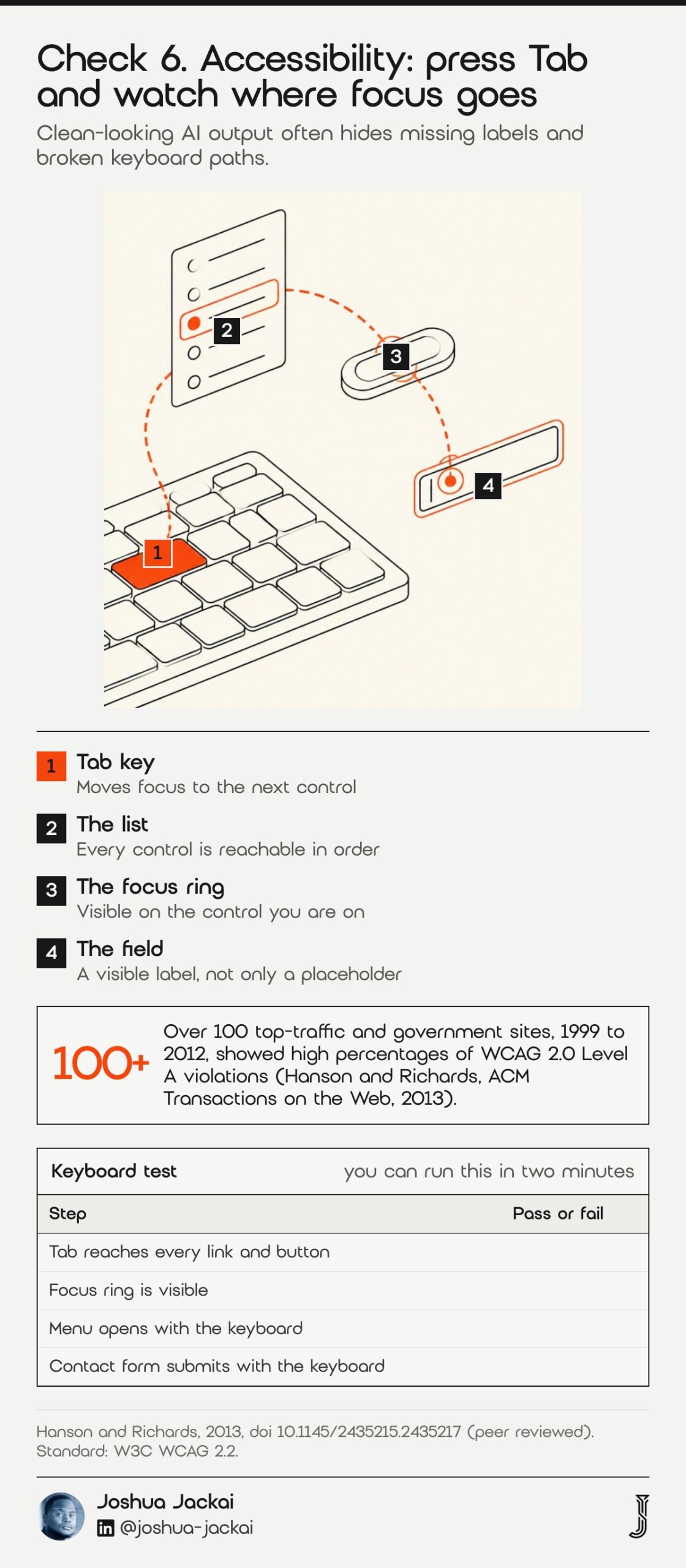
- Keyboard test: press Tab through the page and watch a visible focus ring
- Contrast: body text against its background, in every section
- Images: a text description for each image that carries meaning
- Forms: a visible label for every field, not only a placeholder
- Rule: automated tools find some problems, so test by hand as well
Hanson and Richards examined over 100 top-traffic and government websites from the United States and United Kingdom between 1999 and 2012. Their automated checks of WCAG 2.0 Level A criteria found high percentages of violations overall, and they suggested that gains came partly from changes in technology rather than a focus on accessibility itself (Hanson and Richards, ACM Transactions on the Web, 2013).
That finding is why I do not trust the tool’s default output. Accessibility problems were common on well-funded sites long before AI wrote the code. Test the keyboard path yourself in five minutes. If you cannot reach the menu, the form or the main button with Tab alone, a visitor who cannot use a mouse cannot either. Then ask your developer to run an automated scan and fix every item at the level you are targeting. Rules differ by province, so ask a lawyer which one applies to you. The WCAG 2.2 text is at w3.org.
“Accessibility problems were common on well-funded sites long before AI wrote the code,” said Joshua Jackai, Vancouver web designer.
7. Ownership and editing: best for knowing who runs the site after launch
The last check is not technical. Ask who will change a price, publish a blog post or fix a typo next Tuesday. If the answer is “I prompt the AI again”, you have a site that only works while that tool, that account and that person stay available. This is where AI-built sites most often get stuck, in my experience.
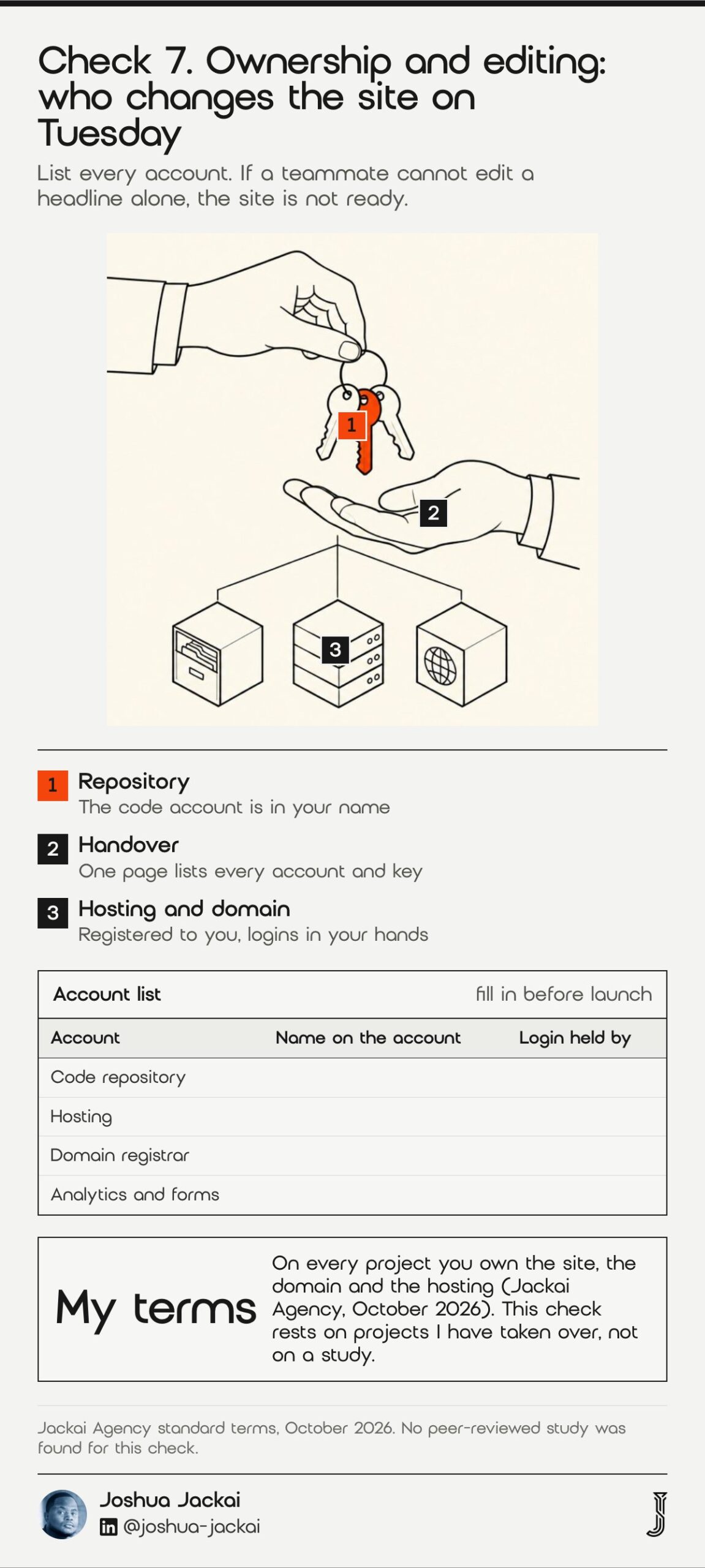
- Repository: who owns the code account, and who else has access
- Hosting: whose card pays, and whose email receives the alerts
- Domain: registered in your name, with the login in your hands
- Editing: a content system you can use without code, or a written process
- Handover: a one-page note listing every account and every key
I keep to one standard on every project: you own the site, the domain and the hosting. My guide to who owns your website in Canada explains the three accounts that most often end up in someone else’s name. For a blog, a CMS like WordPress means anyone on your team can publish. A code-only site means a prompt or a pull request for each change.
This check has no peer-reviewed study behind it, and I will not pretend it does. It rests on projects I have taken over, where the most common surprise was a hosting or domain account registered to the freelancer, the agency or the AI tool’s own team plan rather than to the owner. Fixing that after a dispute costs far more than a ten-minute check before launch. If you decide a code-only site fits you, write the process down and test it once. Ask a teammate to change a headline without your help. If they cannot, the site is not ready.
“Ask a teammate to change a headline without your help,” said Joshua Jackai, Vancouver web designer.
Compare the seven checks and filter by what you can do yourself
Use this matrix to decide which checks you run and which you hand to a developer. Filter by who can do the check and sort your list by time. The time column holds placeholder hours from my own experience, not a quote, and rows are hidden when filtered, not deleted.
| Check | Do it yourself | Tool | Developer hours (placeholder) |
|---|---|---|---|
| 1. Code review | Partly | A developer who did not write the prompts | 3 |
| 2. Secrets and public files | Yes | Page source, network tab, repository search | 1.5 |
| 3. Forms and privacy | Partly | A test submission and the privacy notice | 2 |
| 4. What crawlers receive | Yes | View source, sitemap, robots.txt | 2 |
| 5. Phone speed | Yes | PageSpeed Insights, mobile tab | 2 |
| 6. Accessibility | Partly | Keyboard test plus an automated scan | 3 |
| 7. Ownership and editing | Yes | An account list and a test edit by a teammate | 2 |
Estimate the hours and cost of a pre-launch review
Tick the checks you want a developer to run and adjust the hours to match your site. The calculator multiplies the hours by my care plan rate of CA$279 an hour and compares the total with my CA$995 Website Audit. The default hours are placeholders from my own experience, so replace them with the numbers in your own quote.
Pre-launch review estimate (placeholder hours, edit them)
| Run | Check | Hours |
|---|---|---|
Frequently asked questions
Can I launch a vibe-coded website as it is?
Yes, if it is a static brochure site with no forms or login and you have run the secrets, crawler and speed checks. If it takes enquiries, accounts or payments, have a developer read the code first. One benchmark found 11.8% of agent solutions secure (Zhao and colleagues, 2025).
How much does a pre-launch website review cost in Canada?
My Website Audit costs CA$995, credited in full if a project starts within 30 days. For a narrower code review I use my care plan rate of CA$279 an hour, so a typical three-hour review is about CA$837 before tax. Other firms price differently, so ask for scope in writing.
Do I need a CMS for an AI-built website?
You need a way for non-developers to edit the site. A CMS such as WordPress gives you that on day one. A code-only site can work if someone you trust owns the process. If you plan to blog weekly, I would choose a CMS.
Is a vibe-coded website bad for SEO?
Not by default, but many ship an empty page that fills in with JavaScript. Google processes JavaScript in three phases, and it advises server-side or pre-rendering because that is faster for users and crawlers (Google Search Central). Check your page source first.
Who runs this review for you
I review sites built with AI tools for Canadian B2B companies and can rebuild them on WordPress when the review says that is safer. The fastest start is the Website Audit at CA$995, credited within 30 days. See the offers page and the WordPress web design page. Choosing a developer first? Read how to hire a web developer in Vancouver.
Sources
Peer reviewed
- Pearce, H., Ahmad, B., Tan, B., Dolan-Gavitt, B. and Karri, R. (2022). Asleep at the Keyboard? Assessing the Security of GitHub Copilot’s Code Contributions. IEEE Symposium on Security and Privacy. doi.org/10.1109/sp46214.2022.9833571
- Perry, N., Srivastava, M., Kumar, D. and Boneh, D. (2023). Do Users Write More Insecure Code with AI Assistants? ACM SIGSAC Conference on Computer and Communications Security. doi.org/10.1145/3576915.3623157
- Fu, Y., Liang, P., Tahir, A. and colleagues (2025). Security Weaknesses of Copilot-Generated Code in GitHub Projects: An Empirical Study. ACM Transactions on Software Engineering and Methodology. doi.org/10.1145/3716848
- Galletta, D., Henry, R., McCoy, S. and Polák, P. (2004). Web Site Delays: How Tolerant are Users? Journal of the Association for Information Systems. doi.org/10.17705/1jais.00044
- Hanson, V. and Richards, J. (2013). Progress on Website Accessibility? ACM Transactions on the Web. doi.org/10.1145/2435215.2435217
Industry, government and preprint (not peer reviewed)
- Zhao, S., Wang, D., Zhang, K. and colleagues (2025). Is Vibe Coding Safe? Benchmarking Vulnerability of Agent-Generated Code in Real-World Tasks. arXiv preprint. arxiv.org/abs/2512.03262
- Google Search Central. Understand JavaScript SEO basics, updated 4 March 2026. developers.google.com
- web.dev (Google). Web Vitals, read 17 October 2026. web.dev/articles/vitals
- Office of the Privacy Commissioner of Canada. PIPEDA fair information principles, read 17 October 2026. priv.gc.ca
- Innovation, Science and Economic Development Canada. Canada’s anti-spam legislation, read 17 October 2026. ised-isde.canada.ca
- World Wide Web Consortium. Web Content Accessibility Guidelines 2.2. w3.org/TR/WCAG22
- Jackai Agency price table, October 2026 (first-party prices, CAD).