7 Shopify Website Redesign Cost Checks for Canadian Stores
What a Shopify redesign costs in Canada and the 7 checks that protect your sales and search traffic: theme route, CAD plan and card fees, the 404-only redirect rule, staging on a duplicate theme, trust details, shipping display and measurement.
 Joshua Jackai
19 min read
Published 22 November 2026 · Last updated and fact-checked November 2026
Short answer: A Shopify website redesign cost in Canada has three parts: the theme (free, or USD $150 to $500 on the Theme Store), the design and build work, and your monthly plan and card fees in CAD. The part owners skip is the URL map, because Shopify only redirects URLs that already return a 404.
Most Canadian store owners who ask me about a Shopify redesign start with one number: what will the designer charge. That number matters, but it is not the one that sinks a redesign. The costly mistakes are a theme bought for the wrong store, product URLs that break and lose their search traffic, and fees that nobody worked out for the new plan. I am Joshua Jackai of Jackai Agency, a web designer in Vancouver, BC, and this guide is the list I go through before I quote a store project. It covers what each part costs, the SEO checks that protect your traffic, and the store details buyers react to. If you are still choosing a platform, read my WooCommerce vs Shopify comparison first. If you want the wider picture of store design in BC, my ecommerce web design guide for Vancouver covers it.
In this guide
Key takeaways
- Shopify’s Canadian plans run from CA$37 a month (Basic) to CA$3,400 a month (Plus), billed yearly, with online card rates from 2.8% + 30 cents down to 2.15% + 30 cents (Shopify Canada pricing, checked 22 November 2026).
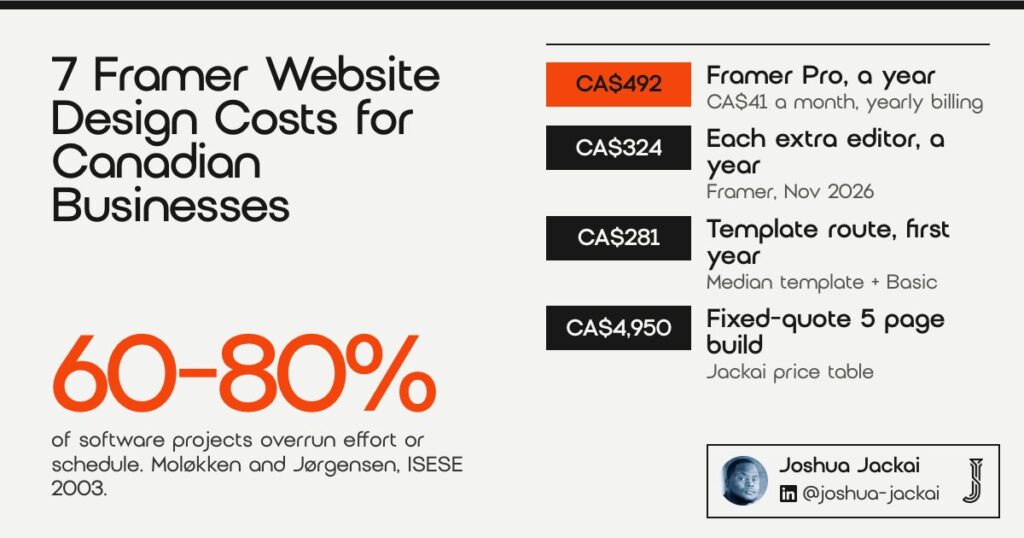
- On Basic with Shopify Payments, a CA$100 online sale costs CA$3.10 in card fees.
- Shopify allows up to 100,000 URL redirects (20,000,000 on Plus), but only from URLs that return a 404, according to the Shopify Help Center.
- A Theme Store theme is licensed only to the store it was bought for, so a theme bought on a test store does not carry over.
- Trust in the store was as important to online buying as perceived usefulness and ease of use in a study of repeat online shoppers (Gefen, Karahanna and Straub, MIS Quarterly, 2003).
| # | Check | What it costs or protects | Who usually pays | Time for a small store |
|---|---|---|---|---|
| 1 | Theme swap or custom theme | Free to USD $500, or a custom build | Owner | 1 to 2 days to choose |
| 2 | Plan and fee math | CA$37 to CA$3,400 a month plus card rates | Owner, every month | 1 hour |
| 3 | URL map and redirects | Search traffic to old product and page URLs | Designer or developer | 1 to 3 days |
| 4 | Duplicate theme and staging | A safe rollback | Designer | Included in the build |
| 5 | Trust details on product and checkout | Buyer confidence | Designer and owner | 2 to 4 days |
| 6 | Shipping fees shown early | Orders and basket size | Owner decides, designer shows | 1 day |
| 7 | Launch test and measurement | Proof the redesign worked | Owner and designer | 4 to 6 weeks of data |
1. Should you buy a Shopify theme or pay for a custom theme?
Buy a Theme Store theme when your catalogue fits its layout, and pay for a custom theme only when it does not. On 22 November 2026 the Theme Store home page listed paid themes from USD $150 to $500, plus a free themes filter, according to my own check. A custom theme costs design and development time instead.
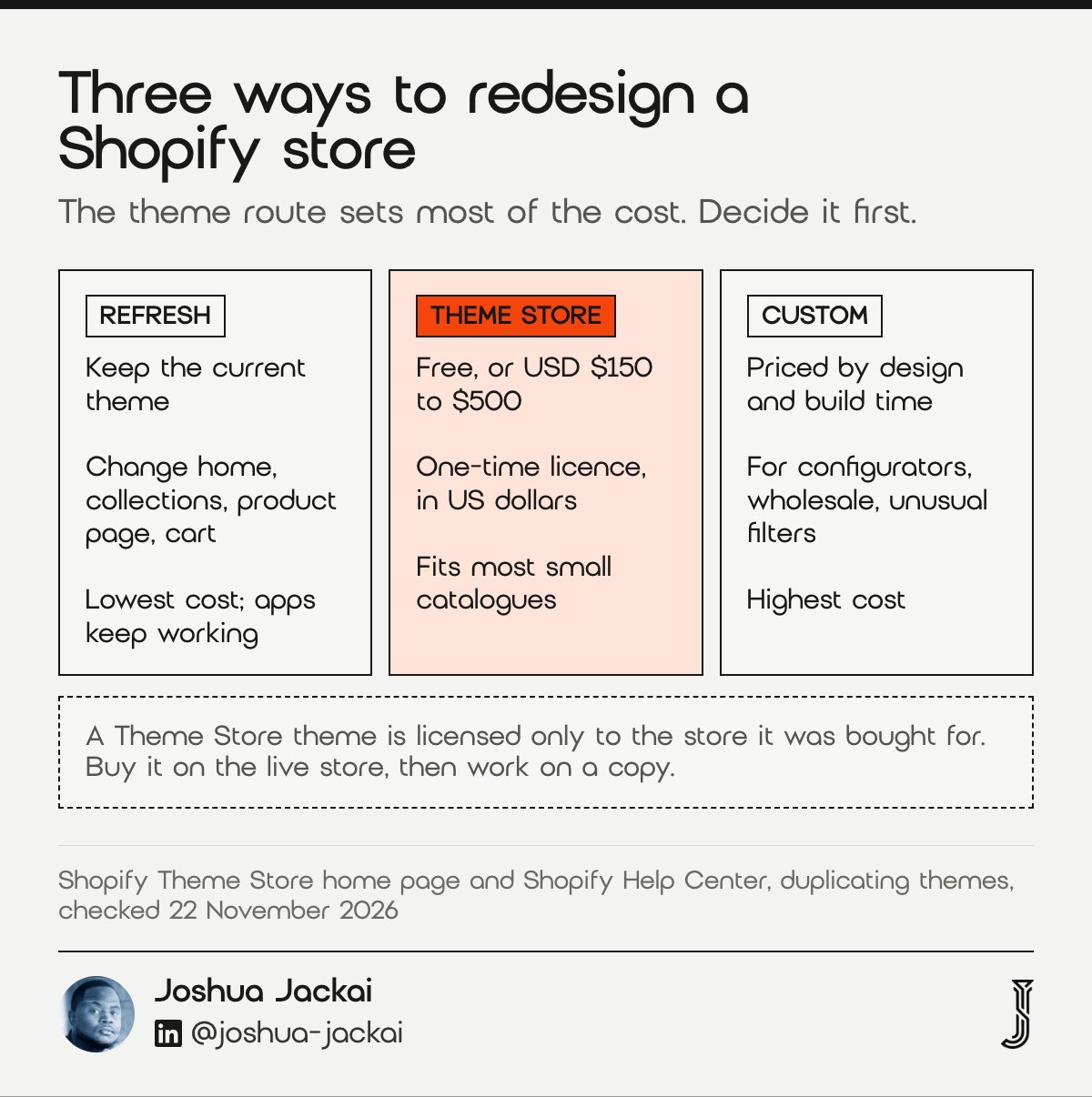
- Refresh the current theme: lowest cost, keeps your URLs and apps as they are.
- Theme Store theme: USD $150 to $500 on the home page I checked, or free; the price is in US dollars.
- Custom theme: priced by design and build time, not by a licence.
- Licence rule: a Theme Store theme belongs to the store it was bought for.
- Best for: stores whose products fit a standard layout without custom filters or ordering rules.
The theme decision sets most of the redesign cost, so I make it before anything else. A refresh keeps your current theme and changes the parts buyers see: the home page, the collection grid, the product page layout and the cart. That is the cheapest route, and it keeps your apps working. A new Theme Store theme gives you a new structure and new sections, and the licence is a one-time price in US dollars, so convert it at the day’s rate when you budget. On the Theme Store home page I checked on 22 November 2026, prices ran from USD $150 for Bricks to USD $500 for Taiga (Shopify Theme Store). A custom theme makes sense when your products need something no theme does well, such as a configurator, wholesale ordering or a catalogue with unusual filters.
This rule is easy to miss. Shopify says a theme bought from the Theme Store is licensed only to the store it was bought for. If your developer buys the theme on a test store, it does not move to your live store with a licence, and an unlicensed theme does not get support or updates. Buy it on the live store, then work on a copy.
Visitors judge a store’s look almost at once, which is why the theme choice comes first.
“Visual appeal can be assessed within 50 ms, suggesting that web designers have about 50 ms to make a good first impression,” wrote Gitte Lindgaard and colleagues (Behaviour and Information Technology, 2006).
2. How much does Shopify cost per month in Canada after a redesign?
Shopify’s Canadian plans, billed yearly, are Basic CA$37 a month, Grow CA$99, Advanced CA$389 and Plus from CA$3,400. Online card rates fall from 2.8% + 30 cents on Basic to 2.15% + 30 cents on Plus. A redesign is a good moment to check that your plan still fits your sales.
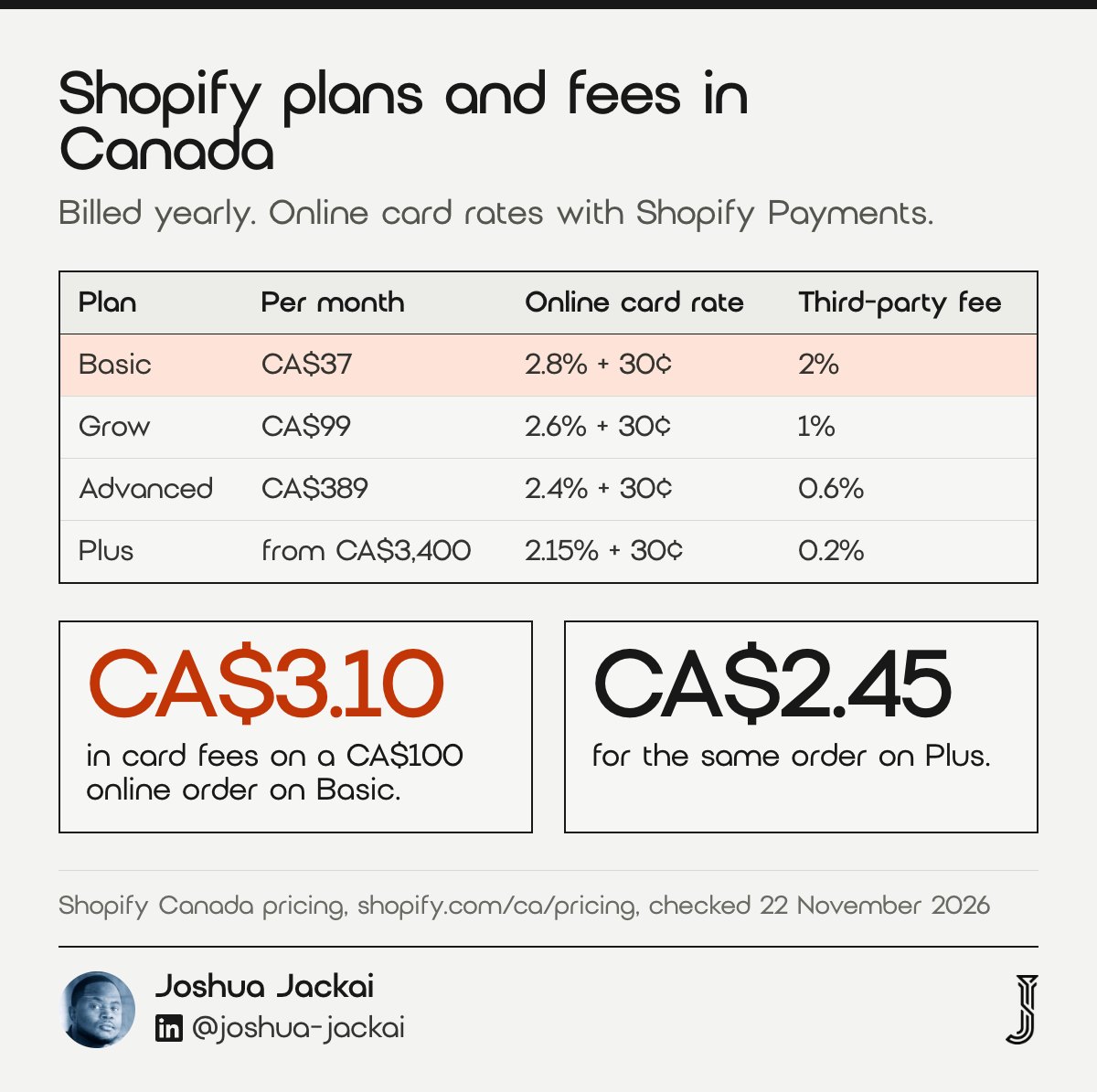
| Plan (billed yearly) | Monthly price | Online card rate | Third-party transaction fee |
|---|---|---|---|
| Basic | CA$37 | 2.8% + 30 cents | 2% |
| Grow | CA$99 | 2.6% + 30 cents | 1% |
| Advanced | CA$389 | 2.4% + 30 cents | 0.6% |
| Plus | from CA$3,400 | 2.15% + 30 cents | 0.2% |
- Plan fee: fixed monthly cost, billed yearly at the prices above.
- Card rate: a percentage plus 30 cents CAD on each online order with Shopify Payments.
- Third-party transaction fee: applies when you use a payment provider other than Shopify Payments.
- Break-even: Grow costs less than Basic above about CA$31,000 a month in online card sales.
- Source: Shopify Canada pricing page, checked 22 November 2026.
Fees are the redesign cost that never stops, so I work them out with the owner before the design brief is signed. The plan fee is the easy part. The card rate is where the money goes. On Basic, a CA$100 online order costs 2.8% plus 30 cents, which is CA$3.10 (Shopify Canada pricing, November 2026). On Grow the same order costs CA$2.90, and on Advanced CA$2.70 (Shopify Canada pricing, November 2026). On a CA$100 order the gap between Basic and Grow is 20 cents, and it grows with order value. For 200 orders a month at CA$80 each (CA$16,000 in sales), Basic costs CA$545 a month in plan and card fees and Grow costs CA$575. Grow only pays for itself above about CA$31,000 a month in card sales.
The arithmetic is simple. Take your monthly online sales, multiply by the card rate, add 30 cents for every order, then add the plan fee from Shopify’s Canadian pricing page. If you use a payment provider other than Shopify Payments, add the third-party transaction fee as well: 2% of sales on Basic, falling to 0.2% on Plus (Shopify Canada pricing, November 2026). The calculator further down this page does this for your own numbers.
A redesign often adds apps too, and many apps bill monthly in US dollars. List every app the new design depends on, with its price, before you approve the design. That list belongs in the budget next to the plan fee.
3. How do you redesign a Shopify store without losing SEO?
Map every old URL to its new URL before launch, then add redirects only for the URLs that will return a 404. Shopify redirects only broken URLs, allows up to 100,000 redirects (20,000,000 on Plus), and cannot redirect fixed paths such as /products, /collections and /collections/all.
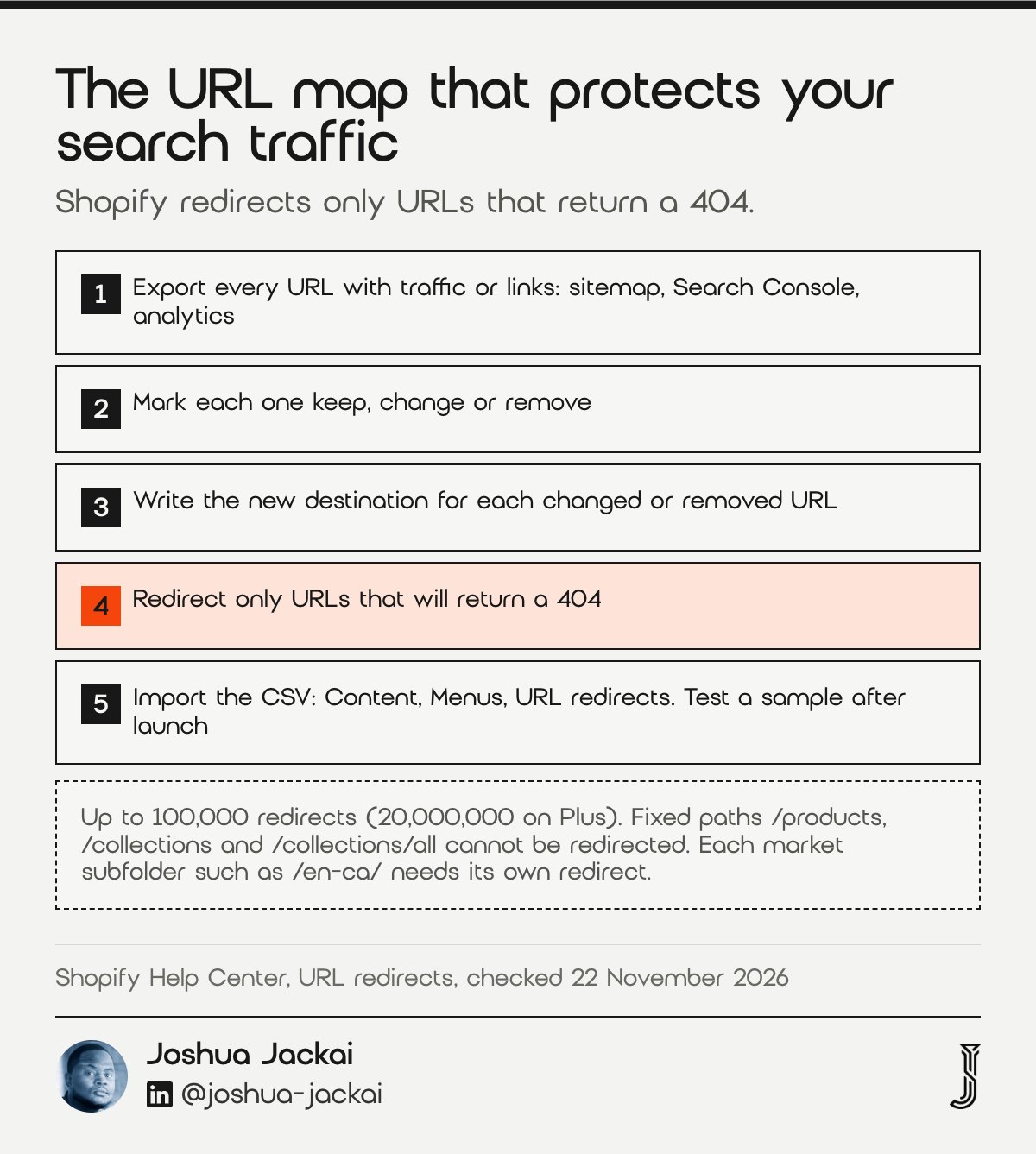
- Rule 1: a redirect works only when the old URL returns a 404 or “Page not found”.
- Rule 2: maximum 100,000 redirects, or 20,000,000 on Plus.
- Rule 3: fixed paths /products, /collections and /collections/all cannot be redirected.
- Rule 4: each market subfolder, such as /en-ca/, needs its own redirect.
- Where: Shopify admin, Content, Menus, URL redirects, with CSV import and export.
The URL map protects the traffic you already earned, and it is where cheap redesigns go wrong. In my experience, Shopify product URLs stay the same when you change themes, because the theme changes the look, not the address. The risk comes from the things a redesign tends to rename: collection handles, page handles, blog posts and the navigation that links to them.
My process has four steps. First, export every URL that gets traffic or links: the sitemap, Google Search Console’s pages report and your analytics landing pages. Second, mark each one as keep, change or remove. Third, for every changed or removed URL, write the new destination in a CSV. Fourth, import the CSV in the admin and test a sample of old URLs after launch.
Shopify’s rules shape the map. A redirect only fires when the old URL is broken, so if the old collection still exists, the redirect does nothing. Outside Plus, a store gets 100,000 redirects at most (Shopify Help Center). Shopify also notes that 301 redirects are cached by browsers and search engines, so a wrong redirect can keep working in a visitor’s browser after you delete it. Check the map twice before import.
“If you remove a redirect after customers have accessed it, then the redirect might continue to work in their browsers until the cache expires,” Shopify stated in its URL redirect help page.
“301 and other permanent redirects don’t cause a loss in PageRank,” Google stated in its site move guidance.
4. How do you stage a Shopify redesign without breaking the live store?
Duplicate your live theme, build the redesign on the copy, and publish only when it is tested. Shopify allows up to 20 themes in the admin with one published at a time, and publishing a new theme moves the old one to Draft themes with no changes lost.
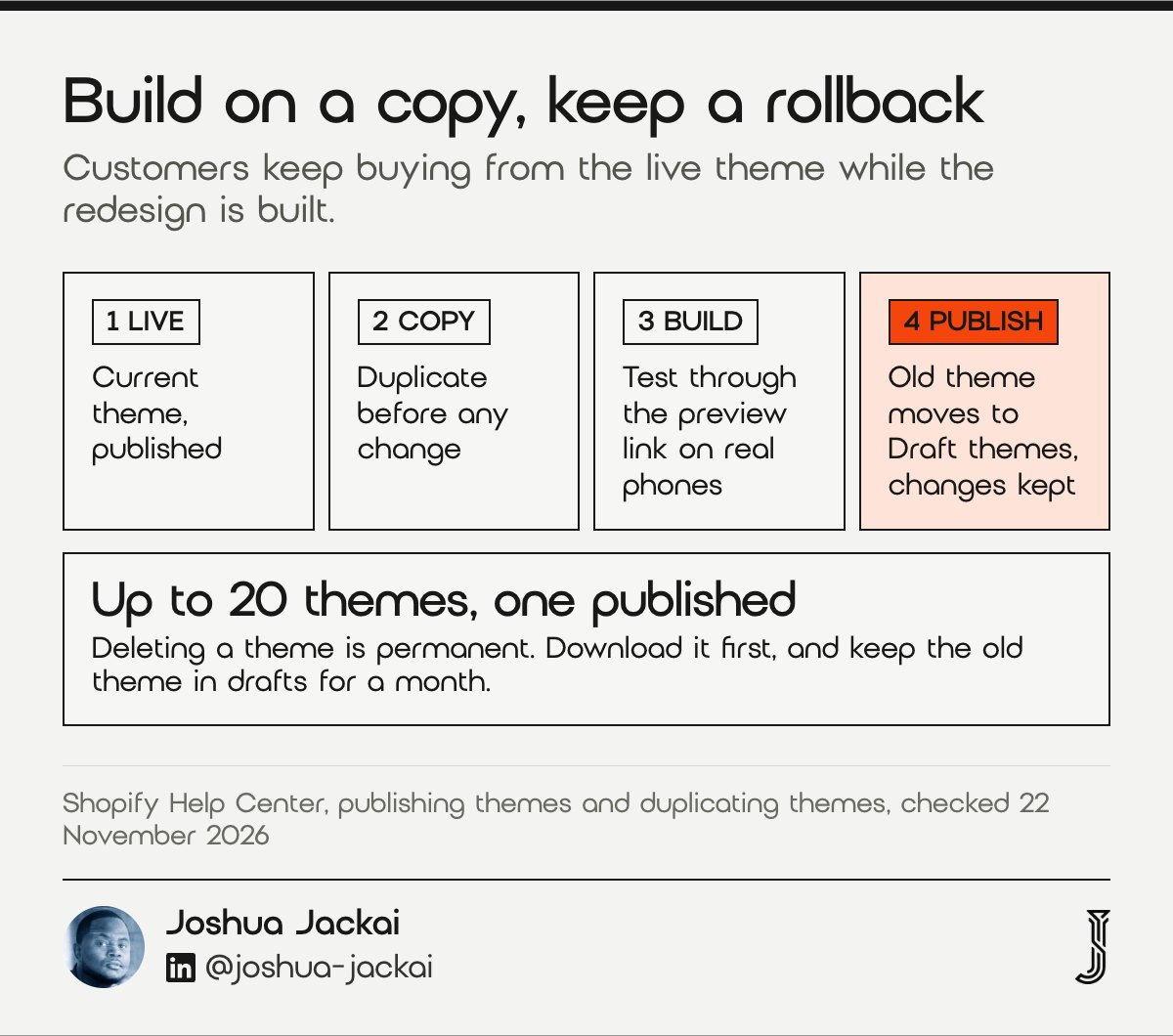
- Limit: up to 20 themes in the admin, one published.
- Backup: duplicate the theme before any customizing.
- Rollback: the previous theme moves to Draft themes when you publish, with changes kept.
- Deleting a theme: permanent, so download a copy first.
- Preview: open the unpublished copy in preview and test it on your own phone.
Shopify gives every store room for 20 themes in the admin (Shopify Help Center). A quote that skips the duplicate theme is a red flag to me. A designer can work on an unpublished copy while customers keep buying from the live theme. The copy shares your live products and orders, so it is a theme backup, not a separate test store. You review it in preview, on your own phone, with real products in the cart.
Shopify’s own help page recommends the backup step. “Before you customize a theme, it’s a good idea to make a backup copy so that you can discard your changes and start again if you need to,” Shopify wrote in its theme duplication help page.
The rollback is the part owners like most. When the new theme is published, the old one moves to Draft themes, and Shopify says none of the theme changes are lost. If something goes wrong on launch day, you can republish the old theme in a few clicks while the problem is fixed. Keep the old theme in drafts for at least a month.
Two cautions. Theme settings do not cover everything: apps that inject code, scripts in the theme files, and settings tied to a specific theme need to be checked on the copy. And if you already have 20 themes, Shopify makes you delete one before you can duplicate another, and deleting a theme is permanent, according to its help page. Download it first.
5. Which trust details should a Shopify redesign put on product pages?
Put the details that answer “can I trust this store” on the product page and near checkout: real contact details, a returns policy, secure payment signs and familiar layout. In a study of repeat online shoppers, trust in the vendor mattered as much as usefulness and ease of use for buying intent.
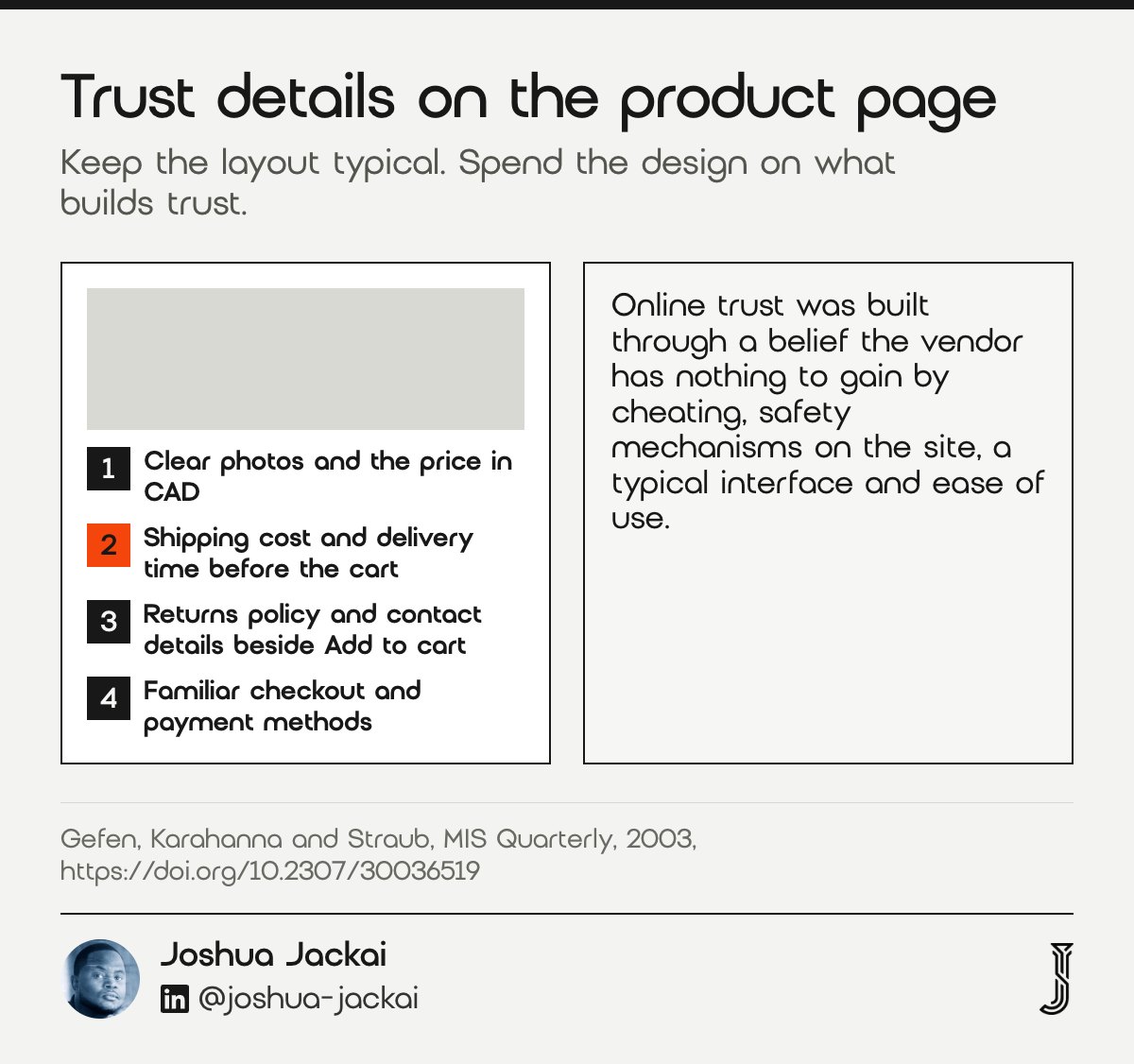
- Contact: a Canadian address or service area, phone or email, visible from the product page.
- Policy: returns and exchanges linked beside the add to cart button.
- Payment: the payment methods you accept, shown before checkout.
- Layout: a standard product page layout buyers already know how to use.
- Source: Gefen, Karahanna and Straub, MIS Quarterly, 2003.
A redesign is usually sold as a new look, but the product page is where it earns its cost. In the Gefen study of repeat online shoppers (MIS Quarterly, 2003), online trust was built through 4 things: a belief the vendor has nothing to gain by cheating, safety mechanisms on the site, a typical interface and ease of use.
“Our research on experienced repeat online shoppers shows that consumer trust is as important to online commerce as the widely accepted TAM use-antecedents, perceived usefulness and perceived ease of use,” wrote David Gefen, Elena Karahanna and Detmar Straub (MIS Quarterly, 2003).
“A typical interface” is the part designers forget. A creative product page that moves the add to cart button or hides the price under a tab looks fresh in a design review and costs orders in real use. I keep the price, options, quantity and add to cart button where buyers expect them, and I spend the design effort on photos, copy and the trust details around them.
For Canadian stores, show prices in CAD, say where you ship from, and state duties clearly if you ship from the US. A buyer who meets a surprise currency or duty at checkout has a reason to doubt everything else on the page.
6. Should a Shopify redesign show shipping fees before checkout?
Yes, as a design choice. A study of an online retailer’s shipping fee tests found buyers very sensitive to shipping charges, with fees changing whether they ordered and how much. It did not test page placement, but a fee that matters that much should not first appear at checkout.
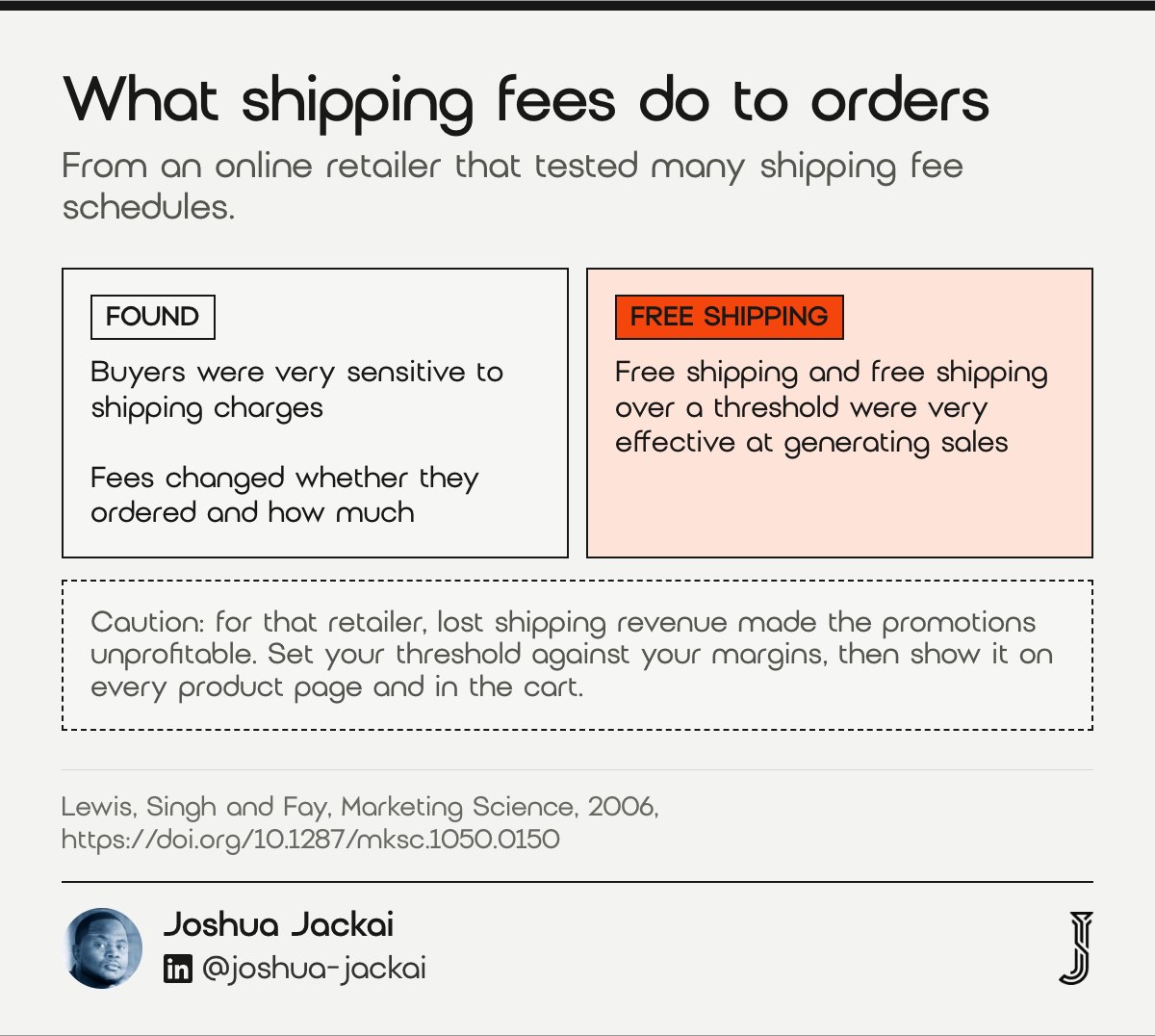
- Show early: shipping cost or threshold on the product page and cart.
- Threshold: a free shipping line such as “Free shipping on orders over CA$X”, set by you.
- Caution: free shipping can lift sales and still lose money.
- Delivery time: state it next to the cost.
- Source: Lewis, Singh and Fay, Marketing Science, 2006.
Shipping is a business decision the owner makes, but the redesign decides where buyers see it. In the Lewis study (Marketing Science, 2006), the retailer tried many shipping fee schedules, so the researchers could see what each one did to orders.
“Results show that consumers are very sensitive to shipping charges and that shipping fees influence order incidence and basket size,” wrote Michael Lewis, Vishal Singh and Scott Fay (Marketing Science, 2006).
“Promotions such as free shipping and free shipping for orders that exceed some size threshold are found to be very effective in generating additional sales,” wrote Michael Lewis, Vishal Singh and Scott Fay (Marketing Science, 2006).
The same paper has the caution that matters for a small Canadian store. Free shipping and free shipping over a threshold worked very well at generating sales, but for that retailer the lost shipping revenue made the promotions unprofitable. So I do not tell owners to offer free shipping. I tell them to decide the threshold with their margins in front of them, then make sure the design shows it on every product page and in the cart, so nobody finds it for the first time at checkout.
Canada makes this harder than it looks, because shipping to the Prairies, the North and the islands costs more than shipping across a city. If your rates vary by province, a “shipping calculated at checkout” line is honest but weak. A short table or a postal code estimator in the cart is better.
7. How do you measure whether a Shopify redesign worked?
Set a baseline before launch and compare the same numbers for four to six weeks after: conversion rate, average order value, revenue per visitor and organic search clicks to the URLs you mapped. Where traffic allows, test changes against the old version instead of judging by opinion.
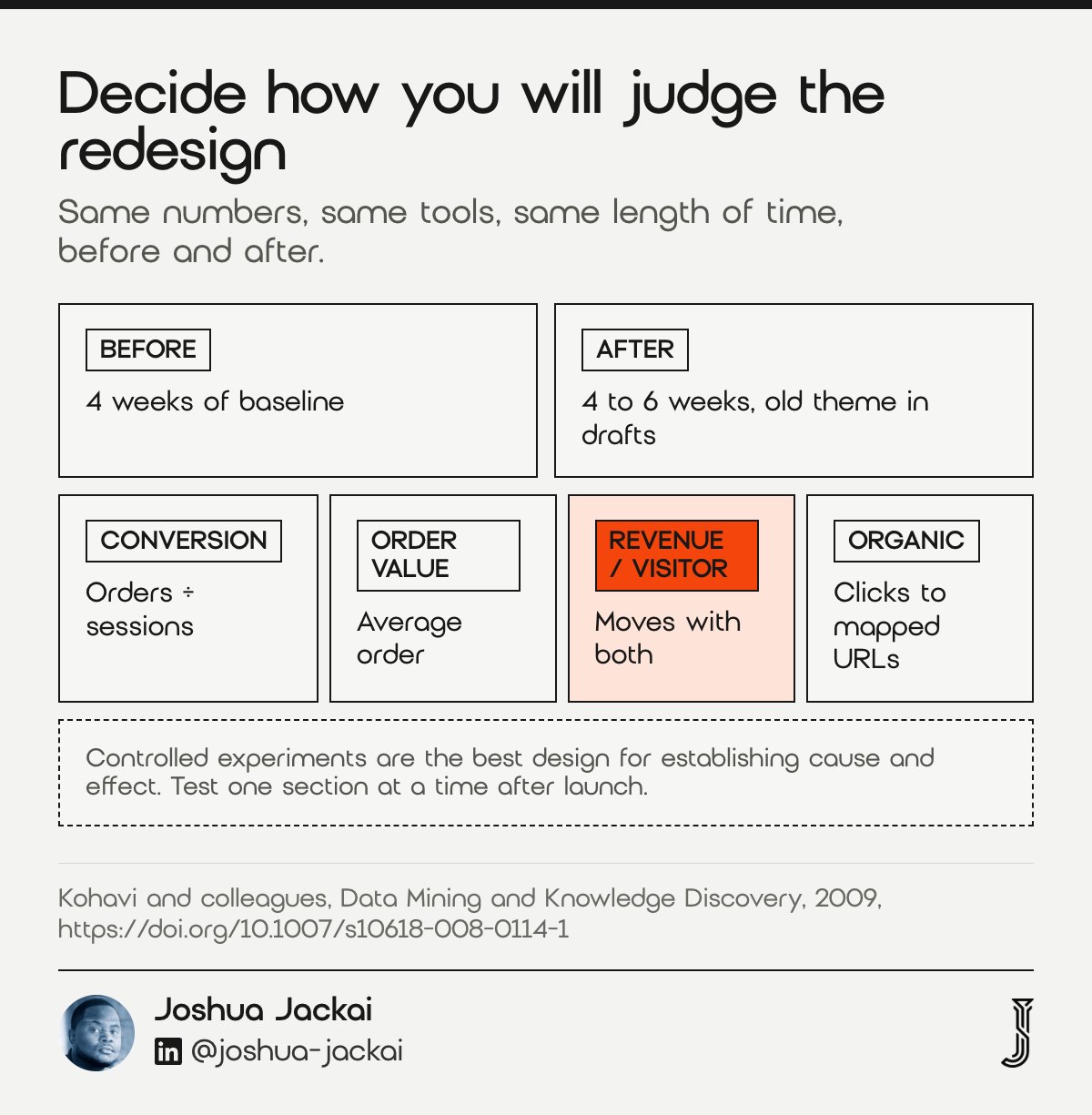
- Baseline: 4 weeks of numbers before launch.
- Compare: 4 to 6 weeks after launch, same numbers, same tools.
- Core numbers: conversion rate, average order value, revenue per visitor, organic clicks.
- SEO check: Search Console clicks and 404 errors for the URLs in your map.
- Best evidence: a controlled test, when you have the traffic for one.
A redesign is an investment, so I ask owners to decide how they will judge it before it starts. The simplest honest method is before and after: the same four numbers, the same tools, the same length of time. Revenue per visitor is the one I watch most, because it moves when either conversion or order size moves, and it is hard to fool with a sale.
Before and after has a weakness: seasons, ad spend and stock all change too. A controlled test, where some visitors see the old version and some the new, removes most of that noise.
“Controlled experiments embody the best scientific design for establishing a causal relationship between changes and their influence on user-observable behavior,” wrote Ron Kohavi and colleagues (Data Mining and Knowledge Discovery, 2009).
The same authors warn about the “Highest Paid Person’s Opinion”, the habit of judging a design by who in the room likes it. Kohavi’s 2009 survey covers sample size and statistical power in detail. Most small Canadian stores do not have the traffic to test a full redesign, but they can test one section at a time after launch, such as the product page layout or the free shipping line. For SEO, check Search Console weekly for the first month: clicks to mapped URLs, and any new 404 errors.
What does a Shopify website redesign cost in Canada?
A Shopify redesign cost depends on scope: a theme refresh, a new theme set up with your content, or a custom theme. My published price table has no Shopify-only line, so I will not invent one. These are the lines that apply to a store project, in CAD before tax.
- Website audit: CA$995, credited if a project starts within 30 days.
- Migration only: CA$2,500.
- Small business website: CA$4,950 or CA$5,950.
- Custom B2B website: from CA$7,450.
- Plus your own running costs: the Shopify plan, card fees, any paid theme in USD, and app subscriptions.
Ask any designer for a fixed quote that names the theme route, the URL map and the staging plan. The full table is on my pricing page, and if you want the redesign SEO side in more depth, read my website redesign SEO guide.
Compare every Shopify redesign check side by side
Filter the seven checks by who usually handles them and by when they happen in the project. The fee, redirect and theme figures come from the Shopify sources and studies cited here; the timings are my own estimate for a small store. Ask any designer which of the seven their quote covers.
Showing 7 of 7 checks.
| # | Check | Key figure | Who | When | Source |
|---|---|---|---|---|---|
| 1 | Theme swap or custom theme | Paid themes USD $150 to $500, or free; licence tied to one store | Owner and designer | Before the build | Shopify Theme Store and Help Center |
| 2 | Plan and fee math | CA$37 to CA$3,400 a month; card rates 2.8% to 2.15% + 30 cents | Owner | Before the build | Shopify Canada pricing |
| 3 | URL map and redirects | Up to 100,000 redirects (20,000,000 on Plus), 404 URLs only | Designer or developer | Before and during the build | Shopify Help Center |
| 4 | Duplicate theme and staging | Up to 20 themes, one published; old theme moves to drafts | Designer or developer | During the build | Shopify Help Center |
| 5 | Trust details on product and checkout | Trust as important as ease of use for repeat shoppers | Owner and designer | During the build | Gefen and colleagues, 2003 |
| 6 | Shipping fees shown early | Fees changed order incidence and basket size | Owner decides, designer shows | During the build | Lewis and colleagues, 2006 |
| 7 | Launch test and measurement | 4 weeks of baseline, 4 to 6 weeks after | Owner and designer | After launch | Kohavi and colleagues, 2009 |
Estimate your monthly Shopify fees after a redesign
Enter your monthly online sales and number of orders to compare plan fees plus card fees across the four Canadian plans. The rates are Shopify’s published Canadian rates, billed yearly, checked 22 November 2026. Tick the box if you use a payment provider other than Shopify Payments, so the third-party fee is added.
Plan prices billed yearly and online card rates from Shopify’s Canadian pricing page, checked 22 November 2026. With another provider, Shopify’s card rate is replaced by that provider’s own fees, which this estimate does not include; it shows Shopify’s plan fee and third-party transaction fee only. Excludes apps, themes, taxes and currency conversion.
Shopify website redesign: questions, answered
How much does a Shopify website designer cost?
It depends on scope: a refresh costs least, a custom theme most. My price table has no Shopify-only line. A website audit is CA$995, migration only is CA$2,500 and custom B2B work starts at CA$7,450, all in CAD before tax (Jackai Agency price table, 2026).
Can I pay someone to design my Shopify store?
Yes. You can give a designer access to your Shopify admin, and they can work on a duplicate theme while your live store keeps selling. Ask for a fixed quote that names the theme route, the URL map, the staging plan and who buys the theme licence.
How much does Shopify take from a $100 sale?
On the Canadian Basic plan with Shopify Payments, a CA$100 online sale costs 2.8% plus 30 cents, which is CA$3.10 (Shopify pricing, 2026). On Grow it is CA$2.90, on Advanced CA$2.70 and on Plus CA$2.45. A third-party payment provider adds Shopify’s third-party fee on top of its own.
Can AI redesign my Shopify store?
Partly. Shopify’s Canadian pricing page lists a built-in AI assistant on every plan for store design, marketing and reports. It can draft sections and copy. I would not hand it the URL map or the theme choice, because both depend on your own traffic and catalogue.
Will a Shopify redesign hurt my SEO?
It does not have to. Changing themes usually keeps product URLs the same. The risk is renamed collections, pages and blog posts. Map every old URL, redirect only the ones that will return a 404, and check Search Console clicks and 404 errors weekly for the first month after launch.
How I run Shopify redesigns for Canadian stores
I start every store project with the URL map and the fee math, before any design work, because those are the two parts of a Shopify redesign that cost money after launch. Then I pick the theme route with the owner, build on a duplicate theme, and keep the old theme in drafts for a month after launch.
I put the URL map first because a redirect only works on a URL that already returns a 404. Jackai Agency is based in Vancouver, BC, and works with stores across Canada.
“I put the URL map first because a redirect only works on a URL that already returns a 404,” wrote Joshua Jackai, Vancouver web designer.
“A quote that skips the duplicate theme is a red flag to me,” wrote Joshua Jackai, Vancouver web designer.
If you want a second opinion on a quote you already have, or a store audit before you commit to a redesign, start with the CA$995 website audit, which is credited if a project starts within 30 days.
Sources
Peer-reviewed research (older, US-based studies; the store rules above are current Shopify Canada sources)
- Gefen, D., Karahanna, E., and Straub, D. W. (2003). Trust and TAM in online shopping: An integrated model. MIS Quarterly, 27(1), 51 to 90.
- Kohavi, R., Longbotham, R., Sommerfield, D., and Henne, R. M. (2009). Controlled experiments on the web: Survey and practical guide. Data Mining and Knowledge Discovery, 18(1), 140 to 181.
- Lewis, M., Singh, V., and Fay, S. (2006). An empirical study of the impact of nonlinear shipping and handling fees on purchase incidence and expenditure decisions. Marketing Science, 25(1), 51 to 64.
- Lindgaard, G., Fernandes, G., Dudek, C., and Brown, J. (2006). Attention web designers: You have 50 milliseconds to make a good first impression! Behaviour and Information Technology, 25(2), 115 to 126.
Industry, vendor and first-party sources (not peer reviewed, checked 22 November 2026)
- Shopify. Pricing, Canada. shopify.com/ca/pricing
- Shopify Help Center. URL redirects. help.shopify.com
- Shopify Help Center. Publishing themes. help.shopify.com
- Shopify Help Center. Duplicating themes. help.shopify.com
- Shopify Theme Store, home page theme prices in USD. themes.shopify.com
- Google Search Central. Site moves with URL changes. developers.google.com
- Vancouver People Also Ask data for Shopify redesign searches, AlsoAsked export, accessed November 2026.
- Jackai Agency price table, November 2026 (first-party prices, CAD before tax). Jackai Agency pricing