How Do You Redesign a Website Without Losing SEO?
How to redesign a B2B website without losing SEO: the URL inventory, 301 redirect map, content parity and launch checks I run on my projects.
 Joshua Jackai
14 min read
Joshua Jackai
14 min read
A marketing lead at a 60-person accounting firm is clicking through the new website on staging. It’s faster, it reads better, and the service pages finally look like the firm. What she can’t see from staging is six years of old addresses that Google already knows. Website redesign SEO is the work of making sure each of those addresses still leads somewhere useful on launch day.
Not the design. The design almost never costs a firm its rankings. What costs rankings is the quiet work around it: URLs that change without anyone deciding they should, copy cut so a layout can breathe, and a staging setting nobody switched off.
Here’s the website redesign SEO process I run on my own projects, in order: URL inventory, a map of 301 redirects, content parity, launch checks, then 90 days in Search Console.
In this guide
What does website redesign SEO actually protect?
A search engine doesn’t rank your design. It ranks addresses, plus the words and links attached to each address. When Google’s founders described their first search engine in 1998, they wrote that it takes the text of a link and attaches it to the page the link points to, not only the page the link sits on (Brin and Page, 1998). That idea sits under almost every ranking loss I see after a redesign.
Every page on your current site carries four things a redesign can break:
- The address itself. /services/tax-planning/ has a history: clicks, impressions and a place in Google’s index.
- The words on it. The title, the headings and the paragraphs that match what people type.
- Links from other sites. An industry association, a partner firm, an old news mention. Each one points at an exact address.
- Links from your own pages. Menus, footers and links inside your articles tell crawlers which pages matter most.
A redesign can change all four at once without anyone choosing to. The developer picks a new URL pattern. The designer trims the copy. The new menu drops a page that used to sit in the footer. Together, they can take a page that brought in leads every week and leave a 404 behind it.
So website redesign SEO isn’t a cleanup job at the end. It’s a set of decisions made at the start, before the wireframes, about what each old page keeps.
Why do rankings drop after a redesign?
When website redesign SEO goes wrong, the drop almost always traces back to one of five causes, in my experience. They’re boring, which is exactly why they get missed.
- Changed URLs with no 301 redirects. The old address returns a 404, so the clicks, the history and the outside links stop at a dead end.
- 301 redirects to the wrong place. Everything gets pointed at the homepage, so a person who searched for one service lands on a page that doesn’t mention it.
- Cut content. The copy that matched the search is gone, replaced by a headline and three icons.
- Staging settings left on. A noindex tag, a robots.txt block, or canonical tags that still point at the staging domain.
- A slower template. Heavier scripts, larger images and pages that take longer to answer.
The fifth cause gets underrated. In a controlled study of 196 people doing search tasks, longer page delays lowered their performance, their attitudes toward the site and their intentions toward it, with the drop in performance and intentions leveling off around 4 seconds (Galletta et al., 2004). A redesign that adds two seconds to every page isn’t a cosmetic change.
Small ranking slips also cost more than they look. In an eye-tracking study, searchers chose results higher on the page even when the summaries lower down were more relevant (Pan et al., 2007). Falling from third to eighth for your main service term isn’t five places. For a lot of buyers, it’s off the list.
How do you build a URL inventory before anything changes?
Every website redesign SEO plan I run starts with a spreadsheet of every address the old site has, plus the evidence for whether each one matters. I build it before the first wireframe, because the inventory should shape the new sitemap, not the other way around.
Pull addresses from more than one place, since each source misses something:
- The XML sitemap, for the pages your CMS knows about.
- A full crawl of the live site, for pages linked from menus and articles that the sitemap skipped.
- The Search Console performance report, exported by page for the last 12 months, for pages that get seen in search even if nothing links to them.
- GA4 landing pages, for pages that bring in visits from email, ads and other sites.
- A backlink export from Ahrefs or Semrush, for old addresses other sites still link to, including ones that already return a 404.
Give each row the same columns: old URL, status code, Search Console clicks and impressions, top query, linking sites, form fills, the decision and the new URL. The last two stay empty until the next step.
Two traps. PDFs rank too, and nobody thinks of them as pages. And old campaign pages often sit outside the menu with ads still pointed at them, so ask whoever runs your paid media before you mark anything dead.

How do you write a redirect map with 301 redirects?
The redirect map is the inventory’s last two columns filled in. Every old URL that’s changing gets one new destination, and the server answers with a permanent redirect (a 301). On my projects, the list of 301 redirects is the most important document in the build. It’s also the one most often written in a hurry the night before launch.
These are the rules I follow:
- One to one where a match exists. /services/tax-planning goes to the new tax planning page, not to /services/.
- Closest parent where it doesn’t. A retired service goes to the page that now covers that need.
- One hop only. If an older redirect sends A to B, and B is now moving to C, rewrite A to go straight to C.
- Every variant covered. http and https, www and no www, trailing slash and none, capital letters in old paths.
- The homepage only for the homepage. Pointing hundreds of pages at it throws away what each page was about.
Here’s what a few 301 redirects look like for a firm like the one in the opening:
| Old URL | New URL | Reason |
|---|---|---|
| /services/tax-planning | /services/tax-planning/ | New CMS adds a trailing slash |
| /tax-planning-for-founders | /services/tax-planning/ | Thin page merged into the main service page |
| /bookkeeping | /services/accounting/ | Service retired, closest parent |
| /blog/2019/03/year-end-tips | /insights/year-end-tips/ | Blog moved to a new folder |
Why does the match matter? Information foraging research describes searchers judging a path from the cues in front of them, and changing course to get the most useful information for the effort (Pirolli and Card, 1999). Someone who clicked a result about tax planning and lands on a general homepage has lost the trail. In search, leaving means the back button.
Platform moves make the map bigger. A Wix to WooCommerce move changes every product address, because Wix puts products under /product-page/ and WooCommerce uses /product/ by default. If you’re switching platforms, assume every URL changes until you’ve proved it doesn’t. My page on website migration services without losing SEO covers how I plan platform moves.
What does content parity mean for website redesign SEO?
In website redesign SEO, content parity means the new page says at least what the old page said about the things that earned it traffic. Not word for word everywhere. Word for word where it counts: the topic in the title, the heading structure, the paragraphs that answer the queries in your inventory, the FAQ, product details, image alt text and structured data.
Redesigns break parity in a predictable way. The 900-word service page becomes a hero, three cards and a button. It looks cleaner and no longer contains the sentences people searched for. I’d rather design around long copy than cut copy to fit a design.
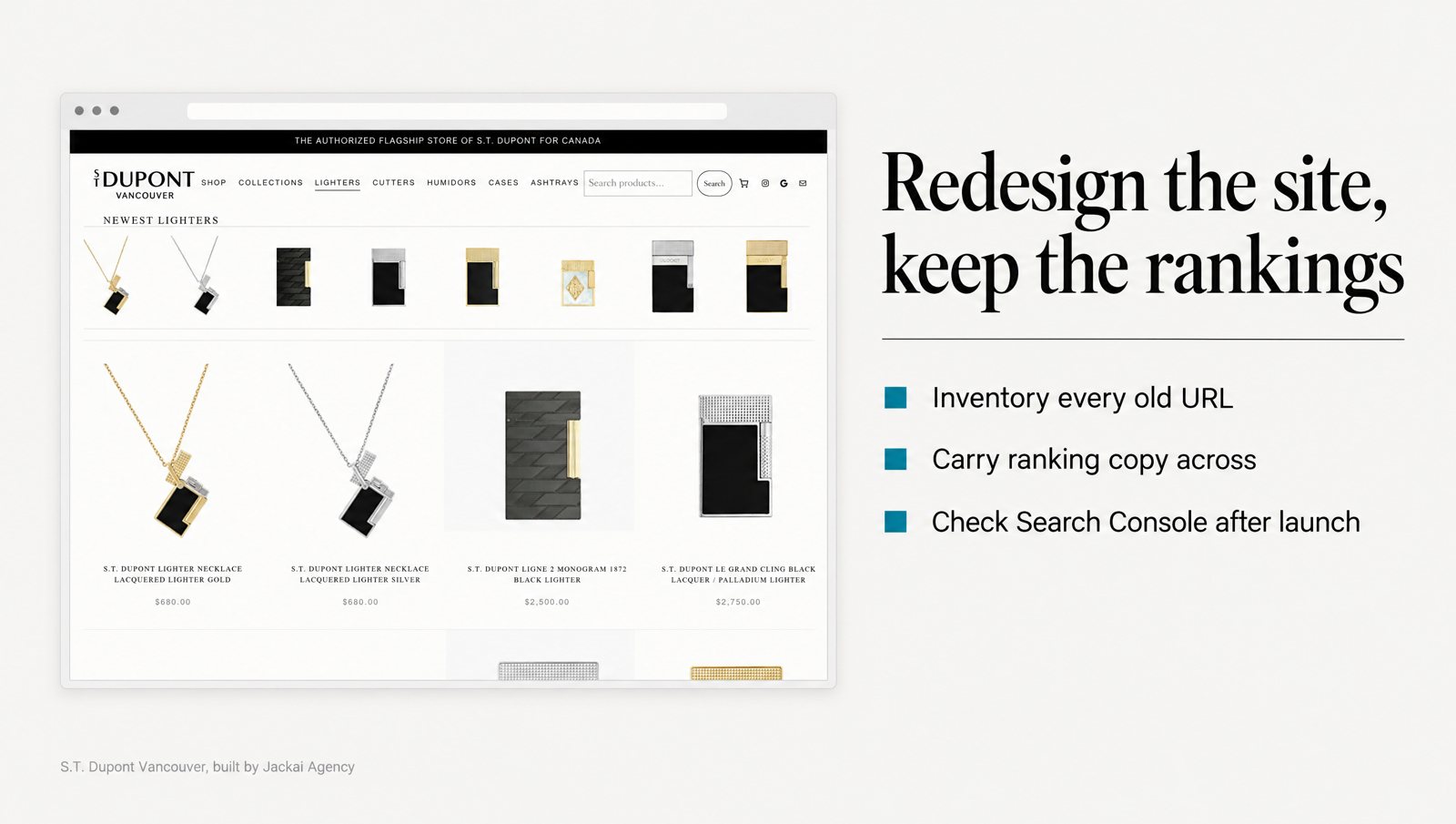
The project I point to here is the S.T. Dupont Vancouver migration case study. S.T. Dupont Vancouver is the authorized S.T. Dupont flagship store of Canada, a luxury retailer that was selling through a Wix template. I moved it to WordPress and WooCommerce on Bricks. 290 products moved with their taxonomy, pricing and product copy intact. Same catalog. Same photography.
The design changed a lot around that copy. The catalog can now be filtered by maison, finish and price, which is how buyers actually browse it. Authorized dealer proof moved from the footer to above the fold and onto every product page. Clover POS was connected and tested at checkout before launch. The words that described each product didn’t get shorter to make room.
Online sales grew 5x in the first 90 days, against the last 90 days the old Wix store could sell, with the same license, the same products and the same store. That number is sales, not rankings, and the case study reports the build rather than a rankings chart. What it does show is that a full platform change, with parity held, didn’t cost the store its business.
One parity item people forget is internal links. Crawlers weigh pages partly by the links pointing at them, your own links included (Brin and Page, 1998). If 12 old articles linked to your tax planning page and the new site links to it from two, you’ve told crawlers it matters less. Update the links inside your content to point at the final URLs rather than leaning on 301 redirects forever.
How do you decide what to keep, merge or remove?
This is the part of website redesign SEO that needs judgment, so I make the evidence columns do the deciding, not taste. Every row in the inventory gets one decision. Here’s the table I work from:
| What the old page has | Decision | What happens to the URL |
|---|---|---|
| Clicks or linking sites, and the topic is still offered | Keep | Same URL if the new CMS allows it, otherwise a 301 to the new equivalent |
| Two or more thin pages on one topic | Merge | Write one stronger page and point 301 redirects from every old page to it |
| Links or clicks, but the service is gone | Redirect | 301 to the closest page that still serves that need |
| No clicks, no links and no form fills in 12 months | Remove | Let it return a 404 or 410 and take it out of the sitemap |
| Product discontinued for good | Redirect | 301 to the replacement, or to its category |
| Campaign page with ads still running | Keep until the ads stop | Leave the URL alone and move it later |
The first row deserves more weight than it usually gets. The safest redirect is the one you don’t need. If your current URL structure works, keep the same paths, and the easiest part of redesigning without losing SEO is already done.
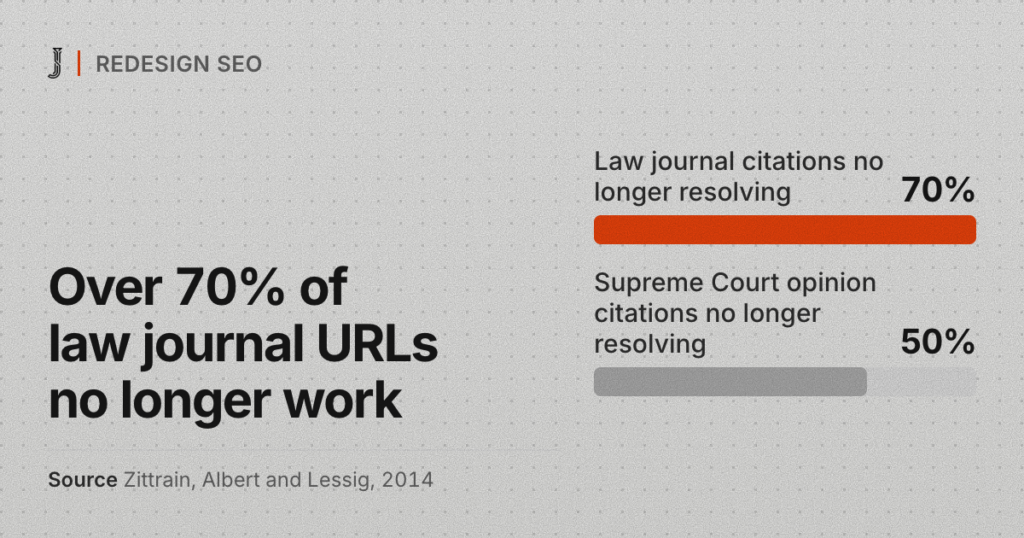
Removing pages is fine. Removing a page that other sites link to, with no redirect, is the risk. Broken links are already common: more than 70% of the URLs cited in the Harvard Law Review and other law journals, and half of those in US Supreme Court opinions, no longer led to the original material (Zittrain, Albert and Lessig, 2014). Your old addresses are someone else’s citations too.

What should you check on launch day?
Launch day is where website redesign SEO stops being a plan. I run it as a checklist, in order, with someone who can edit the server settings on hand. Avoid launching on a Friday, when fewer people are around to fix a broken redirect.
- Indexing settings. Remove noindex tags and the WordPress setting that asks search engines not to index the site. Check that robots.txt doesn’t block anything you want found.
- Canonical tags. Every page should name its own live URL, not a staging address.
- Redirect test. Run every old URL from the map through a crawler to test the 301 redirects. Each one should land on the right new URL in one hop, then return a 200.
- Internal links. Crawl the new site and fix any link that hits a redirect or a 404.
- XML sitemap. Generate the new one, list only live pages, and submit it in Search Console.
- Tracking. Confirm GA4 fires, form fills record, and lead source tags still reach your CRM.
- Speed. Test the main page templates on a phone connection, not office Wi-Fi.
- Structured data. Check that organization, service, product and FAQ markup came across.
The tracking check is how you’ll judge the launch later. My lead attribution method covers it: UTM tags on every link, forms that carry them into the CRM, and AI referral traffic kept apart from direct.
If the domain is changing too, use the change of address tool in Search Console once the 301 redirects are live, and keep the old domain registered. Letting it lapse throws away every link that points at it.
How do you read Search Console in the first 90 days?
Expect movement. A launch doesn’t update Google’s index all at once, and this stretch of website redesign SEO is mostly patience. Research on crawler design describes why: websites don’t notify crawlers of changes, so a crawler has to revisit pages on a schedule and struggles to keep its copy fully current (Cho and Garcia-Molina, 2003). Some old URLs get picked up quickly, while others take weeks.
Here’s how I read Search Console, week by week:
- Week 1. Check the Pages report in Search Console for a jump in “Not found (404)”, and confirm old URLs show as “Page with redirect”, which means your 301 redirects are being read. A jump in 404s usually means a gap in the map. Fix it the same day.
- Weeks 2 to 4. Compare clicks by page against the same weeks before launch. Expect some wobble while old and new URLs swap places in the index.
- Weeks 5 to 12. Compare by query, not just total clicks. If your top 20 queries hold their average position, the redesign kept what mattered.
Total clicks alone are noisy, since seasonality or a Google update can move them in the same weeks. The query view in Search Console shows whether the pages that ranked before still rank for the same words.
When should you worry? When a specific page lost its queries in Search Console and didn’t get them back after a month. Open the old and new versions side by side. In my experience the answer is usually a missing redirect, a changed title, or copy that got cut. That’s the useful part of website redesign SEO: most losses have a specific cause you can find and fix.
What would I not do during a redesign?
A short list. These are my website redesign SEO rules, not research findings. I wouldn’t:
- Change platform, URL structure and domain in one launch, unless something forces it. If traffic drops, you want to know which change caused it.
- Let a plugin write the redirect map. Plugins write 301 redirects for a changed slug inside one CMS. They don’t know your old Wix or HubSpot paths.
- Delete the old blog because it looks dated. Old articles are often where the outside links point. Redesign the template, keep the posts, and update the weakest ones.
- Judge the result on day 3. Set reviews for day 30 and day 90, against the numbers from before launch.
And one thing I would do: redesign anyway. Design shapes whether people trust the firm at all. In a study of 2,684 people judging real websites, the look of the site came up in 46.1% of their comments about credibility, more than any other factor (Fogg et al., 2003). The goal isn’t to avoid change. It’s to change the design without losing SEO you already earned.
How much does website redesign SEO cost?
Cost depends on whether the design changes too. If you want to change platform without losing SEO and keep your current design, Website Migration without a redesign is CA$2,500. A migration with a rebuild of five pages starts at CA$9,200.
For a new design on the same platform, my WordPress website redesign page covers that work. Every quote is fixed, and you own the site, domain and hosting.
The design can change completely. The addresses and the words that rank shouldn’t move unless you’ve decided they should.
If you’re not sure what your current site is carrying, start your website redesign SEO plan with the CA$995 Website Audit. It takes one week: I read your analytics and funnel page by page and give you a ranked list of what’s costing you leads, with the reason for each item, plus a free AI Visibility Report.
Book by 30 November 2026 and start a project by 31 January 2027, and the full CA$995 comes off the migration or redesign. The audit is yours either way.
If your site runs on WordPress, my WordPress rebuild without losing SEO checklist covers the same redirect map and launch checks for a clean theme and plugin stack.
Sources
Peer-reviewed research
- Brin, S., and Page, L. (1998). The anatomy of a large-scale hypertextual Web search engine. Computer Networks and ISDN Systems, 30(1-7), 107-117. https://doi.org/10.1016/S0169-7552(98)00110-X
- Cho, J., and Garcia-Molina, H. (2003). Effective page refresh policies for Web crawlers. ACM Transactions on Database Systems, 28(4), 390-426. https://doi.org/10.1145/958942.958945
- Fogg, B. J., Soohoo, C., Danielson, D. R., Marable, L., Stanford, J., and Tauber, E. R. (2003). How do users evaluate the credibility of Web sites? Proceedings of the 2003 Conference on Designing for User Experiences, 1-15. https://doi.org/10.1145/997078.997097
- Galletta, D. F., Henry, R., McCoy, S., and Polak, P. (2004). Web site delays: How tolerant are users? Journal of the Association for Information Systems, 5(1), 1-28. https://doi.org/10.17705/1jais.00044
- Pan, B., Hembrooke, H., Joachims, T., Lorigo, L., Gay, G., and Granka, L. (2007). In Google we trust: Users’ decisions on rank, position, and relevance. Journal of Computer-Mediated Communication, 12(3), 801-823. https://doi.org/10.1111/j.1083-6101.2007.00351.x
- Pirolli, P., and Card, S. (1999). Information foraging. Psychological Review, 106(4), 643-675. https://doi.org/10.1037/0033-295X.106.4.643
- Zittrain, J., Albert, K., and Lessig, L. (2014). Perma: Scoping and addressing the problem of link and reference rot in legal citations. Legal Information Management, 14(2), 88-99. https://doi.org/10.1017/S1472669614000255