7 Web Developer Vancouver Hiring Checks: 2026 Field Guide
Seven checks to run before you hire a web developer in Vancouver, each with the research behind it, Vancouver salary and project prices in Canadian dollars, and a sheet to score three candidates.
 Joshua Jackai
16 min read
Joshua Jackai
16 min read
Published 16 October 2026 · Last updated and fact-checked October 2026
Short answer: Before you hire a web developer in Vancouver, check seven things: contract type, who does the work, page speed, security upkeep, accessibility, overrun protection and shipped work. A full-time hire costs CA$82,123 to 107,000 a year in salary (Robert Half Canada). A project costs less: my fixed prices start at CA$4,950.
I am Joshua Jackai, a Vancouver web designer and developer, and I run Jackai Agency. Most search results for this question are job boards or agency sales pages. They tell you where to post an ad. They do not tell you how to judge the person who answers it. This guide gives you seven checks, each with research behind it, and a sheet to score up to three candidates.
In this guide
Key takeaways
- A full-time Vancouver web developer costs CA$82,123 to 107,000 a year in salary alone, before benefits and tools (Robert Half Canada, read 16 October 2026).
- Fixed-price contracts suit simple, short projects, while time-and-materials contracts suit complex ones with good auditing (Dey, Fan and Zhang, Information Systems Research, 2009).
- Web users judge waiting for information as tolerable for about 2 seconds (Nah, Behaviour and Information Technology, 2004).
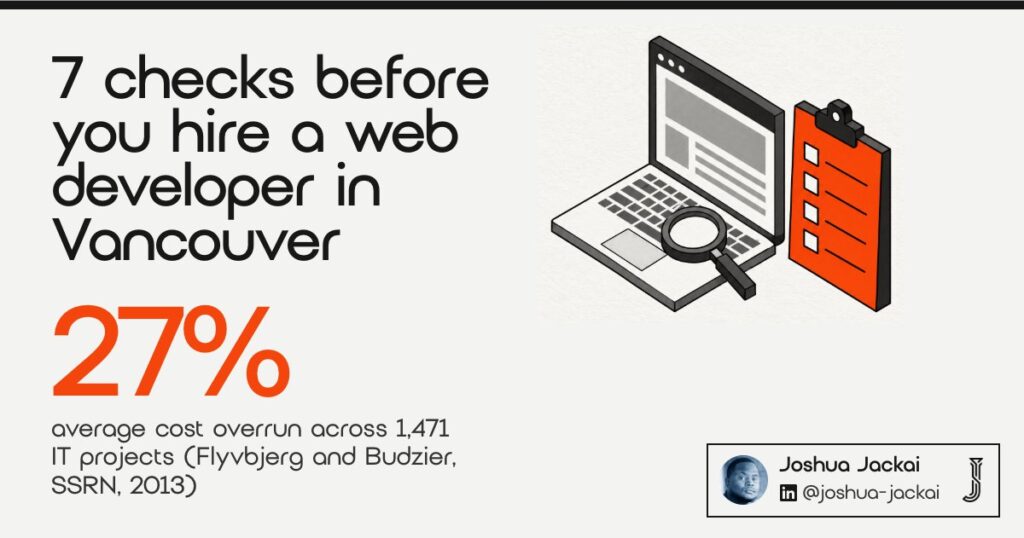
- A sample of 1,471 IT projects had an average cost overrun of 27 percent, and about one in six averaged a 200 percent overrun (Flyvbjerg and Budzier, SSRN, 2013).
- My own fixed prices start at CA$4,950 for a five-page Framer site and CA$8,950 for a custom WordPress B2B site.
| Check | What you are testing | Ask for it in writing | Risk if skipped (my judgment) |
|---|---|---|---|
| 1. Contract type | Who carries the cost risk | Fixed quote or hourly cap | High |
| 2. Who does the work | Employee, freelancer or agency | Names and roles | High |
| 3. Page speed | Load time on a phone | Field data from past sites | Medium |
| 4. Security upkeep | Updates, plugins, backups | A maintenance plan | High |
| 5. Accessibility | Keyboard and screen reader use | A written test list | Medium |
| 6. Overrun protection | Milestones and change rules | A change-order clause | High |
| 7. Proof of real work | Shipped sites you can open | Two live examples | High |
1. Contract type: best for deciding who carries the cost risk
A contract decides who pays when the work takes longer than planned. With a fixed price, the developer carries that risk. With hourly billing, you do. Neither is wrong. The right one depends on how clear the scope is and how well you can check the hours.
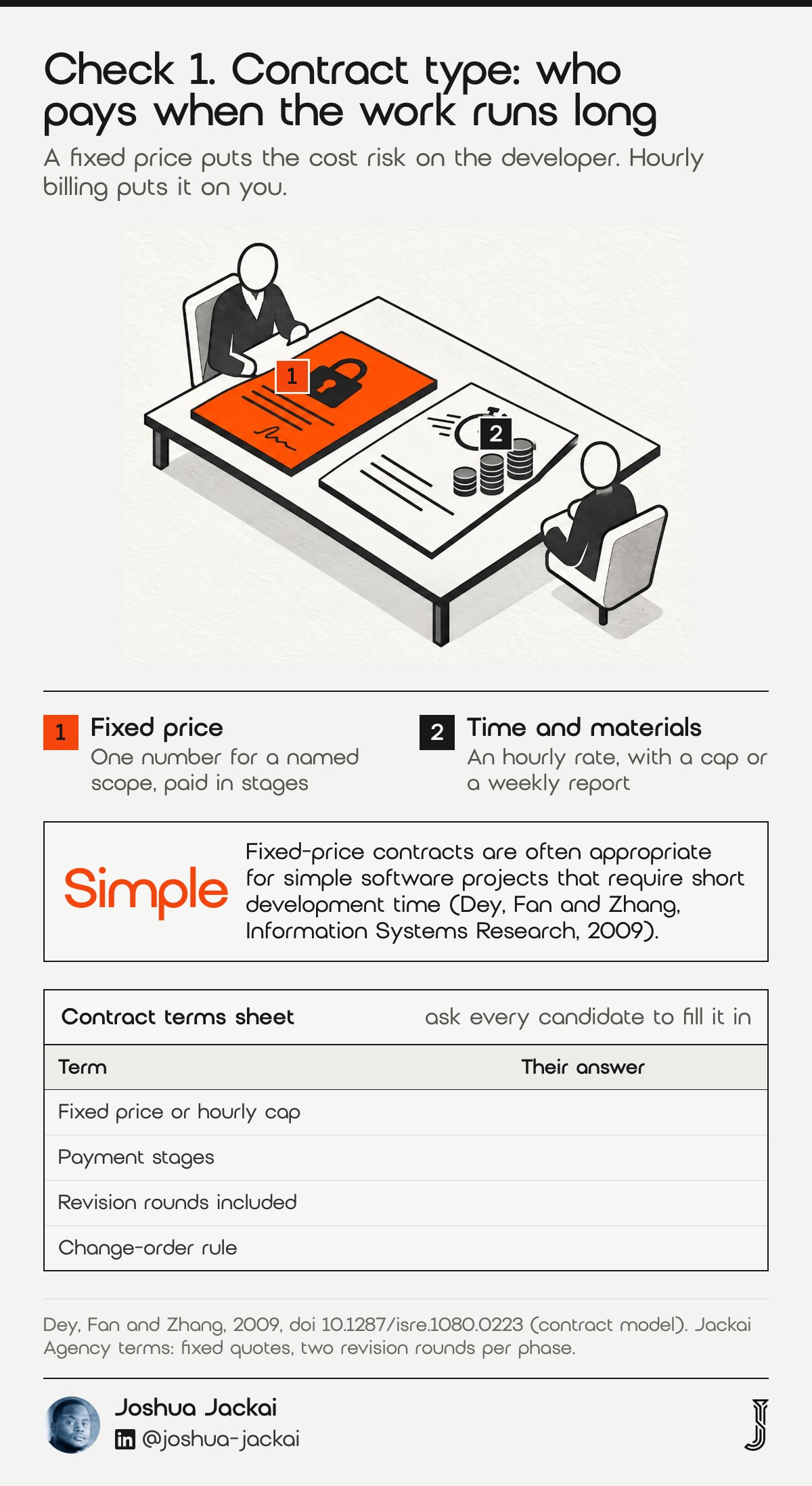
- Fixed price: one number for a named scope, paid in stages
- Time and materials: an hourly rate with a cap or a weekly report
- Fits fixed price: a known page list and a short build
- Fits hourly: unclear scope, integrations, ongoing changes
- My terms: fixed quotes, two revision rounds per phase, replies within one business day
Dey, Fan and Zhang built a contract model for software outsourcing and compared the two forms. They found that fixed-price contracts are often appropriate for simple projects with short development time, while time-and-materials contracts work for complex ones when auditing of the hours is effective (Dey, Fan and Zhang, 2009). If you can list every page, I treat the site as the simple kind of project, so a fixed quote is a sound default.
“fixed-price contracts are often appropriate for simple software projects that require short development time,” wrote Dey, Fan and Zhang in Information Systems Research, 2009.
Ask every candidate which form they use and why. If someone offers an hourly rate with no cap on a clear five-page site, ask for a ceiling. If someone offers a fixed price on a vague brief, ask what happens when the brief changes. A good answer names the change process before the first invoice.
A middle path is a fixed price per phase. You get one number for discovery and design, then a second number for the build once the design is approved. That splits one large unknown into two smaller ones. It also gives you a point to stop if the first phase shows that the project is bigger than you expected.
2. Who does the work: best for comparing employees, freelancers and agencies
You are choosing between three products. An employee gives you daily access and a salary bill. A freelancer gives you one person on a project. An agency gives you a team and a handover. Each prices differently, so compare the full cost for your project and not the headline rate.
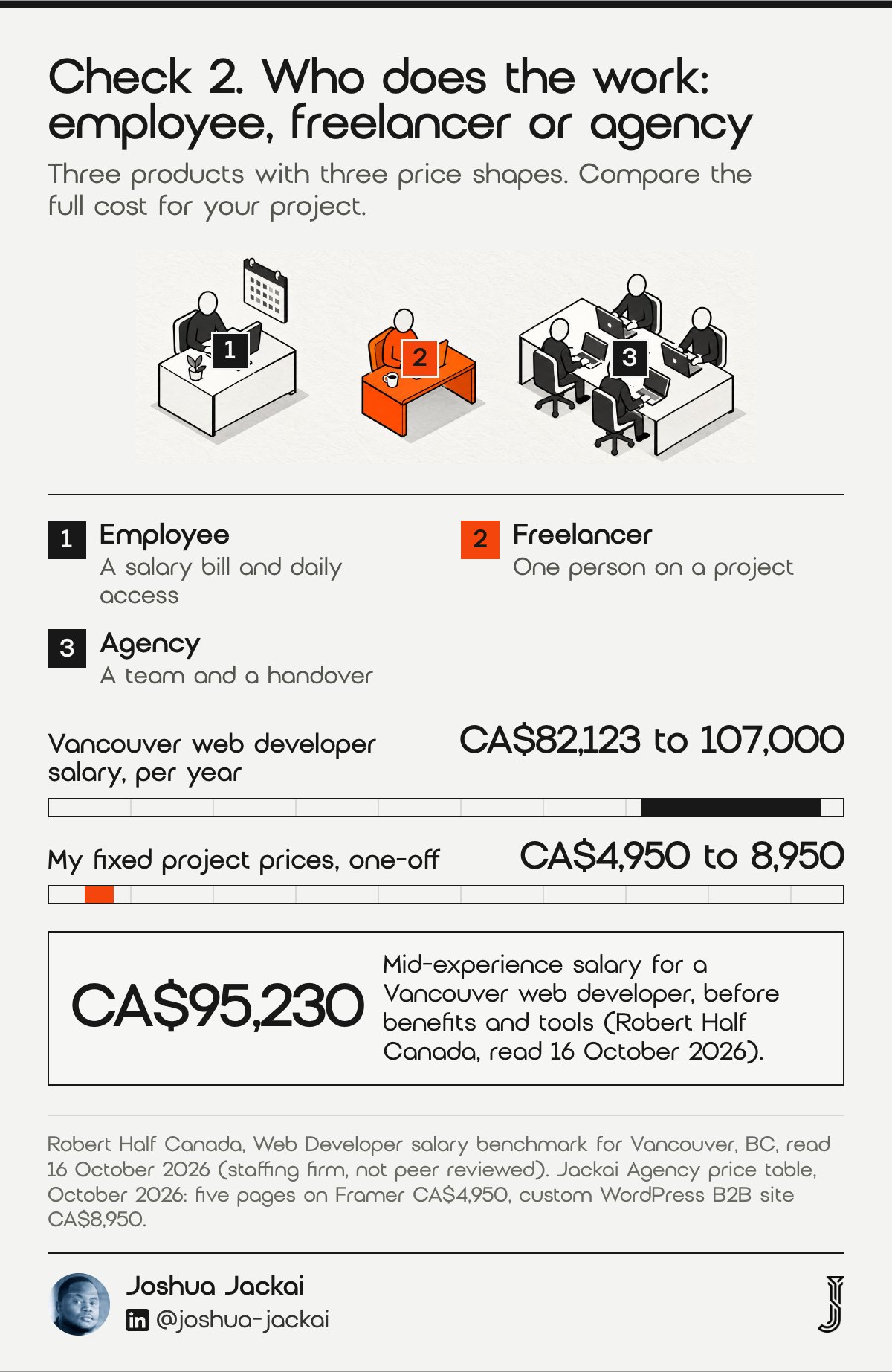
- Employee: CA$82,123 to 107,000 a year in Vancouver, before benefits and tools
- Monthly salary only: about CA$6,840 to 8,920 (my arithmetic)
- Freelancer: one person, fixed quote or day rate
- Agency: a team, with project management inside the price
- My model: one senior designer and developer with tested section libraries
Robert Half Canada publishes salary benchmarks for a Vancouver web developer: CA$82,123 for a candidate new to the role, CA$95,230 for moderate experience and CA$107,000 for extensive experience (Robert Half Canada, read 16 October 2026). The page is a staffing firm benchmark, not a study, it labels its figures as projected for 2027, and I read it on 16 October 2026. Treat the numbers as a floor for hiring someone permanently.
Divide that salary by twelve and one month of the high end is close to a custom WordPress B2B build from me at CA$8,950. That does not make a project cheaper than a hire in every case. A site that needs weekly changes for years may justify an employee. A site that needs a rebuild once, then light care, usually does not.
Ask each candidate who will design, who will build and who will check the result. If the answer is one person, you are buying the freelancer model even from a company with a logo and a lobby.
“If the answer is one person, you are buying the freelancer model even from a company with a logo and a lobby,” said Joshua Jackai, Vancouver web designer.
3. Page speed: best for testing the work you cannot see in a mockup
When you hire a web developer in Vancouver, ask for load data from two live sites they built. Nah (2004) found that the tolerable waiting time for information retrieval is about 2 seconds, and that feedback on screen can prolong the wait. A developer who cannot show load data is guessing.
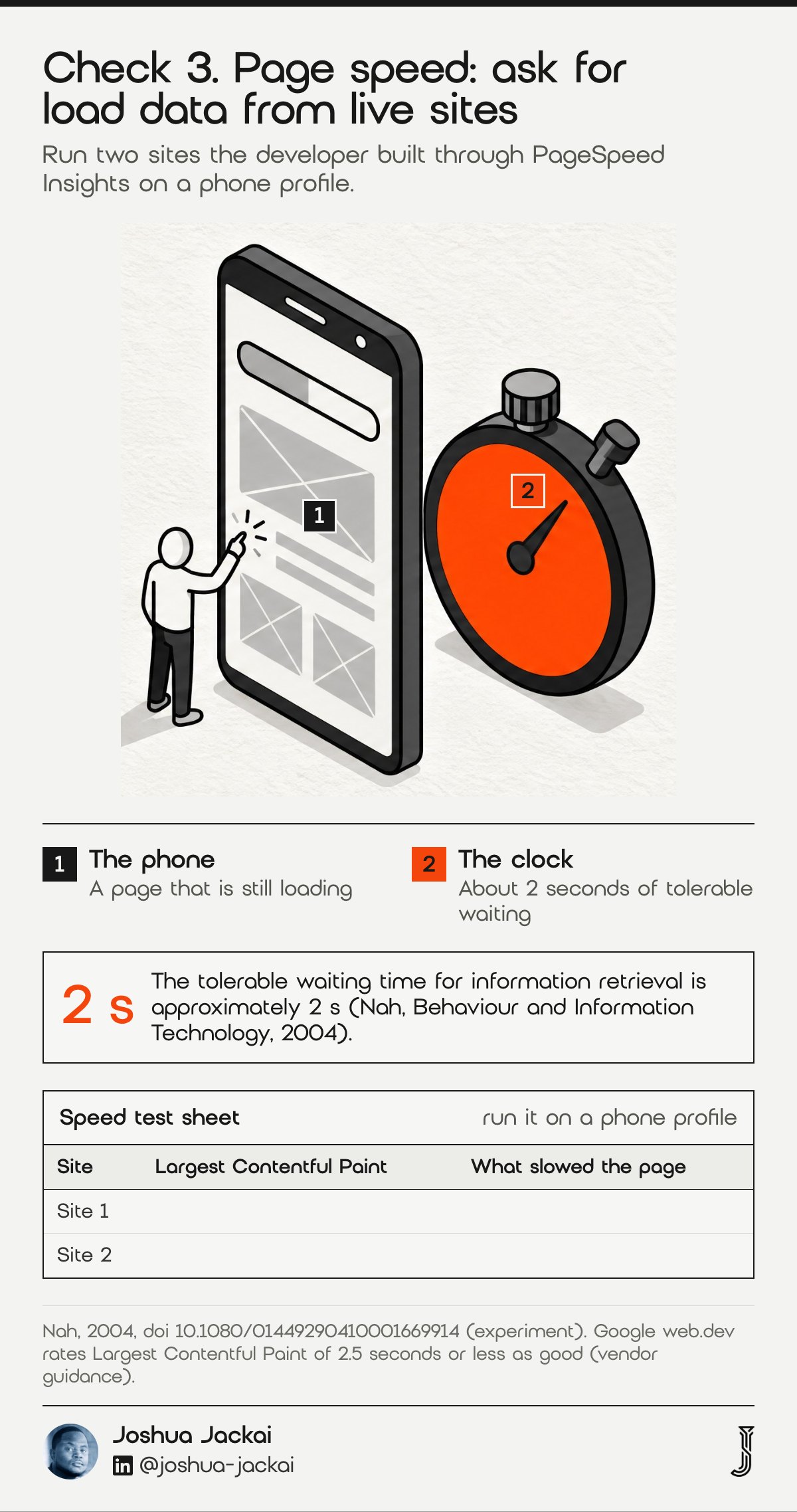
- Test: Google PageSpeed Insights on two live sites they built
- Target: Largest Contentful Paint at or under 2.5 seconds on mobile, per Google
- Ask: images, fonts, scripts and plugins that slow the page
- Watch for: heavy page builders with no speed budget
- My check: I test on real phones before I hand a site over
Nah’s experiment is more than twenty years old, and browsers have changed since 2004. The point holds: people give a page seconds, not minutes (Nah, 2004). Google’s guidance on Largest Contentful Paint treats 2.5 seconds or less as a good result, which is a vendor benchmark worth using as a yardstick (web.dev, Google).
“the tolerable waiting time for information retrieval is approximately 2 s,” wrote Nah in Behaviour and Information Technology, 2004.
Ask for the address of two sites the developer built, then run them through PageSpeed Insights yourself. Do it on a phone profile, not the desktop one. You are not looking for a perfect score. You are looking for a developer who knows what slowed each page and can say what they would do about it.
Speed also depends on choices you make. Large photos, many fonts, chat widgets and tracking tags all add load. A developer who agrees to a speed budget before the build, such as a maximum page weight, is easier to hold to a result than one who promises a fast site in general terms. Ask what the budget is and who measures it.
4. Security upkeep: best for judging who keeps the site safe after launch
A website that was safe on launch day is not safe forever, so ask your developer who owns updates, backups and logins. Software gets new flaws, and someone has to apply the fixes. Ask how often that job runs and what it costs. A developer with no answer has not thought past the build.
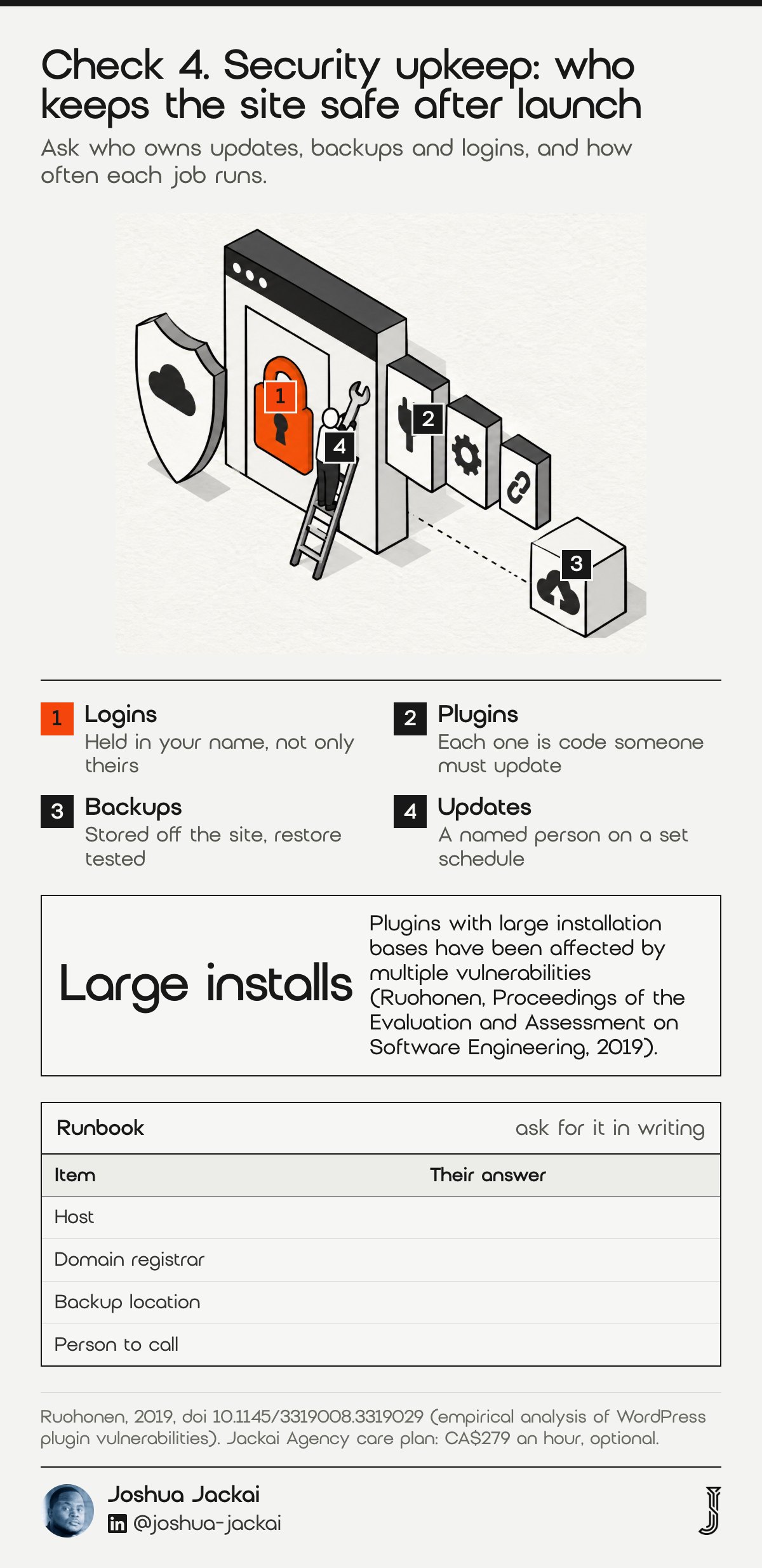
- Ask: who applies updates, how often and where it is logged
- Ask: how many plugins the site needs and why each one stays
- Ask: where backups live and when a restore was last tested
- WordPress: more third-party code, more updates to apply
- Framer: hosted by the platform, fewer parts to patch (my judgment)
Ruohonen analysed known vulnerabilities in WordPress plugins and found that plugins with large installation bases were affected by multiple vulnerabilities. The paper also draws insights about the link between vulnerabilities and software maintenance (Ruohonen, Proceedings of the Evaluation and Assessment on Software Engineering, 2019). I read that as one clear message for a buyer: the more outside code a site runs, the more maintenance it needs.
“plugins with large installation bases have been affected by multiple vulnerabilities,” wrote Ruohonen in Proceedings of the Evaluation and Assessment on Software Engineering, 2019.
This is why I list a care plan as a separate line from the build. My optional care plan is billed at CA$279 an hour, and the accounts stay in your name. Read my guide on who owns your website in Canada before you accept any hosting or login terms.
Ask about the exit as well. If the developer leaves, who holds the logins, the backups and the hosting account? A site is only as safe as the person who can reach it in an emergency. Ask for a short written runbook that names the host, the domain registrar, the backup location and the person to call.
5. Accessibility: best for checking the part that automated tools miss
Accessibility means people can use the site with a keyboard, a screen reader or low vision. The standard is the Web Content Accessibility Guidelines, known as WCAG. A developer should be able to tell you which version they build to and how they test, in words you can verify.
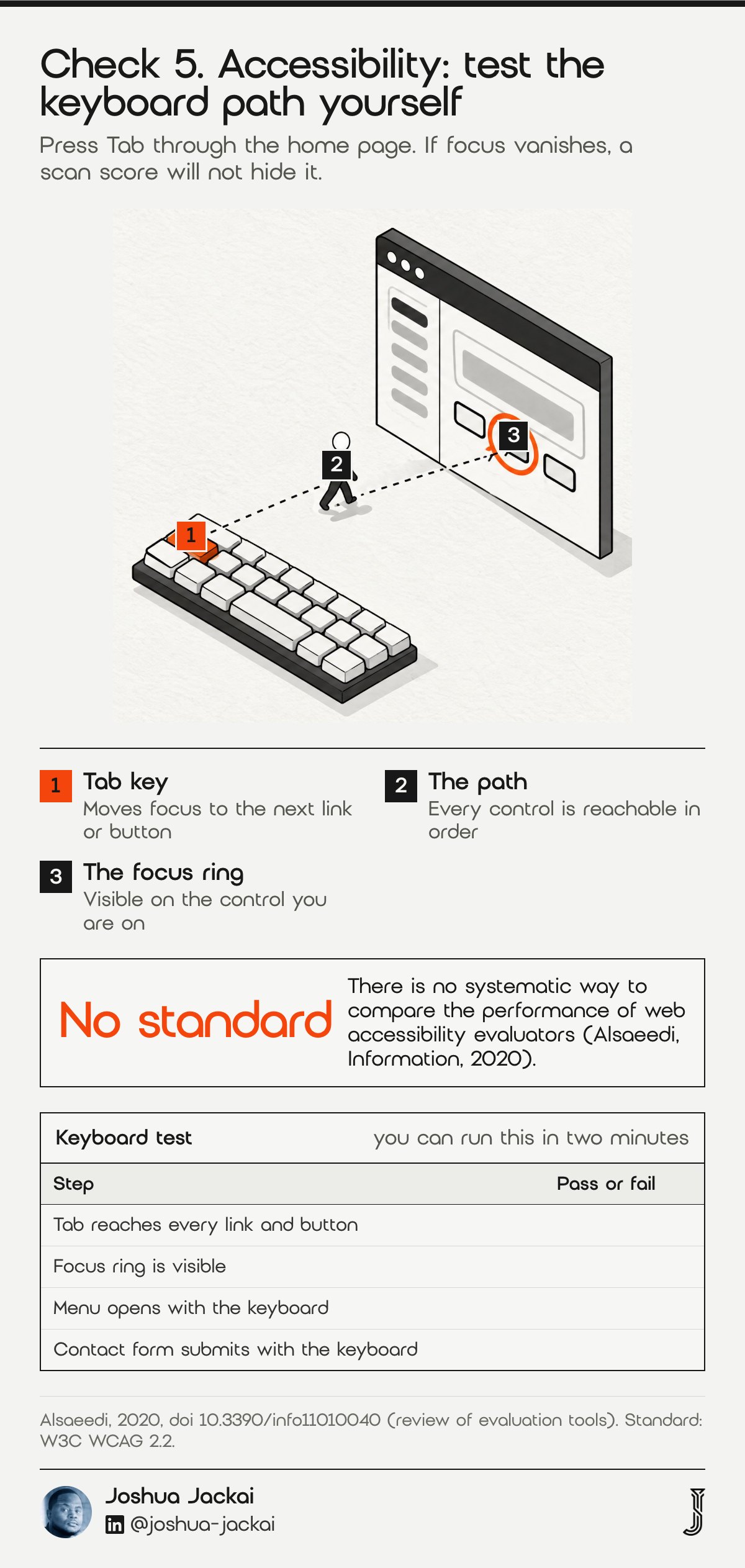
- Standard: WCAG 2.2 is the current version from the W3C
- Automated tools: catch some issues, not all
- Manual checks: keyboard focus, heading order, alt text, colour contrast
- Ask: a written list of what was tested and on which devices
- Red flag: “the plugin handles it”
Alsaeedi reviewed automatic tools that check sites against WCAG and noted that, despite their popularity, there is no systematic way to compare the performance of web accessibility evaluators (Alsaeedi, Information, 2020). My reading is that a single scan score tells you less than it seems to, which is why I ask for a manual test list.
“there is no systematic way to compare the performance of web accessibility evaluators,” wrote Alsaeedi in Information, 2020.
A 2025 paper on developers’ practices notes that gaps persist in implementing standards such as WCAG, although its sample is developers in the Global South, so I use it only for the narrow point that standards alone do not guarantee results (Bhuiyan, Proceedings of EASE, 2025).
Ask each candidate for the last accessibility check they ran and what it found. A developer who can name one real issue and its fix has done the work. One who answers “we follow best practice” has not shown you anything.
You can run a quick test yourself. Put the mouse aside and press the Tab key through the home page. You should see where focus lands on every link and button, and you should be able to open the menu and submit the contact form. If focus vanishes or you get trapped in a menu, the build has gaps that no scan score will hide.
6. Overrun protection: best for keeping a budget from drifting
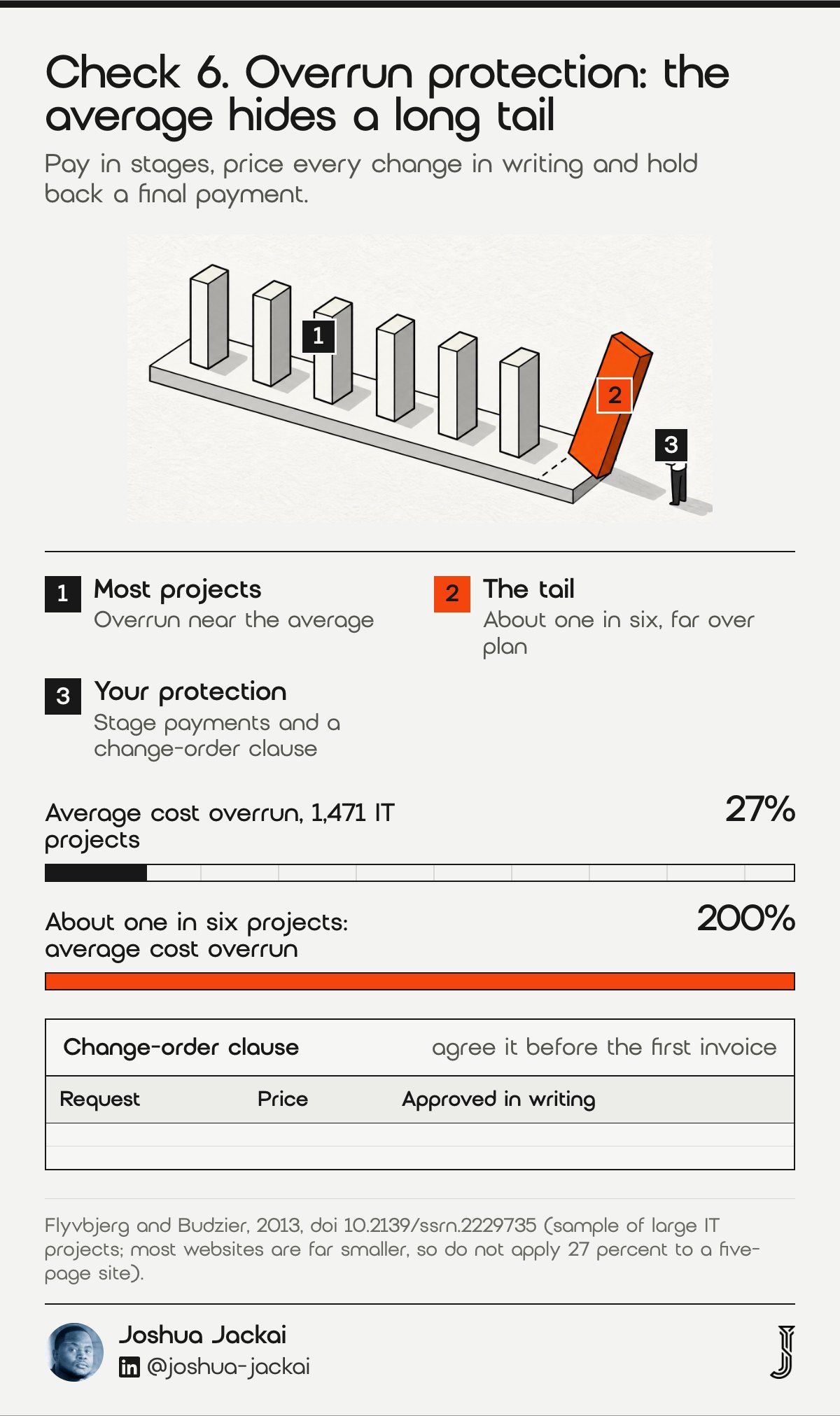
Projects run over, and the contract decides who pays. Flyvbjerg and Budzier (SSRN, 2013) studied 1,471 IT projects. The average cost overrun was 27 percent, and about one in six ran 200 percent over on average, a fat tail that a budget built on the average will not cover.
- Milestones: pay in stages tied to delivered pages, not dates
- Change orders: a written price for any new request
- Scope list: every page and feature named
- Holdback: a final payment after launch checks pass
- Ask: what happened on the last project that went over
The sample is large IT projects, and most websites are far smaller, so do not apply 27 percent to a five-page site (Flyvbjerg and Budzier, 2013). The lesson is the shape of the risk. The average hides a long tail. A buyer who plans for the average and holds no protection against the tail carries the whole loss.
“The analysis of a sample of 1,471 IT projects showed that the average cost overrun was 27%,” wrote Flyvbjerg and Budzier in SSRN, 2013.
Ask for stages. On my projects, you pay by phase, and each phase has two revision rounds. Anything outside the page list is quoted before I start it, so a request on day 20 never turns into a surprise on day 40.
Also ask how the developer prices a change. A fair answer states an hourly rate or a per-page price before the work starts, and records your approval in writing. Without that, small requests pile up into a second project. Hold back a final payment until the launch checks pass, so the developer has a reason to finish the last details.
7. Proof of real work: best for separating talk from shipped sites
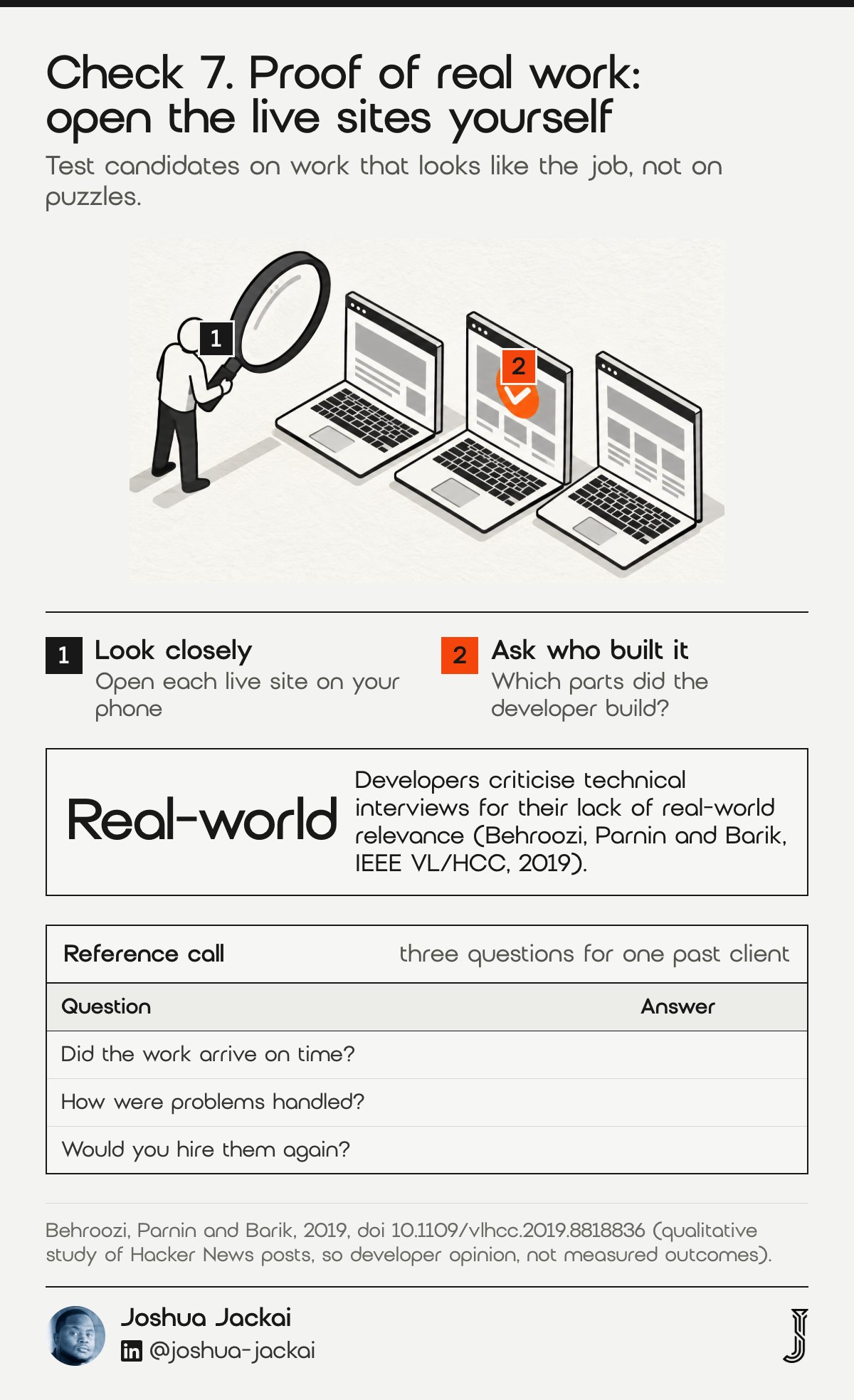
Anyone can describe skill. Fewer people can show a live site, say what they built on it and explain what went wrong. Behroozi, Parnin and Barik studied what developers say about technical interviews and found that posters criticise their lack of real-world relevance.
- Ask for: two live sites, with the role the developer held on each
- Ask for: one thing that went wrong and how it was fixed
- Ask for: a client reference you can call yourself
- Try: a paid half-day task on your own content, not a quiz
- Skip: puzzles and trick questions
The study analysed posts on Hacker News, so it describes developer opinion and not measured outcomes (Behroozi, Parnin and Barik, IEEE VL/HCC, 2019). Developers themselves criticise interviews that lack real-world relevance, and that is my reason to test candidates on work that looks like the job. A short paid task with your real brief shows more than a puzzle about arrays.
“Hacker News posters report several concerns and negative perceptions about interviews, including their lack of real-world relevance,” wrote Behroozi, Parnin and Barik in IEEE VL/HCC, 2019.
Open each live site on your phone and click through it. Check the forms, the speed and the text. Then ask which parts the developer built. If a portfolio is mostly mockups and no live sites, treat it as a design portfolio and ask who builds the code.
A reference call is the strongest test. Ask the developer for one past client who will speak to you, and ask that person three things: did the work arrive on time, how were problems handled, and would they hire again. Do not accept a quote on a portfolio page as a reference, since anyone can write one.
Compare the seven checks and score your candidates
Use the filters to see which checks you can run yourself and which need a written answer. Then enter up to three candidates and tick what each one covers. The sheet counts how many of ten written commitments each candidate covers and shows the price per covered item. It starts empty and works as a prompt for the conversation.
| Check | Run it yourself | Ask in writing | Risk if skipped |
|---|---|---|---|
| 1. Contract type | Yes | Yes | High |
| 2. Who does the work | Sometimes | Yes | High |
| 3. Page speed | Yes | No | Medium |
| 4. Security upkeep | No | Yes | High |
| 5. Accessibility | Sometimes | Yes | Medium |
| 6. Overrun protection | No | Yes | High |
| 7. Proof of real work | Yes | No | High |
Showing 7 of 7 checks.
Candidate sheet. Enter each candidate’s price in Canadian dollars, then tick what they put in writing. The sheet shows how many of ten items each candidate covers and the price per covered item. The fields start empty because the numbers are yours.
| Item in writing | A | B | C |
|---|---|---|---|
| Fixed price or hourly cap stated | |||
| Named person who builds the site | |||
| Written maintenance and update plan | |||
| Two live sites you can open | |||
| Page speed data from past work | |||
| Accessibility test list | |||
| Milestone payments | |||
| Written change-order rule | |||
| Domain and accounts in your name | |||
| Support rate after launch |
| Check | Check it yourself | Ask in writing | Risk if skipped (my judgment) |
|---|---|---|---|
| 1. Contract type | Yes | Yes | High |
| 2. Who does the work | Sometimes | Yes | High |
| 3. Page speed | Yes | No | Medium |
| 4. Security upkeep | No | Yes | High |
| 5. Accessibility | Sometimes | Yes | Medium |
| 6. Overrun protection | No | Yes | High |
| 7. Proof of real work | Yes | No | High |
Frequently asked questions about hiring a web developer in Vancouver
Buyers in Vancouver ask the same few things before they hire. These answers use the seven checks, my October 2026 prices in Canadian dollars and the Robert Half Canada salary benchmark. They cover cost, the hiring model, how to vet a candidate and what to put in a contract.
How much does it cost to hire a web developer in Vancouver?
A full-time Vancouver web developer costs CA$82,123 to 107,000 a year in salary, before benefits and tools (Robert Half Canada, read 16 October 2026). For a project, my own fixed prices at Jackai Agency run from CA$4,950 for five pages to CA$8,950 for a custom WordPress site.
Should I hire a freelancer, an agency or a full-time developer?
In Vancouver, hire a full-time web developer when the site needs weekly changes for years. Hire a freelancer or small agency for a build and light care. Choose a larger agency when you need several roles on one project. Compare the full cost, not the hourly rate.
How do I vet a web developer before I hire?
To vet a web developer in Vancouver, open two live sites they built and test them on your phone. Run PageSpeed Insights, click every form and ask which parts they built. Ask for a written accessibility and security plan, then run a short paid task.
What should a web developer contract include?
A web developer contract should include a named page list, a fixed price or hourly cap, stage payments and a written change-order rule. Add ownership of the domain, hosting and accounts in your name, revision rounds, and a stated support rate (mine is CA$279 an hour).
How I handle these checks on my own projects
I put each point above in writing on my own quotes. I give a fixed price for a named scope, test on real phones, list the accessibility checks, keep accounts in your name and quote any change before I start it. I build in Framer, WordPress and HubSpot, and I serve Vancouver B2B teams first.
If you want a developer’s eye on a site before you hire anyone, the CA$995 website audit is credited if you start a project within 30 days. If you are already comparing quotes, see my guide to why web design quotes vary so much. When you are ready to scope a build, see my B2B web design in Vancouver service page, or request the free AI Visibility Report.
Sources
Peer reviewed
- Alsaeedi, A. (2020). Comparing web accessibility evaluation tools and evaluating the accessibility of webpages: proposed frameworks. Information, 11(1), 40. doi.org/10.3390/info11010040
- Behroozi, M., Parnin, C. and Barik, T. (2019). Hiring is broken: what do developers say about technical interviews? IEEE Symposium on Visual Languages and Human-Centric Computing. doi.org/10.1109/vlhcc.2019.8818836
- Bhuiyan, M. H. M. (2025). Developers’ practices, web accessibility, and language barriers. Proceedings of the 29th International Conference on Evaluation and Assessment in Software Engineering. doi.org/10.1145/3756681.3757049
- Dey, D., Fan, M. and Zhang, C. (2009). Design and analysis of contracts for software outsourcing. Information Systems Research. doi.org/10.1287/isre.1080.0223
- Flyvbjerg, B. and Budzier, A. (2013). Why your IT project may be riskier than you think. SSRN working paper. doi.org/10.2139/ssrn.2229735
- Nah, F. F.-H. (2004). A study on tolerable waiting time: how long are Web users willing to wait? Behaviour and Information Technology. doi.org/10.1080/01449290410001669914
- Ruohonen, J. (2019). A demand-side viewpoint to software vulnerabilities in WordPress plugins. Proceedings of the Evaluation and Assessment on Software Engineering. doi.org/10.1145/3319008.3319029
Industry and vendor (not peer reviewed)
- Robert Half Canada, Web Developer salary benchmark for Vancouver, BC, read 16 October 2026. roberthalf.com
- W3C, Web Content Accessibility Guidelines (WCAG) 2.2. w3.org/TR/WCAG22
- Google, Largest Contentful Paint guidance, web.dev. web.dev/articles/lcp
- Jackai Agency price table, October 2026 (first-party prices).