7 Steps to Get Your .ca Domain Back: Complete 2026 Guide
Your web designer registered your .ca domain in their name. How to check who holds it, ask for it the right way, and what to do in BC if they refuse.
 Joshua Jackai
19 min read
Joshua Jackai
19 min read
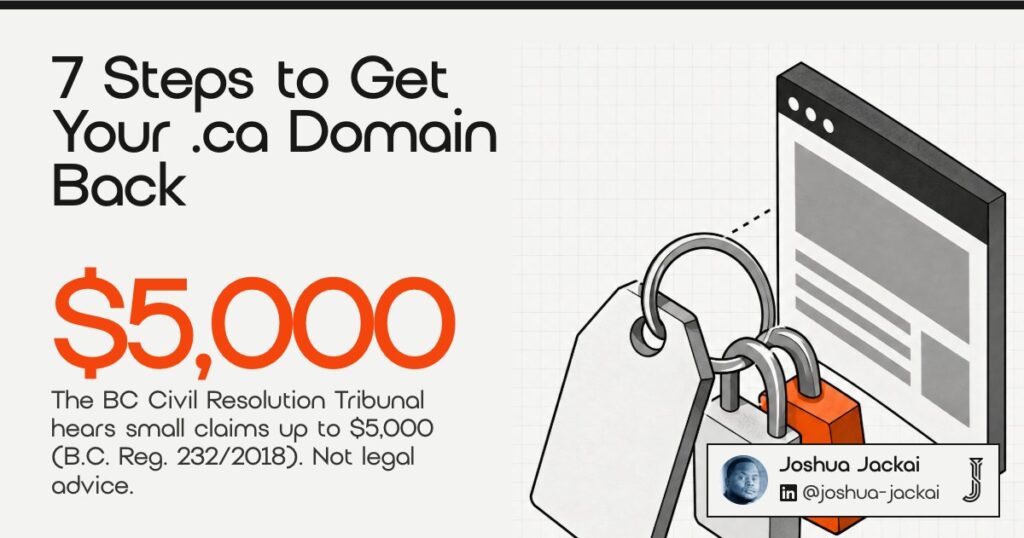
Short answer: Look up your .ca domain at whois.cira.ca to see the registrant and the registrar. If the registrant is not you, ask your web designer in writing for a registrant change and an authorization code. If they refuse, ask the registrar for help, send a demand letter, and take money claims up to $5,000 to the Civil Resolution Tribunal.
This guide is general information for business owners in British Columbia, written by a Vancouver web designer. It is not legal advice.
Key takeaways
- Two locks: every .ca domain has a registrant (the legal holder) and a registrar account (the login). You need both in your name.
- Free lookup: CIRA’s WHOIS shows a business registrant’s name, but hides an individual’s name by default.
- Start with a letter: a written request for a registrant change and an authorization code is the cheapest route.
- BC routes: claims up to $5,000 go to the Civil Resolution Tribunal; claims from $5,001 to $35,000 go to Provincial Court.
- Files are separate: under section 13(4) of the Copyright Act, a copyright assignment is only valid in writing.
| Step | What you do | Who decides | Cost |
|---|---|---|---|
| 1. WHOIS lookup | Check the registrant, registrar and expiry date | You | Free |
| 2. Paperwork | Gather the contract, invoices and emails | You | Free |
| 3. Written request | Ask for a registrant change and an authorization code | Your web designer | Free |
| 4. Registrar | Open a support ticket with the registrar | The registrar | Free |
| 5. CIRA dispute | File under the CDRP if you used the name before it was registered | An independent panel | Filing fees apply |
| 6. BC small claims | Demand letter, then tribunal or court | A tribunal member or judge | Fees apply |
| 7. Lock it down | Your name, your email, two-factor sign-in, auto-renew | You | Renewal cost |
In this guide
How a .ca domain is held, in two minutes
Every .ca domain has a registrant, the legal holder, and a registrar, the company that manages the registration. The Canadian Internet Registration Authority (CIRA) runs the .ca registry. Getting your domain back usually means changing both: you become the registrant, and the domain moves into a registrar account that you control.
CIRA requires every .ca registrant to meet its Canadian Presence Requirements. A Canadian citizen, a permanent resident or a business registered in Canada qualifies. When a web designer registers your domain, the name typed in the registrant field decides who holds it, regardless of who paid for it.
Moving a domain between registrars needs an authorization code, sometimes called an EPP code. The registrar issues it to the registrant. According to registrar announcements from 2010, .ca moved to this system that year, so the code is now what stops unwanted transfers. Whoever holds the registrar account and its email inbox can request the code, which is why the account matters as much as the registrant name.
Owners keep running into this. In a BC thread on r/SmallBusinessCanada that I read in October 2026, one commenter’s advice was blunt: do not let anyone else but you buy the domain. In another thread, a developer described an owner whose old web provider wanted more money before releasing the site files.
1. Look up who holds your domain: best for knowing where you stand
Search your domain at whois.cira.ca, CIRA’s free lookup. A business registrant’s name shows publicly. An individual registrant’s name is hidden by default, but the registrar name, creation date and expiry date always show. If no name appears, an individual holds the domain, and CIRA offers a Message Delivery Form to reach them.
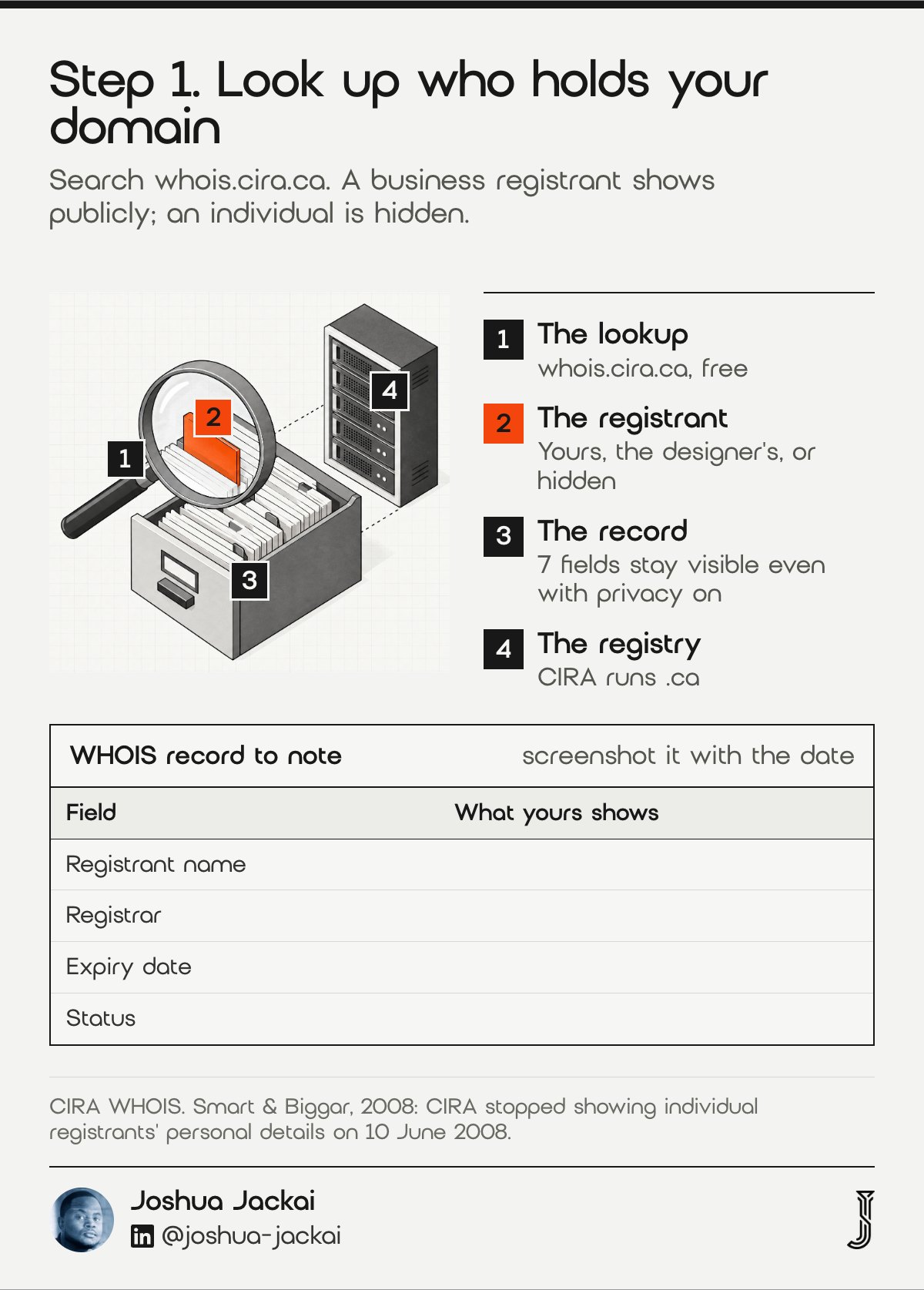
- Registrant name: your business, your web designer’s business, or hidden
- Registrar: the company you contact in step 4
- Expiry date: the day the domain lapses if nobody renews it
- Status: a locked status means it cannot move until the registrant unlocks it
Use the official lookup at whois.cira.ca. CIRA hides the names of registrants who are individuals, such as a Canadian citizen or permanent resident, and shows the names of corporations by default. According to CIRA, 7 fields stay visible even with privacy on: the domain name, status, creation date, expiry date, updated date, registrar name and registrar number. A hidden name therefore tells you something. According to CIRA, privacy is on by default for 2 kinds of individual registrants: Canadian citizens and permanent residents. According to a 2008 Smart & Biggar note, CIRA stopped showing individual registrants’ personal details on 10 June 2008. A hidden name means an individual is the registrant. That could be you, if you registered as an individual, or your web designer. Ask the registrar to confirm which.
Check the expiry date first. If the designer stops renewing, the domain can lapse and become available to anyone who wants it. A domain within a few months of expiry makes every later step urgent, so put the date in your calendar today.
“A domain within a few months of expiry makes every later step urgent, so put the date in your calendar today,” said Joshua Jackai, Vancouver web designer. Then note the registrar’s name exactly as WHOIS shows it, because some registrars resell through partners, and you need the right company when you open a ticket.
Take a screenshot of the full WHOIS result and save it with today’s date. If the record changes later, that screenshot shows what it looked like before you asked. It costs nothing and it is often the first thing a registrar or tribunal asks to see.
2. Gather your contract, invoices and emails: best for proving what you paid for
Before you contact your web designer, collect the contract, every invoice and any email that mentions the domain or hosting. These show what you paid for and what was promised. A line item for domain registration on an invoice you paid is strong evidence that the domain was bought for your business.
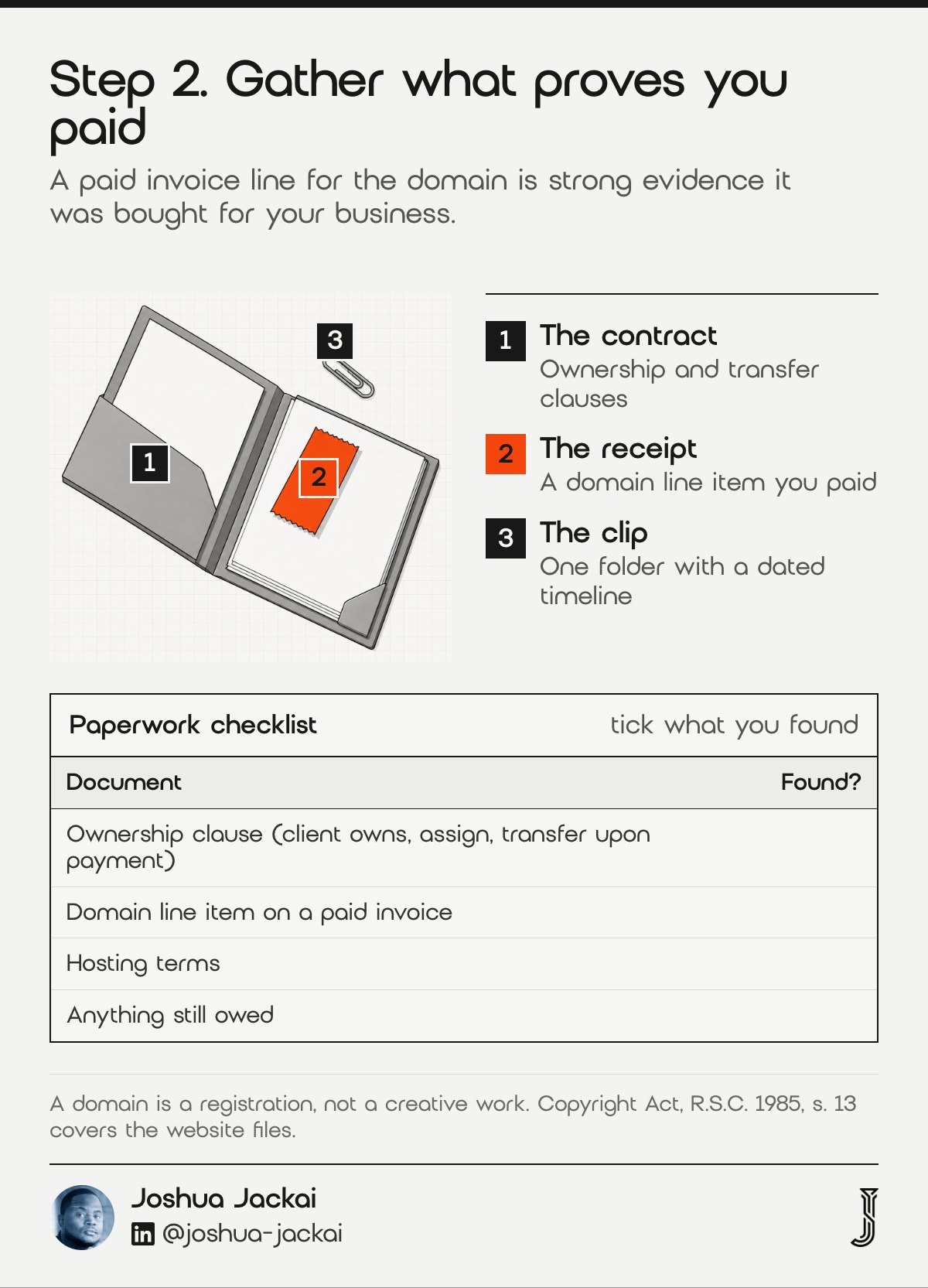
- Ownership clauses: words like “client owns,” “assign,” “transfer upon payment” or “intellectual property”
- Domain line items: a separate charge for the domain or for yearly renewals
- Hosting terms: who pays for hosting, and what happens when the contract ends
- Payment status: anything you still owe, since a designer may hold the domain until final payment
A domain is a registration, not a creative work, so copyright rules do not decide who holds it. The registrant agreement and your contract do. Copyright does matter for the website itself. The Copyright Act (R.S.C. 1985) treats the design, code and graphics as works with an author, which the last section of this guide covers. Keep the two questions apart when you write to the designer.
If you owe money, settle it or agree on it in writing first. A designer holding a domain against an unpaid invoice is in a stronger position than one holding it after full payment. Clearing the balance often ends the dispute on its own, and it removes the most common reason a designer gives for holding on.
Put everything in one folder: the contract, the invoices, the WHOIS screenshot and any email thread. A short timeline at the top, one line per event with a date, saves time at every later step.
3. Ask in writing for a registrant change: best for settling it without a fight
Send your web designer a short, dated email asking for two things. First, a registrant change that names you or your business as the registrant. Second, the authorization code so you can move the .ca domain into your own registrar account. Ask for both, because one without the other leaves you exposed.
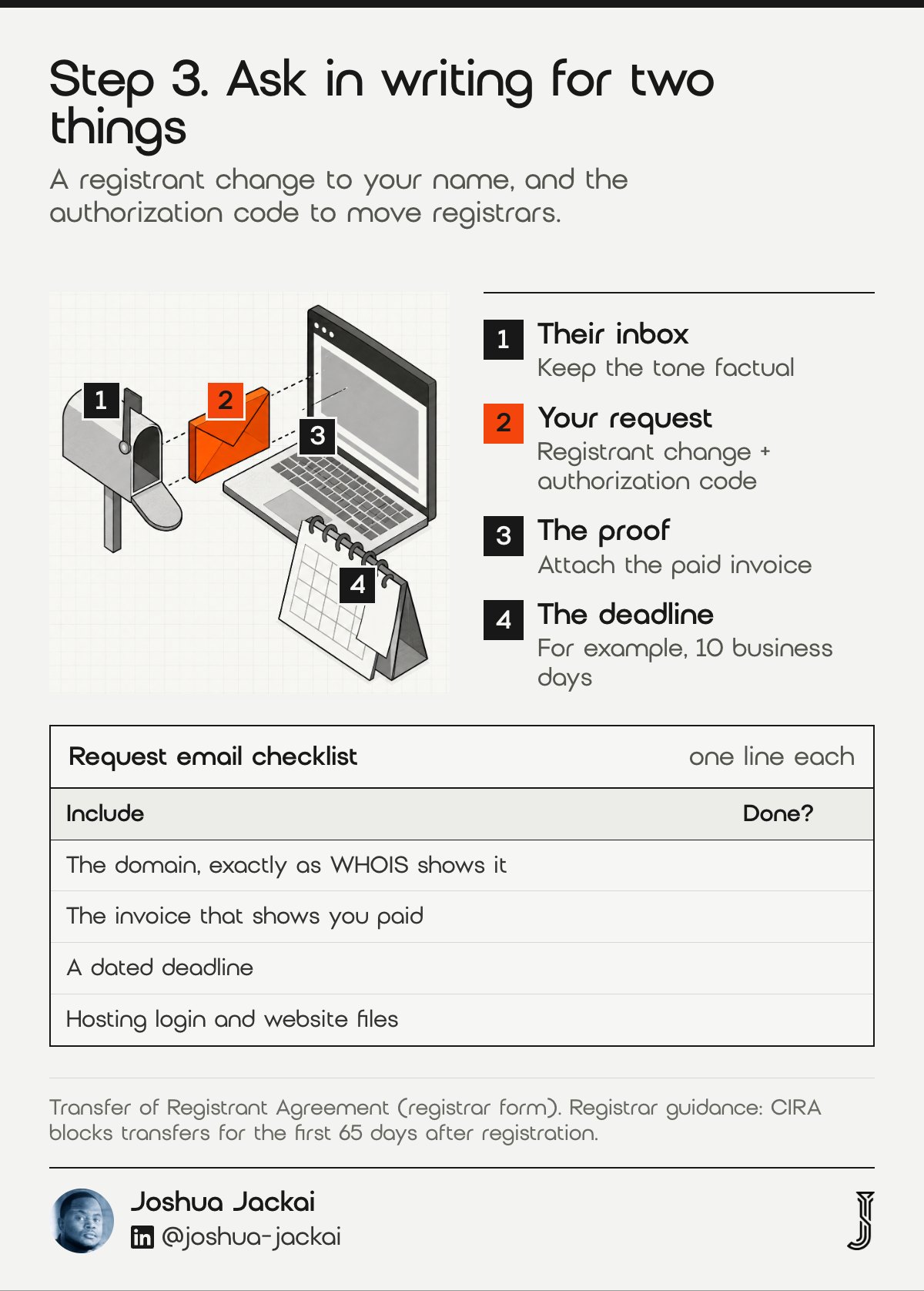
- Domain: name it exactly as WHOIS shows it
- Proof: attach the invoice that shows you paid for the domain
- Deadline: a specific date, such as 10 business days
- Extras: ask for the hosting login and website files in the same email
A registrant change is done through the registrar. Registrars use a Transfer of Registrant Agreement that both the current registrant and the new registrant accept. The new registrant must meet CIRA’s Canadian Presence Requirements, and if CIRA cannot confirm your eligibility, it may ask for proof by a deadline.
According to registrar guidance on .ca transfers published in 2010, the code is 1 of 2 things a new registrar needs, along with an unlocked domain status. Keep the tone factual. A designer may have registered the domain for convenience at launch, not to trap anyone. A clear request with a deadline is the cheapest way to settle it, and a polite one keeps the door open if you still need their help with the site.
Hello [name], I am writing about [yourdomain.ca]. I paid for this domain (invoice attached, [date]) and it is used for my business. By [date, 10 business days from today], please change the registrant to [legal business name] and send me the authorization code so I can move it to my own registrar account. Please also send the hosting login and a full copy of the website files. Thank you, [your name]
According to registrar guidance, CIRA blocks transfers for the first 65 days after a domain is registered. If the domain is brand new, the move may have to wait until that window passes. Once you have the code, start the transfer at your new registrar and confirm the domain shows your name in WHOIS before you treat the job as finished.
“A designer may have registered the domain for convenience at launch, not to trap anyone,” said Joshua Jackai, Vancouver web designer.
4. Escalate to the registrar: best for designers who go quiet
If your web designer does not respond, contact the registrar listed in WHOIS. A registrar generally will not move a domain without the registrant’s consent. It can confirm who holds the account, explain the paperwork it accepts, and sometimes help when the account holder has disappeared. Bring your contract and invoices.
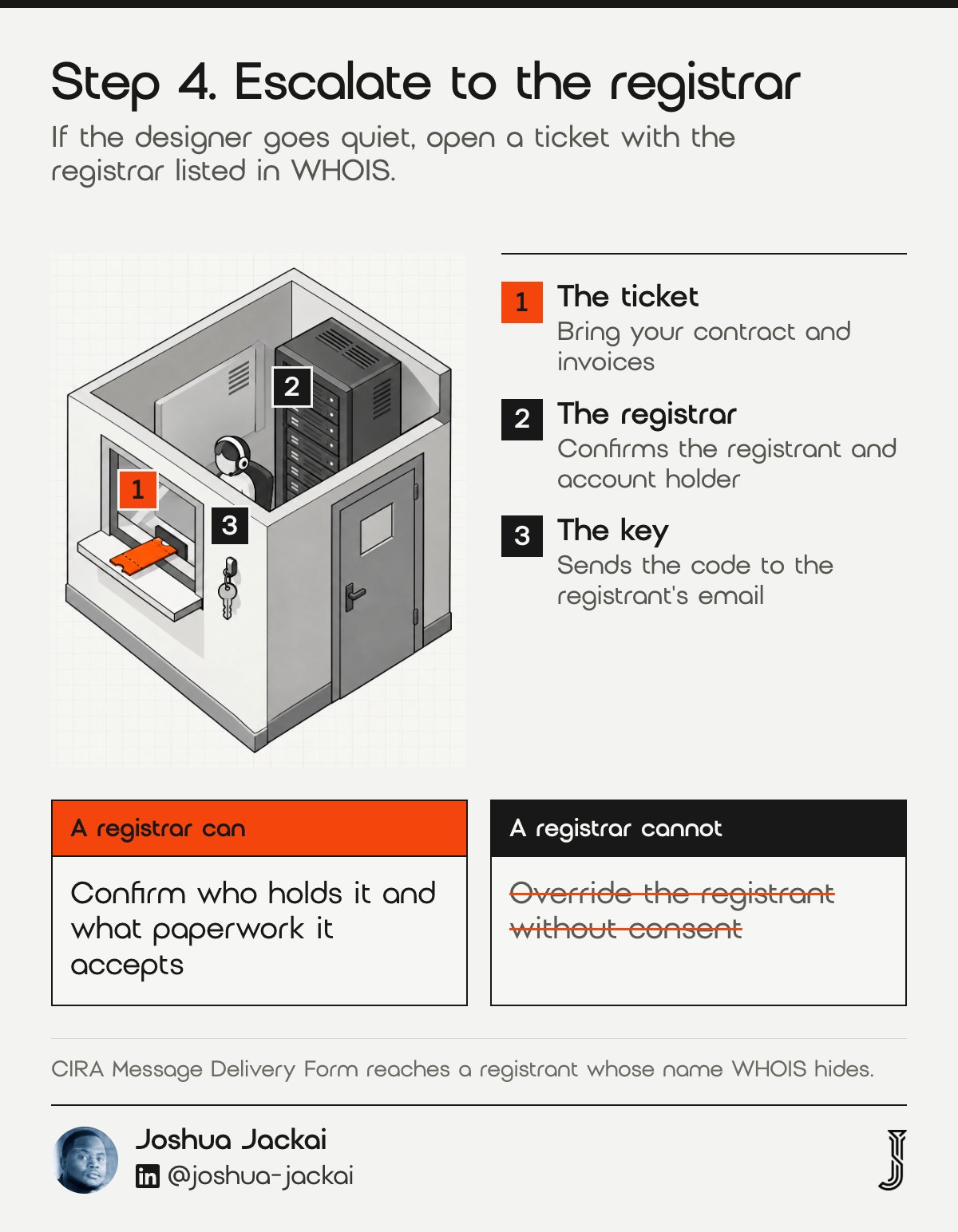
- Confirms: the registrant and the account holder on file
- Explains: its own process for disputed accounts
- Sends: the authorization code to the registrant’s email on file
- Cannot: override the registrant without consent or a legal order
If the registrant is an individual whose name is hidden, use CIRA’s Message Delivery Form from the WHOIS result. CIRA forwards your message without revealing the holder’s details. Keep a copy of what you send and the date you sent it.
A registrar cannot decide who paid for the domain or enforce your contract with the designer. What it can do is tell you exactly what it needs to act. Some registrars accept a signed statement plus proof of payment when an account holder has died or a company has closed. Others want a court order. Ask the question directly, in writing, and keep the reply with the date it arrived.
While you wait, check that auto-renew is on and that the domain will not expire mid-dispute. If the renewal is close, ask the registrar whether anyone can pay it. Losing the domain to an expiry would make every later step harder.
5. Know when CIRA’s dispute process applies: best for owners of a used name
CIRA’s Domain Name Dispute Resolution Policy (CDRP) handles disputes over marks, including a business name used in Canada. You must show the domain is confusingly similar to a mark you used before registration, that it was registered in bad faith, and that the holder has no legitimate interest. A plain payment dispute with a web designer rarely fits.
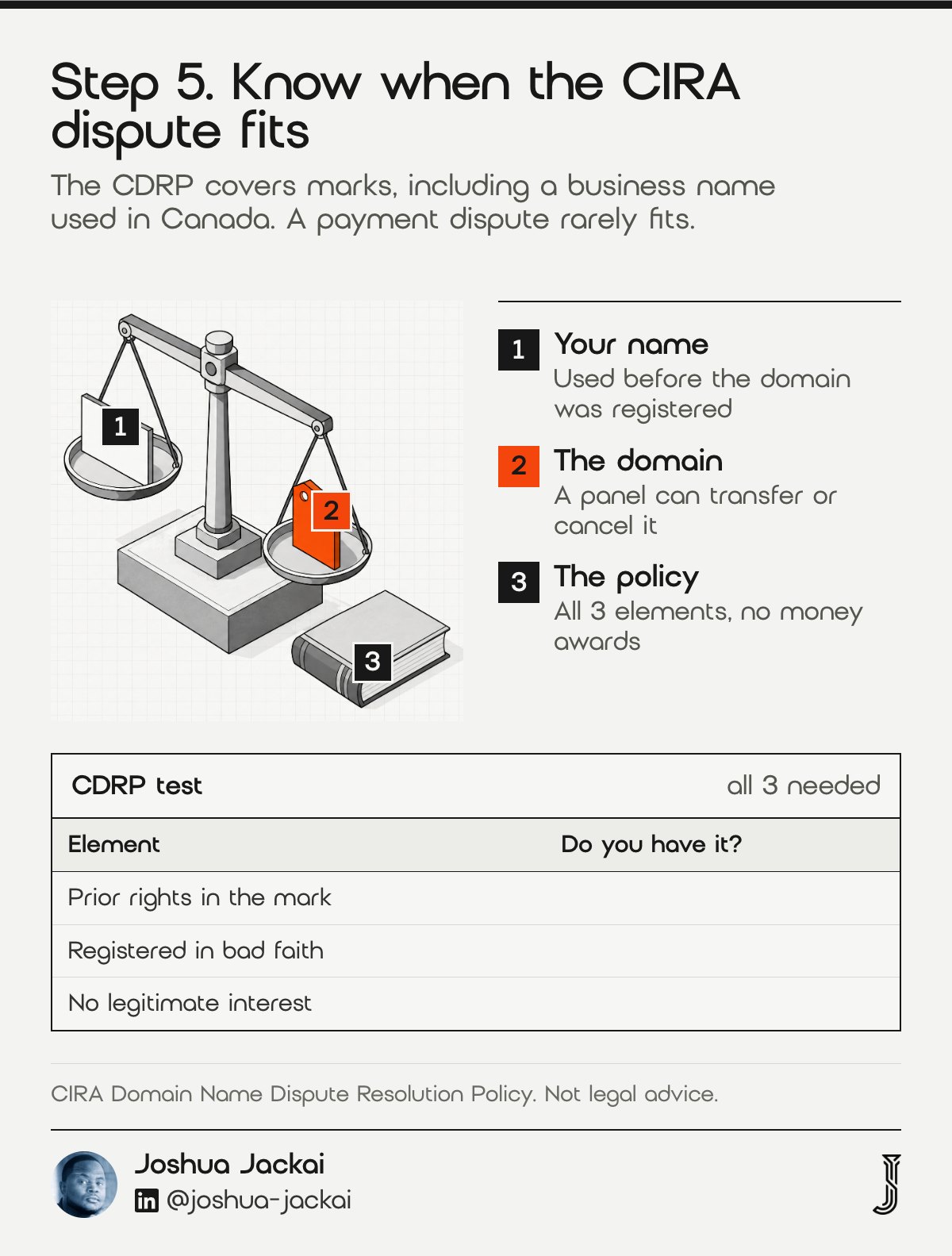
- Prior rights: the domain is confusingly similar to a mark you held before registration, and still hold
- Bad faith: the registrant registered the domain in bad faith; guessing at motive is not enough
- No legitimate interest: you give some evidence of this; the registrant wins if they prove an interest
- Eligibility: you must meet the Canadian Presence Requirements, unless you rely on a Canadian registered trademark
The rules are in the CDRP policy. A designer who registered your business name while building your site, and is holding it over an unpaid invoice, may have a legitimate interest argument and no clear bad faith. A designer who registered a domain matching your registered trademark, then demanded a large payment for it, is closer to what the CDRP was built for.
According to the CDRP, a complainant must prove all 3 elements, and the CDRP is also limited in what it can give you. According to the CDRP, a panel can transfer or cancel a domain, the only 2 remedies it offers. It cannot award money, order a refund or make anyone hand over website files. If you think your case fits, talk to a lawyer who handles domain disputes before you file, because the panel decides on the written record and a weak complaint is hard to fix afterwards.
For most owners, steps 3, 4 and 6 are faster and cheaper routes. The CDRP is a side route for the narrower case of a registered or well-established mark.
“For most owners, steps 3, 4 and 6 are faster and cheaper routes,” said Joshua Jackai, Vancouver web designer.
6. Use BC’s small claims options: best for designers who refuse
If requests fail, send a demand letter that sets a final deadline. In British Columbia, money claims up to $5,000 go to the Civil Resolution Tribunal (B.C. Reg. 232/2018), an online tribunal. Claims from $5,001 to $35,000 go to Provincial Court small claims. Talk to a lawyer about whether either route can order a domain transfer.
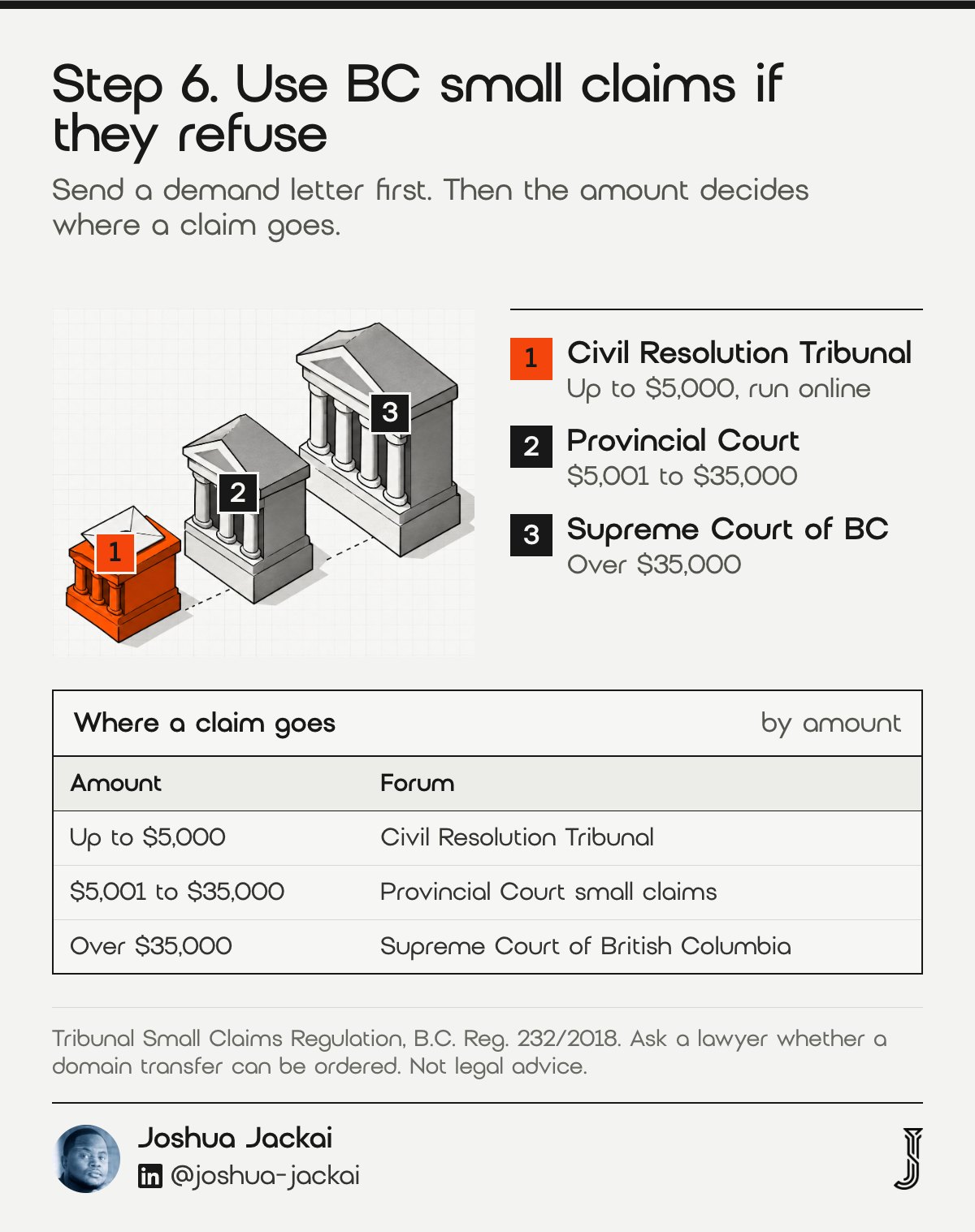
- Demand letter: a dated letter restating the facts, the invoices and the final deadline
- Civil Resolution Tribunal: small claims up to $5,000, run online
- Provincial Court: small claims from $5,001 to $35,000
- Lawyer: advice on whether a transfer order is possible in your case
The tribunal limit is set by the Tribunal Small Claims Regulation, B.C. Reg. 232/2018. According to BC Laws, the regulation was last amended in 2022. According to the regulation, the $5,000 limit does not include interest and certain expenses. Claims above $35,000 go to the Supreme Court of British Columbia, according to BC’s court structure. A demand letter on its own creates a dated record and is often enough to settle the matter, because it shows you are prepared to take the next step.
A good demand letter is short. It names the domain, lists the invoices you paid with their dates, states what you want returned, and sets a final deadline, such as 14 days. It also says what you will do if the deadline passes, for example file a claim with the tribunal. Send it by email and keep the delivery receipt. A demand letter may end it here, because answering a tribunal claim costs more than handing over a domain.
Compare the cost of recovery with the cost of starting over. A domain that is two years old with little traffic may be cheaper to replace than to fight for. A domain printed on your vans, invoices and storefront is worth far more. Ask a lawyer whether a claim for the return of a domain fits either route, because I could not find a ruling on it. A claim for money, such as a refund or the cost of rebuilding elsewhere, is the clearer path.
“A domain printed on your vans, invoices and storefront is worth far more,” said Joshua Jackai, Vancouver web designer.
7. Lock it down once you have it back: best for never doing this again
When the .ca domain is in your name, move it into a registrar account under your email, turn on two-factor sign-in for the registrar and your email, and switch on auto-renew. Give your web designer delegated access instead of your password, and note the expiry date in your calendar.
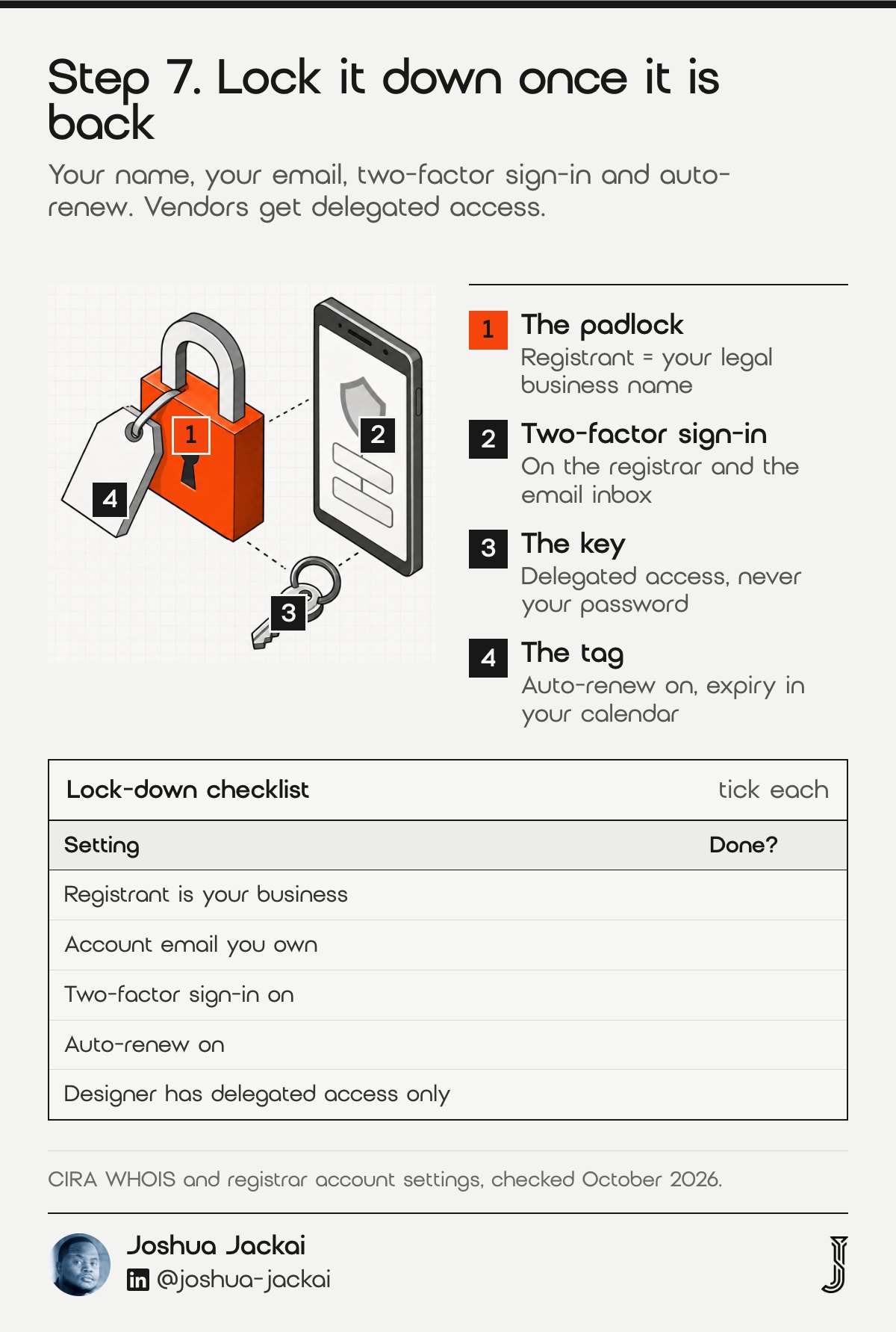
- Registrant: your legal business name, matching your provincial registration
- Account email: an address you own on a domain you control
- Two-factor sign-in: on the registrar account and the email inbox behind it
- Auto-renew: on, with a card that will not expire before the renewal date
- Vendor access: delegated or contact-level access where your registrar offers it
Keep the registrar name, account email and expiry date where your bookkeeper can find them. CIRA’s own guidance on WHOIS privacy also explains how the registrant category affects what the public record shows, which matters if you register as a business.
Then do the same for hosting. A domain you own pointing at hosting someone else controls still leaves your website in their hands. Ask for the hosting account in your name, or a full backup you can move. For your next website, write the domain, hosting and file ownership terms into the contract before any work starts. A short clause that names you as registrant and owner saves every step in this guide.
If you work with a new designer later, add them to your account with their own login. When the project ends, remove their access. One permission change replaces a transfer, a letter and a tribunal claim.
“One permission change replaces a transfer, a letter and a tribunal claim,” said Joshua Jackai, Vancouver web designer.
Check your options
The matrix lists every route in this guide, from a registrant change to the CIRA dispute process, with when each fits, who decides and what you get. Filter it by your situation: a cooperating web designer or one who is not. It is general information for British Columbia, checked in October 2026.
| Option | When it fits | Who decides | What you get |
|---|---|---|---|
| Registrant change | The designer agrees to hand over ownership | You and the designer, through the registrar | Your name or business becomes the registrant |
| Registrar transfer with an authorization code | You want the domain in a registrar account you control | The losing registrar issues the code; the new registrar starts the move | The domain sits in your account |
| CIRA Message Delivery Form | WHOIS hides the registrant because an individual holds the domain | CIRA forwards your message | A way to reach the registrant |
| Registrar support ticket | The designer is slow or unreachable | The registrar, under its own rules | Confirms who holds the domain and what paperwork it accepts |
| Demand letter | Requests have been ignored or refused | The designer | A dated written record, often enough to settle it |
| BC Civil Resolution Tribunal | A money claim up to $5,000 | A tribunal member | A binding decision on the claim |
| BC Provincial Court, small claims | A claim from $5,001 to $35,000 | A judge | A court judgment |
| CIRA dispute process (CDRP) | You held trademark rights before the domain was registered and can show bad faith | An independent panel | Transfer or cancellation of the domain |
| New domain | Recovery would cost more than the domain is worth | You | A clean start you control from day one |
The checker asks four questions about your WHOIS record, your registrar login, the account email and who pays the renewal. It then tells you whether you control the domain and which step in this guide to start with. Look your domain up at whois.cira.ca before you answer.
Who controls your .ca domain?
Look your domain up at whois.cira.ca first, then answer four questions.
Answer the questions to see where you stand.
Who owns the website files?
Under Canada’s Copyright Act (R.S.C. 1985), the author of a work is its first owner unless an exception applies, and an assignment of copyright is only valid in writing, signed by the owner. A web designer who built your site as a contractor likely owns the copyright in the design unless your contract assigns it to you.
“The author of a work shall be the first owner of the copyright therein,” states section 13(1) of the Copyright Act, as stated in the federal statute (Justice Laws).
“No assignment or grant is valid unless it is in writing signed by the owner of the right,” states section 13(4), as stated in the federal statute (Justice Laws).
According to section 13(4), an assignment can be whole or partial, and limited by territory, medium or time. Canada has no general “work made for hire” rule for contractors like the one in US law. According to section 13(3) of the Copyright Act, the employment exception covers employees, not outside contractors. In practice, according to section 13(1), text you wrote and photos you took are yours. The design, code and graphics the web designer made are likely theirs unless your contract says otherwise, and parts built on third-party themes or plugins follow those licences. Your contract may still give you a licence to use the site.
According to Justice Laws, the version quoted here is current to 21 September 2026. When you ask for the domain, ask for the files and a signed copyright assignment in the same email. I cover what to settle before signing in Questions to Ask a Web Designer Before You Sign Anything.
Frequently asked questions
These are the questions BC owners ask most once they find out a web designer holds their .ca domain. Each answer stands on its own and follows CIRA’s rules and BC’s tribunal limits as of October 2026. None of it is legal advice, so check your own contract before you act.
Can my web designer legally keep my domain?
It depends on who the registrant is and what your contract says. If the designer is the registrant, they hold the domain on CIRA’s records until they agree to a registrant change or a decision orders one. A paid invoice for the domain strengthens your position.
How long does a .ca registrant change take?
Once both parties accept the Transfer of Registrant Agreement, the change is usually quick. Delays come from CIRA confirming the new registrant’s eligibility, a locked domain status, or a domain under 65 days old, which some registrars say cannot move. Moving to a new registrar adds a separate transfer step.
Is it safer to let my web designer manage my domain?
Management is fine. Ownership is the risk. Keep yourself as the registrant and the account holder, with your own email on the account, and give the designer delegated access. If the relationship ends, you change one permission instead of chasing a transfer through the registrar.
What if my .ca domain already expired?
An expired .ca domain goes through a redemption period before release. Contact the registrar listed in WHOIS right away and ask whether the registrant can still renew it. If someone else registers it after release, recovery gets much harder and may need CIRA’s dispute process.
How I set up domains for clients
On my own projects, the client owns the site, the domain and the hosting. I set out who owns what in the contract before work starts, and I explain the questions to settle in Questions to Ask a Web Designer Before You Sign Anything.
If you are stuck getting a domain or website back and want a second opinion on where you stand, my CA$995 website audit covers domain, hosting and file ownership, and it is credited in full if a project starts within 30 days. You can also get in touch directly.
Sources
Government and registry
- CIRA, WHOIS lookup (official registry tool).
- CIRA, Domain Name Dispute Resolution Policy (registry policy).
- CIRA, Domain registration tips: WHOIS privacy (registry guidance).
- Government of Canada, Copyright Act, R.S.C. 1985, c. C-42, s. 13, current to 21 September 2026 (statute).
- Province of British Columbia, Tribunal Small Claims Regulation, B.C. Reg. 232/2018 (regulation).
- Civil Resolution Tribunal (official).
Industry
- Newfold Digital, .ca Transfer of Registrant Agreement form (registrar form).
- GoDaddy, About .CA domain names (registrar terms).
- Webnames.ca, Exciting changes coming for .CA domain owners, 2010 (registrar announcement).
- Reddit, r/SmallBusinessCanada thread 1jk65wz and r/smallbusiness thread 1jlalrm, read 12 October 2026 (user-reported, context only).