7 Who Owns My Website Checks: Canadian 2026 Field Guide
Seven checks that show who owns your website in Canada, what the Copyright Act says, and how to ask for your files, domain and accounts.
 Joshua Jackai
16 min read
Joshua Jackai
16 min read
Published 14 October 2026 · Last updated and fact-checked October 2026
Short answer: Unless a signed document says otherwise, the designer or agency that built your website in Canada owns its copyright, because Copyright Act section 13 makes the author first owner and voids any transfer not in writing. You own only what a signed assignment gives you, plus domains and accounts held in your company’s name.
I am Joshua Jackai, a Vancouver web designer, and I run Jackai Agency. Owners of small and mid-sized Canadian firms write to me after a designer goes quiet, a former agency asks for a release fee, or a launch date passes with no files handed over. This guide is the order of checks I would run for them. It is not legal advice. It explains what the statute says, what registrars say, and what I ask for in my own projects. For a live dispute, speak to a Canadian lawyer.
In this guide
Key takeaways
- Under section 13 of the Copyright Act, the author is the first owner of a work, and an employer owns work only when the author was an employee acting in the course of that employment (Copyright Act, R.S.C. 1985, c. C-42, s. 13).
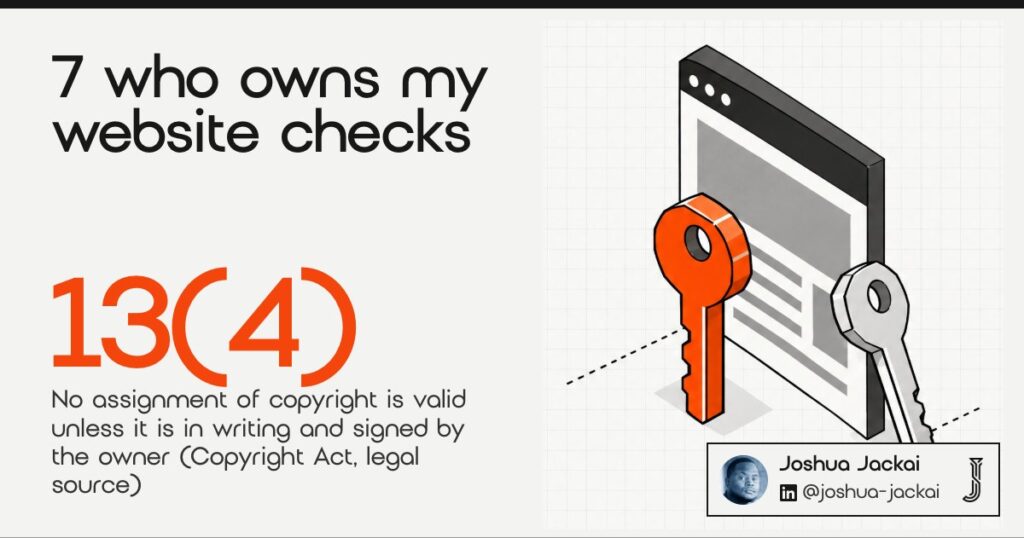
- An assignment, or a grant of an interest in copyright by licence, is not valid unless it is in writing and signed by the owner of the right, and an exclusive licence counts as such a grant (s. 13(4) and s. 13(7)).
- Moral rights cannot be assigned, only waived, so a clean handover includes a written waiver as well as an assignment (s. 14.1).
- Enterprise cloud research describes vendor lock-in as a major barrier to adoption, in a paper that also surveyed 114 participants (Opara-Martins, Sahandi and Tian, Journal of Cloud Computing, 2016).
- Jackai Agency standard terms: you own the site, the domain and the hosting, and every account is in your name from day one.
| Check | What you need in writing | Who often holds it | Risk if it is not yours |
|---|---|---|---|
| 1. Copyright | A signed assignment or licence | The designer | You may use the site but cannot reuse its design elsewhere |
| 2. Domain | Your company as registrant | The agency | You can lose your address |
| 3. Hosting | A login in your name | The agency | The site goes offline on a dispute |
| 4. Content | A licence list for every asset | The designer | A stock or photo claim after launch |
| 5. Licences | Keys registered to you | The agency | Updates stop and the layout breaks |
| 6. Accounts | Owner role on each account | The agency | Years of lead data leave with them |
| 7. Contract | Ownership and handover clauses | Nobody, often | No lever when the files do not arrive |
1. Copyright in the design and code: best for knowing the legal default
In Canada the author of a work is its first owner, and a contractor is the author of what they build for you. Section 13 of the Copyright Act gives an employer first ownership only for an employee’s work made during employment. A freelancer or agency is not your employee, so the copyright starts with them.
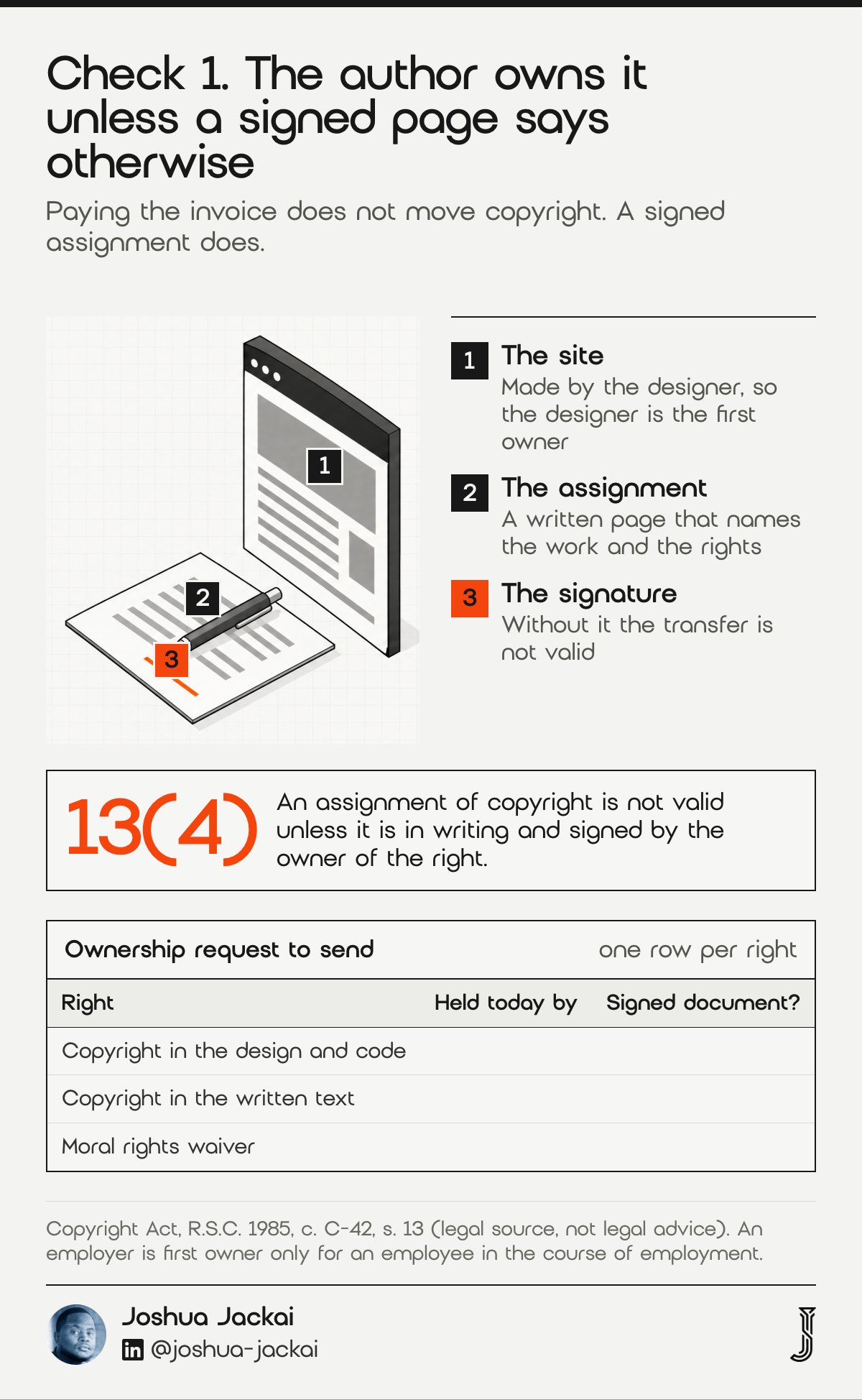
- Default owner: the author, meaning the person or agency who made it
- Employee exception: applies to your staff, not to an outside designer
- How it moves: a written, signed assignment
- Partial deal: a licence can grant use without ownership
- Where to look: your proposal, statement of work and invoice terms
The Act is short on this point.
“The author of a work shall be the first owner of the copyright therein,” stated Parliament in section 13(1) of the Copyright Act.
Section 13(3) then carves out work an author made as an employee. That carve-out is why a firm that pays a salaried developer owns that developer’s code, and why a firm that pays a freelancer’s invoice does not automatically own the freelancer’s code.
Two consequences follow. First, paying in full does not move copyright. Payment buys whatever the contract promises. If the contract is silent, your right to reuse or change the design is unclear, and that is a question for a Canadian lawyer. Second, a “work for hire” phrase copied from a United States template does not do the job in Canada. What does the job is an assignment clause, signed by the designer, that names the work and the rights transferred.
Section 13(7) closes one more gap: a grant of an exclusive licence counts as a grant of an interest in the copyright, so an exclusive licence also needs a signed writing (s. 13(7)).
My own approach is plain. My fixed quote states that you own the site, the domain and the hosting, in a sentence you can read before you sign.
“No assignment or grant is valid unless it is in writing signed by the owner of the right,” stated Parliament in section 13(4) of the Copyright Act.
“If you cannot find a signed assignment, you probably do not have one,” said Joshua Jackai, Vancouver web designer.
The next six checks show what you hold in practice.
2. Your domain name: best for keeping your address
The domain is the one asset that decides whether customers can still find you if everything else goes wrong. Open your registrar account, or run a public lookup, and read the registrant field. It should name your company. If it names the agency or a person you no longer deal with, you are a guest on your own address.
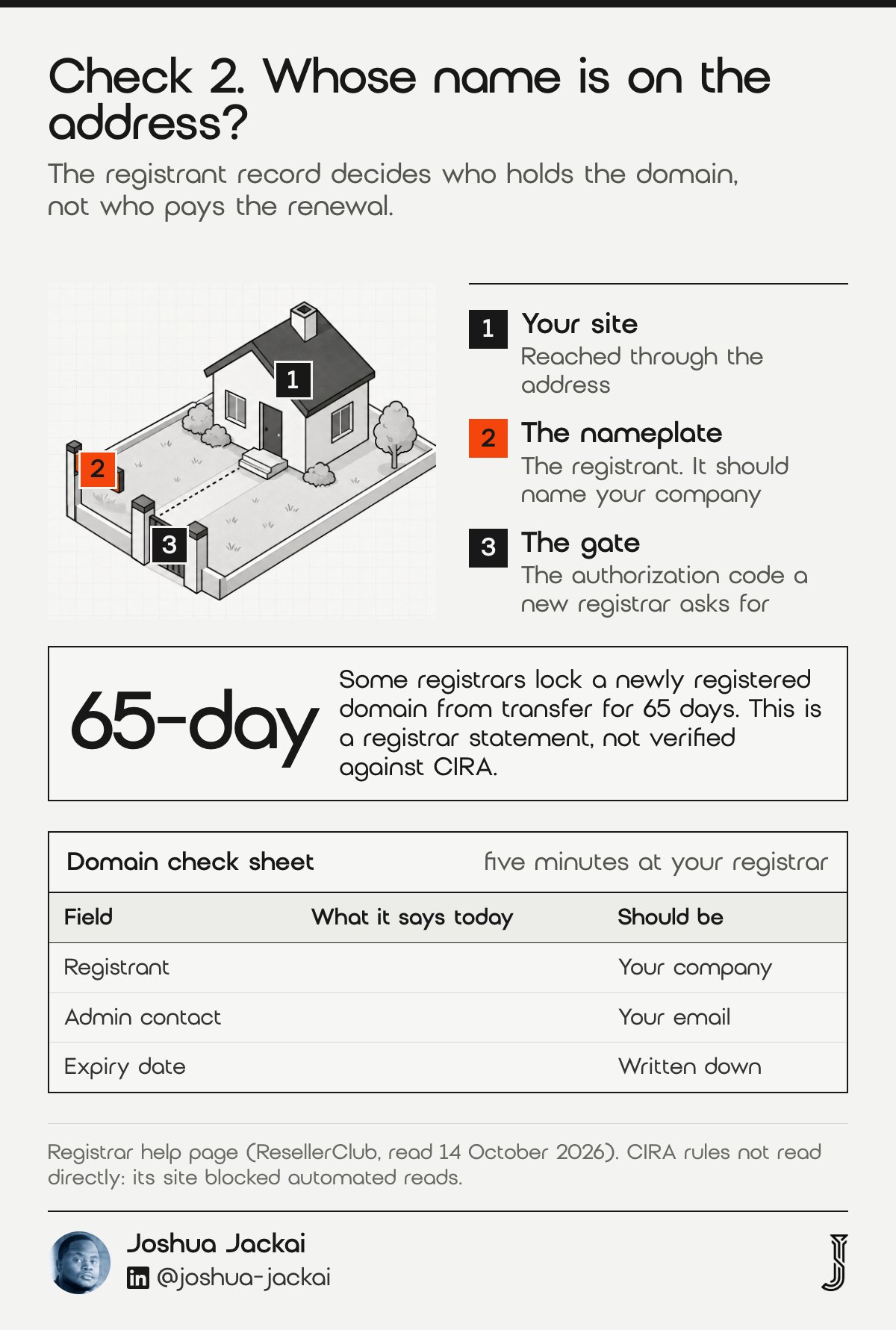
- Registrant: the legal holder, which should be your company
- Registrar account: the login that renews, locks and transfers it
- Authorization code: the key a new registrar asks for to accept a transfer
- Renewal contact: the email that receives expiry notices
- .ca rule: registrars say the holder needs a Canadian presence
The registrant is what matters, not who pays the renewal. Agencies often register a client’s domain in the agency’s own account for convenience, and that is where disputes start. Registrar help pages describe a .ca holder as someone who must meet the Canadian Presence Requirements, and some registrars apply a 65-day transfer lock to newly registered domains. I could not read the registry’s own rules on 14 October 2026, because its site blocks automated reads, so treat those two points as registrar statements and confirm them with your registrar (registrar help summary, not verified against CIRA).
What to ask for is short. Ask the agency to move the domain into an account you create, or to change the registrant and contacts to your company, and to send the authorization code in writing. A cooperative agency finishes this in a day. If a developer has gone silent after full payment, the registrar’s support team can sometimes act on the registrant record, so start with them and keep the emails.
Your first-party check takes five minutes: log in, find the domain, and write down who is registrant, who is admin contact and when it expires.
3. Hosting and server files: best for moving without permission
Hosting is where the site files and database live. If the agency holds the hosting account, it holds your site in the most literal sense. You may own the copyright and still be unable to load a page, because nobody gave you a login or a backup. A site you can only reach through someone else is a rental.
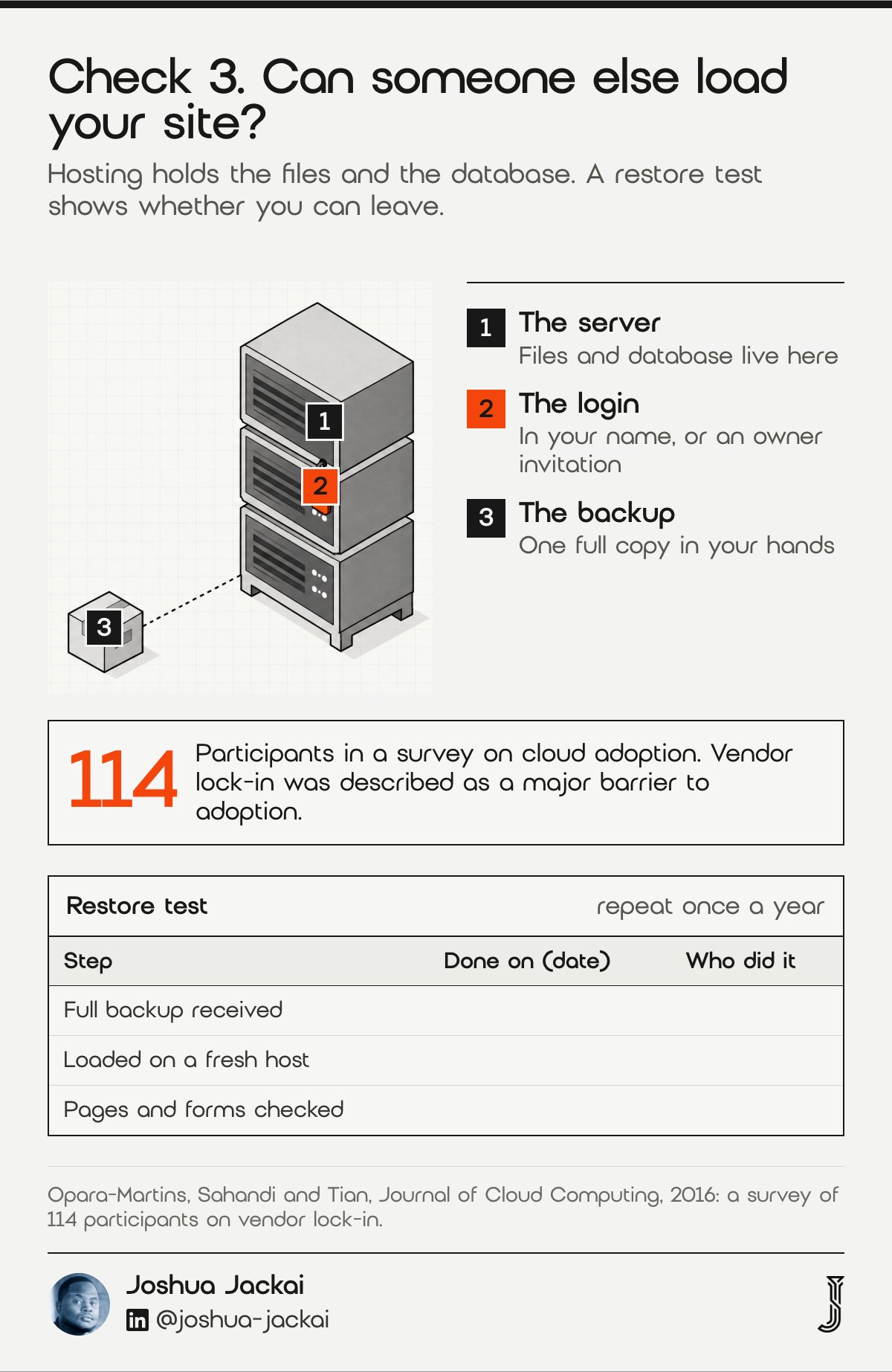
- Account holder: the name on the hosting plan
- Access you need: a login in your name, or an owner invitation
- Backups: one full copy of files and database in your hands
- Staging copy: a working duplicate you can test on
- Cost: the price on your own hosting invoice
Researchers surveyed 114 participants on cloud adoption and opened their paper with a plain statement.
“Vendor lock-in is a major barrier to the adoption of cloud computing, due to the lack of standardization,” wrote Opara-Martins, Sahandi and Tian in the Journal of Cloud Computing, 2016.
The same dynamic applies at small scale, though that is my observation, not a finding of the study: the more your site depends on one provider’s setup, the harder it is to move.
The practical test is a restore. Ask for a full backup and confirm that someone other than the original builder can load it on a fresh host. If that works, you can leave at any time. If it does not, you have found the real dependency before an argument forces it. Repeat the restore test once a year, because plugins and server versions change, and a backup that loaded in 2025 may not load on a 2026 host without a fix. Write the date of each test on the backup itself.
My standard terms say you own the hosting and every account is in your name from day one. That keeps control where it belongs.
4. Text, photos and logos: best for content you paid for
Content has its own ownership, separate from the site. Written text, photographs, illustrations, video and logos each have an author. The designer who laid them out did not necessarily create them, and they may not be able to transfer them even if they wanted to.
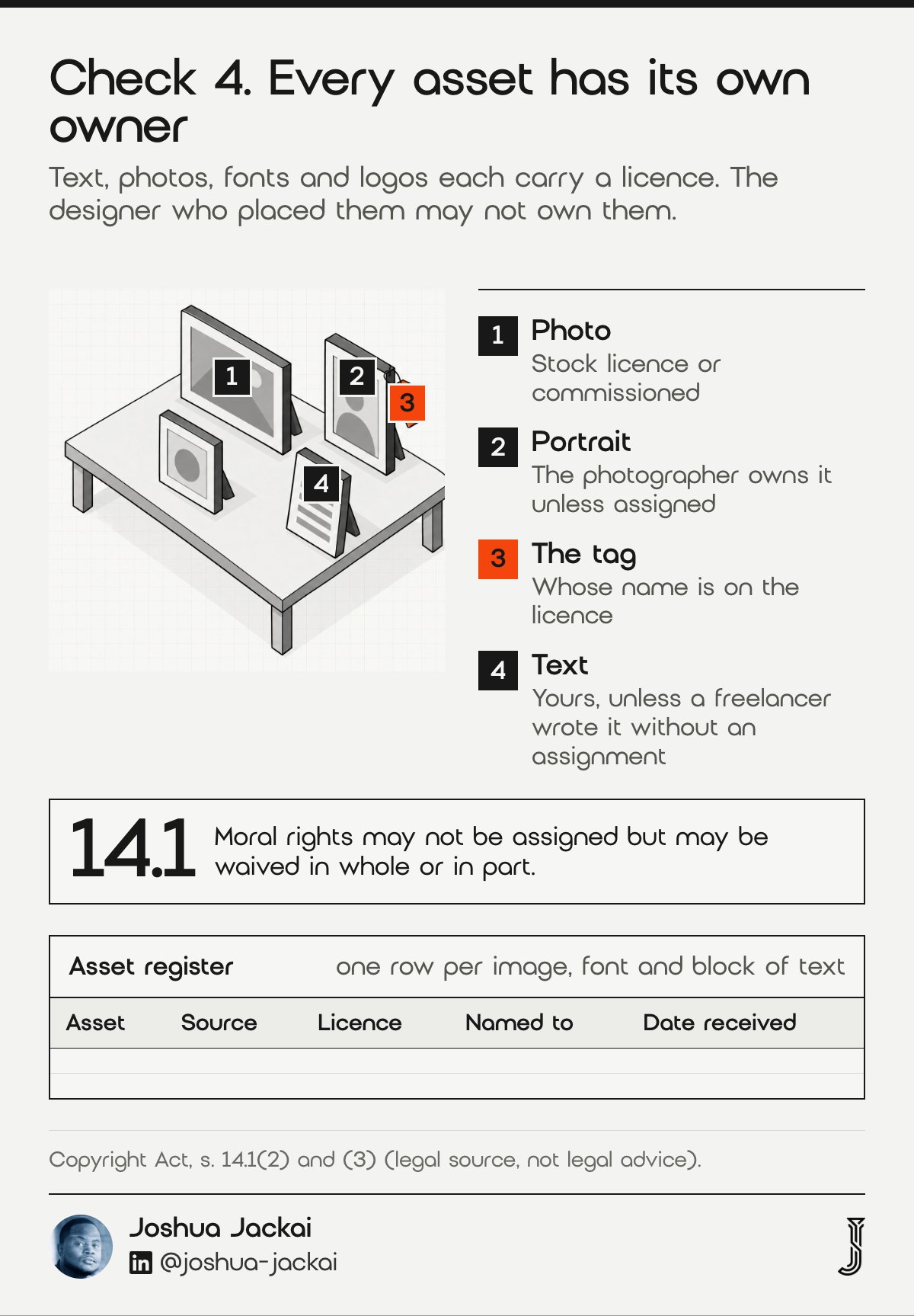
- Your own writing: yours, unless a freelancer wrote it for you without an assignment
- Stock images: licensed, not owned, with limits on use and number of copies
- Commissioned photos: the photographer owns them unless they assigned
- Logos: check the agreement with whoever drew it
- Fonts: licensed per site or per seat, often to the buyer’s name
Moral rights add a wrinkle.
“Moral rights may not be assigned but may be waived in whole or in part,” stated Parliament in section 14.1(2) of the Copyright Act.
Section 14.1(3) adds that an assignment of copyright does not by that act alone waive any moral right (s. 14.1). In practice that means a photographer or writer can ask to be credited or object to changes unless they signed a waiver. Most never raise it, but a handover document that mentions it removes the question.
Ask for an asset register. A simple sheet is enough: each image, font and block of text, where it came from, the licence, and whether the licence names you or the agency. It takes an hour to compile and it is the document most often missing when a claim arrives. Add one column for the date you received each asset and one for the person who supplied it, because a claim usually arrives years later and memory fails first.
Ask any designer, me included, for this sheet at launch. It also tells your next designer what they can reuse.
5. Themes, plugins and licences: best for keeping the site updatable
Most sites rest on paid parts: a page builder, a theme, plugins, a form tool, a font service. Each comes with a licence key registered to an account. If that account is the agency’s, updates can stop the day the relationship does, and the site keeps running only until a security patch is needed.
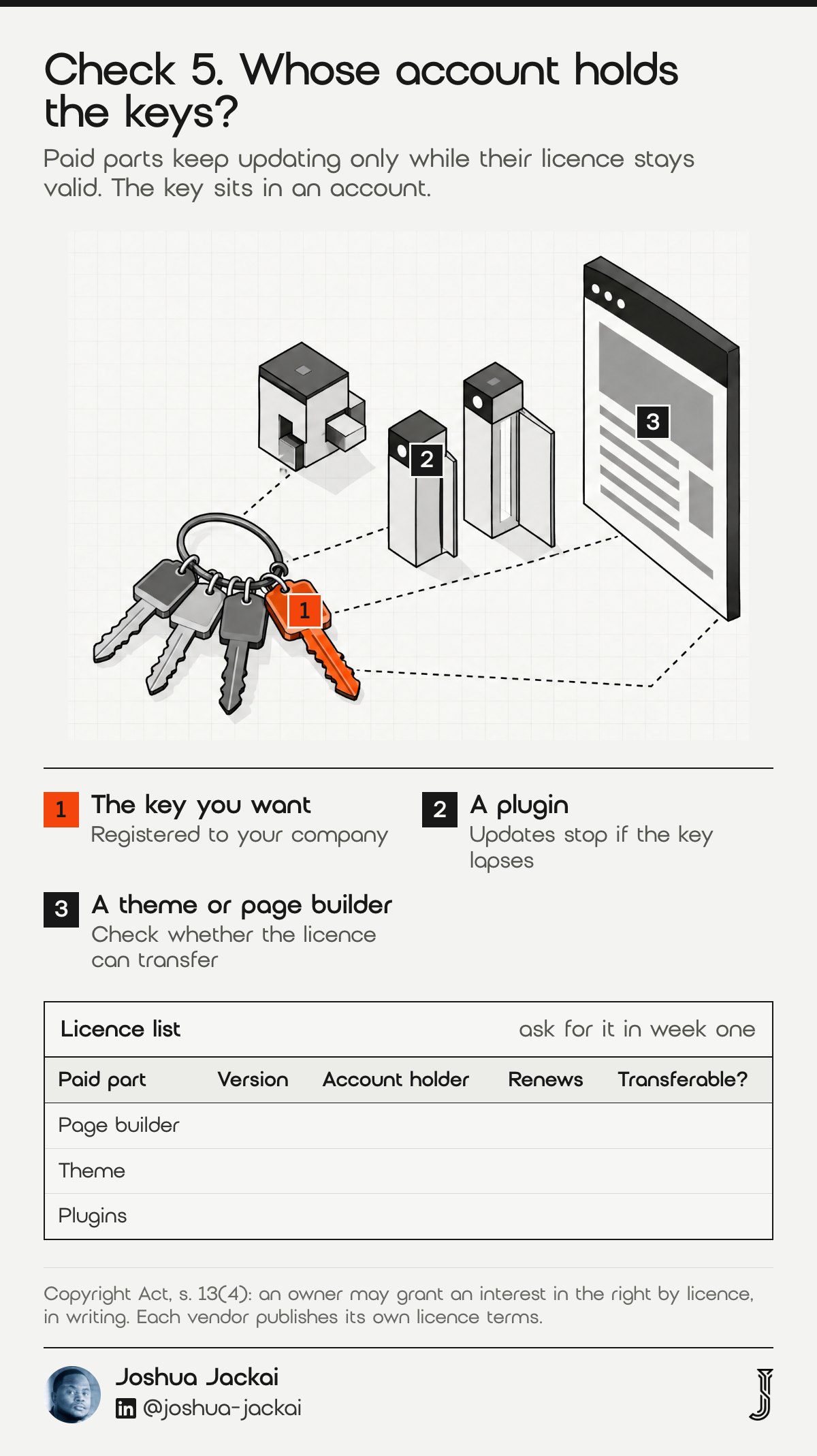
- Licence list: every paid part with its version and renewal date
- Registered owner: the account the key sits in
- Renewal cost: the yearly total, in Canadian dollars
- Transfer rule: whether a key can move to a new owner
- Fallback: the free or replaceable part if a licence lapses
Each paid part comes with a licence from its vendor. Section 13(4) of the Act lets a copyright owner grant an interest by licence (s. 13(4)), so the vendor’s licence terms, not the agency’s goodwill, decide whether a key can move to you. Read them; most vendors publish them. Ask for the list in the first week of any project, not the last. It tells you what the site really costs to run. A quote can look low when every licence sits in the agency’s account and is billed to you later, so ask before you sign.
If a key cannot be transferred, find out now. Some vendors let you reissue the licence to a new account, and some require a new purchase. Either way you want to know the amount before the agency relationship ends.
My standard terms put every account in your name from day one. Ask any agency, me included, to name the account behind each paid part before you sign.
6. Analytics, search and ad accounts: best for keeping your data
Your traffic history, lead sources and search data live in accounts: analytics, Search Console, tag manager, your CRM, ad platforms and form tools. These matter more than the site’s code. A new designer can rebuild a page in weeks, but nobody can rebuild three years of lead data.
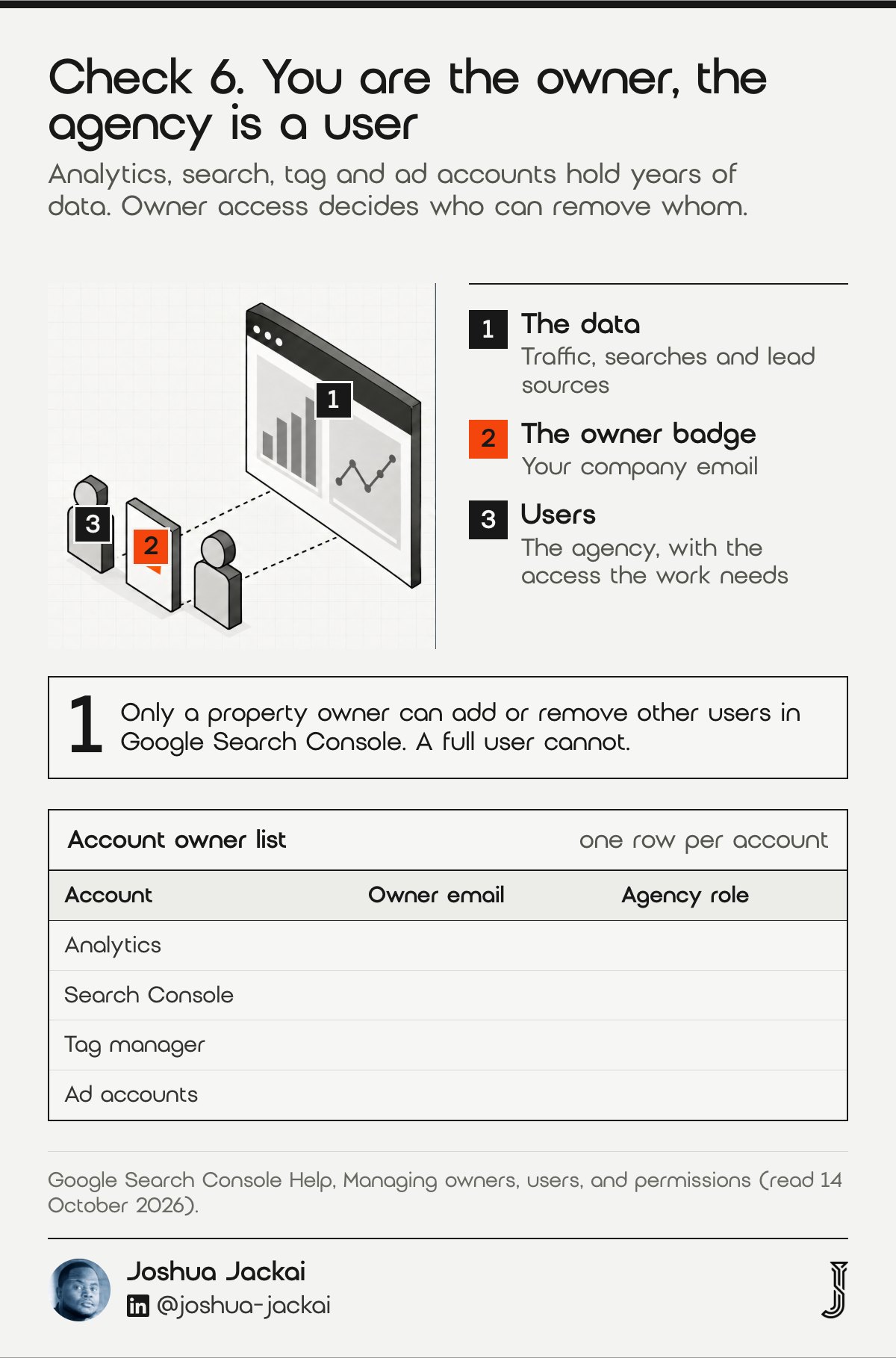
- Owner role: your company’s email as owner on every account
- Agency role: a user with the access the work needs
- Accounts to list: analytics, Search Console, tag manager, CRM, ad accounts
- Lead records: exported on a schedule to a place you control
- Test: can you remove the agency’s access in two clicks
Google’s Search Console help states the same line (read 14 October 2026): only a property owner can add or remove other users, and a full user has view rights but cannot manage people (Search Console Help, Managing owners, users, and permissions). So if the agency is the only owner, you cannot even remove your own former agency.
“You are the owner, and the agency is a user,” said Joshua Jackai, Vancouver web designer.
That is the rule I work to. If it works the other way, you have lent the agency your business history. Owner access works differently on every platform, so check each one rather than assuming. A lead-tracking setup that stores every lead with its source is only valuable to you if the account holding it is yours. That is why I put the accounts in your name from day one, as stated in my standard terms.
Run a quick audit. List each account, who created it, which email is owner, and who else has access. Fix any account where the owner is not your company before you do anything else, because it can usually be done without anyone’s cooperation beyond a confirmation click.
7. The contract and the recovery path: best for getting files back
The contract is the only lever you have when the other six checks fail. It should say who owns what, what gets handed over and when. If it does not, you are negotiating, not enforcing. If a developer has gone silent or an old agency wants a fee to release files, the steps are the same.
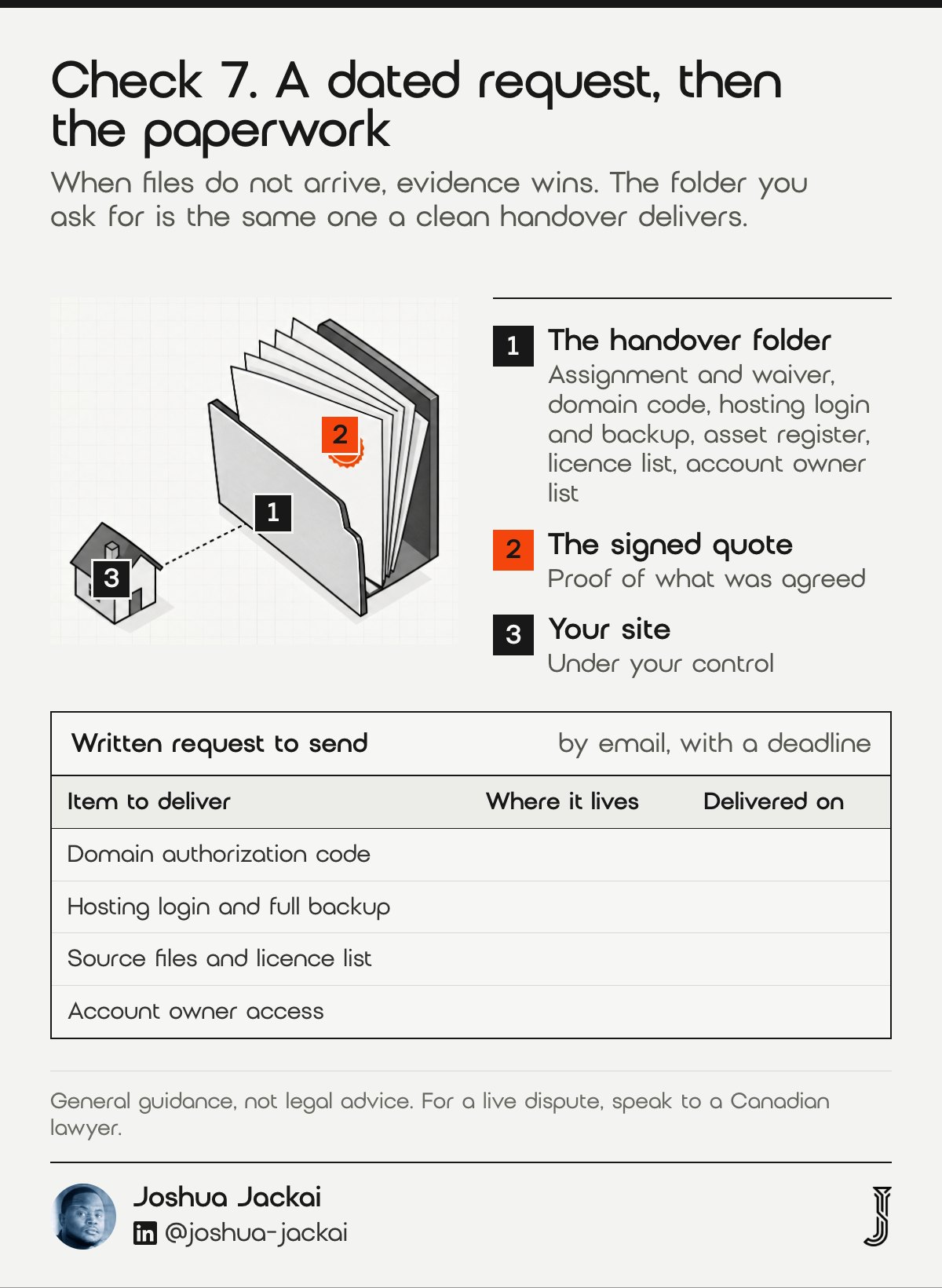
- Read first: ownership, assignment and handover clauses
- Gather: invoices, emails, the signed quote and proof of payment
- Ask in writing: a dated message naming what you need and a deadline
- Escalate: a lawyer’s demand letter, then the claim route in your province
- Pay attention to: any “release fee” that the contract does not mention
Section 13 has been amended since 1985, so confirm the current text on the Justice Laws site before relying on any point here (Copyright Act, s. 13). A short demand message does most of the work. Name the website, quote the clause or the quote that promised delivery, list the items you need (domain authorization code, hosting login, source files, licence list, account ownership), and set a reasonable deadline. Keep the tone flat.
“A calm message is easier to rely on later than an angry one,” said Joshua Jackai, Vancouver web designer.
Send it by email, not by text, so the date and the wording are kept.
If no reply arrives, a lawyer’s letter often changes the response, and your province’s small claims route is the next step for a modest sum. I am not a lawyer, and the right path depends on the contract and the amounts. What I can say is that evidence wins these cases: the signed quote, the proof of payment and the dated requests.
These are the clauses I would want in any website contract.
- The client owns the finished site on full payment.
- The designer assigns copyright and waives moral rights in writing.
- Domain and hosting are registered to the client.
- All accounts are created in the client’s name.
- Handover files and the licence list are delivered at launch.
- The designer keeps no right to withhold any of them over a separate dispute.
Compare the seven checks and run your own ownership audit
Use the filters to see which checks you can fix alone and which need the agency, then tick what you already hold in your own name. The result is a score out of seven and the first item to request. It is a prompt for a conversation, not a legal opinion, and the defaults are placeholders.
| Check | Usually held by | Effort | Fix alone |
|---|---|---|---|
| 1. Copyright in the design and code | Agency | Medium | No |
| 2. Your domain name | Agency | Low | Sometimes |
| 3. Hosting and server files | Agency | Medium | Sometimes |
| 4. Text, photos and logos | Designer | Medium | Yes |
| 5. Themes, plugins and licences | Agency | Medium | Sometimes |
| 6. Analytics, search and ad accounts | You | Low | Yes |
| 7. The contract and recovery path | Both | Low | Yes |
Showing 7 of 7 checks.
Ownership audit. Tick what you can already prove today. The first unticked item is the one to request first. This is a prompt for a conversation, not legal advice.
Frequently asked questions about website ownership in Canada
Owners ask the same few questions after a handover goes wrong: whether paying makes the site theirs, how to get a domain back, what to do about missing files and what a fair cost looks like. These answers tie back to the seven checks and are general information, not legal advice.
Who owns my website if I paid a web designer in Canada?
You do not automatically own it. In Canada the designer or agency that built your website owns the copyright unless a signed, written assignment transfers it to you. Payment gives you whatever the contract promises, so ask for the signed assignment and the files.
How do I get my domain back from my web designer?
Check the registrant in a public lookup and your registrar. If the agency is registrant, send a written request for a registrant change and the authorization code. If they will not reply, contact the registrar’s support with your invoices and emails, then consider a lawyer’s letter.
What can I do if my web designer will not give me my website files?
Send a dated written request that lists the items and a deadline, attaching the signed quote and proof of payment. If there is no reply, a lawyer’s demand letter is the usual next step, followed by your province’s small claims route for modest amounts.
Can a designer charge a fee to release my files?
A designer or agency can charge a release fee only if the signed contract provides for one. A fee that appears after delivery is a negotiation, not an entitlement. Ask which clause allows it, and have a lawyer review it before you pay anything beyond what you agreed.
How much does it cost to move a site into accounts I own?
My fixed price for moving a site to a new platform without a redesign starts at CA$2,500, and my website audit, a teardown with a ranked fix list, is CA$995, credited if a project starts within 30 days. Those are my prices as of October 2026.
How I set up a site you own
I write ownership into the fixed quote: you own the site, the domain and the hosting, and every account is created in your name from day one. Those are my standard terms on my Vancouver web design and B2B web design projects.
If your site already lives in someone else’s accounts, start with the CA$995 website audit, a teardown with a ranked fix list that comes off the project price if you proceed within 30 days, and tell me where the site is hosted. A move without a redesign is my website migration service, from CA$2,500. You can also see how the engines describe your company today with the free AI Visibility Report.
Sources
Peer-reviewed research
- Opara-Martins, J., Sahandi, R. and Tian, F. (2016). Critical analysis of vendor lock-in and its impact on cloud computing migration: a business perspective. Journal of Cloud Computing. doi.org/10.1186/s13677-016-0054-z
Legal sources (primary law, not legal advice)
- Government of Canada, Copyright Act, R.S.C. 1985, c. C-42, section 13, Ownership of copyright, read 14 October 2026.
- Government of Canada, Copyright Act, section 14.1, Moral rights, read 14 October 2026.
Industry and vendor sources (not peer reviewed)
- ResellerClub, CA Domain Rules and Requirements, a registrar help page summarised from a search result on 14 October 2026; CIRA’s own site blocked automated reads, so confirm the Canadian Presence Requirements and transfer lock with your registrar.
- Jackai Agency price table and standard terms, October 2026 (first-party).