
8 Best Website Builders in Canada for 2026
Eight website builders compared for Canadian businesses: Shopify, Wix, Squarespace, WordPress, Webflow, Framer, HubSpot Content Hub and GoDaddy Airo, scored on billing currency, content export, French support and price, with vendor pages read 28 November 2026.
 Joshua Jackai
20 min read
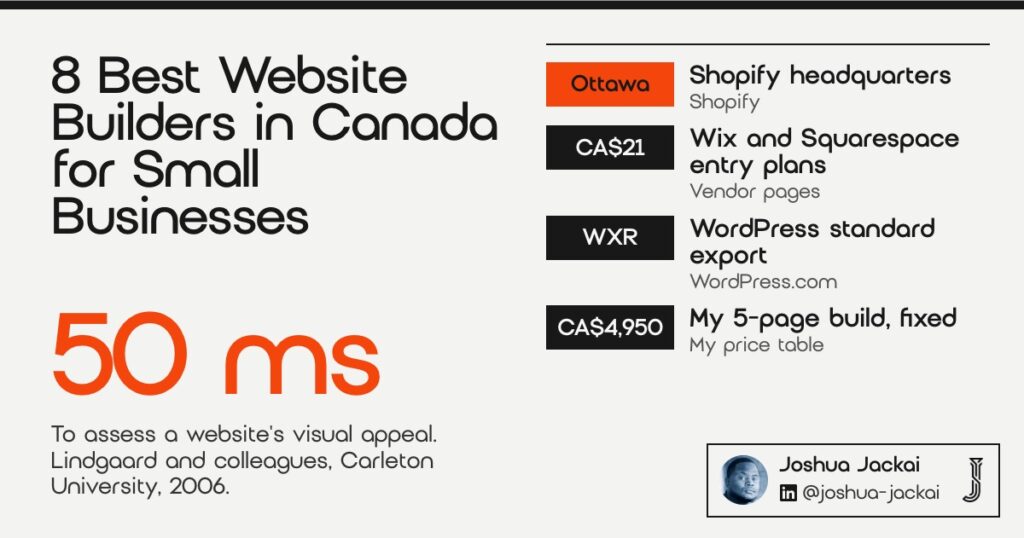
Published 28 November 2026 · Last updated and fact-checked November 2026
Short answer: The best website builder in Canada depends on the job. Shopify, from Ottawa, is best for selling. Wix or Squarespace suit a simple service site. WordPress is best when you need to own and move your content. Paid plans start at CA$21 a month on Wix and Squarespace. Check the billing currency, export rules and French support before you pay.
People in Vancouver ask me which builder to pick almost every week, usually after a US review site has ranked ten tools on features that matter less here. A Canadian business has four extra questions: is the plan billed in Canadian or US dollars, can I take my content with me, can the site run in French, and where does my customers’ information go. This guide ranks eight builders on those questions, with the vendor page, the study or the government rule behind each answer.
In this guide
Key takeaways
- Shopify is a Canadian company, headquartered in Ottawa, and is the strongest pick when the website’s main job is to sell products online.
- Wix, Squarespace, Shopify and GoDaddy showed Canadian-dollar prices on 28 November 2026; WordPress.com, Webflow and HubSpot showed US dollars, so renewals move with the exchange rate.
- Lock-in is a real cost: researchers at Bournemouth University found most customers are unaware of the proprietary standards that make it hard to move (Opara-Martins and colleagues, 2016).
- A study across five countries looked at whether consumers prefer local web content to standardized content (Singh, Furrer and Ostinelli, 2004), which is why French support belongs on a Canadian shortlist.
- My fixed builds start at CA$4,950 for up to 5 pages on Framer and CA$5,950 on WordPress.
| # | Builder | Best for | Billing seen in Canada | Content export |
|---|---|---|---|---|
| 1 | Shopify | Selling products online | CA$37 a month, paid yearly | Products to CSV, no images |
| 2 | Wix | An easy small-business site | CA$21 a month, yearly | None |
| 3 | Squarespace | Design-led templates | CA$21 a month, paid annually | Partial XML, one blog |
| 4 | WordPress | Owning and moving content | US$4 a month, yearly (WordPress.com) | Full WXR file |
| 5 | Webflow | Marketing teams wanting design control | US$15 a month, yearly | HTML and CSS, no CMS items |
| 6 | Framer | Fast, design-led marketing sites | $10 a month, currency at checkout | Unclear, help pages disagree |
| 7 | HubSpot Content Hub | B2B teams on HubSpot CRM | US$7 a month per seat | HTML of pages and posts |
| 8 | GoDaddy Airo | A quick, low-cost starter site | C$12.99 a month, yearly | Code export on paid plans |
What makes a website builder right for a Canadian business?
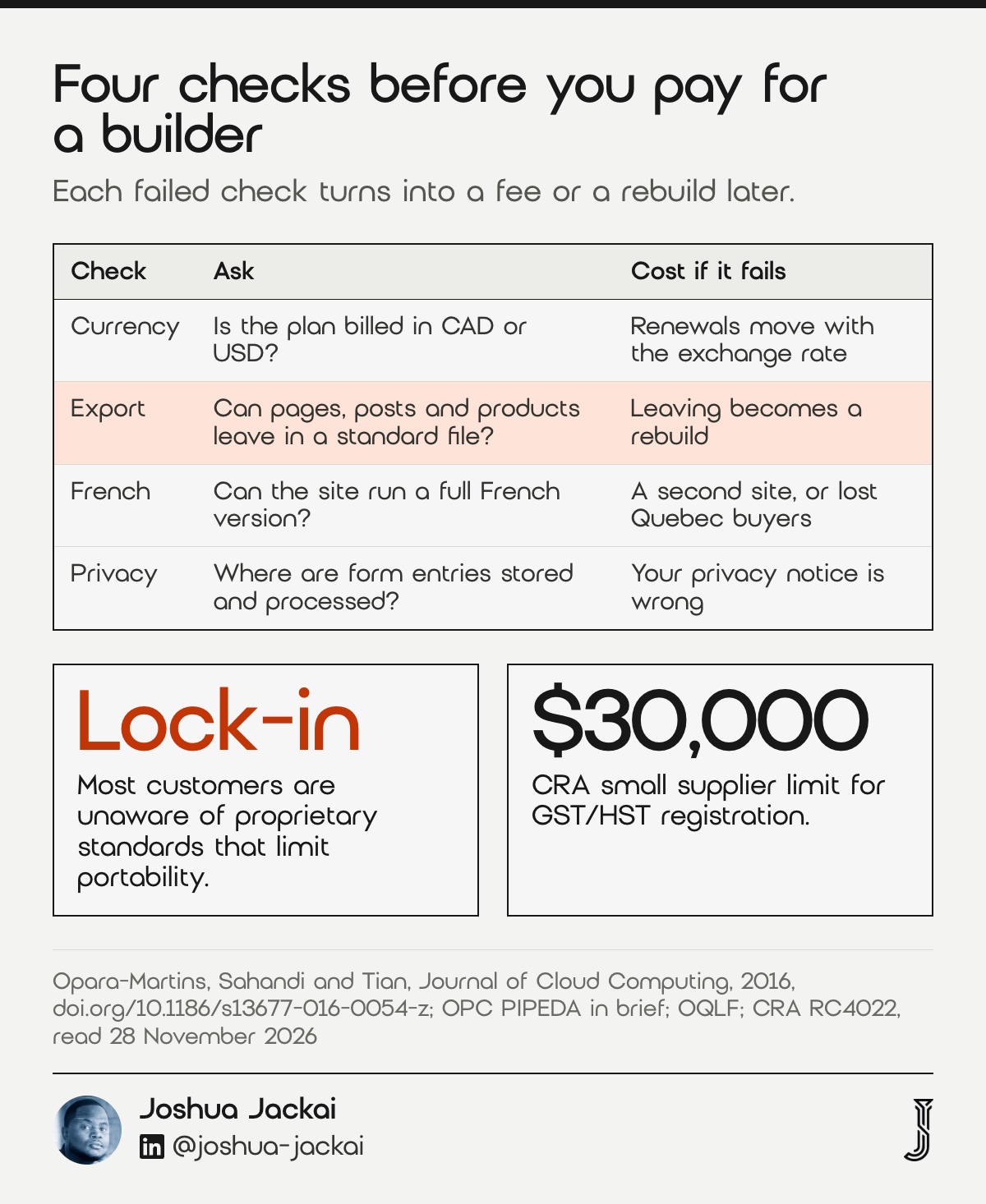
Four checks matter more here than in most US reviews: the currency you are billed in, how you leave, French support, and where personal information goes. A builder that passes all four costs less over three years than a cheaper one that fails any of them, because each failure turns into a fee or a rebuild later.
- Currency: a plan billed in US dollars moves with the exchange rate every renewal
- Exit: check whether pages, blog posts and products export in a standard format
- Language: Quebec customers and federal work often need a full French version
- Privacy: PIPEDA covers the personal information your forms collect
- Tax: GST/HST registration starts once revenue passes the small supplier limit
Most comparison sites rank builders on templates and features, and those differences are real but small. The differences that cost Canadian owners money show up later. A plan priced in US dollars looks cheap at sign-up and then renews at whatever the exchange rate is that year. A builder with no full export is cheap until the day you want to switch, and then the switch is a rebuild. Researchers who studied cloud lock-in put the problem plainly.
“Most customers are unaware of proprietary standards which inhibit interoperability and portability of applications when taking services from vendors.”
Justice Opara-Martins, Reza Sahandi and Feng Tian (Bournemouth University) wrote in Journal of Cloud Computing, 2016
The same paper names the defence: contracts and vendors that support standard formats. On a website, that means you own the domain, the account is in your company’s name, and you know before you start how content leaves. The privacy check is simpler than it sounds. The Office of the Privacy Commissioner of Canada says PIPEDA applies to private-sector organizations across Canada that collect, use or disclose personal information in commercial activity, and its cross-border guidelines keep you accountable for information transferred to a third party for processing. Before you choose, check where each builder stores and processes form data, and say so in your privacy notice. For Quebec, the Office québécois de la langue française states that commercial documentation must be written at least in French, and that includes websites. On tax, the Canada Revenue Agency defines a small supplier as a business with worldwide taxable supplies of $30,000 or less, so a store builder that handles GST/HST matters once you pass it.
1. Shopify: best for selling products online
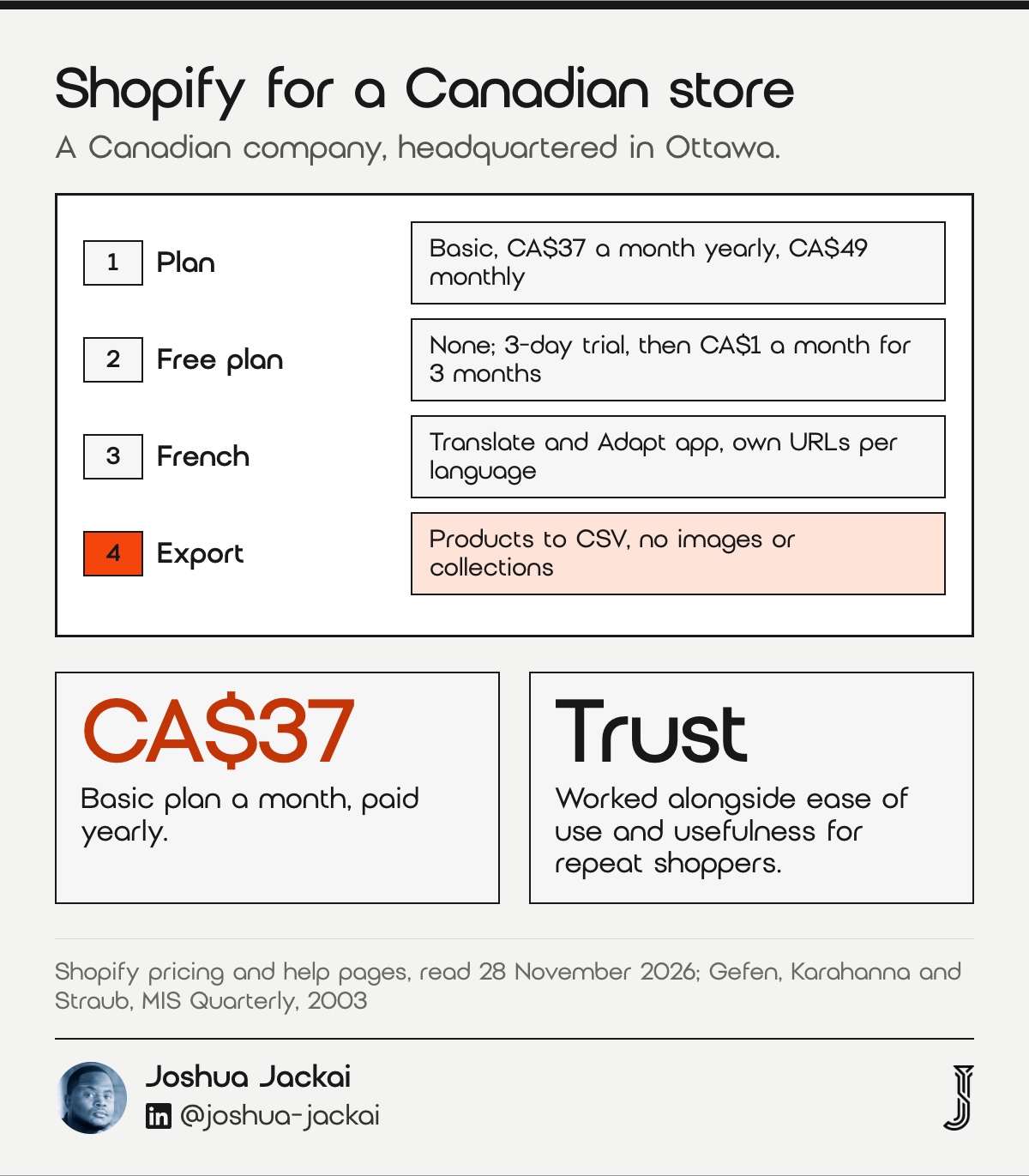
Shopify is the builder to pick when the website’s main job is to sell products. It is a Canadian company headquartered in Ottawa, it bills Canadian stores in Canadian dollars, and its Basic plan is listed at CA$37 a month paid yearly, or CA$49 a month paid monthly.
- Cheapest paid plan: Basic, CA$37 a month paid yearly, CA$49 paid monthly
- Free plan: no; a 3-day trial, then CA$1 a month for 3 months
- French: yes, through the Translate and Adapt app, each language on its own URLs
- Export: products to CSV; images and collection memberships are not included
- Headquarters: Ottawa, Ontario
For a store, Shopify does the hard parts well: checkout, payments, taxes by province, shipping rates and inventory, all without a plugin you have to keep updated. That is why I send most product businesses here even though I build service sites on other tools. The cost to watch is not the plan. It is the apps. Reviews, subscriptions, bundles and wholesale pricing usually come from third-party apps, and each one adds its own monthly fee, often in US dollars.
The second thing to price is leaving. Shopify’s product export is a CSV file, and its own help page says product images and the collections a product belongs to are not part of it. Moving away is possible, but it is a project, not a button. Trust is also part of the sale. A study of repeat online shoppers found trust mattered as much as ease of use and usefulness (Gefen, Karahanna and Straub, 2003), and a familiar, stable checkout is one of the cheapest ways to earn it.
“Online trust is built through (1) a belief that the vendor has nothing to gain by cheating, (2) a belief that there are safety mechanisms built into the Web site, and (3) by having a typical interface, (4) one that is, moreover, easy to use.”
David Gefen, Elena Karahanna and Detmar Straub wrote in MIS Quarterly, 2003
Data point: Shopify’s Canadian pricing page lists Basic at CA$37 a month paid yearly and CA$49 a month paid monthly (read 28 November 2026).
2. Wix: best for an easy small-business site
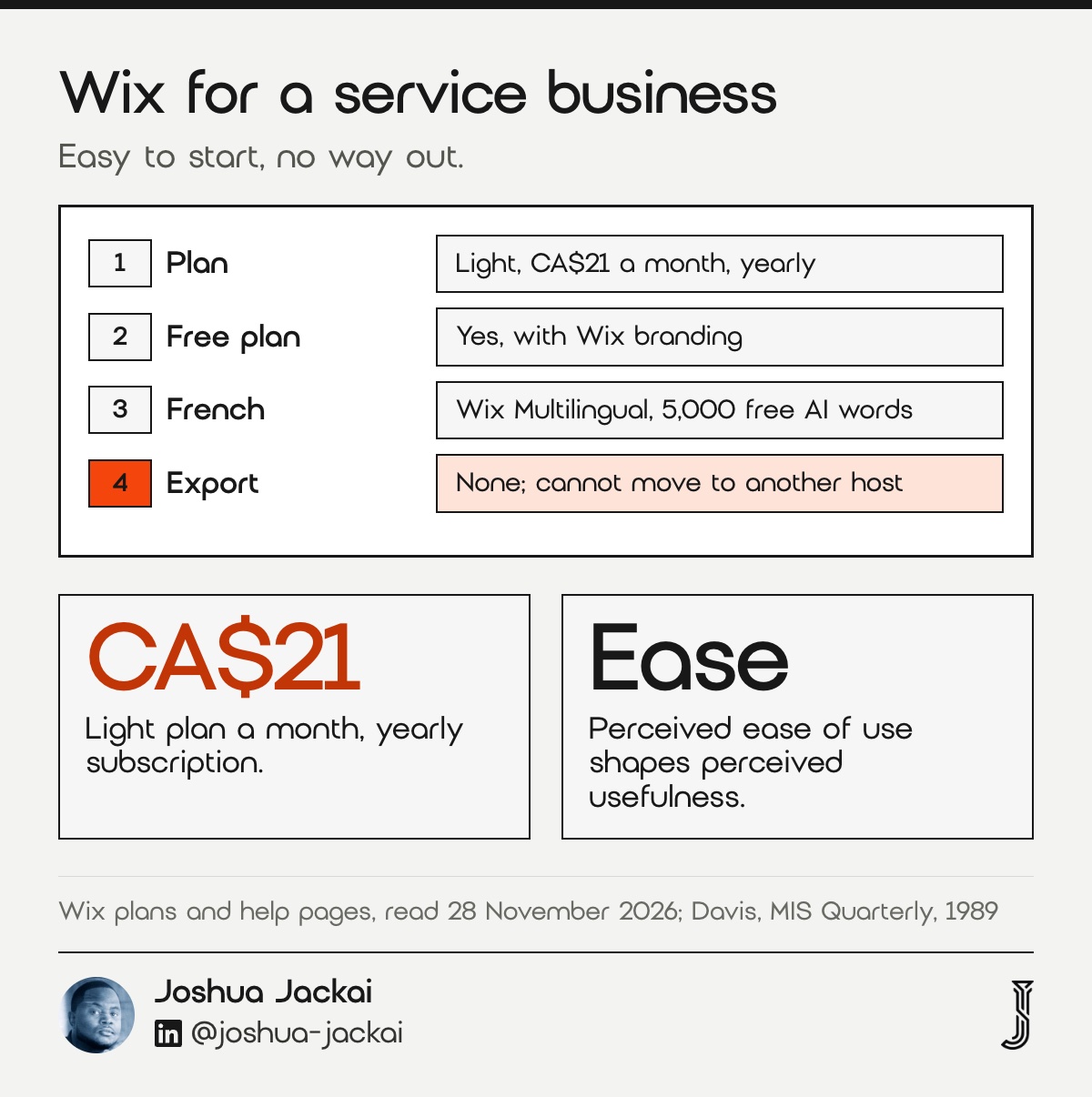
Wix suits an owner who wants to build and edit a simple service site without help. It shows Canadian prices, starting with the Light plan at CA$21 a month on a yearly subscription, it has a free plan, and its Wix Multilingual app handles a French version with 5,000 words of free AI translation to start.
- Cheapest paid plan: Light, CA$21 a month, yearly subscription paid up front
- Free plan: yes, with Wix branding and no custom domain
- French: yes, Wix Multilingual, 5,000 free AI-translated words to start
- Export: no; Wix sites cannot be moved to another host
- Headquarters: Tel Aviv, Israel
Wix is the builder I see most often on Vancouver trade and service businesses, and for a five-page site with a contact form it does the job. The editor is forgiving, the templates are decent, and booking and simple store features are built in. Ease of use matters more than it sounds. In a study that shaped how researchers measure software adoption, Fred Davis found that how easy a tool feels is tied to how useful people judge it to be.
“Perceived ease of use may actually be a causal antecedent to perceived usefulness.”
Fred D. Davis wrote in MIS Quarterly, 1989
The catch is the exit. Wix’s own help centre says you cannot use another host for a Wix site, because its software-as-a-service design does not support external hosting. If the business grows into a bigger B2B site later, the move is a rebuild. That is fine if you plan for it, and expensive if you do not.
Data point: Wix’s plans page lists the Light plan at CA$21 a month and states that displayed prices are for yearly subscriptions paid in full (read 28 November 2026).
3. Squarespace: best for design-led templates
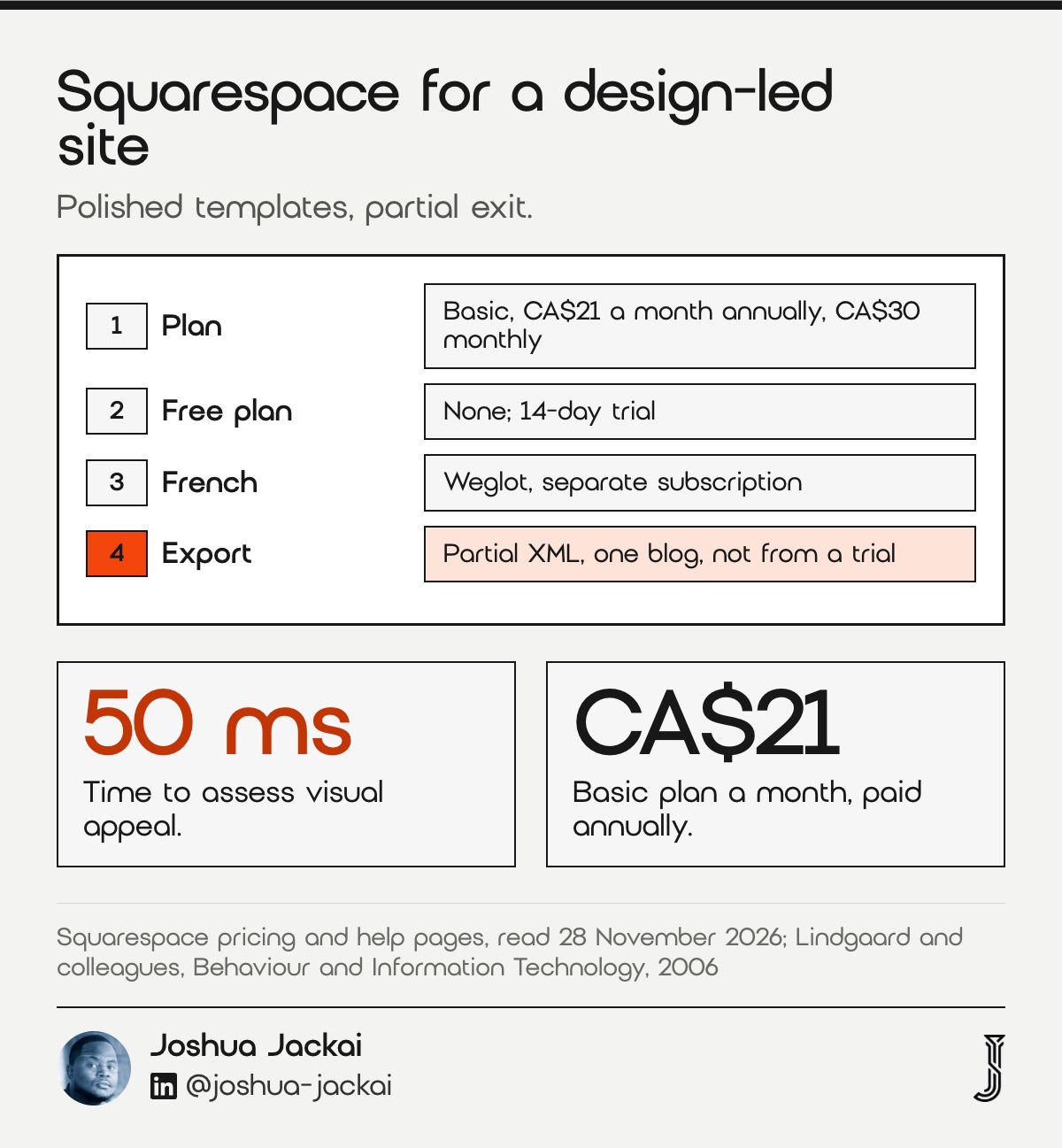
Squarespace fits a studio, consultant or restaurant that wants a polished template and will not touch code. It bills in Canadian dollars, with the Basic plan at CA$21 a month paid annually or CA$30 paid monthly, and every site starts with a 14-day free trial instead of a free plan.
- Cheapest paid plan: Basic, CA$21 a month paid annually, CA$30 paid monthly
- Free plan: no; a 14-day free trial, no credit card
- French: through Weglot, a separate subscription, free for one language up to 2,000 words
- Export: partial, an XML file in WordPress format, one blog only
- Headquarters: New York City
Squarespace templates are the most consistent of the general builders. Type, spacing and image handling look finished out of the box, which matters because people judge a page fast. Gitte Lindgaard’s team at Carleton University in Ottawa found visual appeal was assessed within 50 ms.
“Attention web designers: You have 50 milliseconds to make a good first impression!”
Gitte Lindgaard and colleagues wrote, in the title of their paper in Behaviour and Information Technology, 2006
Two limits matter for Canadian owners. French is not built in: Squarespace points to Weglot, a separate service with its own subscription once you pass its free tier. And the export is partial. Squarespace says you can export certain content to an XML file, in WordPress format, and only one blog comes with it. Pages built with its layout blocks usually need rebuilding elsewhere. Squarespace also says you cannot export from a trial site, so test the export on a paid site before you commit years of content to it. If you only need a portfolio, a menu or a booking page, none of this matters much.
Data point: Squarespace’s pricing page shows Basic at CA$21 a month with annual billing selected (read 28 November 2026).
4. WordPress: best for owning and moving your content
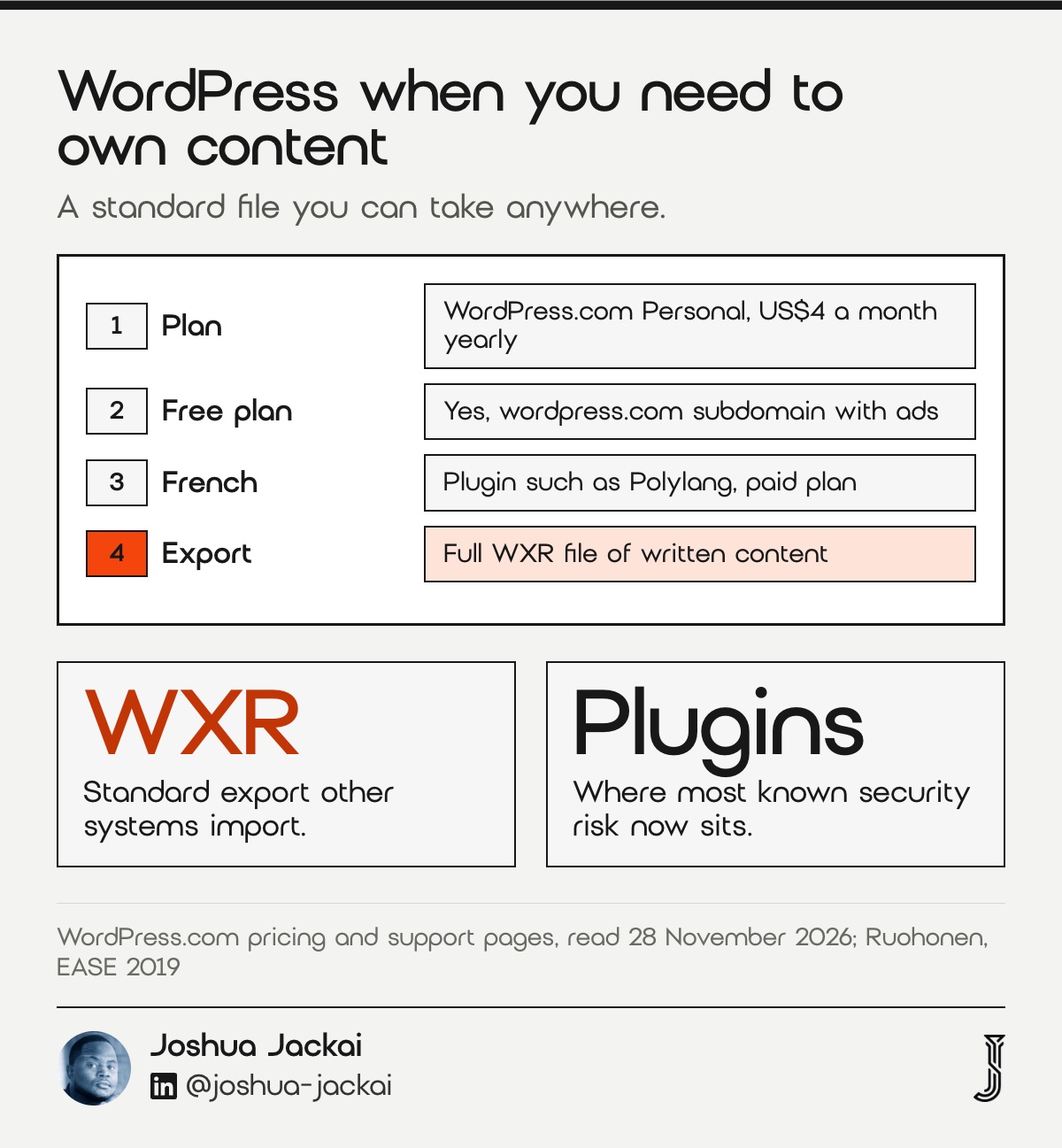
WordPress is the pick when you want to own your content and keep the option to move it. WordPress.com’s Personal plan is listed at US$4 a month paid yearly, the free plan runs on a wordpress.com subdomain, and every site can export its written content as a standard WXR file.
- Cheapest paid plan: WordPress.com Personal, US$4 a month yearly, US$9 monthly
- Free plan: yes, on a wordpress.com subdomain, with ads shown to visitors
- French: no built-in translation; a plugin such as Polylang on a paid plan
- Export: yes, a WXR file of written content and image references
- Owner: Automattic, San Francisco (WordPress.com); self-hosted WordPress is open source
There are two WordPress options. WordPress.com is a hosted builder from Automattic. Self-hosted WordPress is the open-source software on a host you pick, which can be a Canadian data centre. Either way, the export file is a standard format other systems can import, and that is the main reason I recommend it to B2B companies that publish a lot.
The cost is maintenance. A self-hosted site needs updates, backups and a security plan, and most of the risk now sits in add-ons rather than the core software.
“Many of the well-known security risks have transmuted from the core WordPress to the numerous plugins and themes written for the CMS.”
Jukka Ruohonen (University of Turku) wrote in EASE, 2019
Keep plugins few, keep them updated, and put the hosting account in the company’s name. When I rebuild an old WordPress site, the first job is usually removing plugins nobody remembers installing. WordPress.com prices showed only in US dollars when checked, so the renewal moves with the exchange rate.
Data point: WordPress.com’s support page on exports states the export file includes your written content and references to your images (read 28 November 2026).
5. Webflow: best for marketing teams who want design control
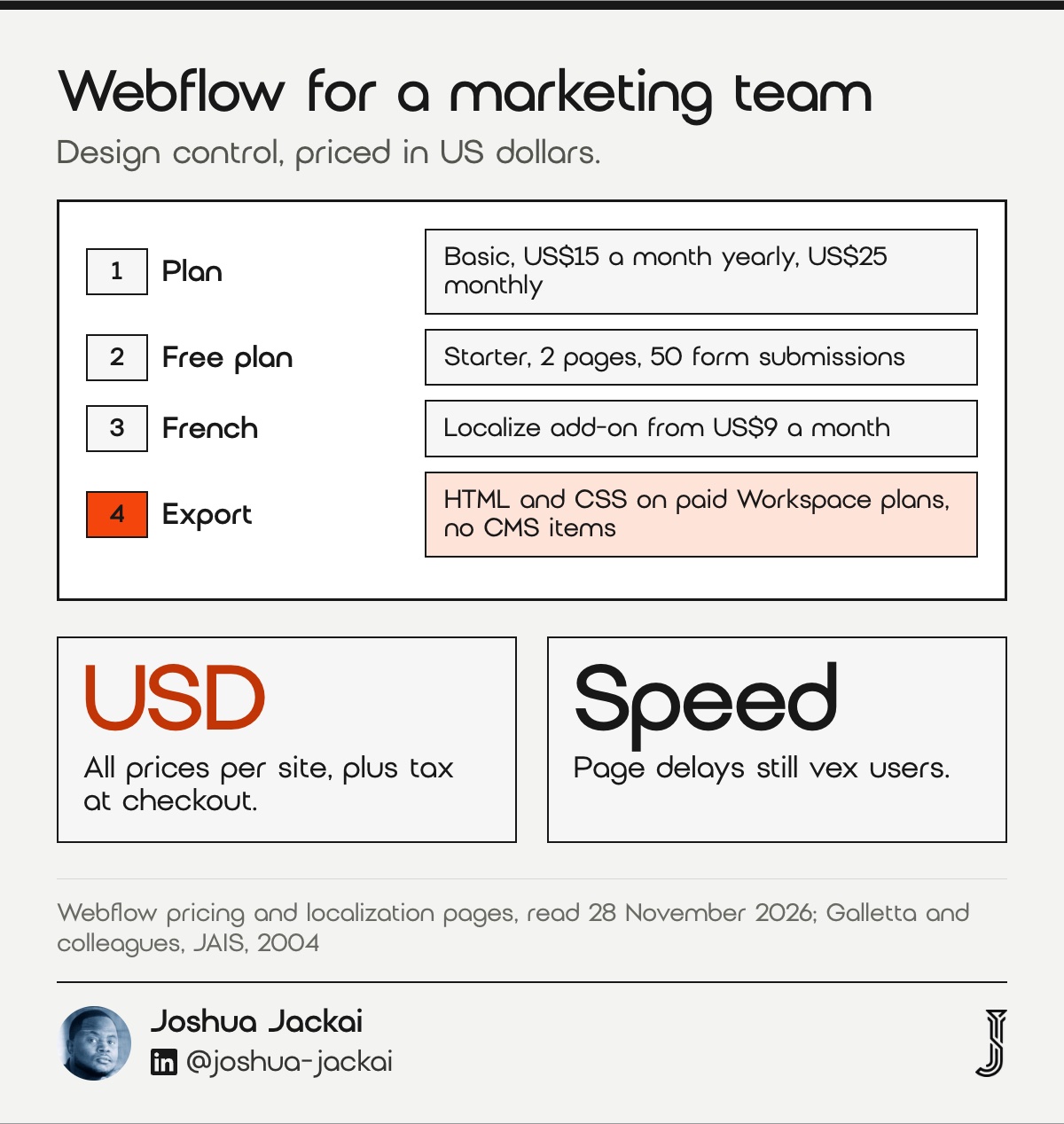
Webflow suits a marketing team that wants pixel-level design control and a real content system without a developer. It prices in US dollars per site, with Basic at US$15 a month billed yearly, a free Starter plan on a webflow.io domain, and localization as a paid add-on from US$9 a month.
- Cheapest paid plan: Basic, US$15 a month billed yearly, US$25 monthly
- Free plan: yes, Starter, 2 static pages and 50 form submissions on webflow.io
- French: Localize add-on from US$9 a month, with AI translation
- Export: HTML and CSS on a paid Workspace plan; CMS items cannot be exported
- Headquarters: San Francisco
Webflow sits between a template builder and custom code. A trained designer can build almost any layout, and the CMS handles blogs, case studies and resource libraries well. That power has a learning curve, so budget for training or a designer who already knows it.
Speed is worth protecting on any builder you pick. Dennis Galletta’s team found that page delays hurt how people performed and how they felt about a site.
“Web page loading speed continues to vex users, even as broadband adoption increases.”
Dennis Galletta and colleagues wrote in Journal of the Association for Information Systems, 2004
For Canadian buyers, note three things: every price is in US dollars plus tax at checkout, Webflow has renamed its site plans, so older reviews show the wrong names, and the code export leaves out CMS content. If your site is mostly blog posts and case studies, plan the exit around the CMS, not the design.
Data point: Webflow’s pricing page states “All prices in USD, per site, plus applicable taxes added at checkout” (read 28 November 2026).
6. Framer: best for fast, design-led marketing sites
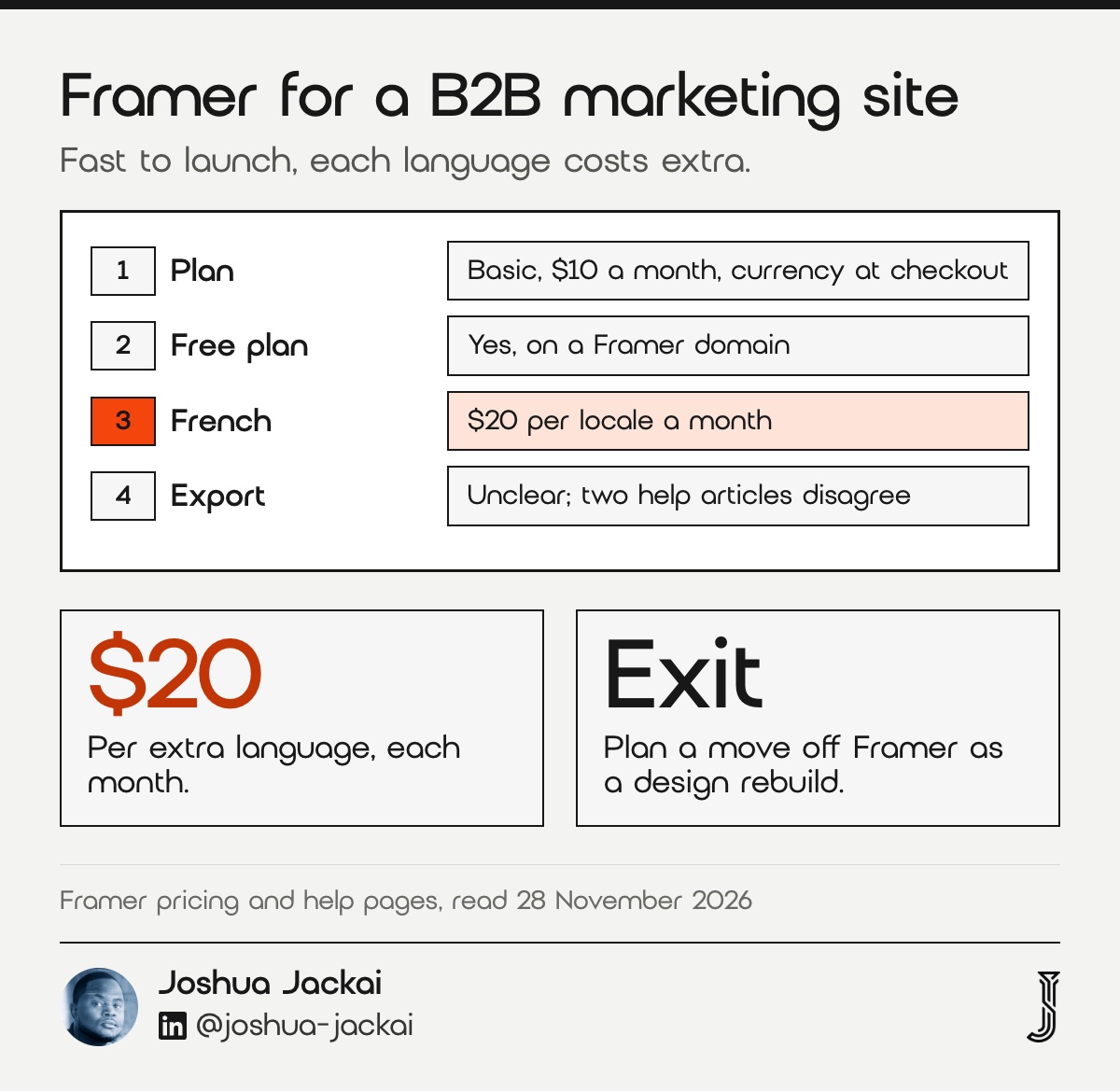
Framer suits a startup or B2B company that wants a sharp marketing site live in weeks, edited by the marketing team. Its Basic plan is listed at $10 a month with the local currency set at checkout, the free plan runs on a Framer domain, and each extra language is $20 a month.
- Cheapest paid plan: Basic, $10 a month, currency set at checkout
- Free plan: yes, on a Framer domain; a custom domain needs a paid plan
- French: paid add-on, $20 per locale a month on Basic and Pro
- Export: unclear; two Framer help articles disagree on HTML export
- Best fit: marketing sites, not stores
I build a lot of Canadian B2B sites on Framer because the editor is close to the design tools my clients already know, pages are fast, and the marketing team can change copy without calling me. It is not a store builder and it is not the right home for thousands of products.
Plan the exit like you would on Wix. Two Framer help articles, both updated 15 September 2026, give different answers: one says Framer does not offer HTML export for self-hosting, the other says every site is published as standard HTML, CSS and JavaScript. Until Framer settles it, treat a move off Framer as a rebuild of the design, with your copy and images kept.
“Treat a move off Framer as a rebuild of the design, with your copy and images kept.”
Joshua Jackai, Vancouver web designer, said
Each French locale adds its own monthly fee, so a bilingual site costs more than the headline price.
Data point: Framer’s pricing page lists localization at $20 per locale, up to 20 locales, on the Basic and Pro plans (read 28 November 2026).
7. HubSpot Content Hub: best for B2B teams already on HubSpot CRM
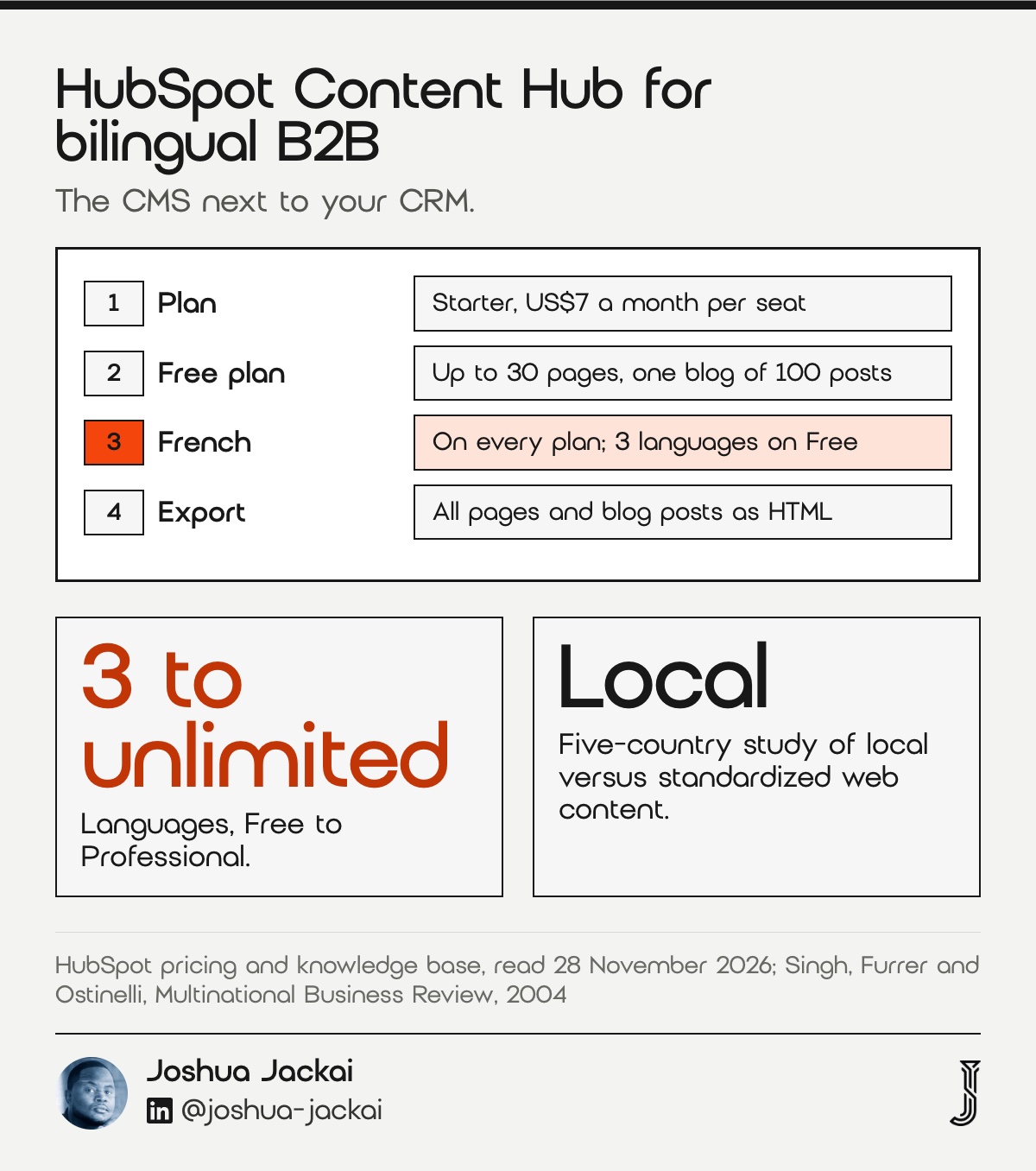
HubSpot Content Hub fits a B2B company whose sales team already lives in HubSpot’s CRM. It prices in US dollars, with Starter at US$7 a month per seat, a free plan of up to 30 pages, and multiple languages on every plan, from 3 on Free to unlimited on Professional.
- Cheapest paid plan: Starter, US$7 a month per seat
- Free plan: yes, HubSpot branding, up to 30 pages and one blog of 100 posts
- French: yes on every plan; 3 languages on Free, up to 50 on Starter
- Export: yes, all pages and blog posts as HTML
- Headquarters: Cambridge, Massachusetts
The reason to choose HubSpot is the connection to the CRM. Form fills land on contact records in the same CRM your sales team uses, so marketing and sales look at one record. For a B2B firm that already pays for HubSpot Sales or Marketing, that is worth more than any template.
Language support is the strongest of the eight for a bilingual Canadian company, and research backs the effort. Nitish Singh and colleagues studied whether shoppers in five countries prefer local or standardized web content.
“This study provides evidence from five different countries as to whether global consumers prefer local web content or standardized web content.”
Nitish Singh, Olivier Furrer and Massimiliano Ostinelli wrote in Multinational Business Review, 2004
Watch the seat math and the upgrade path. Starter is cheap, but check the Professional price before you plan around its features, and every price is in US dollars. If your team is not on HubSpot already, the CMS alone is rarely the cheapest way to get a good site.
Data point: HubSpot’s Content Hub pricing page shows Starter at US$7 a month per seat and states prices are in USD and subject to applicable tax (read 28 November 2026).
8. GoDaddy Airo: best for a quick, low-cost starter site
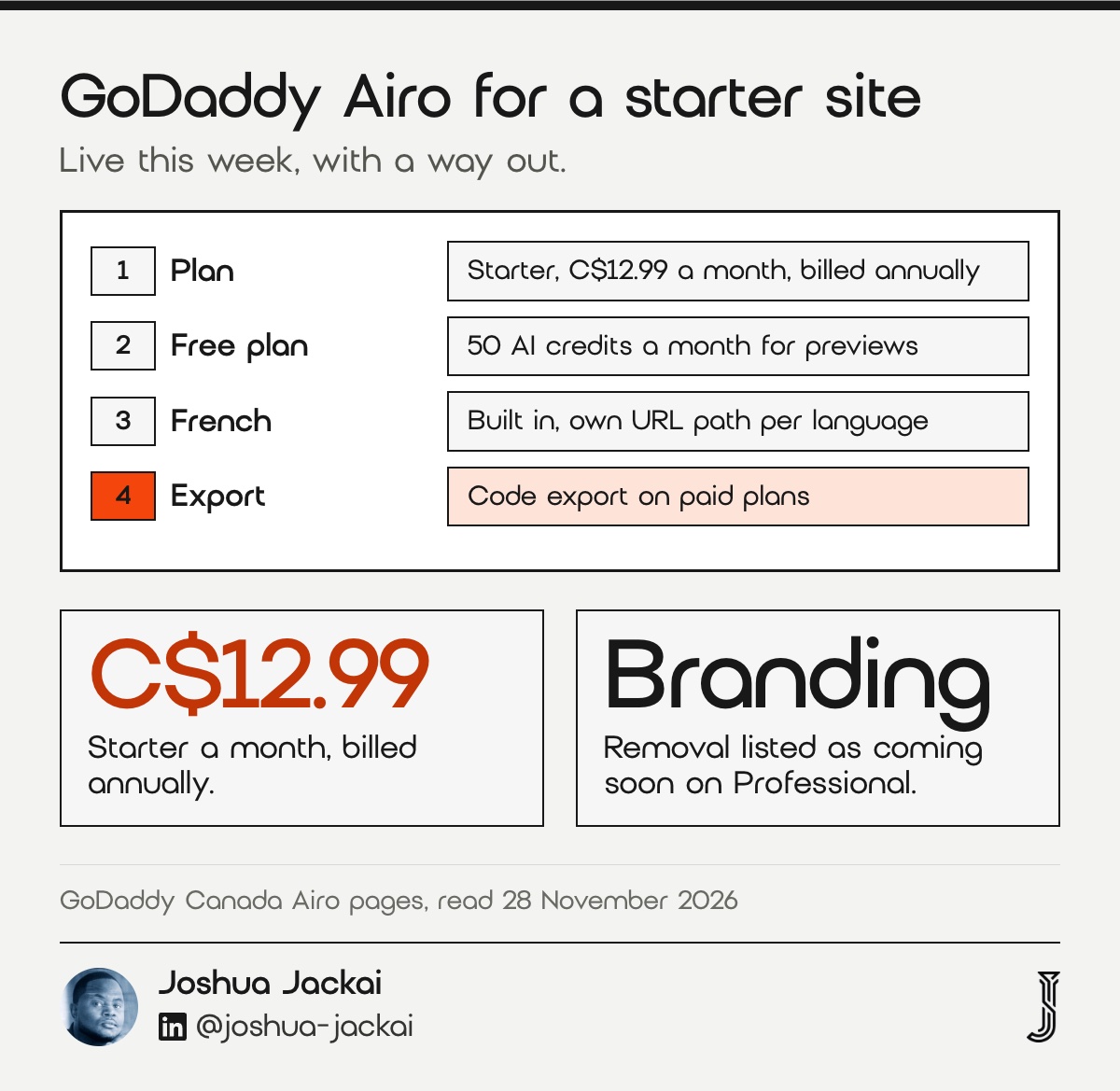
GoDaddy’s Airo AI builder suits a new business that needs a basic site live this week for the lowest price. It bills in Canadian dollars, with Starter at C$12.99 a month billed annually, a free tier for building previews, French built in, and code export on paid plans.
- Cheapest paid plan: Starter, C$12.99 a month billed annually
- Free plan: yes, 50 AI credits a month for previews; publishing starts on Starter
- French: yes, built in, each language on its own URL path, using AI credits
- Export: yes, paid plans can export the code at any time
- Headquarters: Tempe, Arizona
Airo is an AI builder that drafts the site for you, which is useful when the alternative is no site at all. Expect to rewrite most of what it produces, because a generated draft rarely knows what makes your business different. Read every page before you publish and replace any claim you cannot back up.
“Read every page before you publish and replace any claim you cannot back up.”
Joshua Jackai, Vancouver web designer, said
Two details surprised me when I checked. French is built in, with each language on its own URL path, which beats several bigger names on this list. And paid plans list the ability to export your code at any time, which is a better exit than Wix or Squarespace offer. Removing Airo branding was still listed as coming soon on the Professional plan. For a first site that is acceptable. For a B2B company selling large contracts, the branding and the generated copy are reasons to move up once the business is proven, and the export makes that move cheaper.
Data point: GoDaddy Canada’s Airo plan page lists Starter at C$12.99 a month billed annually (read 28 November 2026).
Compare all 8 website builders by job, export and billing
This matrix lets you filter the eight builders by the job your site has to do and by how you would leave. Every cell comes from the builder’s own pricing or help page, read on 28 November 2026, so check the live page before you buy. Rows hide, they are never removed.
Showing 8 of 8 builders.
| # | Builder | Best for | Cheapest paid plan | Export | French |
|---|---|---|---|---|---|
| 1 | Shopify | Selling products online | CA$37/mo yearly | Products to CSV, no images | Translate and Adapt app |
| 2 | Wix | An easy small-business site | CA$21/mo yearly | No export to another host | Wix Multilingual app |
| 3 | Squarespace | Design-led templates | CA$21/mo annually | Partial XML, one blog | Weglot, separate subscription |
| 4 | WordPress.com | Owning and moving content | US$4/mo yearly | Full WXR file | Plugin on a paid plan |
| 5 | Webflow | Marketing teams wanting design control | US$15/mo yearly | HTML and CSS, no CMS items | Localize add-on from US$9 a month |
| 6 | Framer | Fast, design-led marketing sites | $10/mo | Unclear, help pages disagree | $20 per locale a month |
| 7 | HubSpot Content Hub | B2B teams on HubSpot CRM | US$7/mo per seat | HTML of pages and posts | On every plan |
| 8 | GoDaddy Airo | A quick, low-cost starter site | C$12.99/mo yearly | Code export on paid plans | Built in, uses AI credits |
How much will a website builder cost over three years?
Add the plan, the apps or add-ons you need, sales tax and any design work, then multiply by the years you expect to keep the site. The calculator converts US-dollar plans at the rate you enter, because exchange swings are the cost most Canadian owners forget. Every default is a placeholder.
Three-year website builder cost in Canadian dollars
Every default below is a placeholder. Replace it with the plan price you see at checkout, your bank’s exchange rate and your province’s sales tax.
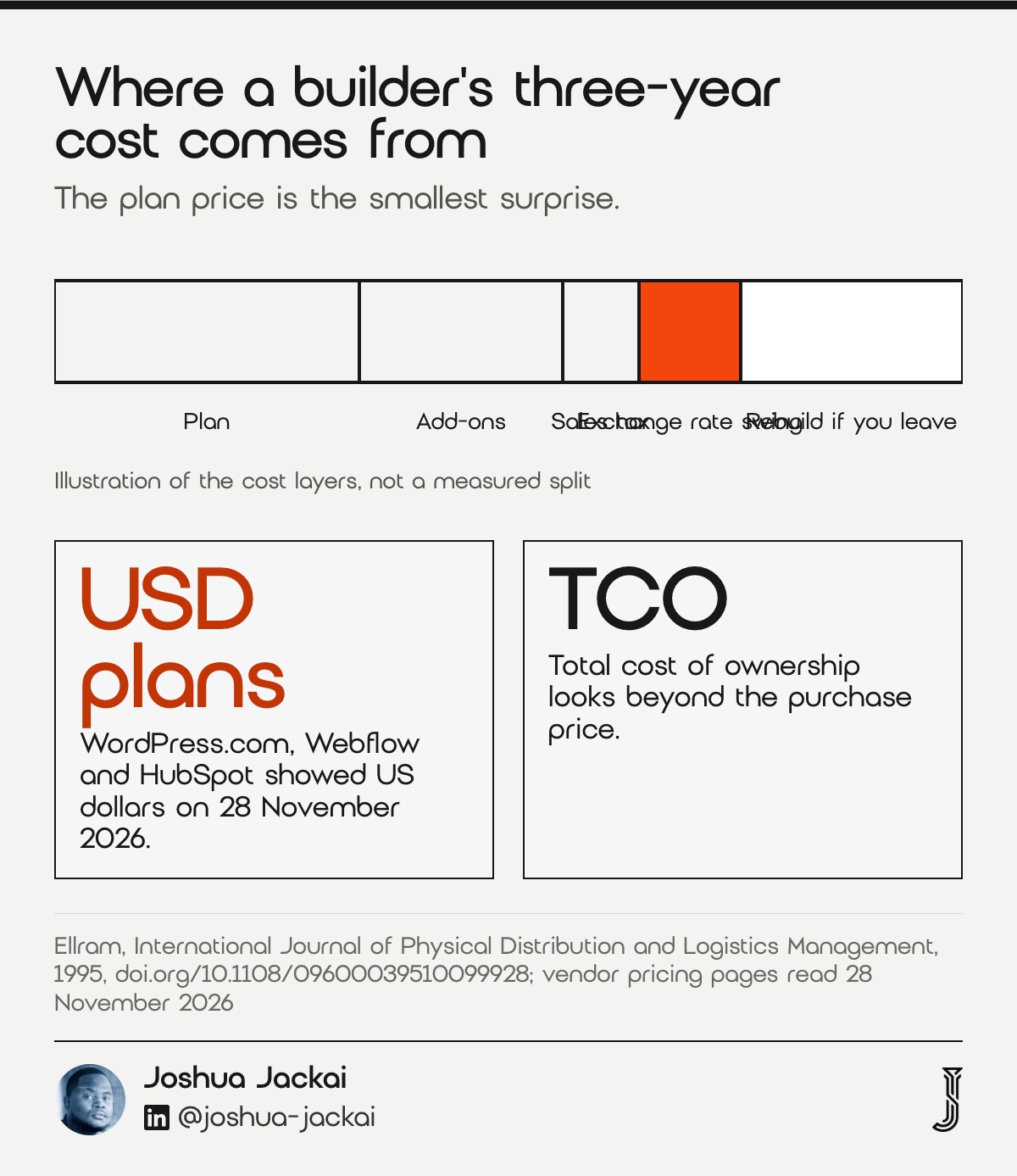
Total cost thinking is older than websites. “Total cost of ownership is a methodology and philosophy which looks beyond the price of a purchase to include many other purchase-related costs,” wrote Lisa Ellram of Arizona State University (International Journal of Physical Distribution and Logistics Management, 1995). For a website, those other costs are apps, payment fees, the hours someone spends updating it, and the rebuild if you pick the wrong tool.
Website builder questions from Canadian owners
These are the questions I hear most from Canadian owners choosing a builder, answered in a few sentences each. The answers assume a small business or a B2B company with one main website, no in-house developer, and a plan to keep the site for at least three years.
What is the best website builder in Canada?
There is no single winner. Shopify is best for selling products, and it is a Canadian company based in Ottawa. Wix and Squarespace suit simple service sites. WordPress is best when you need to own and move your content. Pick by the site’s main job first.
What is the best free website builder in Canada?
Wix, WordPress.com, Webflow, HubSpot and Framer all have free plans, but each keeps its own branding or subdomain. For a real business, a free plan is a test drive. Budget for a paid plan and a custom domain before launch, because customers trust yourname.ca more than a builder subdomain.
Is Shopify a Canadian company?
Yes. Shopify was founded in Ottawa and lists Ottawa as its headquarters. That does not change how your store data is stored or what you pay, so still read its pricing page for the billing currency and its privacy page for where data is processed before you sign up.
Do I need a French version of my website in Canada?
It depends on where you sell. A business selling to Quebec customers should plan for a full French version under Quebec’s language rules, and federal contracts often ask for both languages. Check that your builder can run two language versions before you build, because adding one later costs more.
Who builds this for Canadian businesses
For service and B2B websites, I build on Framer or WordPress at a fixed price: CA$4,950 for up to 5 pages on Framer, CA$5,950 on WordPress, and custom B2B sites from CA$7,450. The account, domain and hosting stay in your company’s name.
If you are not sure which builder fits, start with my CA$995 website audit, credited to a project that starts within 30 days, or use the quote calculator.
Sources
Peer reviewed
- Davis, F. D. (1989). Perceived usefulness, perceived ease of use, and user acceptance of information technology. MIS Quarterly, 13(3). doi.org/10.2307/249008
- Ellram, L. (1995). Total cost of ownership. International Journal of Physical Distribution and Logistics Management, 25(8). doi.org/10.1108/09600039510099928
- Galletta, D. F., Henry, R., McCoy, S. and Polak, P. (2004). Web site delays: how tolerant are users? Journal of the Association for Information Systems, 5(1). doi.org/10.17705/1jais.00044
- Gefen, D., Karahanna, E. and Straub, D. W. (2003). Trust and TAM in online shopping: an integrated model. MIS Quarterly, 27(1). doi.org/10.2307/30036519
- Lindgaard, G., Fernandes, G., Dudek, C. and Brown, J. (2006). Attention web designers: you have 50 milliseconds to make a good first impression! Behaviour and Information Technology, 25(2). doi.org/10.1080/01449290500330448
- Opara-Martins, J., Sahandi, R. and Tian, F. (2016). Critical analysis of vendor lock-in and its impact on cloud computing migration: a business perspective. Journal of Cloud Computing, 5. doi.org/10.1186/s13677-016-0054-z
- Ruohonen, J. (2019). A demand-side viewpoint to software vulnerabilities in WordPress plugins. EASE 2019. doi.org/10.1145/3319008.3319029
- Singh, N., Furrer, O. and Ostinelli, M. (2004). To localize or to standardize on the web: empirical evidence from Italy, India, Netherlands, Spain, and Switzerland. Multinational Business Review, 12(1). doi.org/10.1108/1525383X200400004
Industry, vendor and government (read 28 November 2026)
- Shopify, Canadian pricing, languages and product export help pages
- Wix, plans, Wix Multilingual and exporting your site
- Squarespace, pricing, Weglot and exporting your site
- WordPress.com, pricing, translate your site and export
- Webflow, pricing and localization
- Framer, pricing, HTML export and porting your data
- HubSpot, Content Hub pricing and exporting web content
- GoDaddy Canada, Airo plans and translating an Airo site
- Canada Revenue Agency, General information for GST/HST registrants (government)
- Office of the Privacy Commissioner of Canada, PIPEDA in brief and guidelines for processing personal data across borders (government)
- Office québécois de la langue française, Faire des affaires au Québec, aide-mémoire (government)
More B2B guides
CEO Personal Website Design: 8 Proven Essentials
Eight things every Canadian CEO personal website needs: a domain in your name, a clear first screen, a real headshot, a bio built from checkable facts, a dated…
Website Design for Interior Design Firms: 7 Proven Rules
Seven things every Vancouver interior design firm website needs: photos you have the right to publish, a portfolio with project stories, a clear first screen, honest credentials and…
Realtor Website Design Vancouver: 7 Essential Rules for 2026
Seven rules for a Vancouver realtor website: brokerage name on every page, REALTOR® and MLS® used correctly, a listing feed you may use, honest photos, sourced claims, CASL-safe…
